


![JSAUX anti-glare matte screen protector for ROG Ally and ROG Xbox Ally series #style_[2-pack] for all rog ally models](http://jsaux.com/cdn/shop/files/GP0113A-Anti-Glare-Screen-Protector-for-ROG-Ally-_-ROG-Xbox-Ally-Series-1_jpg.png?v=1762310072&width=92)


![Grey 2-pack 90 degree USB-C to USB-C right angle adapters #style_grey [2-pack]](http://jsaux.com/cdn/shop/files/90_-USB-C-to-USB-C-Right-Angle-Adapter-grey-1.png?v=1755238920&width=92)




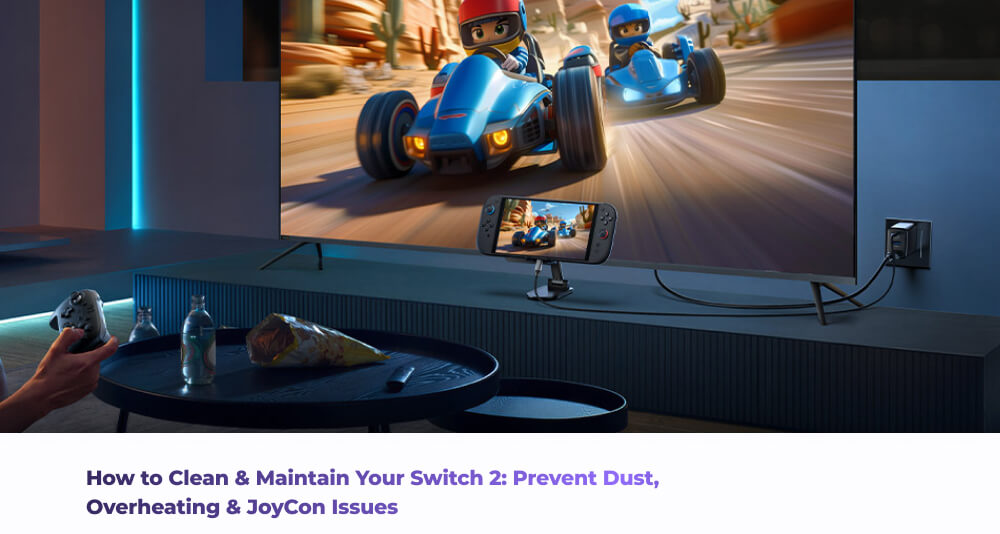
携帯ゲーム機を定期的にメンテナンスすることが重要です。見た目の問題だけでなく、Switch 2をメンテナンスすることで、ホコリの蓄積、過熱、さらには最悪のタイミングで発生する迷惑なJoy-Conの接続問題といった問題を解決できます。
ホコリや粒子の蓄積は、以下の問題を引き起こす可能性があります。
- 充電の問題
- ドッキングの互換性の問題
- Joy-Conが正常にペアリングされない
- 空気の流れが悪くなり、過熱する
- ソフトウェアの不具合、バグ、非互換性
これらは多くの問題のように思えるかもしれませんが、朗報があります。これらの問題はすべて簡単に解決でき、少し注意を払うだけで完全に回避することもできます。トラブルシューティングについて説明しましょう。
外殻とスクリーンのメンテナンス方法
最初に、そして最も簡単に清掃できるのは、Switch 2の外殻とスクリーンです。手順を追って説明しましょう。
- Switch 2の電源を完全に切ります。
- 柔らかいマイクロファイバークロスを使用して、ディスプレイと筐体を優しく拭きます(マイクロファイバークロスがない場合は、綿ベースの布でも代用できます)。
- 汚れや跡が頑固な場合は、布を少し湿らせてから本体を拭くと効果的です。ただし、本体に直接液体を吹き付けないように注意してください。
- ボタンの周りを掃除するときは、ゴミが本体に入り込まないように注意してください。
スクリーンプロテクターを使用することをお勧めします。通常の利用中であっても、メンテナンス清掃中に誤って傷つけてしまう場合であっても、デバイスに追加の保護層を提供します。
内部の繊細な部品の清掃方法
Joy-Conレールとドックコネクタは、通常コンソールの「一般的な拭き掃除」に含まれないため、多くのホコリやゴミがたまりやすい部分です。これにより、充電時間の遅延、誤ったドッキング、ランダムな切断や同期ずれが発生する可能性があります。ホコリやゴミが適切な接触を妨げ、接続不良を引き起こす可能性があるためです。これも簡単に解決できます。
- Switch 2の各ポートに圧縮空気を吹き込みます。主なポートはUSB-C充電ポート、ヘッドホンジャック、ゲームカードスロットです。
- コンソールのこれらの繊細な部品を損傷しないように、ポートにいかなる種類の物も挿入しないでください。
- これらの内部部品を清掃するために液体を避けてください。
- Joy-Conレールとドックコネクタの場合、柔らかい乾いたブラシを使用して、Joy-Conレールとドックコネクタの目に見えるゴミを拭き取ります。
これらのエリアを清潔に保ち、ゴミやホコリがない状態にすることで、ドッキング、充電の不安定さ、さらにはJoy-Conの同期の問題を直接防ぐことができます。Switch 2には保護ケースを使用してください。物理的な保護と全身を覆う防塵の両方を提供することで、Switch 2の清掃とメンテナンスの量を減らすことができます。ドッキングポートのような主要な接触点だけを定期的に清掃する必要があるだけになります。
最終チェック
最後に、定期的にケーブルとアダプターをチェックしてください。充電ケーブルが曲がったりほつれたりしていないか、ドックアダプターが電源コンセントにしっかりと収まっているかを確認してください。接続が緩いと、コンソールの充電速度に影響を与えるだけでなく、Switch 2のバッテリーの長期的な健康状態にも影響を与える可能性があります。
メンテナンスはハードウェアだけで終わるわけではありません。デバイスのパフォーマンスと健康状態にも役立つため、ソフトウェアも常に最新の状態に保つようにしてください。ファームウェアを更新すると、Switch 2が最新のパフォーマンス最適化、バグ修正、システム安定性の向上を確実に利用できるようになります。ハードウェアとソフトウェアのメンテナンスは同じコインの裏表であり、調和して機能する傾向があるため、同じ注意を払う必要があります。
まとめ
結局のところ、Switch 2のメンテナンスは、専門的なツールや過度な複雑な手順を必要とするような、三つ首の悪魔のようなものである必要はありません。チェックリストを確認してください。一般的なケースとスクリーンを清掃し、ポートをチェックし、ケーブルをチェックし、常に一般的なソフトウェアを最新の状態に保ってください。コンソールを大切にすれば、相互に共生関係で、コンソールもあなたを大切にしてくれることを保証します。ハッピーゲーミング!
Switch 2を完全に保護し、アクセサリーを付けたいですか?こちらで当社のSwitch 2アクセサリーの全ラインナップをご覧ください。


コメントを書く
全てのコメントは、掲載前にモデレートされます
このサイトはhCaptchaによって保護されており、hCaptchaプライバシーポリシーおよび利用規約が適用されます。