


![JSAUX anti-glare matte screen protector for ROG Ally and ROG Xbox Ally series #style_[2-pack] for all rog ally models](http://jsaux.com/cdn/shop/files/GP0113A-Anti-Glare-Screen-Protector-for-ROG-Ally-_-ROG-Xbox-Ally-Series-1_jpg.png?v=1762310072&width=92)


![Grey 2-pack 90 degree USB-C to USB-C right angle adapters #style_grey [2-pack]](http://jsaux.com/cdn/shop/files/90_-USB-C-to-USB-C-Right-Angle-Adapter-grey-1.png?v=1755238920&width=92)




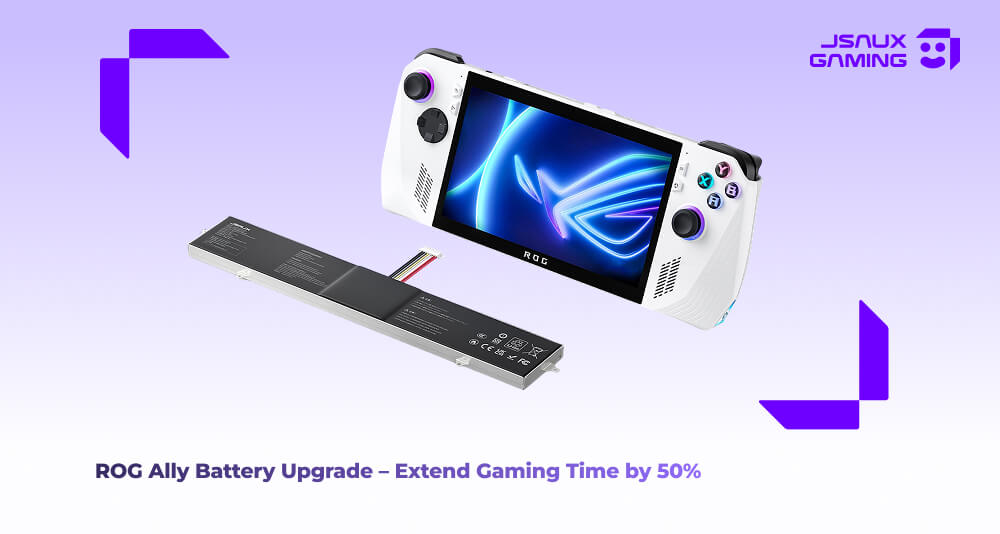
長年ROG Allyを使ってきた私ですが、私たちプレイヤーの多くが直面する問題にぶつかりました。それはバッテリーの寿命です。最初にハンドヘルドを手に入れたとき、AAAゲームを1時間フルにプレイしても心配ありませんでした。しかし、数ヶ月間酷使した後、1時間はかろうじて40分に縮まりました。どこへ行くにもモバイルバッテリーを持ち歩き、常にバッテリー残量を気にしているのはフラストレーションがたまりました。
もしあなたがこのような経験をしているなら、あなたは一人ではありません。ROG Allyの元のバッテリーはわずか40Whで、時間の経過とともに自然に容量が減少します。AAAタイトルを実行したり、マルチタスクをこなしたりする高い電力要件も加わると、バッテリーがすぐに消耗するのは当然のことです。
アップグレード前に試したこと
最初は、元のバッテリーを使い続けました。安くて簡単でしたが、実用的ではありませんでした。ゲームは途中で中断され、ハンドヘルドの携帯性が無駄に感じられました。
新しいOEMバッテリーに交換することも考えました。互換性はあるものの、費用が高く、自分で取り付けられる自信がありませんでした。デバイスを損傷するリスクを冒したくなかったのです。
最終的に、JSAUX 65Wh大容量バッテリーキットでバッテリーをアップグレードすることに決めました。正直なところ、ROG Allyの使い方が完全に変わりました。
JSAUX バッテリーを使った私の体験
キットには必要なものがすべて揃っています。ツール一式とステップバイステップのビデオガイドです。最初は不安でしたが、ビデオに従って作業を進めたら簡単に取り付けることができました。デバイスを開けたことがない人でも、迷うことなくできます。
取り付けてから、すぐに違いを感じました。
- ゲーム時間が大幅に延長 – 以前は45~60分程度だったのが、負荷の高いAAAゲームでも1.25~1.5時間快適にプレイできるようになりました。ゲーム途中で充電切れの心配をする必要がなくなりました。
- 優れた温度管理 – アルミニウム製ヒートシンクによりデバイスがより低温に保たれ、ファンも静かに動作するため、ハンドヘルドゲームがより快適になりました。
-
安全で簡単な取り付け – 必要なものはすべて含まれており、ステップバイステップのビデオと書面によるガイドがあるので、デバイスを損傷する心配はありません。
バッテリーのアップグレードは技術的な問題を解決するだけでなく、ゲーム体験全体を向上させます。電力切れを常に心配することなく、いつでもどこでもプレイできるようになりました。
スムーズなアップグレードのためのヒント
- 時間をかけて、ビデオをステップバイステップで見てください。急ぐ必要はありません。
- 取り付け後、数日間デバイスをテストして、新しいバッテリーのパフォーマンスに慣れてください。
- AAAゲームや長時間のセッションを頻繁にプレイする場合は、バッテリーのアップグレードはほぼ必須です。
最終的な感想
バッテリーの寿命に悩むベテランのROG Allyユーザーの方や、充電を気にせずに長くプレイしたい方は、JSAUX PB0101大容量バッテリーキットを試す価値があります。私のROG Allyのバッテリー寿命が50%向上し、ゲームがより楽しくなり、デバイス全体の感触も良くなりました。
これで、バッテリーを常に確認することなく、いつでもどこでもAAAゲームをプレイできるようになりました。この種の自由は、ハンドヘルドゲーマーにとってかけがえのないものです。


コメントを書く
全てのコメントは、掲載前にモデレートされます
このサイトはhCaptchaによって保護されており、hCaptchaプライバシーポリシーおよび利用規約が適用されます。