

![Grey 2-pack 90 degree USB-C to USB-C right angle adapters #style_grey [2-pack]](http://jsaux.com/cdn/shop/files/90_-USB-C-to-USB-C-Right-Angle-Adapter-grey-1.png?v=1755238920&width=92)


![JSAUX anti-glare matte screen protector for ROG Ally and ROG Xbox Ally series #style_[2-pack] for all rog ally models](http://jsaux.com/cdn/shop/files/GP0113A-Anti-Glare-Screen-Protector-for-ROG-Ally-_-ROG-Xbox-Ally-Series-1_jpg.png?v=1762310072&width=92)


![JSAUX anti-glare screen protector 2-pack for Lenovo Legion Go 2 with alignment frame #model_for legion go 2 [2-pack]](http://jsaux.com/cdn/shop/files/GP0132-Anti-Glare-Screen-Protector-for-Legion-Go-2-1.png?v=1766136633&width=92)


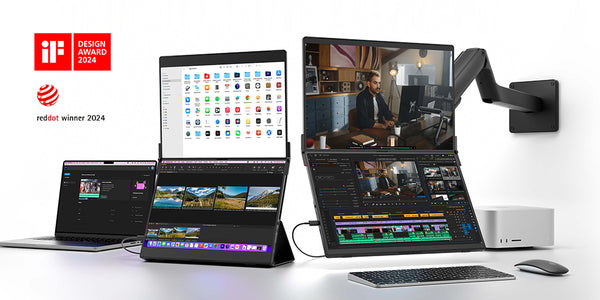
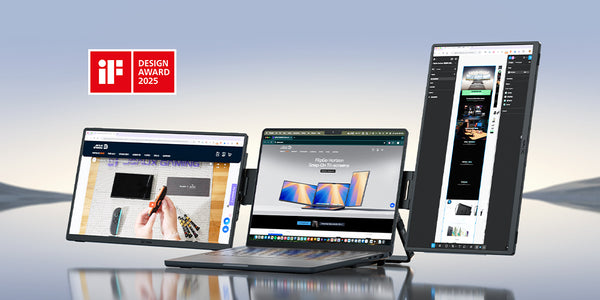
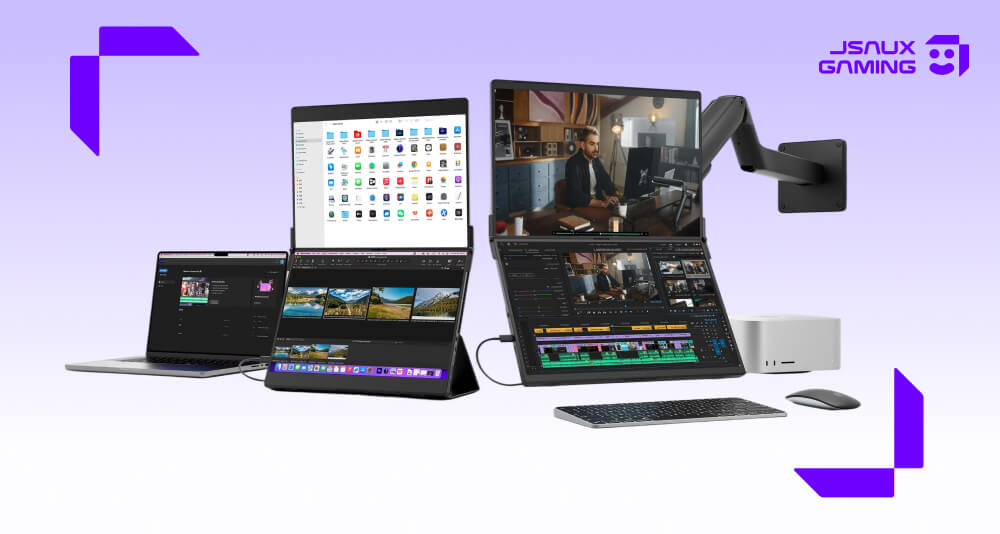
If you work while traveling, a good portable monitor can save you time every single day. The problem is that many portable setups feel better in theory than they do in real life. Some take up too much desk space. Some need too many cables. Some are simply too annoying to unpack unless you are staying in one place for a while.
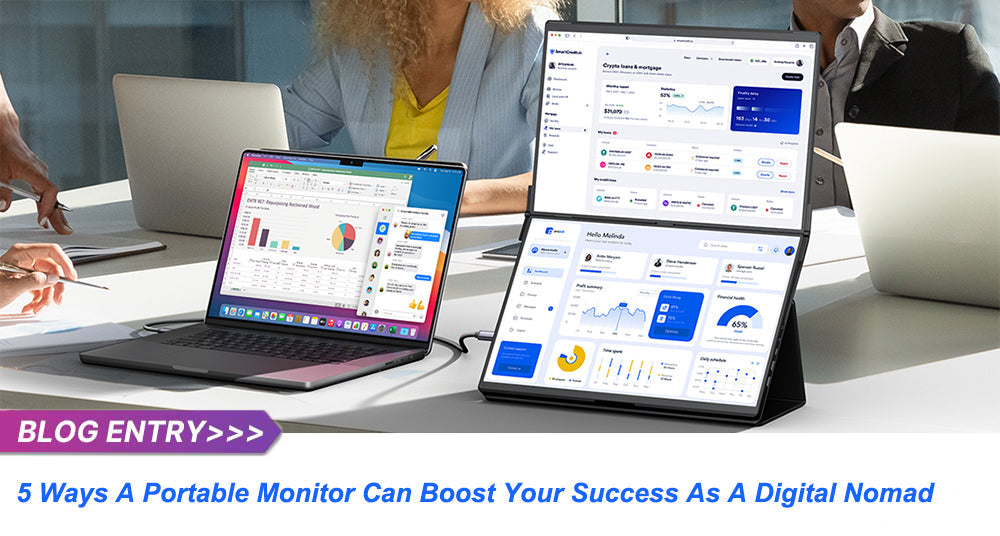
That is why the FlipGo Portable Dual Monitor stands out. It gives digital nomads something more useful than just a second screen: a dual-screen setup that feels compact, practical, and realistic for everyday travel. If your goal is to work faster without turning your bag into a mobile desktop station, FlipGo makes a strong case.
For many remote workers, that is the real decision. You do not just need a bigger display. You need a portable monitor that helps you stay productive in cafes, hotel rooms, airport lounges, coworking spaces, and temporary home offices without adding too much friction.
Quick Answer
If you want the simplest recommendation:
- Best overall FlipGo model for most digital nomads: FlipGo Pro 13.5"
- Best FlipGo model for a larger premium workspace: FlipGo Pro 16"
- Best FlipGo model for touch workflows: FlipGo Touch 16"
- Best lower-cost Pro option: FlipGo Pro 15.6"
- Best entry-level option: FlipGo Lite 15.6"
- Best alternative if you want a more modular portable workstation: FlipGo Horizon
Why FlipGo Is a Strong Portable Monitor for Travel and Remote Work
The biggest reason FlipGo works is simple: it gives you more workspace without making your setup feel too bulky or too complicated.
A lot of digital nomads do not need a giant monitor. They need enough space to keep multiple tasks visible at once. That usually means some combination of:
- writing and research
- spreadsheets and dashboards
- email and meetings
- editing and previews
- browser tabs and project tools
FlipGo solves this well because its stacked dual-screen design gives you more room to work while keeping the footprint more manageable than many wider side-by-side monitor layouts.
That matters in small spaces. A cafe table or hotel desk does not give you much room to work with. A dual-screen setup that stays relatively compact is often more useful than a technically impressive setup that feels awkward to deploy.
The Features That Actually Matter in Daily Use
FlipGo has several standout features, but the real question is how those features help when you are moving from one workspace to another.
--- Magnetic Snap-On Design
FlipGo uses a magnetic snap-on design, which helps make setup faster and cleaner than monitor systems that rely on clips or manual adjustment. For a digital nomad, that matters because the best portable monitor is often the one you will actually use every day, not the one with the most complicated setup.
--- Flexible Stand and Accessory Options
FlipGo supports a range of accessory options, each suited to a different kind of workflow:
- Snap Stand: a quick standalone option for cafe or hotel setups where you need to get going fast
- Flex Folio: acts as both a carrying case and a stand, so the monitor is ready to use as soon as you open the bag
- Snap VESA Adapter: connects FlipGo to a fixed arm or mount when you settle into a more permanent desk setup
That flexibility is useful if your work style changes depending on how long you are staying somewhere.
--- One-Cable USB-C Setup
Another major advantage is that FlipGo supports a single USB-C cable connection in compatible setups. Both screens can run through one cable, which helps simplify cable management and makes setup noticeably faster when you sit down to work.
For people who set up and pack down a workspace multiple times a week, that kind of convenience adds up. It is one of the reasons FlipGo tends to feel more realistic to use regularly, rather than something you only unpack when it seems worth the effort.
--- Award-Winning Product Design
FlipGo has received both the 2024 iF Design Award and the 2024 Red Dot Design Award. Awards alone do not make a product worth buying, but in this case they reflect something that matters to users: the design is built around real multitasking and portability needs, not just making the spec sheet look good.
Which FlipGo Model Should You Choose?
The best FlipGo model depends on how much you care about portability, screen size, touch support, and price.
| Item | FlipGo Pro 13.5" | FlipGo Pro 16" | FlipGo Touch 16" | FlipGo Pro 15.6" | FlipGo Lite 15.6" |
|---|---|---|---|---|---|
| Best for | Frequent travelers who want the best balance | Users who want a larger premium screen | Windows users who want touch support | Users who want a more affordable Pro option | Users who want the lowest entry price |
| Model No. | PM0201 | PM0205 | PM0204 | PM0209 | PM0207 |
| Version | Pro | Pro | Touch | Pro | Lite |
| UltraView Mode | Yes | Yes | No | Yes | Yes |
| ABC Mode (Windows) | Yes | Yes | Yes | Yes (USB Display driver) | Yes |
| ABC Mode (macOS) | Yes | Yes | No | Yes (USB Display driver) | No |
| ABC Mode (Linux) | Yes | Yes | Yes | No | Yes |
| DisplayLink Support | Yes | Yes | No | Yes (USB Display driver) | No |
| Touch Screen | No | No | Yes | No | No |
| Color Gamut | 100% sRGB | 100% sRGB | 100% sRGB | 72% NTSC (about 100% sRGB) | 45% NTSC (about 67% sRGB) |
| Screen Finish | Matte | Matte | Glossy | Matte | Matte |
| Best choice if... | You want the most travel-friendly premium option | You want more screen space and a brighter panel | You mainly use Windows and want touch interaction | You want a lower-cost model with broader compatibility than Lite | You want the most affordable way into the FlipGo lineup |
Best FlipGo Model by Use Case
For most people, FlipGo Pro 13.5" is the safest recommendation because it gives you strong resolution, good portability, and a premium enough experience to feel worth carrying. At 1.08 kg, it is also the lightest option in the lineup, which matters when you are already carrying a laptop.
If you want more screen area and do not mind the larger size, FlipGo Pro 16" is the better premium choice. If touch support is genuinely useful to your Windows workflow, FlipGo Touch 16" is the right pick. If budget matters more, FlipGo Pro 15.6" is the better value choice, while FlipGo Lite 15.6" only makes the most sense if cost is your top priority.
FlipGo Portable Dual Monitor vs FlipGo Horizon
Some users will eventually compare FlipGo with FlipGo Horizon, and the decision mostly comes down to simplicity versus flexibility.
| Item | FlipGo Portable Dual Monitor | FlipGo Horizon |
|---|---|---|
| Best for | Travel-friendly dual-screen productivity | More advanced modular workstation setups |
| Setup style | Foldable dual-screen monitor | Modular multi-screen system |
| Main strength | Easier to carry, easier to set up, better for small desks | More layout freedom, rotating screens, stand-and-dock design |
| Better choice if... | You want a practical portable monitor for everyday remote work | You want a more desk-like portable workspace |

For many digital nomads, FlipGo is the better fit because it is simpler. It is easier to pack, easier to understand, and better suited to the kind of temporary workspaces people actually use while traveling.
If you want a more advanced and modular setup, read the full FlipGo Horizon guide >.
Who Should Buy FlipGo?
FlipGo is a great fit for people who want more room to work but do not want their setup to become bulky or difficult to manage.
It is especially useful for:
- writers and researchers
- marketers and sales teams
- spreadsheet-heavy remote workers
- designers and content teams
- digital nomads who move between locations often
If you want a portable monitor that helps you get more done without demanding too much space or setup effort, FlipGo is a very strong choice.
Final Thoughts
If your goal is to find the best portable monitor for digital nomads, FlipGo is easy to recommend because it focuses on the things that matter most in real travel use: more workspace, a smaller footprint, cleaner setup, and enough model variety to fit different budgets and workflows.
For most people, FlipGo Pro 13.5" is the best place to start. It is the most balanced option in the lineup and the one that makes the most sense for everyday travel. If you want more screen space, move up to FlipGo Pro 16". If you want a more advanced modular setup, FlipGo Horizon is the better direction.
But if what you really want is a portable monitor that feels practical to use day after day while traveling, FlipGo still makes one of the strongest cases in this category.
FAQ
Q. What makes FlipGo a good portable monitor for digital nomads?
A. FlipGo works well for digital nomads because it adds dual-screen productivity in a setup that still feels compact and travel-friendly. It is easier to use in smaller workspaces than many traditional monitor setups, and the single USB-C cable connection in compatible setups helps make packing and unpacking faster.
Q. Which FlipGo model is best for most travelers?
A. For most travelers, FlipGo Pro 13.5" is the best all-around choice. It offers strong display quality, a lighter design, and a compact format that fits more easily alongside a laptop in most bags.
Q. Does FlipGo work with Windows and Mac?
A. Yes. FlipGo is compatible with Windows, macOS, and Linux. Mac users should note that some display modes require the free DisplayLink driver to work correctly, and feature availability can vary by model and host device. If you are considering a Touch model, Windows is generally the better fit for full touch support.
Q. Does FlipGo support one-cable USB-C connection?
A. Yes, in compatible setups. FlipGo supports a single USB-C cable that can carry power and video to both screens simultaneously, which helps reduce cable clutter and simplify setup.
Q. Is there a touch version of FlipGo?
A.Yes. FlipGo Touch 16" adds touch support and is best suited for users who primarily work on Windows, where touch support is more fully integrated.
Q. Is FlipGo or FlipGo Horizon better for digital nomads?
A. If you want a simpler and more travel-friendly dual-screen setup, FlipGo is the better fit. If you want a more modular and workstation-like system with rotating screens and a built-in dock.

Leave a comment
All comments are moderated before being published.
This site is protected by hCaptcha and the hCaptcha Privacy Policy and Terms of Service apply.