![JSAUX anti-glare matte screen protector for ROG Ally and ROG Xbox Ally series #style_[2-pack] for all rog ally models](http://jsaux.com/cdn/shop/files/GP0113A-Anti-Glare-Screen-Protector-for-ROG-Ally-_-ROG-Xbox-Ally-Series-1_jpg.png?v=1762310072&width=92)


![Grey 2-pack 90 degree USB-C to USB-C right angle adapters #style_grey [2-pack]](http://jsaux.com/cdn/shop/files/90_-USB-C-to-USB-C-Right-Angle-Adapter-grey-1.png?v=1755238920&width=92)


![JSAUX anti-glare screen protector 2-pack for Lenovo Legion Go 2 with alignment frame #model_for legion go 2 [2-pack]](http://jsaux.com/cdn/shop/files/GP0132-Anti-Glare-Screen-Protector-for-Legion-Go-2-1.png?v=1766136633&width=92)






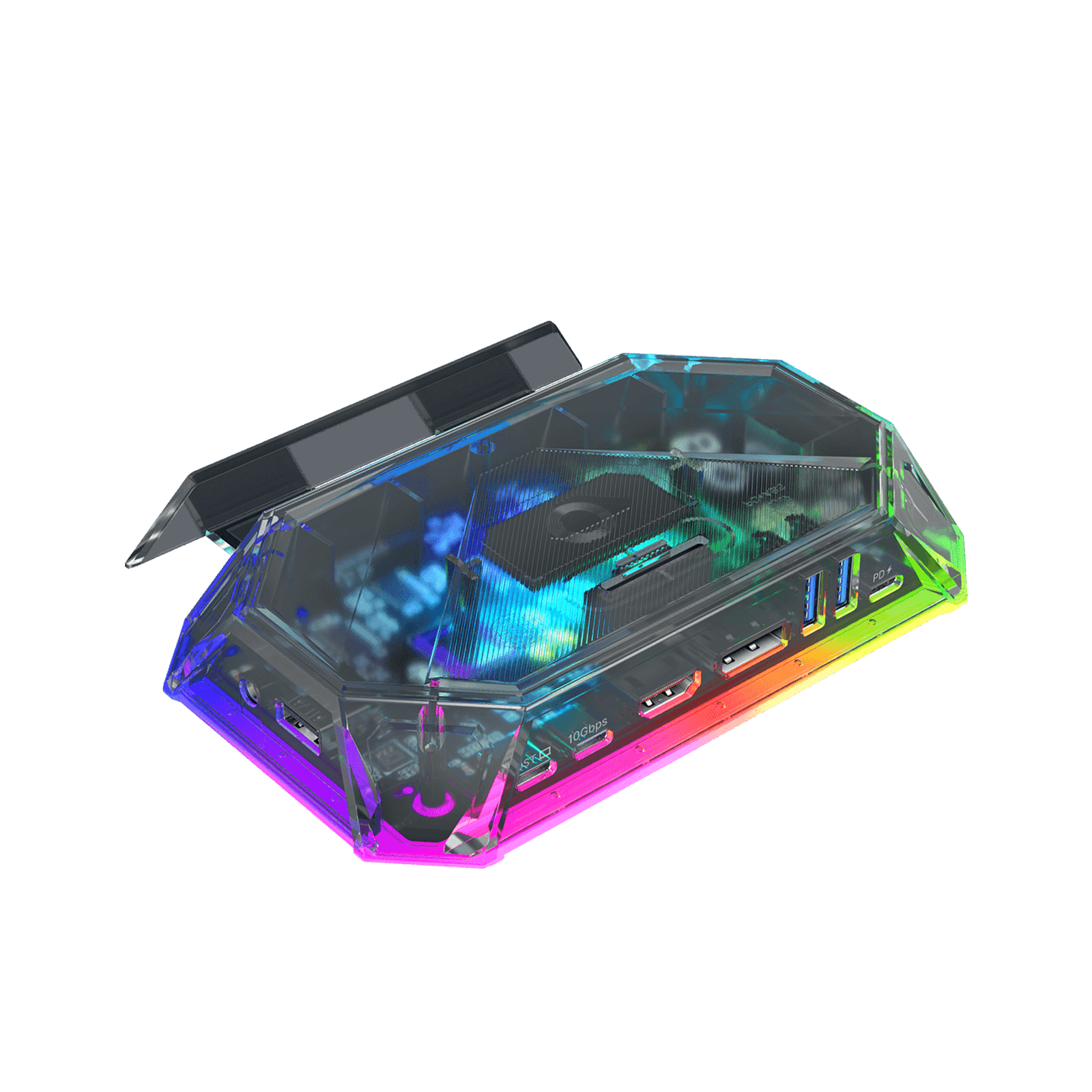
RGB 扩展坞
即使商品显示“已售罄”,您仍然可以通过蓝色的“使用Prime会员购买”按钮购买。您需要拥有亚马逊Prime会员资格。
特征
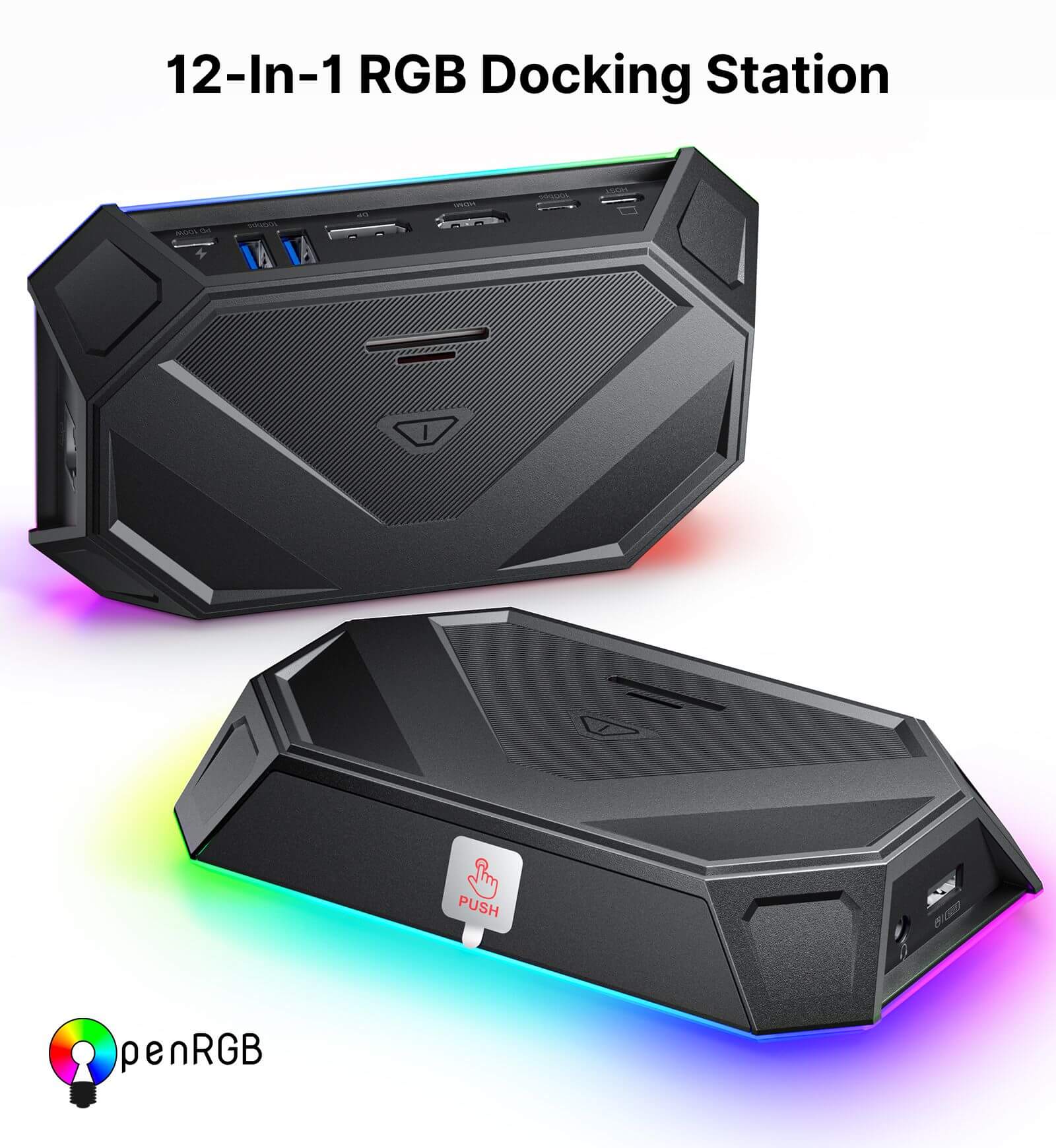
- 12合1 RGB扩展坞
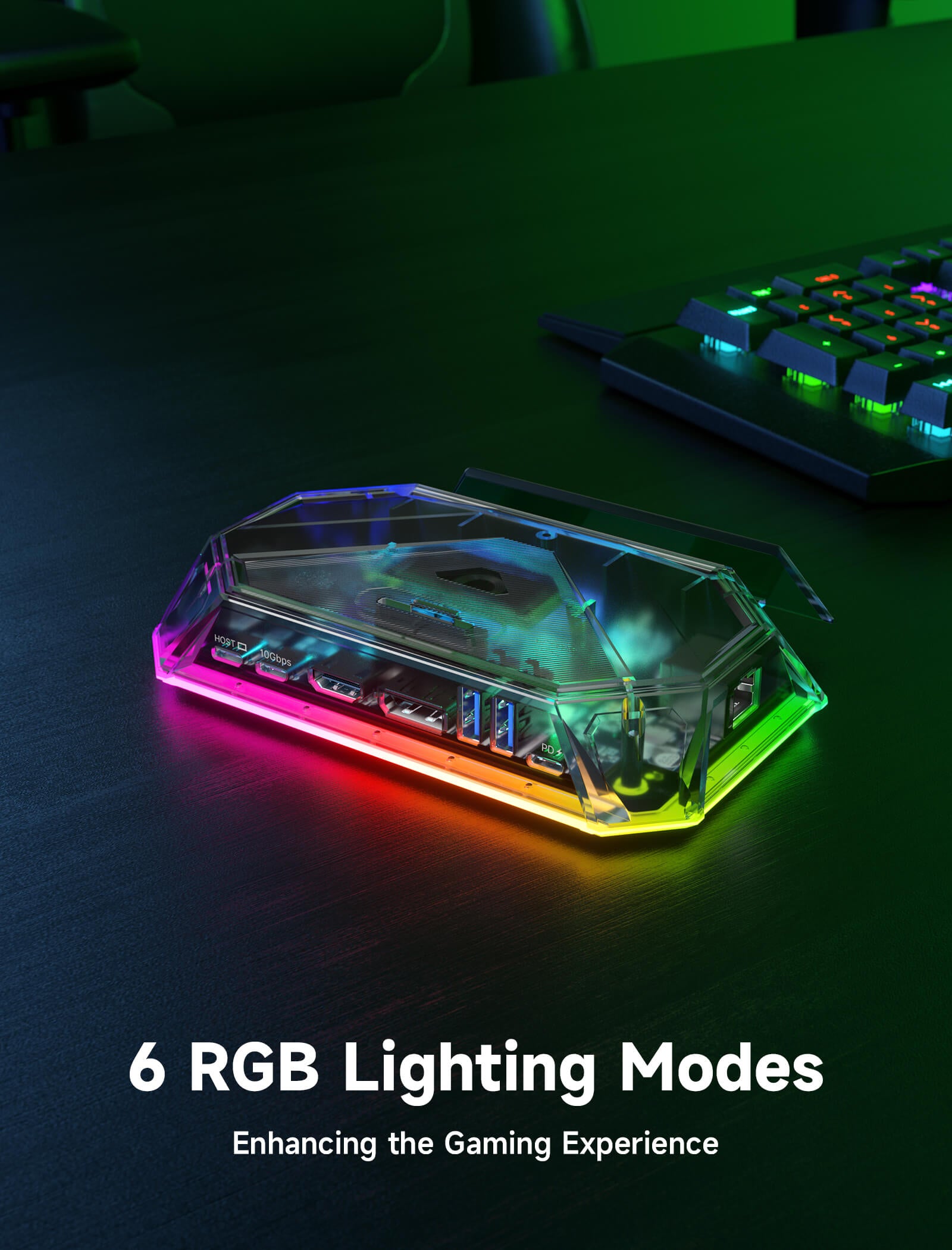
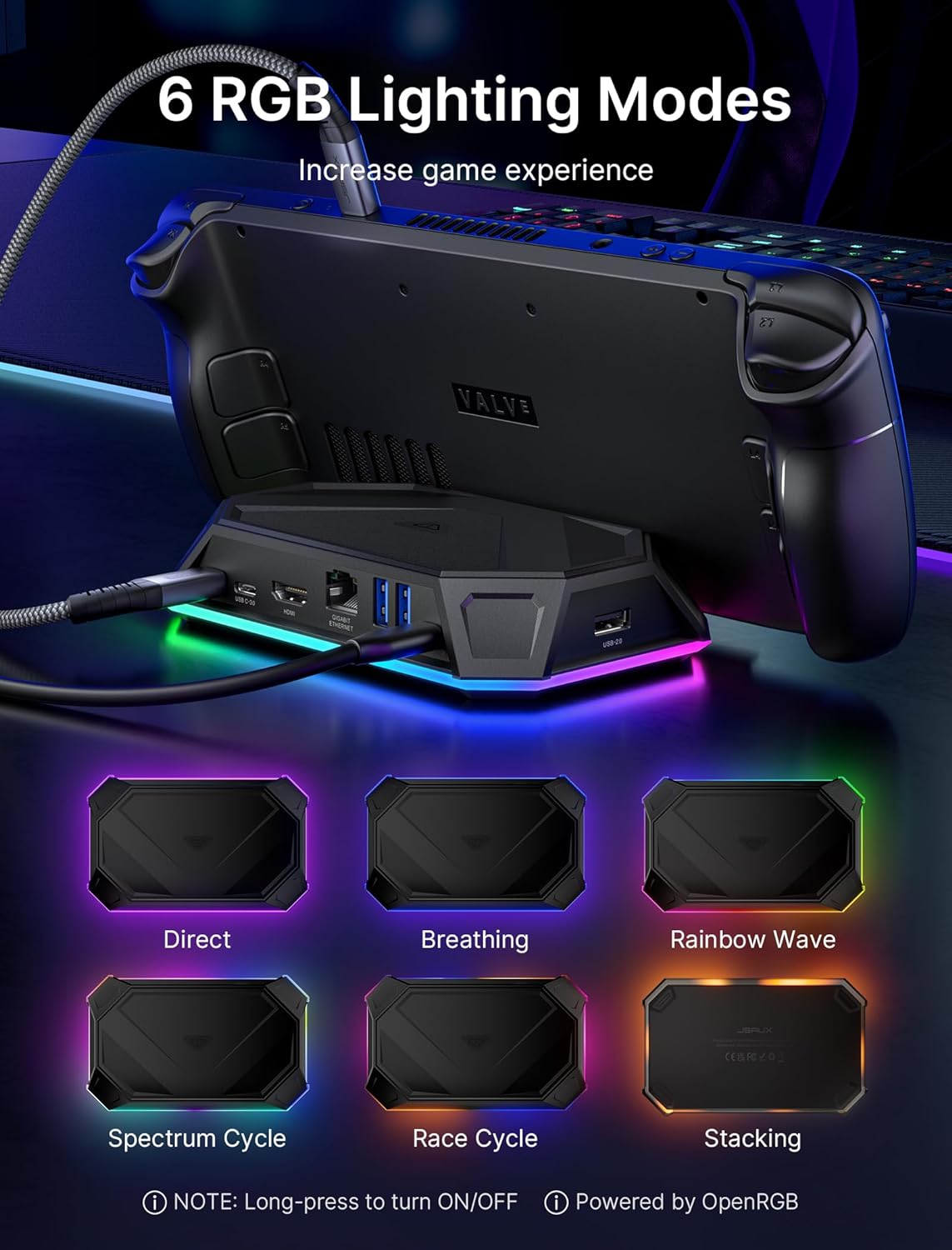
- 6种RGB灯光模式
- 10Gbps 数据传输和 PD100W 充电
- 超高清 4K 输出和双屏显示
- 广泛兼容性
船运

In The Press
如果您喜欢 ROG Ally,那么 RGB 扩展坞和硅胶握把保护套套装看起来都是更不错的投资。

JSAUX 继续成为 Steam Deck 配件的领导者。

如果多功能性和与多种设备的兼容性对您来说很重要,那么您应该购买它。





特征
描述
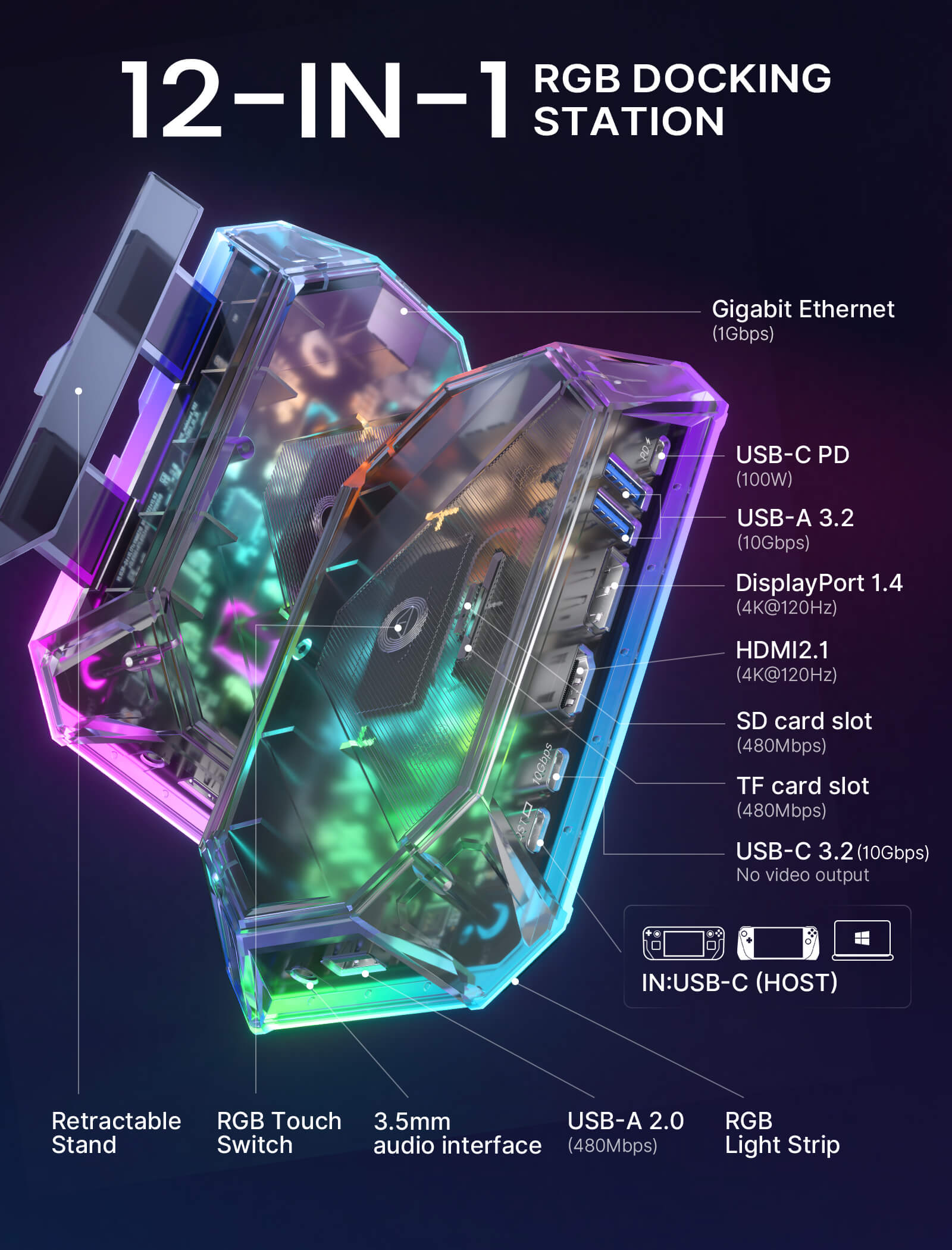
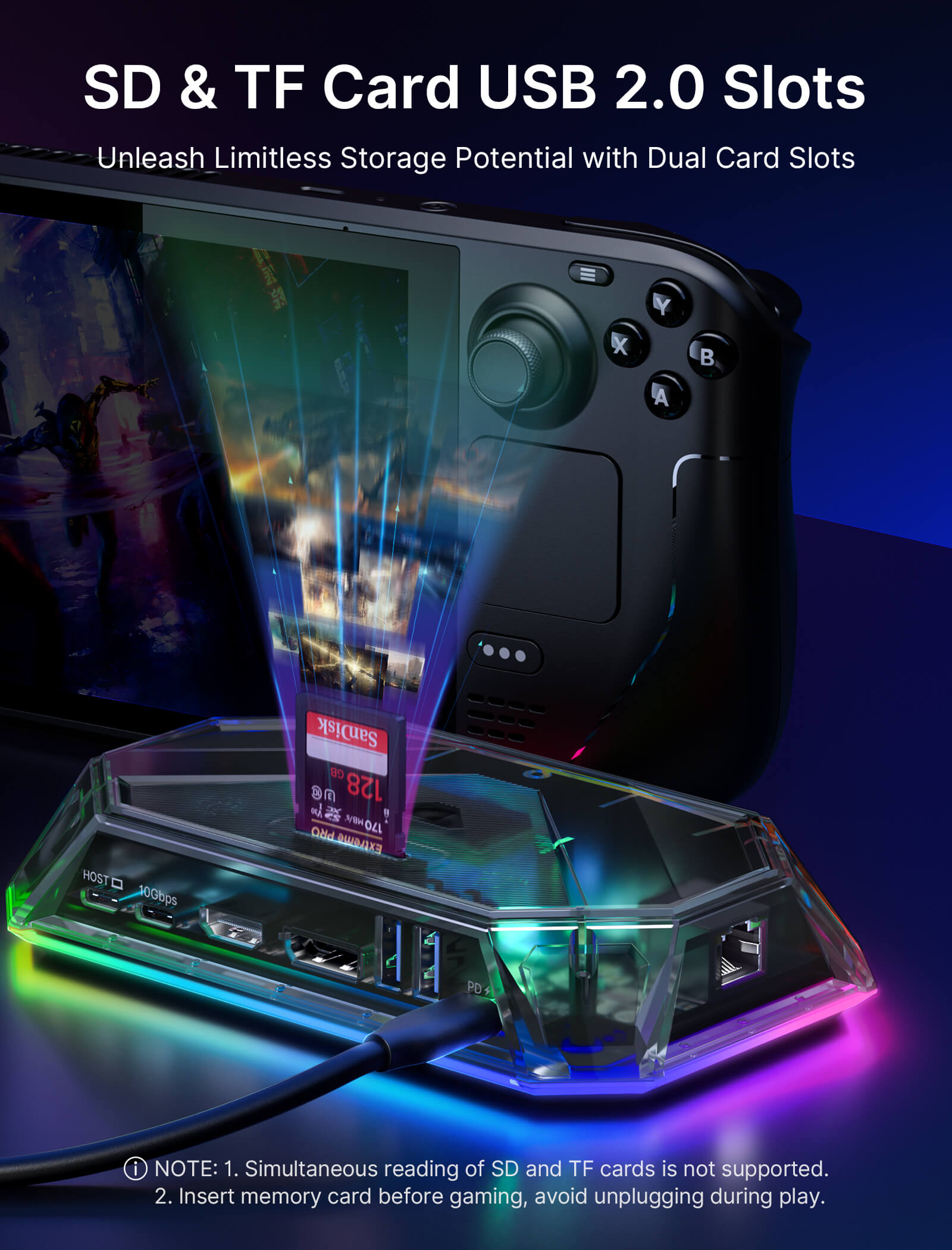
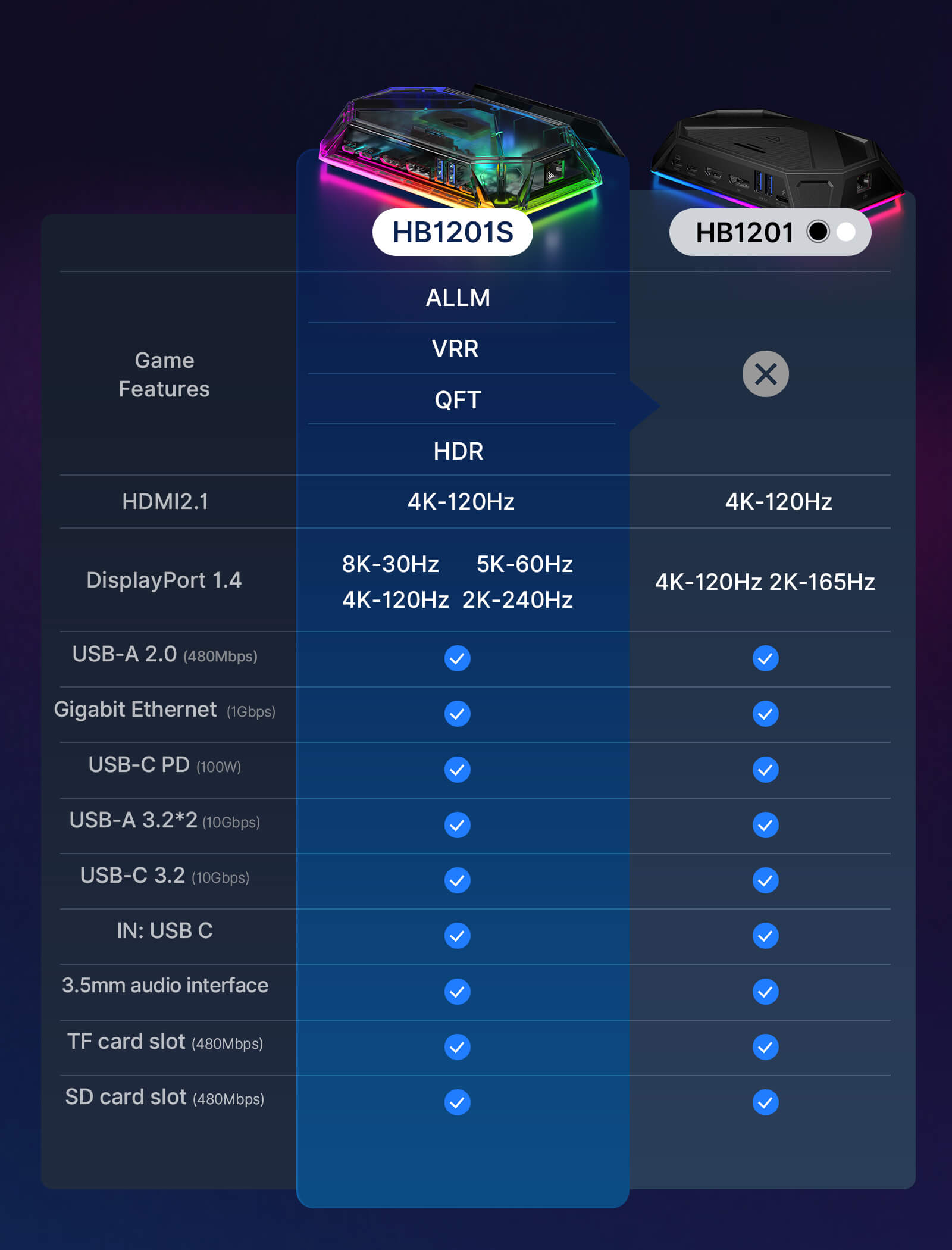
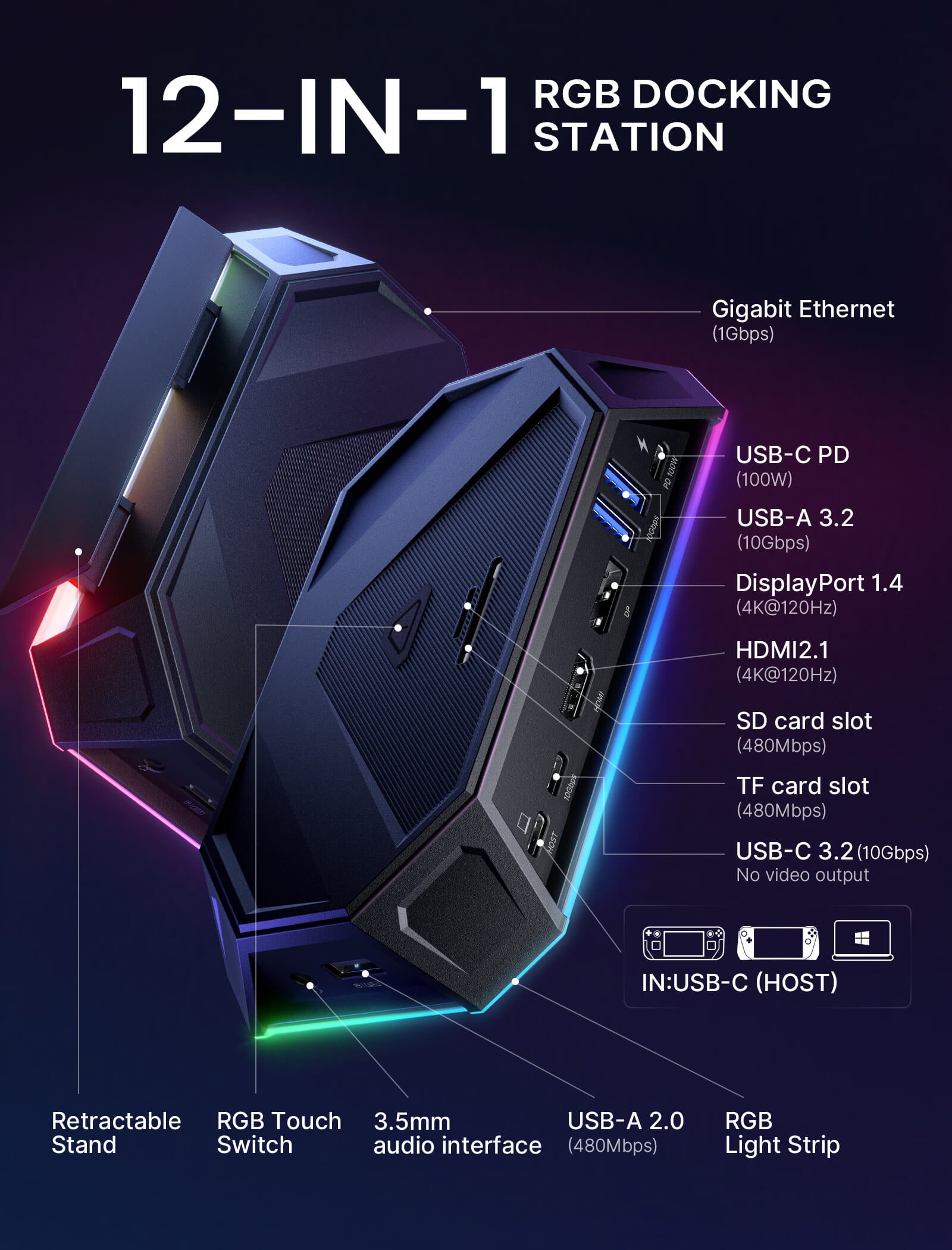
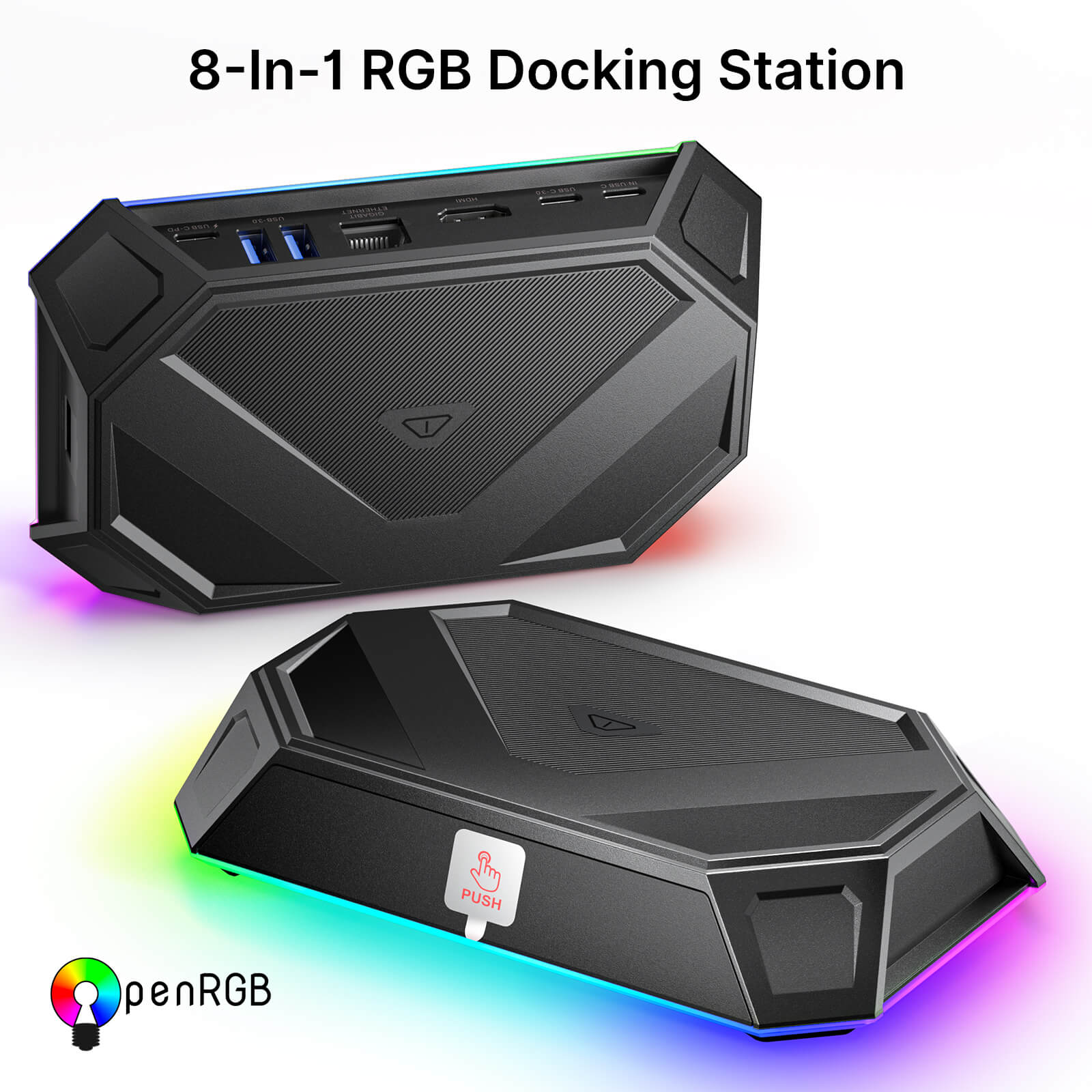
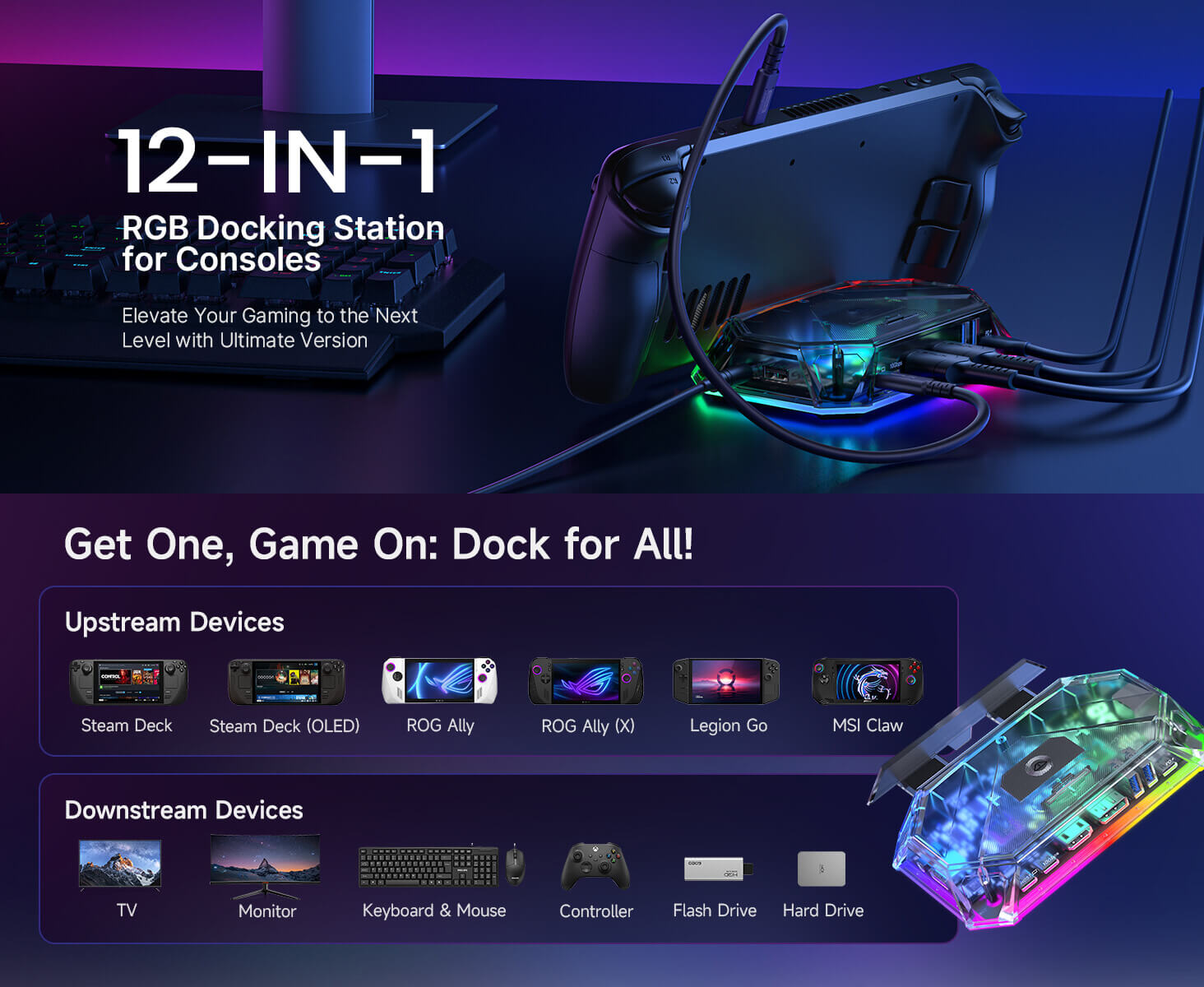
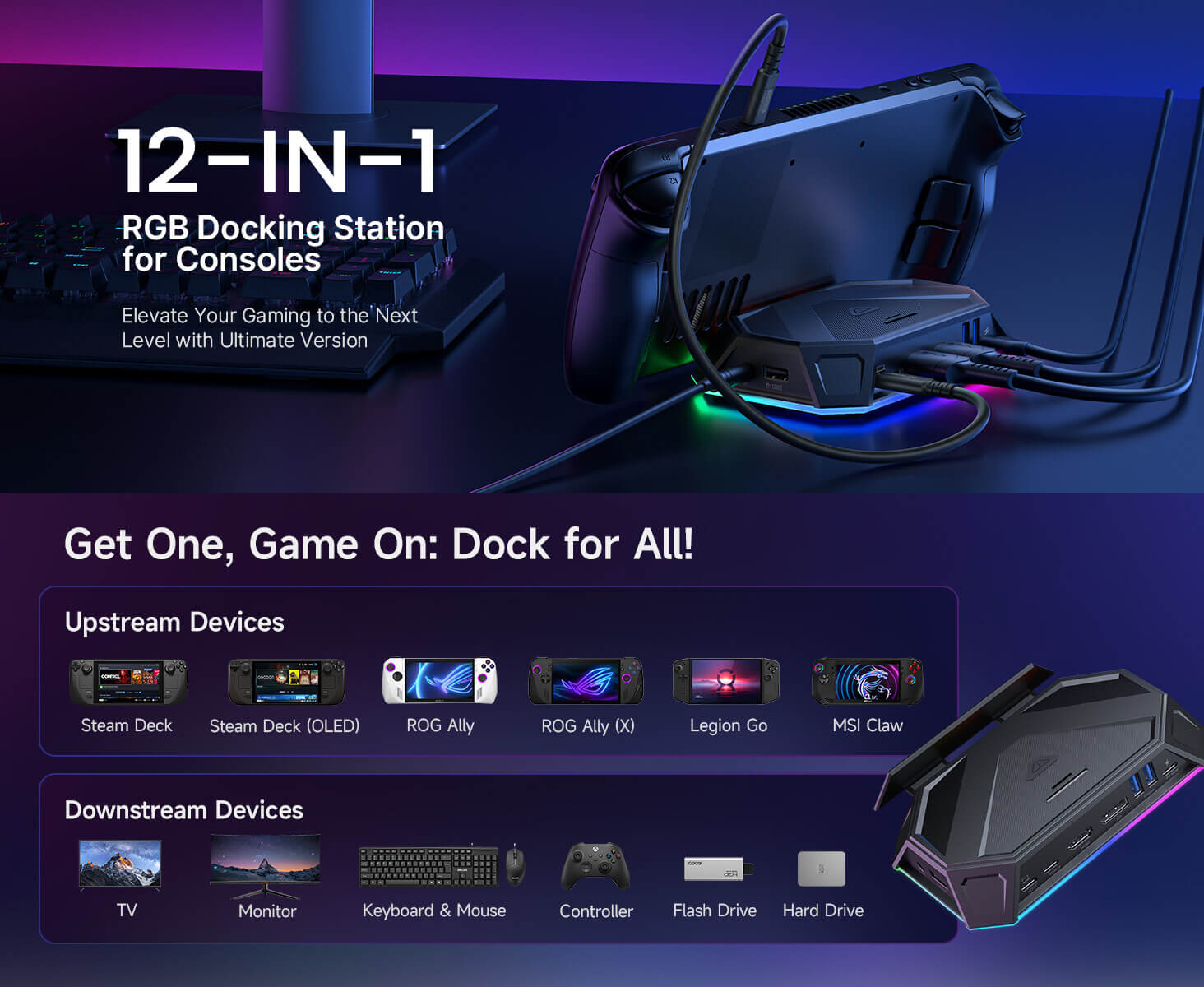
- 【12合1 RGB扩展坞】:这款12合1 RGB扩展坞拥有12个功能接口,包括1个HDMI接口、2个USB-A 3.2接口、1个USB-A 2.0接口、1个千兆以太网接口、1个USB-C PD接口、1个3.5mm音频接口、1个TF卡槽、1个SD卡槽、1个USB-C输入接口、1个DisplayPort接口和1个USB-C 3.2接口。满足多种扩展需求,办公娱乐不受影响。(注:📢仅HB1201S/HB0801S具备游戏功能。详细对比请参考附图及“RGB扩展坞对比”部分。)
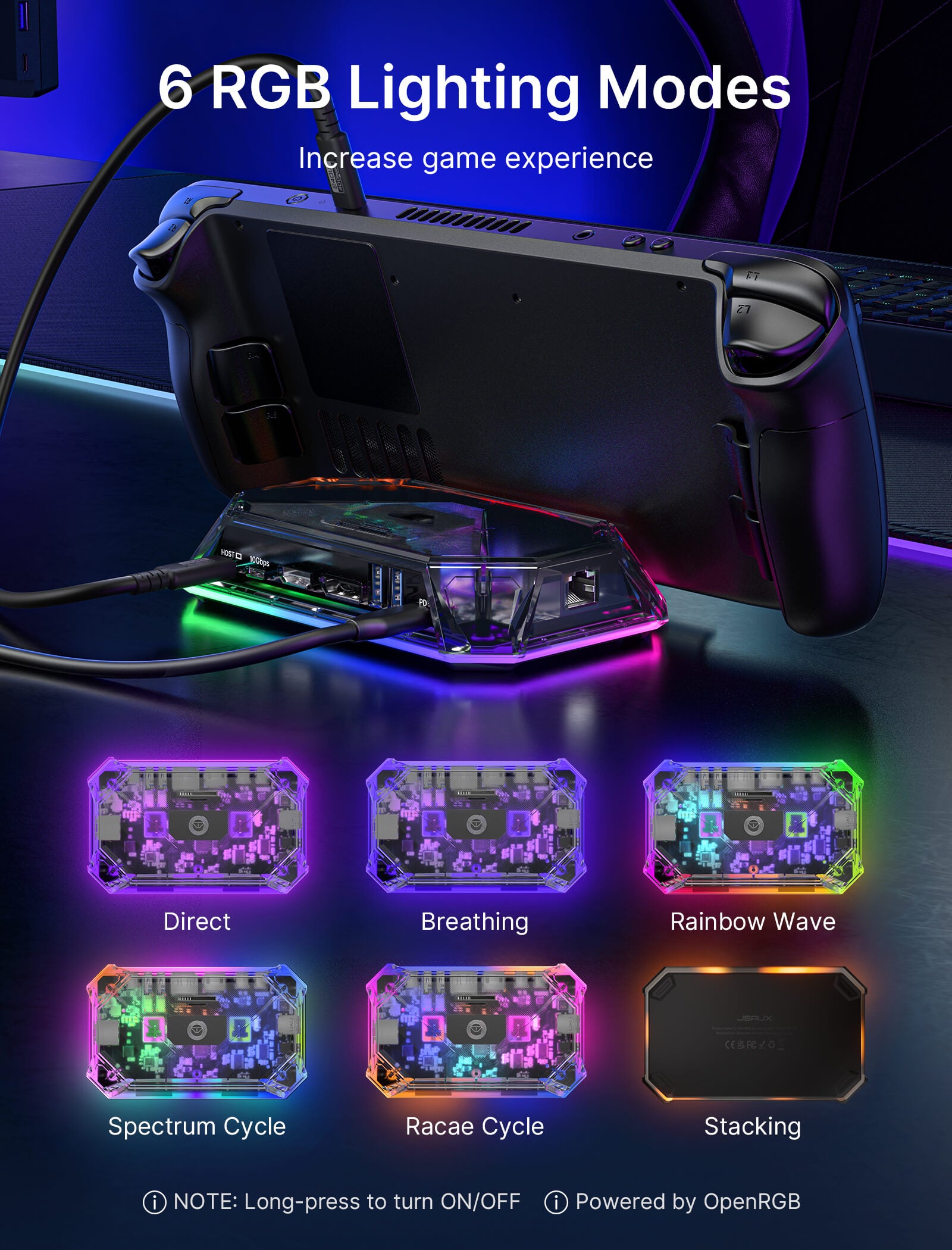
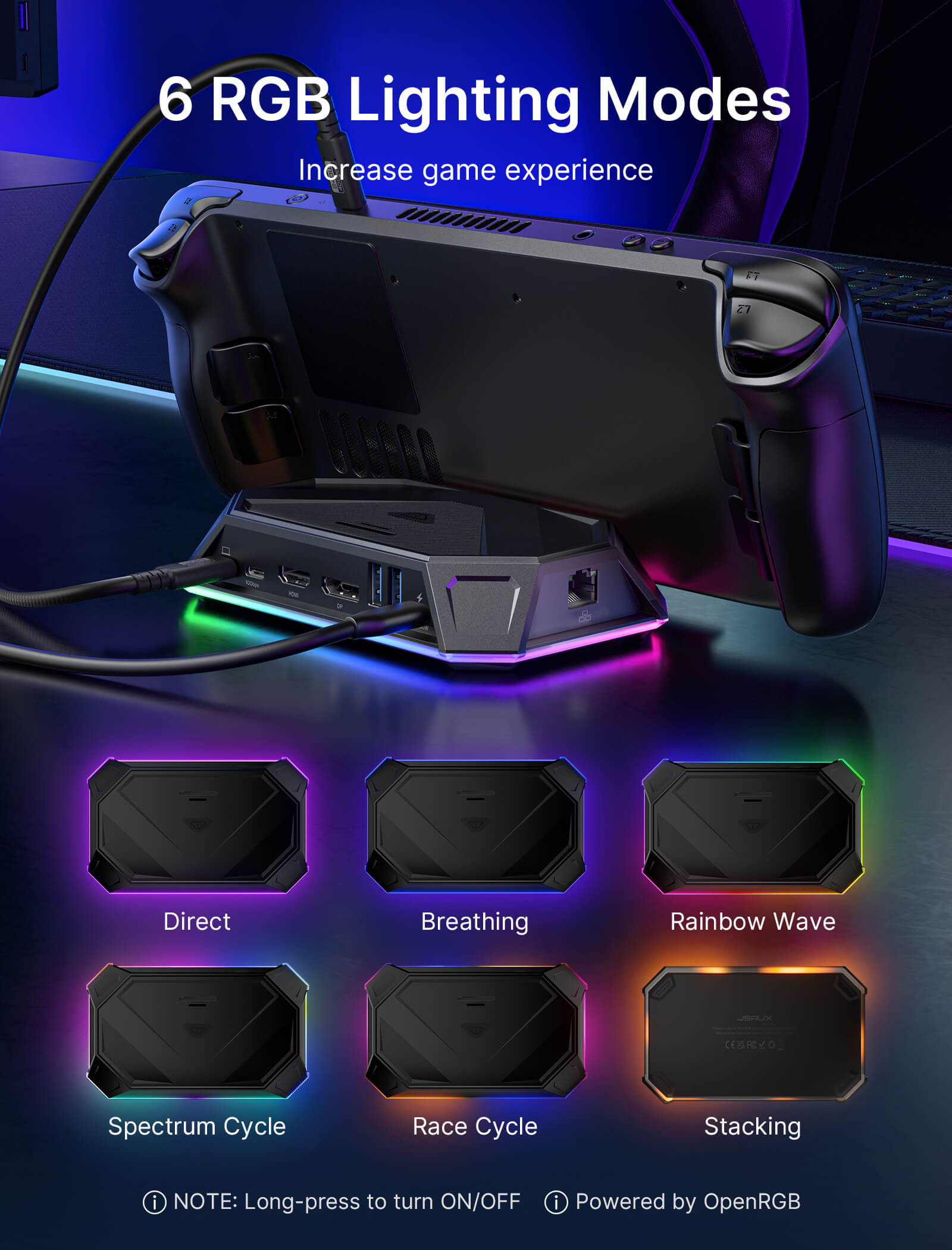
- 【6种RGB灯光模式】:这款RGB扩展坞配备RGB灯光,拥有6种灯光模式,包括直亮、呼吸、彩虹波浪、光谱循环、竞速循环和堆叠,可与您的桌面或其他RGB鼠标、键盘等完美搭配。通过USB-C上行端口连接到PC设备,并使用OpenRGB软件控制来调节各种RGB灯光效果。
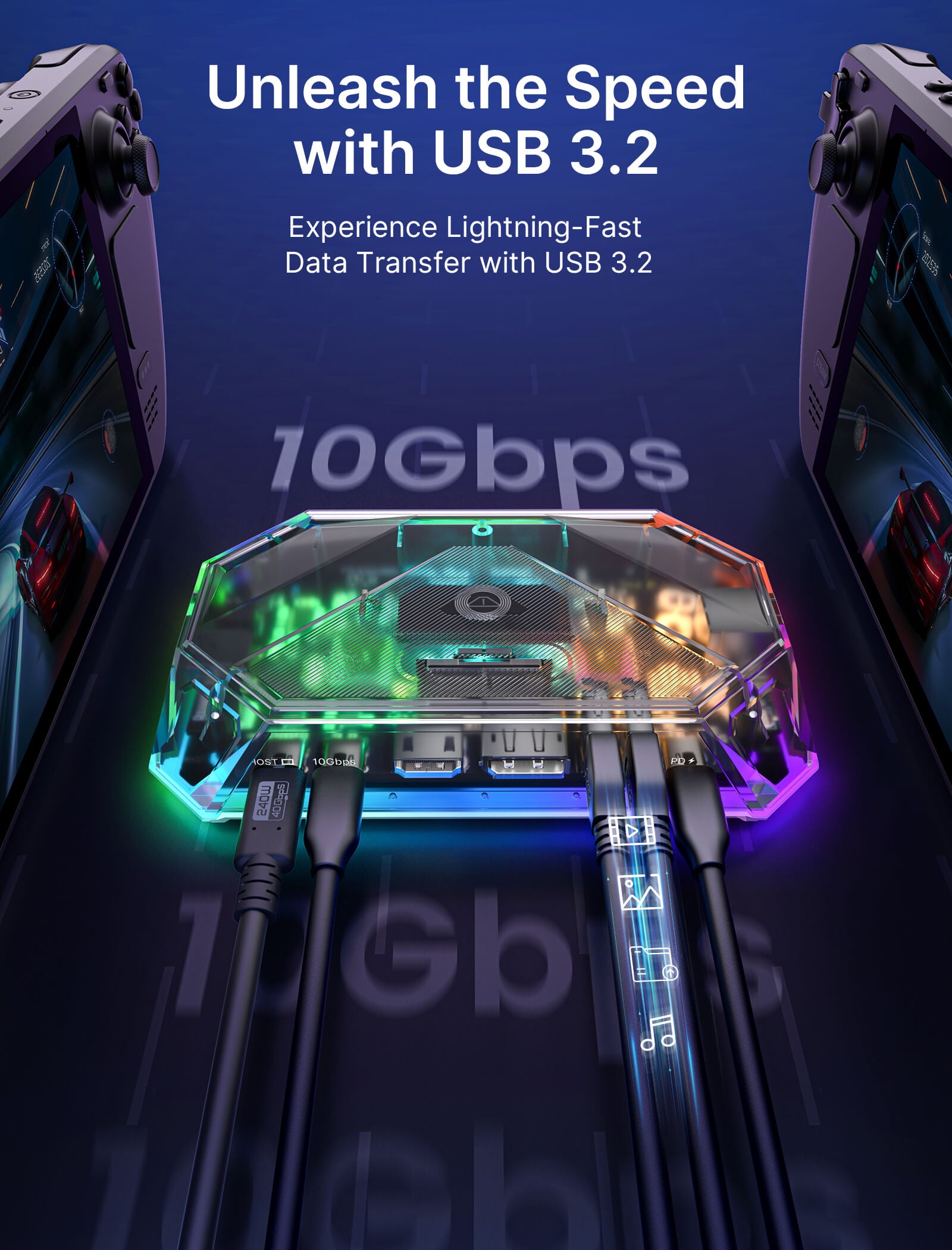
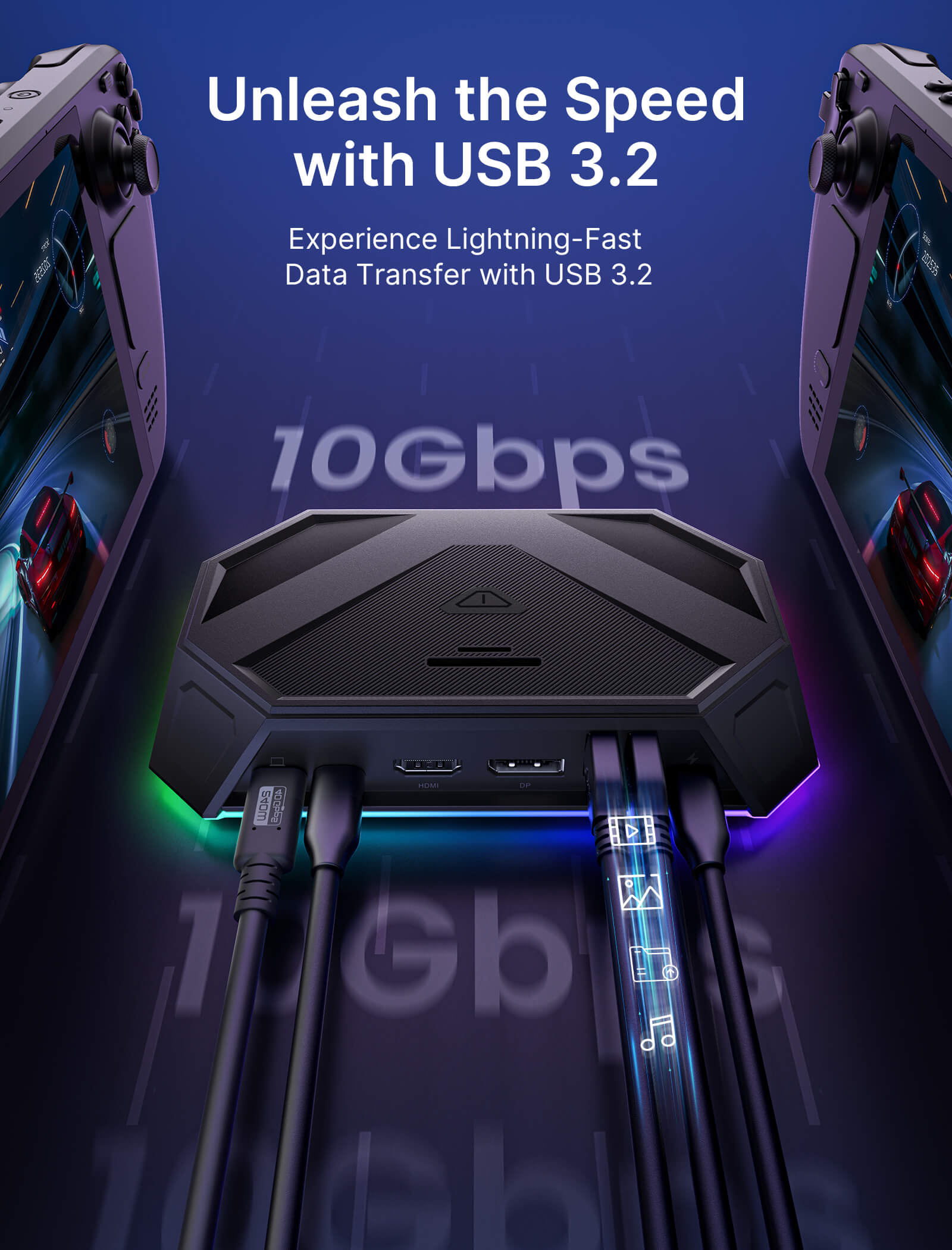
- 【10Gbps 数据传输 & PD100W 快充】:这款 12 合 1 RGB 扩展坞配备 2 个 USB-A 3.2 接口和 1 个 USB-C 3.2 接口,确保您获得高达 10Gbps 的高速数据传输。此外,它还配备一个 USB-C PD3.0 100W 快充接口,支持最高 100W 的功率输入,可以快速为您的平板电脑、笔记本电脑和 Steam Deck 等设备充电,为您的所有设备提供可靠的电源。 (注意:📢USB-C 3.2 接口仅支持数据传输,不支持视频输出。)
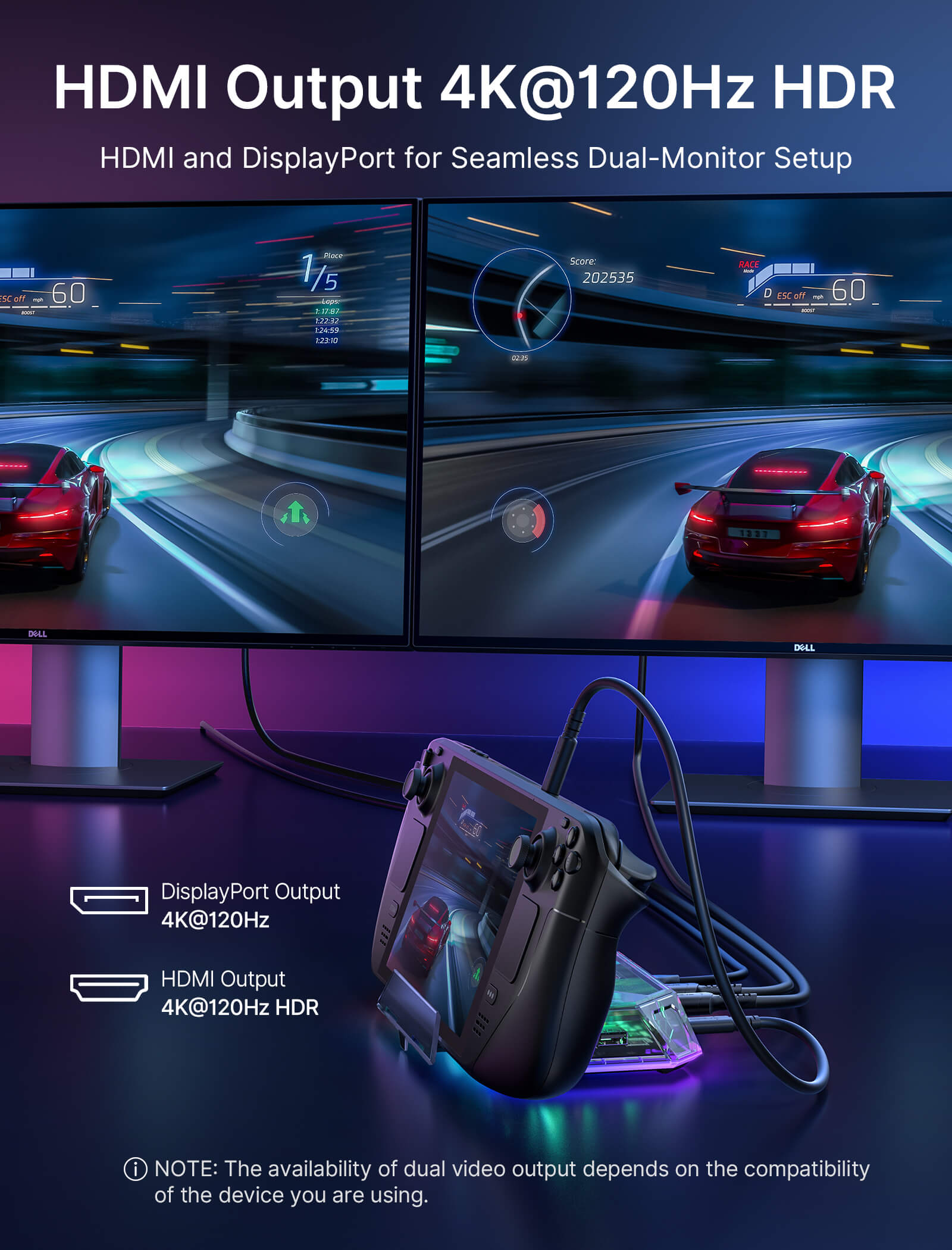
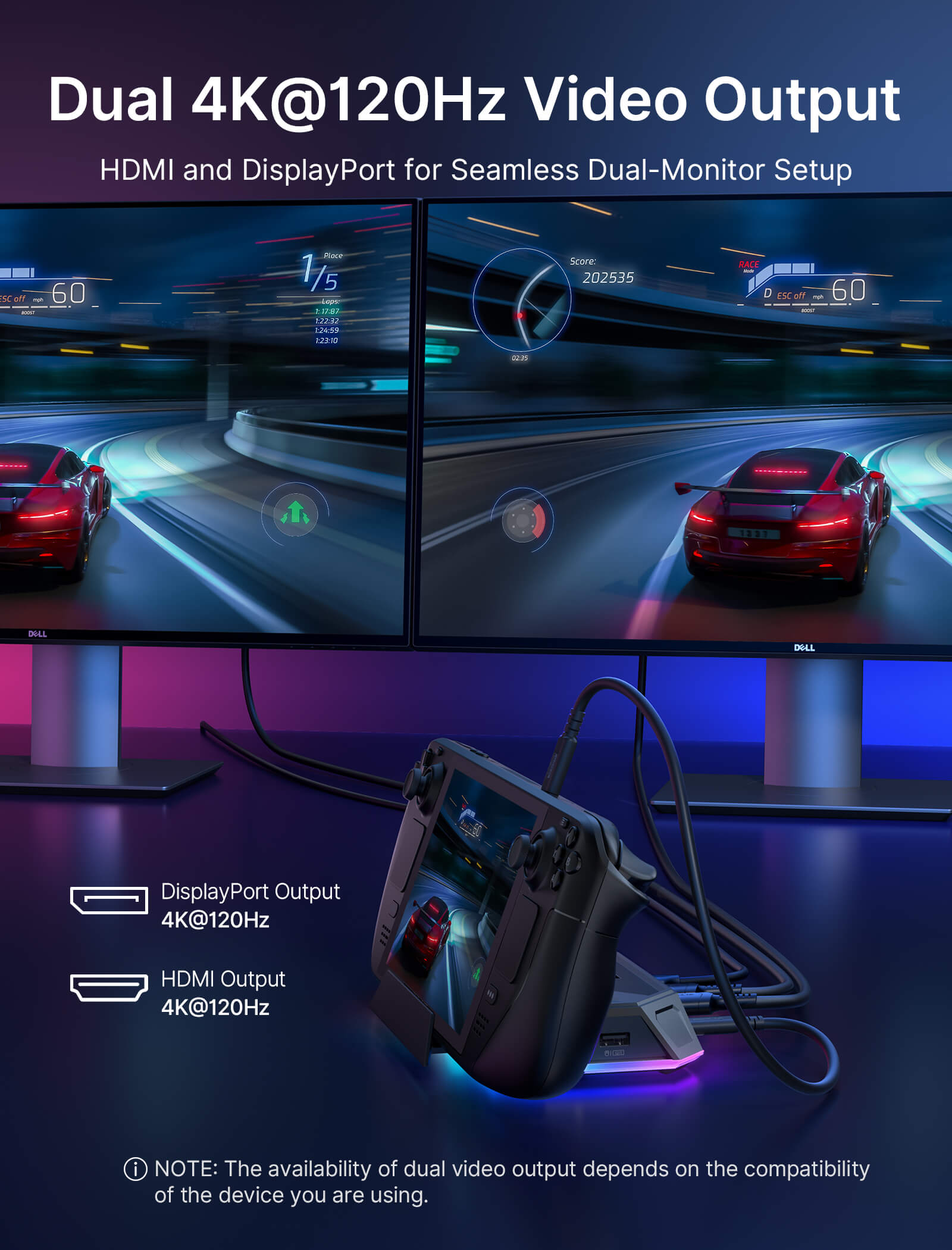
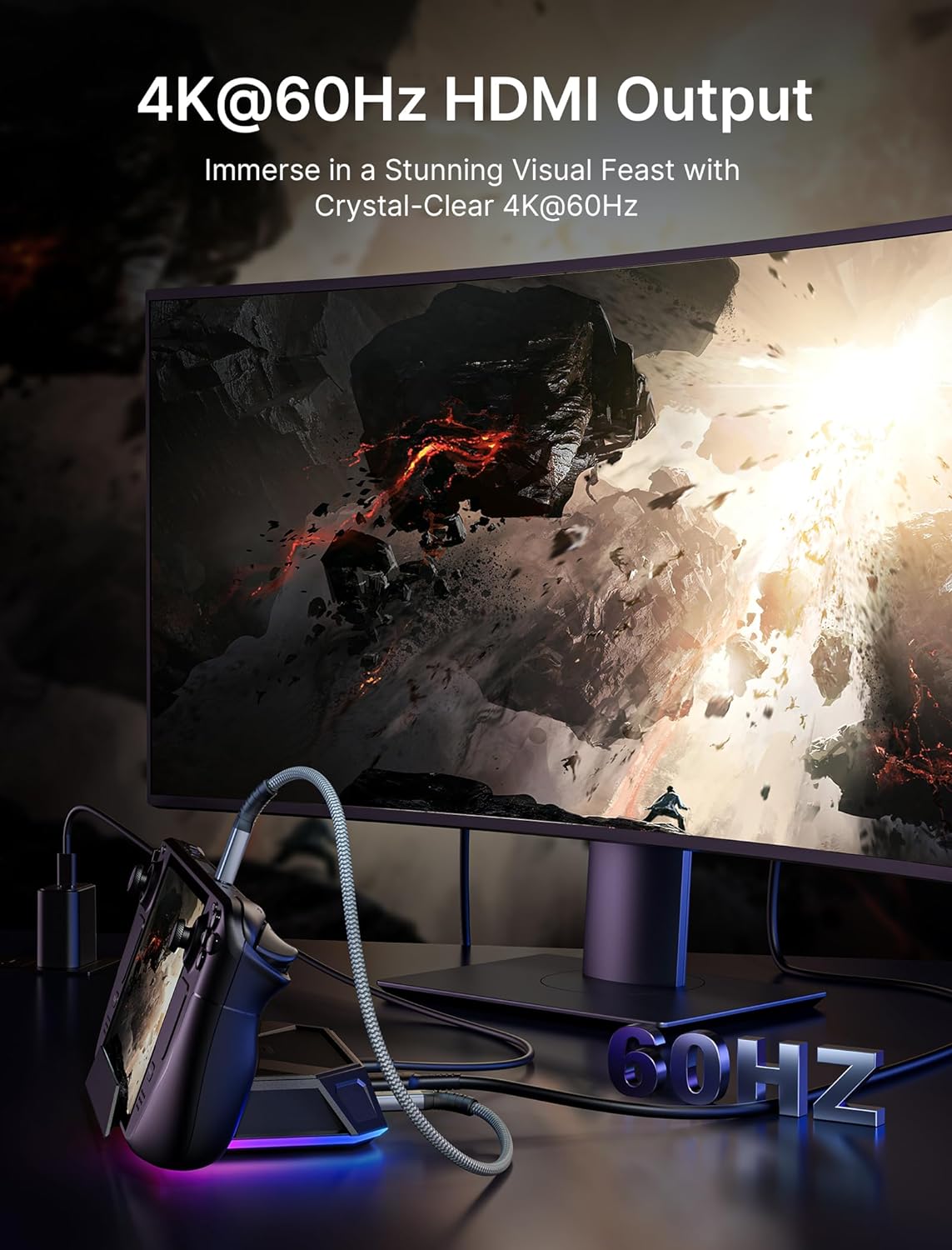
- 【超高清4K输出和双屏显示】:这款12合1 RGB扩展坞配备HDMI和DisplayPort接口,最高支持4K@120Hz分辨率输出,可完美将屏幕镜像或扩展到高清电视、显示器或投影仪,打造影院级视觉体验。支持Windows系统双屏显示镜像和扩展模式(A-AA、A-BB和A-BC),并可支持MAC OS系统镜像模式(A-AA和A-BB)。
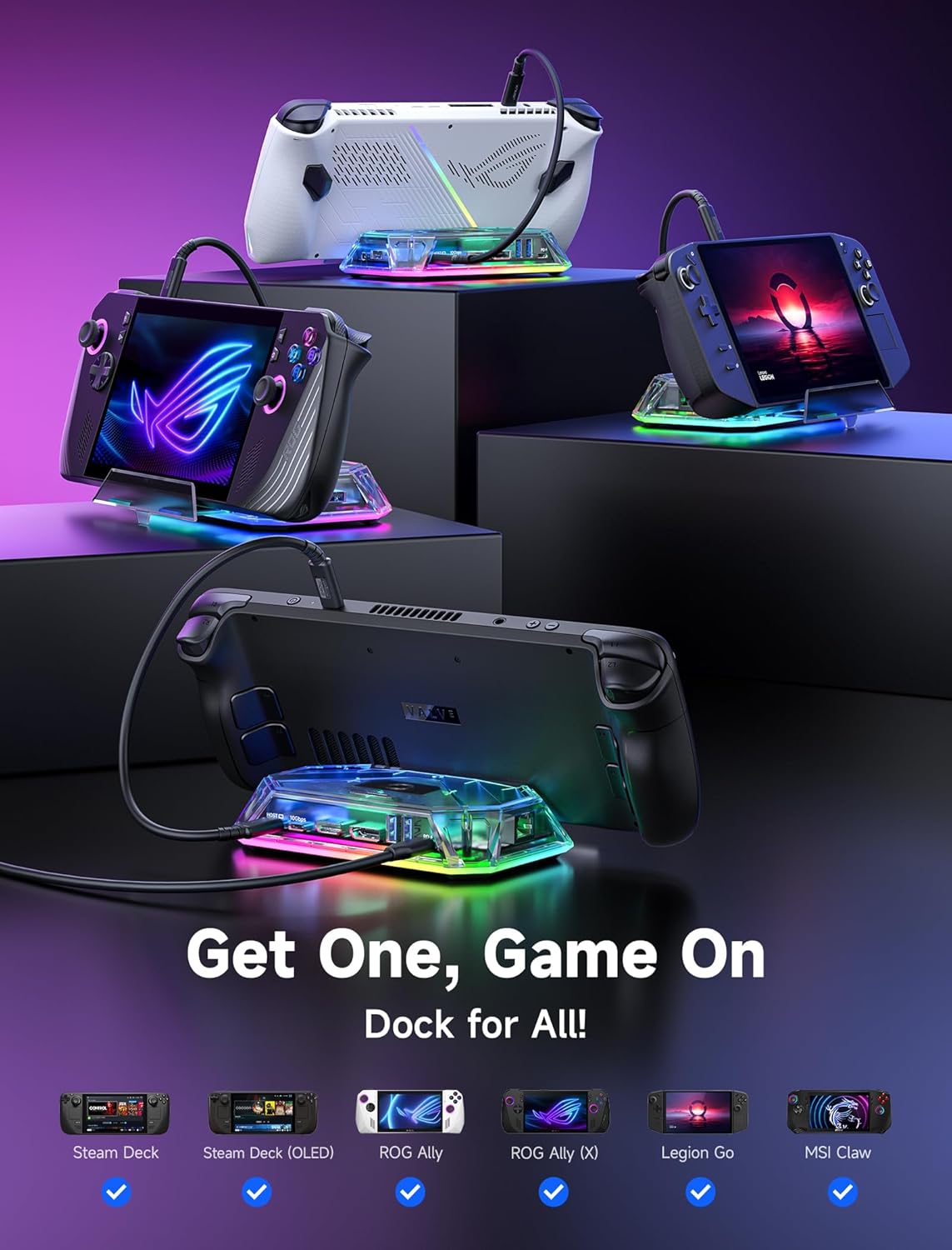
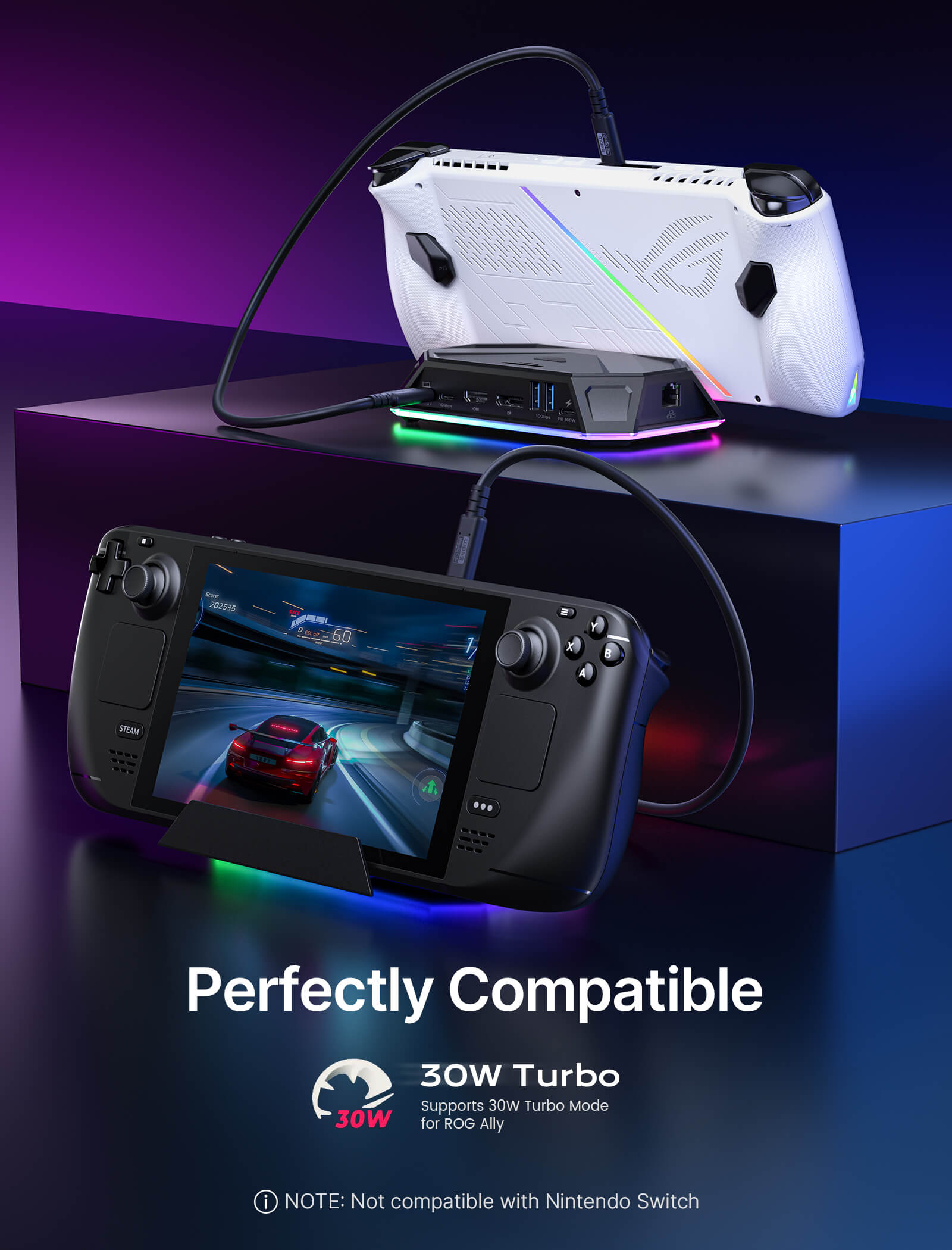
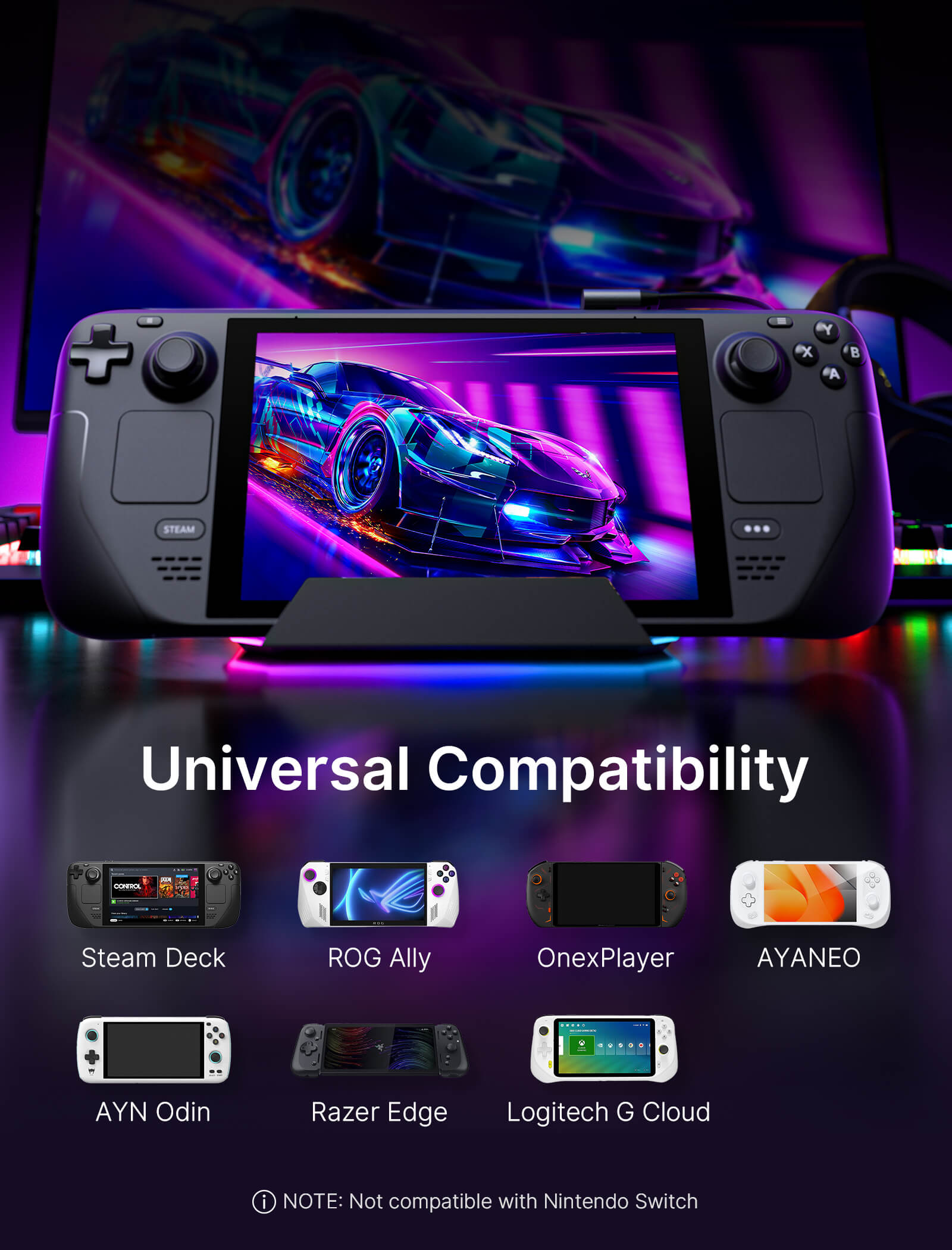
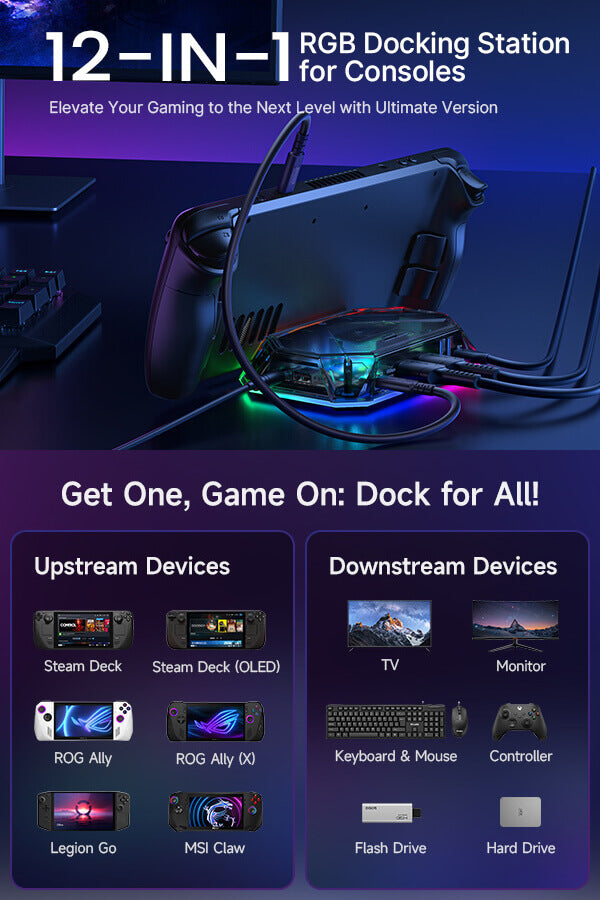
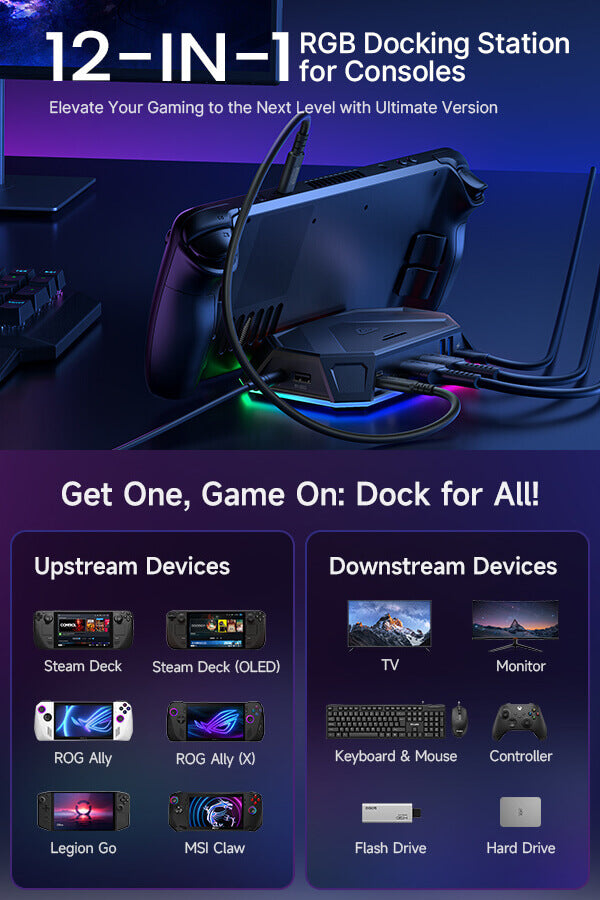
- 【广泛兼容性】:这款RGB扩展坞兼容Steam Deck/OLED、ROG Ally/X、Legion Go/2/S、ONE PLAYER、AYN Odin、AYANEO、Razer Edge、Logitech G Cloud、iPad、iPad Pro、手机等设备。📢注意:不兼容Nintendo Switch。
- 【包装内含】: HB1201 套装包含 HB1201*1、USB-C 转 USB-C 数据线*1、贴纸*1。HB0801 套装包含 HB0801*1、USB-C 转 USB-C 数据线*1、贴纸*1。HB1201S 套装包含 HB1201S*1、USB-C 转 USB-C 数据线*1。HB0801S 套装包含 HB0801S*1、USB-C 转 USB-C 数据线*1。(📢注意:包装内附带的 USB-C 数据线可能与图片所示略有不同,但不影响其正常功能。)
如果您需要调整 RGB 灯光效果,请前往OpenRGB 官方网站下载OpenRGB 0.9 版本。
注意: 📢
- 建议使用 100W 充电器,以便更好地体验 ROG Ally 的高性能 30W 模式。
- 通过 OpenRGB 软件打开关闭模式,所有 LED 灯都会熄灭;然后打开其他模式点亮 LED 灯;如果按住 Hub 触摸按钮 2 秒钟,所有模式都会关闭(需要按住两秒钟才能打开 Hub 灯光效果开关,然后可以通过 OpenRGB 调试其他模式)。
- 如果您在使用扩展坞时遇到任何操作问题,请确保您的 USB-C 数据线已正确连接到指定的“IN-USB-C”端口。我们强烈建议您使用随附的 USB-C 数据线连接设备,以确保最佳功能。如果您选择使用其他 USB-C 数据线,请确保其符合 USB-C 3.2 标准。
- 扩展坞上的接口标签可能与图片略有不同,但其功能保持不变,因此无需担心。
- RGB扩展坞仅兼容裸机ROG Ally X/Legion Go2/Legion Go S。
规格
规格(HB1201S/HB0801S)
12-In-1 Pro (HB1201S)
150*92*28.2mm, 170g
Game Features:
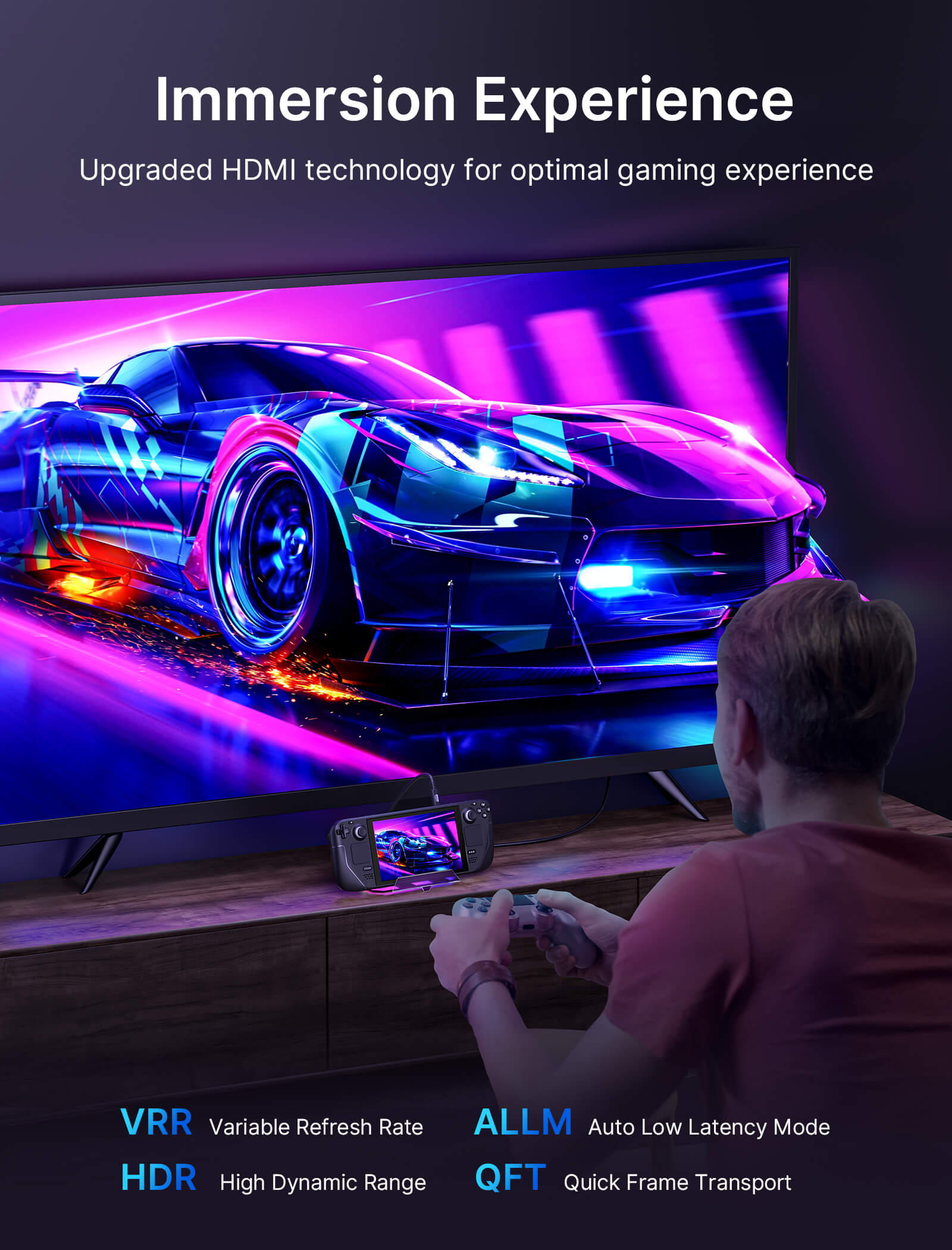
- ALLM: Auto Low Latency Mode
- VRR (HDMI 2.1 Only): Variable Refresh Rate
- QFT: Quick Frame Transport
- HDR: High Dynamic Range
- USB-A 2.0: Support data transmission 480Mbps.
- USB-A 3.2: Support data transmission 10Gbps.
- USB-C 3.2: Support data transmission 10Gbps, support 5V/1A output.
- USB-C PD: Support PD 100W power supply.
- HDMI: Support 4K-120Hz output.
- DisplayPort: Support 8K-30Hz/5K-60Hz/4K-120Hz/2K-240Hz output.
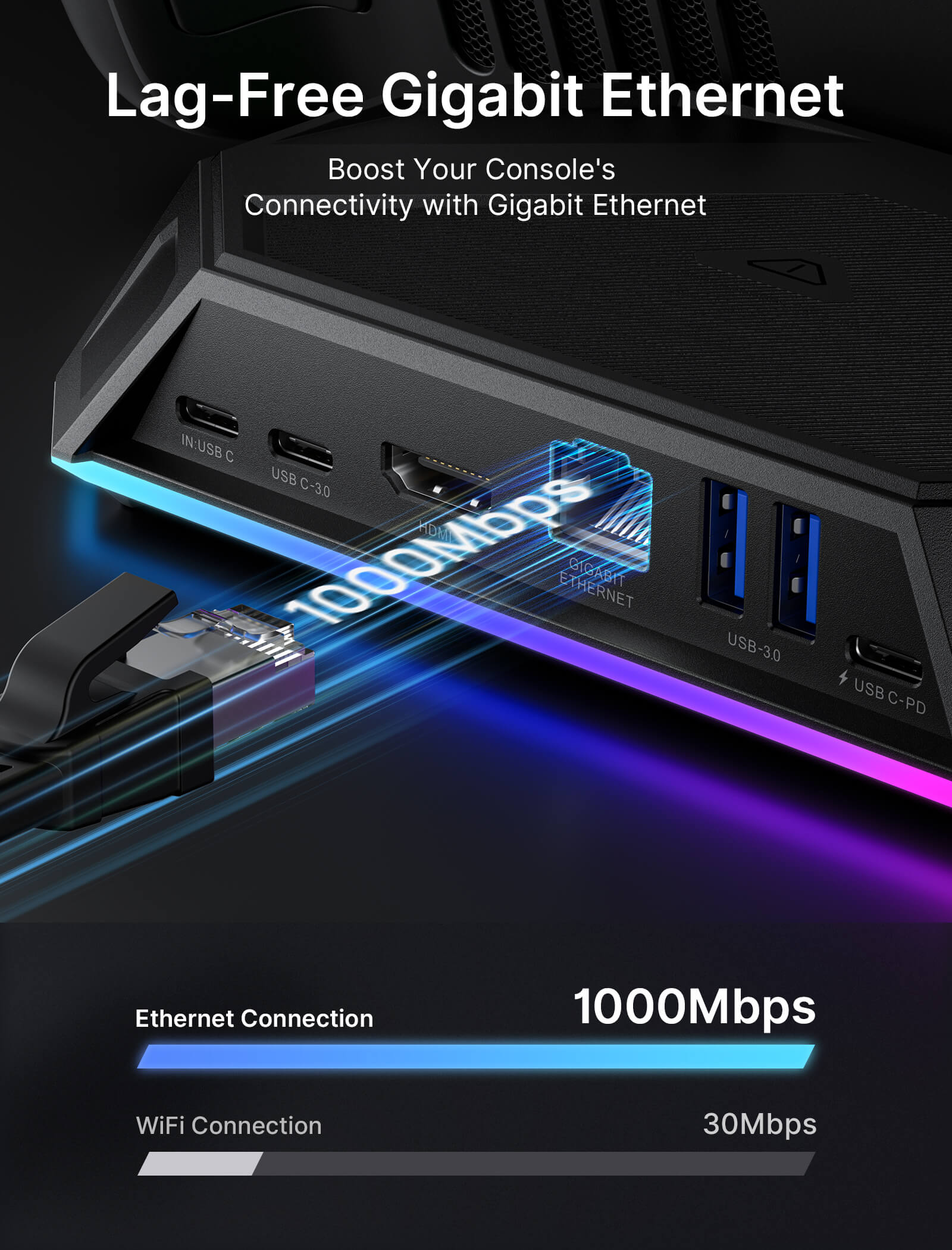
- RJ45: Support 1000Mbps input broadband, compatible with multiple systems.
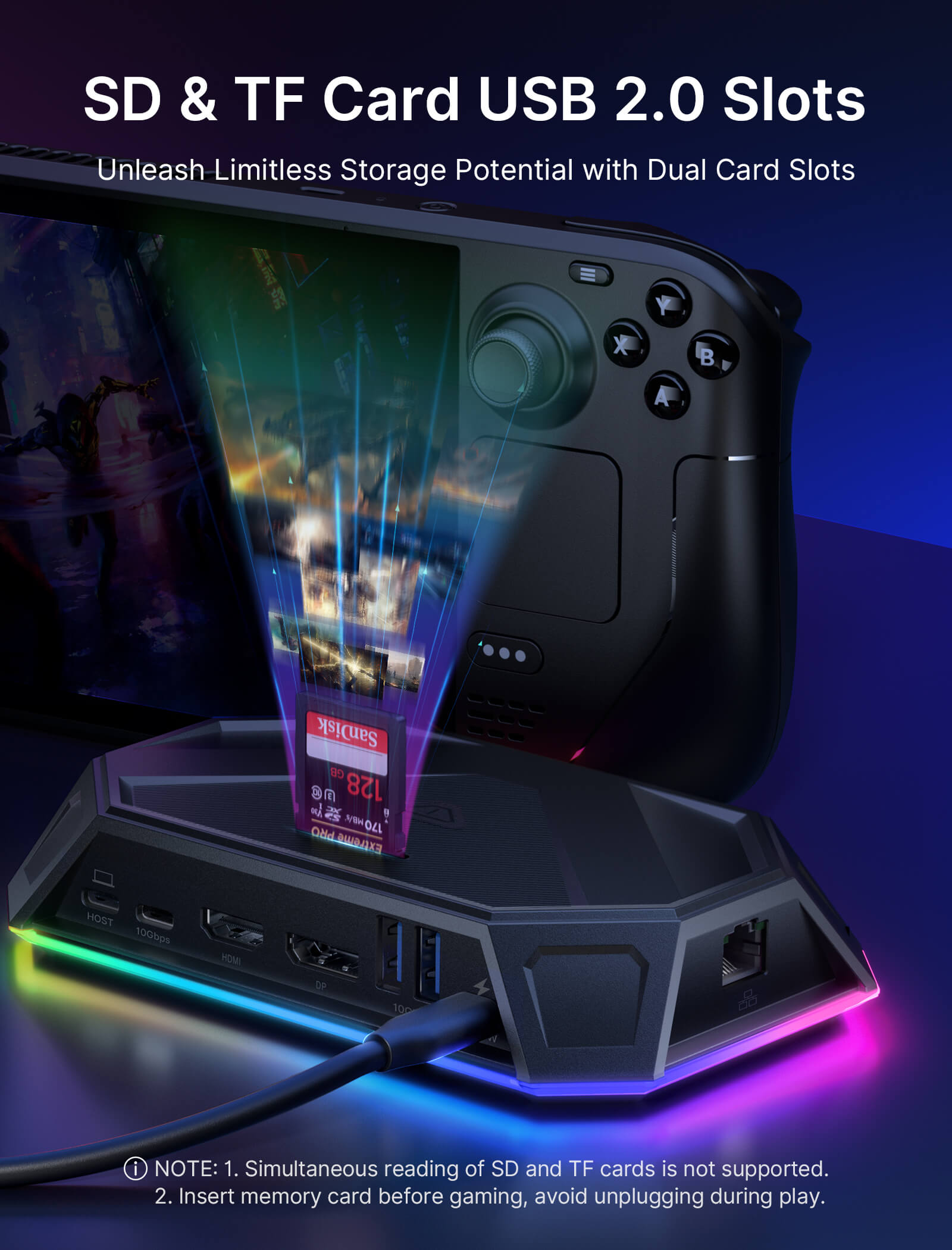
- SD/TF: Support USB 2.0 data transmission 480Mbps,
- 3.5mm Female Audio: Support American Standard Headphones.
- IN: USB-C
游戏特色:
- ALLM:自动低延迟模式
- VRR (仅限 HDMI 2.1):可变刷新率
- QFT:快速帧传输
- HDR:高动态范围
建议使用100W充电器
2. RGB扩展坞仅兼容裸机ROG Ally X/Legion Go2/Legion Go S。
规格(HB1201/HB0801)
12-In-1 (HB1201)
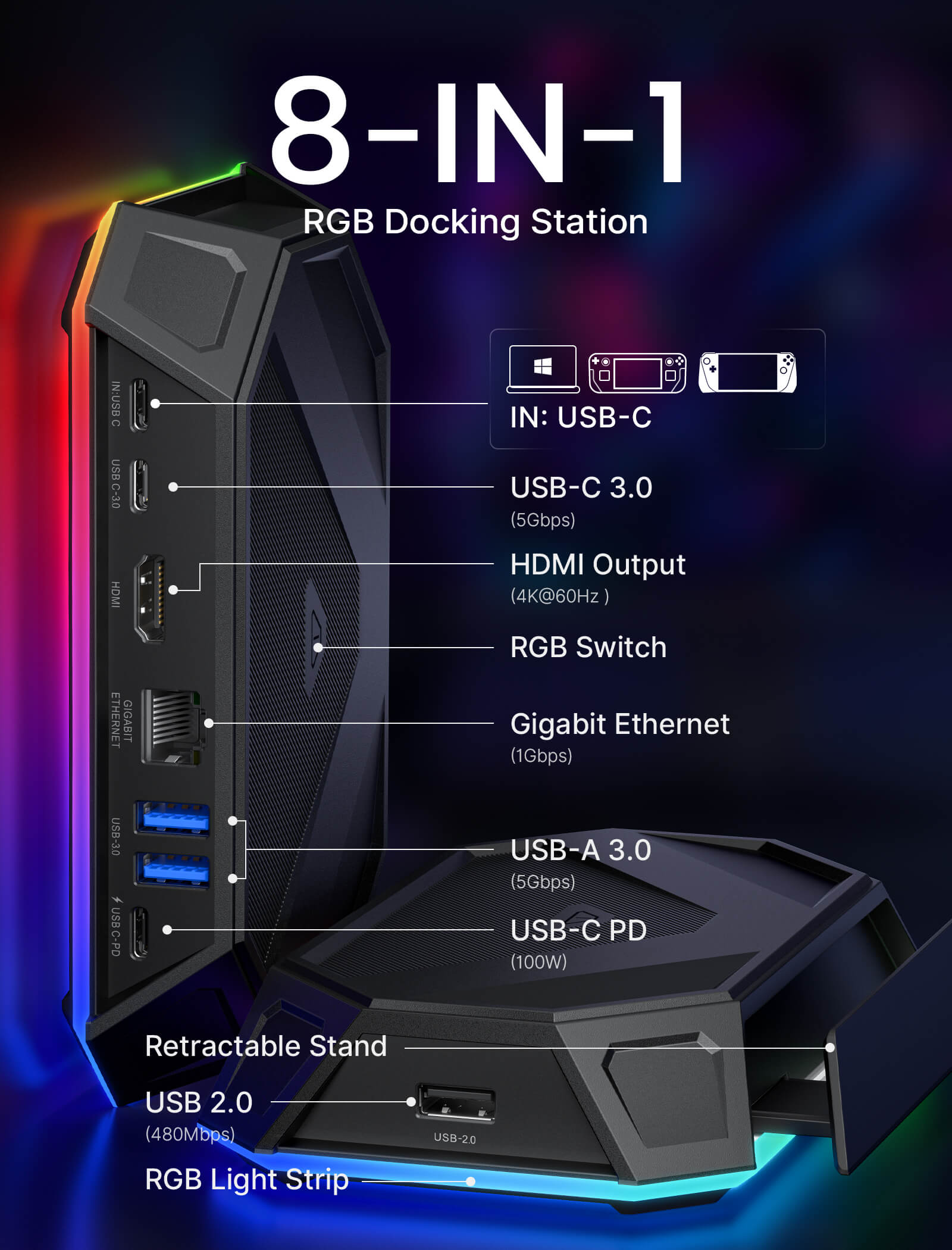
8-In-1 (HB0801)
150*92*28.2mm, 170g
150*92*28.2mm, 150g
- USB-A 2.0: Support data transmission 480Mbps.
- USB-A 3.2: Support data transmission 10Gbps.
- USB-C 3.2: Support data transmission 10Gbps.
- USB-C PD: Support PD 100W power supply.
- HDMI: Support 4K-120Hz/2K-144Hz output.
- DisplayPort: Support 4K@120Hz/2K-165Hz output.
- RJ45: Support 1000Mbps input broadband, compatible with multiple systems.
- SD/TF: Support USB 2.0 data transmission 480Mbps.
- 3.5mm Female Audio: Support American Standard Headphones.
- IN: USB-C
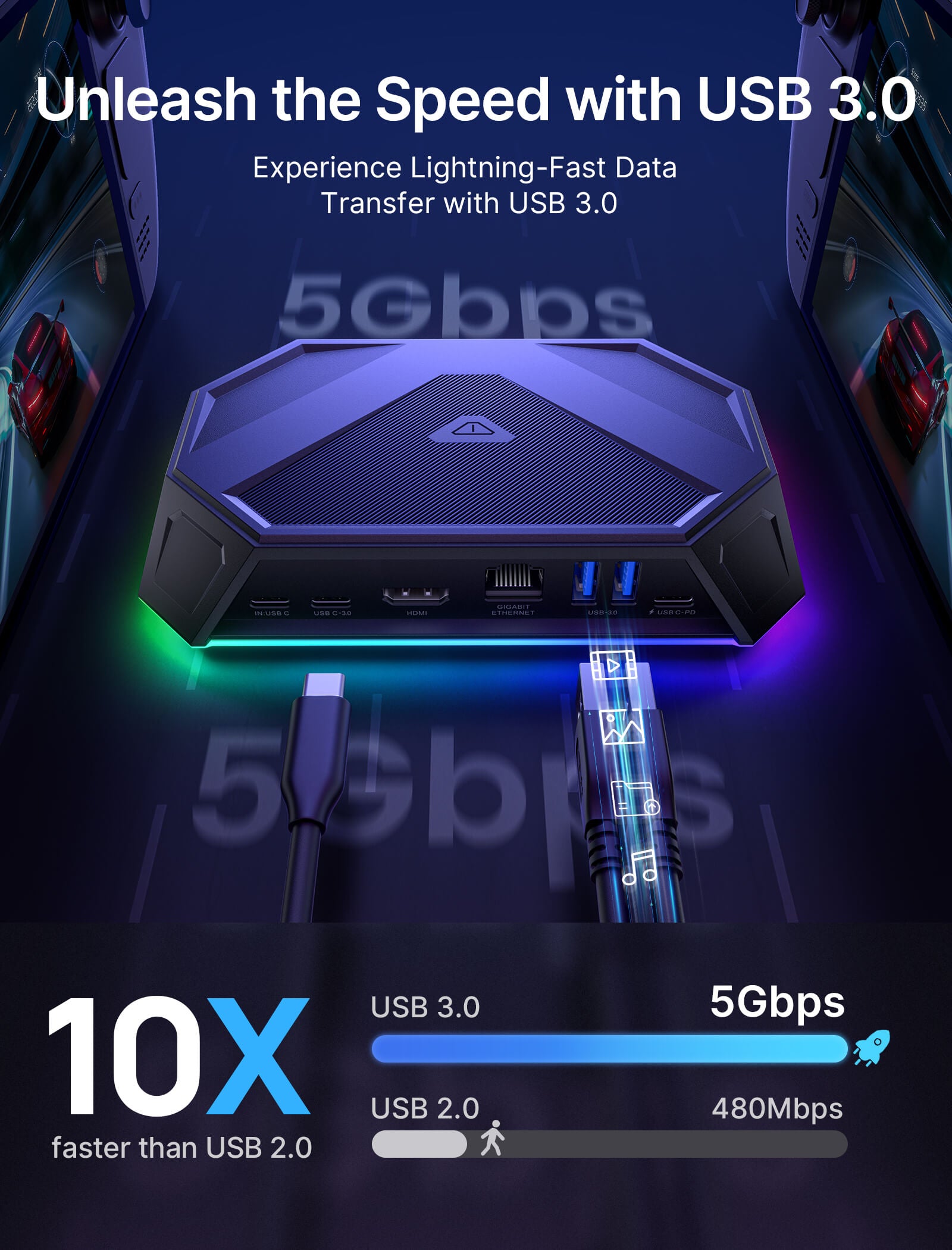
- USB-A 2.0: Support data transmission 480Mbps.
- USB-A 3.0: Support data transmission 5Gbps.
- HDMI: Support 4K-60Hz/2K-144Hz output
- USB-C 3.0: Support data transmission 5Gbps.
- RJ45: Supports 1000Mbps input broadband, and is compatible with multiple systems
- USB-C Female PD: Support PD 100W power supply
- IN: USB-C
1* 12-In-1 Dock (HB1201)
1* USB-C to USB-C Cable
1* Stickers
1* 8-In-1 Dock (HB0801)
1* USB-C to USB-C Cable
1* Stickers
- It is recommended to use a 100W charger
- 2. Dual video output display does not support 4K@120Hz output.
- RGB docking station is only compatible with the bare ROG Ally X unit.
- Simultaneous reading of SD and TF cards is not supported. Insert memory card before gaming, avoid unplugging during play.
- It is recommended to use a 100W charger
- RGB docking station is only compatible with the bare ROG Ally X unit.
船运
SHIPPING & RETURN
请在下单前仔细阅读我们的配送提示。
- 订单金额超过50美元即可享受免运费。
- 订单金额低于 49.99 美元的,将收取 6.99 美元的运费。
(注:以上配送政策不适用于 FlipGo。具体配送详情请参阅 FlipGo 产品页面。)
请注意:
- JSAUX GAMING 为全球客户提供快速高效的配送服务。(但无法配送至军事地址(APO/FPO)和部分岛屿。)
- 目前所有订单的处理时间为 2-4 天(周末不处理订单)。
- 订单配送时间为7-12个工作日(预售商品除外)。
- 国际关税和税款可能需要缴纳,且不会在结账时计算。
- 预售产品的发货时间以产品页面上的说明为准。
由于物流服务提供商的要求:
- 为了尽快准备好您的订单并避免运输问题,请务必提供准确的邮政地址,包括您的确切门牌号以及快递公司可能需要的任何其他信息。
-
中国大陆及台湾地区:中国大陆客户请使用天猫下单。香港、澳门客户请提供您的姓名、身份证号码及繁体中文收货地址。
- 沙特阿拉伯地区:订单金额超过 50 美元不享受免运费服务。需支付 14.99 美元(含增值税)的运费。
- 由于物流原因,我们暂时不向以下国家和地区提供订单服务:阿富汗、阿尔巴尼亚、阿尔及利亚、安道尔、安哥拉、安圭拉、阿根廷、亚美尼亚、阿鲁巴、阿塞拜疆、巴林、孟加拉国、巴巴多斯、白俄罗斯、百慕大、不丹、波斯尼亚和黑塞哥维那、巴西、英属维尔京群岛、文莱、布基纳法索、布隆迪、玻利维亚、柬埔寨、喀麦隆、开曼群岛、中非共和国、中国、圣诞岛、哥斯达黎加、科特迪瓦、吉布提、刚果-布拉柴维尔、刚果-金沙萨、埃及、萨尔瓦多、厄瓜多尔、福克兰群岛、法罗群岛、法属波利尼西亚、加蓬、冈比亚、格鲁吉亚、加纳、直布罗陀、格陵兰岛、瓜德罗普岛、危地马拉、根西岛、几内亚、洪都拉斯、冰岛、印度尼西亚、以色列、牙买加、约旦、泽西岛、哈萨克斯坦、肯尼亚、基里巴斯、吉尔吉斯斯坦、黎巴嫩、莱索托、利比里亚、列支敦士登、马尔代夫、毛里求斯、马提尼克、摩尔多瓦、摩纳哥、蒙古、黑山、缅甸(缅甸)、纳米比亚、瑙鲁、新喀里多尼亚、尼加拉瓜、尼日尔、尼日利亚、诺福克岛、北马其顿、挪威、阿曼、巴基斯坦、巴拉圭、卢旺达、圣马力诺、塞内加尔、塞尔维亚、塞舌尔、所罗门群岛、南苏丹、斯里兰卡、苏丹、塔吉克斯坦、多哥、汤加、突尼斯、土库曼斯坦、土耳其、图瓦卢、乌干达、乌克兰、乌拉圭、印度、乌兹别克斯坦、瓦努阿图、梵蒂冈、美国部分地区(包括波多黎各、关岛、美属维尔京群岛、北马里亚纳群岛、美属萨摩亚和军事基地)例如 APO、FPO 和 DPO)。
15天退货:
自您收到商品之日起,我们的退换货政策有效期为15天。更多信息,请访问我们的配送政策页面。
常问问题
Q1.十二合一RGB扩展坞/八合一RGB扩展坞的区别:
A1.两款产品主要区别在于接口数量和参数,具体如下:
12 合 1 RGB 扩展坞有 12 个功能端口,包括:1* HDMI 端口(4K@120Hz)、1*DisplayPort(4K@120Hz)、2*USB-A 3.2 (10Gbps)、1*USB-A 2.0(480Mbps)、1*千兆以太网端口、1*USB-C PD 端口、1*3.5mm 音频接口、1*IN:USB-C、1*TF 卡插槽(480Mbps)、1*SD 卡插槽(480Mbps) 和 1*USB-C 3.2 端口(10Gbps !!仅支持数据传输,不支持视频输出)。
8合1 RGB扩展坞有8个功能端口,包括:1*HDMI端口(4K@120Hz)、2*USB-A 3.0(5Gbps)、1*USB-A 2.0(480Mbps)、1*千兆以太网端口、1*USB-C PD端口、2*USB-C端口(5Gbps)。
Q2.如何打开和收回支架?
A2.1.请轻轻按压支架的中间部分,支架就会自动弹出,可以调整到适合您设备的尺寸。
2、当需要将支架缩回时,再次按下支架的中间部分。
Q3.这个底座可以与 Switch 一起使用吗?
A3.不,它与 Switch 不兼容。
Q4.随附的 USB-C 转 C 线缆的标准是什么?
A4.USB CC 线缆达到 USB 3.2 标准,最高支持 10 Gbps 和 100W 充电。
Q5. 如何自定义我的灯光效果?
A5. 使用OpenRGB自定义RGB灯效,请按照以下步骤操作:
步骤 1,在您的 Windows 或 Linux 设备上启动 OpenRGB 软件。
步骤 2:使用提供的 USB-C 线将 JSAUX RGB Dock 连接到您的设备。确保将其连接到“IN: USBC”端口。
第三步,点击软件中的“重新扫描设备”按钮,检测并加载您的扩展坞。加载完成后,您将在软件窗口的左上角看到您的扩展坞信息,例如“JSAUX RGB 扩展坞”。
步骤 4. 前往“模式”部分,选择不同的 RGB 灯效模式。通常可用的模式包括“直射”、“呼吸”、“彩虹波”、“光谱循环”、“堆叠”和“竞速循环”。
第五步,您可以根据个人喜好调整所选灯光效果的速度、方向和亮度。尝试这些设置,直到达到理想的 RGB 灯光自定义效果。
问题 6. 为什么我无法使用我的扩展坞启用 VRR?
A6. 扩展坞支持 VRR 功能。但 VRR 功能的性能和有效性受以下几个因素影响:
●显示兼容性:您的显示器必须兼容 VRR,支持 NVIDIA 的 G-Sync、AMD 的 FreeSync 或 HDMI 2.1 的 VRR 等技术。
●设备和显卡支持:确保您的设备和显卡都支持 VRR,并且所有驱动程序都是最新的,以实现最佳功能。
●连接和电缆:使用适当的连接接口(例如,DisplayPort 1.4、HDMI 2.1)和高质量电缆,以促进有效的 VRR。
●刷新率要求:VRR 通常需要特定的刷新率,例如 4K120Hz 或 2K120Hz,才能正常运行。
●游戏兼容性:并非所有游戏都支持 VRR。部分游戏可能需要更新或调整特定设置才能启用此功能。
●双显示限制:使用双显示模式时不支持 VRR。
请注意,VRR 功能目前可能在某些手持设备上表现出不同程度的稳定性,并且可能不完全兼容所有类型的显示器。
我们致力于改进此功能,并建议检查与您的特定设备的兼容性以获得最佳体验。
Q7. 为什么我的 ROG Ally 使用 ROG Ally 附送的充电器 (65W) 连接到 HB1201/HB1201S/HB0801/HB0801S 时无法开启 30W 模式?
A7.如您遇到此情况,建议您尝试使用100W充电器进行连接。
此产品的评分为 4.6 / 5.0 颗星。
已收到 106 条评价。
What Customers Are Saying on JSAUX.com