


![JSAUX anti-glare matte screen protector for ROG Ally and ROG Xbox Ally series #style_[2-pack] for all rog ally models](http://jsaux.com/cdn/shop/files/GP0113A-Anti-Glare-Screen-Protector-for-ROG-Ally-_-ROG-Xbox-Ally-Series-1_jpg.png?v=1762310072&width=92)


![Grey 2-pack 90 degree USB-C to USB-C right angle adapters #style_grey [2-pack]](http://jsaux.com/cdn/shop/files/90_-USB-C-to-USB-C-Right-Angle-Adapter-grey-1.png?v=1755238920&width=92)


![JSAUX anti-glare screen protector 2-pack for Lenovo Legion Go 2 with alignment frame #model_for legion go 2 [2-pack]](http://jsaux.com/cdn/shop/files/GP0132-Anti-Glare-Screen-Protector-for-Legion-Go-2-1.png?v=1766136633&width=92)






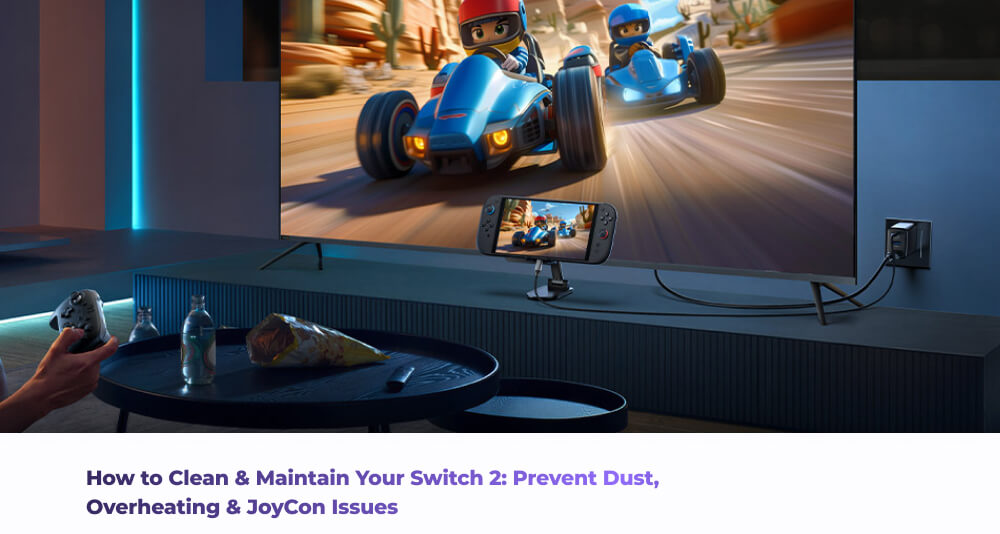
It is important that you perform regular maintenance for your Handheld console. It’s not just about the aesthetics of the device,but maintaining your Switch 2 helps problems such as Dust buildup, overheating and even potentially dealing with those annoying Joycon connection issues that can prop up at the worst possible time.
Dust and particle build up can result in the following problems:
- Charging problems
- Incompatible Docking issues
- JoyCon not successfully pairing correctly
- Poor airflow resulting in overheating
- Software glitches, bugs and incompatibilities
While this may seem like a lot of problems, there is good news at the end of the tunnel- all of these problems can be solved easily, and also avoided entirely with a little bit of due diligence on your part. Let’s talk about troubleshooting.
How to Perform Outer Shell and Screen Maintenance
The first and easiest component to consider cleaning is the outer body and the screen of your Switch 2. Let’s break it down to a step by step process-
- Completely turn off the power to your Switch 2.
- Using a soft microfiber cloth, gently wipe the display and casing (cotton based cloth item can work as a replacement if you don't have a microfiber cloth)
- If the stains and marks are a bit stubborn, lightly dampening the cloth and then wiping the console will do the job- Just ensure you don't directly spray your console with any sort of liquid.
- Take care cleaning around the buttons to avoid pushing any debris into the console
It’s a good idea to be using a screen protector since it adds an extra layer of protection for your device from getting scratched, whether it’s during general usage or even accidentally during your maintenance cleaning.
How to Clean the Internal Delicate Components
The JoyCon rails and the Dock connectors can accumulate a lot of dust and debris since they’re not usually part of the “general wipedowns” for your console. This can result in slower charging times, incorrect docking, random disconnects and desyncs since that dust and debris could be causing incorrect connectivity by blocking proper contact. This is also an easy fix-
- Use compressed air to blow into the different ports of the Switch 2. The main ports are the USB-C charging port, the headphone jack and game card slot.
- Do not insert any sort of items into the ports to avoid damaging these delicate parts of your console.
- Avoid any sort of liquid to cleaning these internal parts
- For the JoyCon Rails and Dock connectors, Use a soft dry brush to wipe away any visible debris on the JoyCon rails and dock connectors.
Keeping these areas clean and clear of debris and dust directly helps prevent issues with docking, charging instability and even JoyCon syncing problems. Use protective cases for your Switch 2- they can double up by providing both physical protection as well as full body coverage dust protection, and can help reduce the amount of cleaning and maintenance you need to do for your Switch 2, with only the major points of contact such as the docking port needing to be regularly cleaned.
Final checks
Last but not least, check your cables and adapters regularly. Ensure that the charging cable isn't bent or frayed, and that the dock adapter fits securely into the power outlet. Loose connections can affect how quickly your console charges, but also can affect the long term battery health of your Switch 2.
Don't forget, maintenance doesn't just end with the hardware- make sure you keep your software up to date as well since that can help in your device’s performance and health too. Updated firmware can help ensure your Switch 2 has the latest performance optimizations, bug fixes and system stability improvements. Hardware and software maintenance are 2 sides of the same coin and tend to work together in harmony and should be treated with the same care.
Summary
At the end of the day, maintaining your Switch 2 doesn't need to be some sort of three-headed demon dog that requires specialist tools or over the top complicated routines. Go through the checklist- clean the general case and screen, check the ports, check your cables and keep the general software updated at all times. Look after your console, and we can guarantee that it will look after you right back in a mutually symbiotic relationship. Happy gaming!
Want to keep your Switch 2 fully protected and accessorized? Check out our full range of Switch 2 accessories here.


发表评论
所有评论在发布前都会经过审核。
此站点受 hCaptcha 保护,并且 hCaptcha 隐私政策和服务条款适用。