


![JSAUX anti-glare matte screen protector for ROG Ally and ROG Xbox Ally series #style_[2-pack] for all rog ally models](http://jsaux.com/cdn/shop/files/GP0113A-Anti-Glare-Screen-Protector-for-ROG-Ally-_-ROG-Xbox-Ally-Series-1_jpg.png?v=1762310072&width=92)


![Grey 2-pack 90 degree USB-C to USB-C right angle adapters #style_grey [2-pack]](http://jsaux.com/cdn/shop/files/90_-USB-C-to-USB-C-Right-Angle-Adapter-grey-1.png?v=1755238920&width=92)


![JSAUX anti-glare screen protector 2-pack for Lenovo Legion Go 2 with alignment frame #model_for legion go 2 [2-pack]](http://jsaux.com/cdn/shop/files/GP0132-Anti-Glare-Screen-Protector-for-Legion-Go-2-1.png?v=1766136633&width=92)






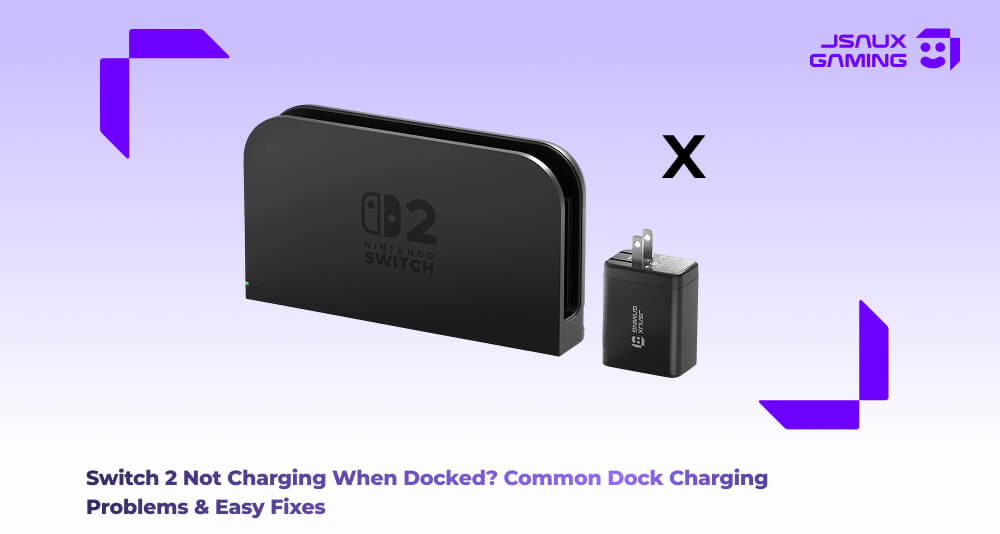
One of the most searched topics on the internet regarding the Switch 2 and its potential issues involves the Switch 2 not charging while being docked. Usually the cause is quite simple- the console requires a clean and stable physical connection to the dock, as well as a consistent power supply. An interruption on either of those requirements can result in the device failing to charge and you won't get a warning message about it either. Let’s talk about some of the problems and their solutions.
Troubleshooting the Docking Problems
There are a bunch of potential problems with simple solutions, so let’s go through that.
-
Power Dock Connection- One of the most common reasons why your Switch 2 is not charging despite being docked is the simple reason that the Switch 2 was not fully seated on the dock. Being off by even a millimeter means that the device will stop charging, despite the device looking like it’s correctly placed on the dock. Dust and debris buildup on the inside of the USB C port of the Switch 2 or the dock connectors can also cause the same issue. The simple solution for this is to reseat the Switch 2 by ensuring that it slides all the way down and sits flat in the dock. In the case of a dusty dock, give it a quick clean using compressed air or a soft, dry brush and re-seat the console.
-
Power Adapter Issues- Another common issue you’ll find is in the power adapter or the cable itself. Damaged cords, loose cables or powerstrips that don't provide sufficient power can also prevent the dock from supplying enough power to your Switch 2, which will prevent it from charging. You can avoid this by plugging the dock directly into the wall socket instead of using a power strip for one, but also ensuring that the adapter and cables are securely connected fully.
- Potential Software Issues- Firmware can also play a big role. If the Switch 2’s software is out of date, charging behaviour can potentially also bug out, especially after the system updates. Ensuring that your System software and hardware firmware is kept up to date will alleviate most of these software related issues and ensure that your Switch 2 charges properly when mounted.
When Accessories Make Sense Without Overthinking It
If you consistently dock and undock your console, some users prefer a secondary charging dock or stand for everyday charging while keeping the main dock stationary. This is not required, but it can reduce wear on ports over time. The key takeaway is that charging issues are usually about connection stability, cleanliness, or power consistency, not a broken console.
If you’re looking for Switch 2 accessories to support everyday docking and charging, there are dedicated Switch 2 docks, charging solutions, and protective add-ons designed for daily use. These accessories won’t fix underlying charging problems, but they can help improve long-term convenience and reduce wear from frequent docking. You can explore the full Switch 2 accessories collection here.

发表评论
所有评论在发布前都会经过审核。
此站点受 hCaptcha 保护,并且 hCaptcha 隐私政策和服务条款适用。