


![JSAUX anti-glare matte screen protector for ROG Ally and ROG Xbox Ally series #style_[2-pack] for all rog ally models](http://jsaux.com/cdn/shop/files/GP0113A-Anti-Glare-Screen-Protector-for-ROG-Ally-_-ROG-Xbox-Ally-Series-1_jpg.png?v=1762310072&width=92)


![Grey 2-pack 90 degree USB-C to USB-C right angle adapters #style_grey [2-pack]](http://jsaux.com/cdn/shop/files/90_-USB-C-to-USB-C-Right-Angle-Adapter-grey-1.png?v=1755238920&width=92)


![JSAUX anti-glare screen protector 2-pack for Lenovo Legion Go 2 with alignment frame #model_for legion go 2 [2-pack]](http://jsaux.com/cdn/shop/files/GP0132-Anti-Glare-Screen-Protector-for-Legion-Go-2-1.png?v=1766136633&width=92)






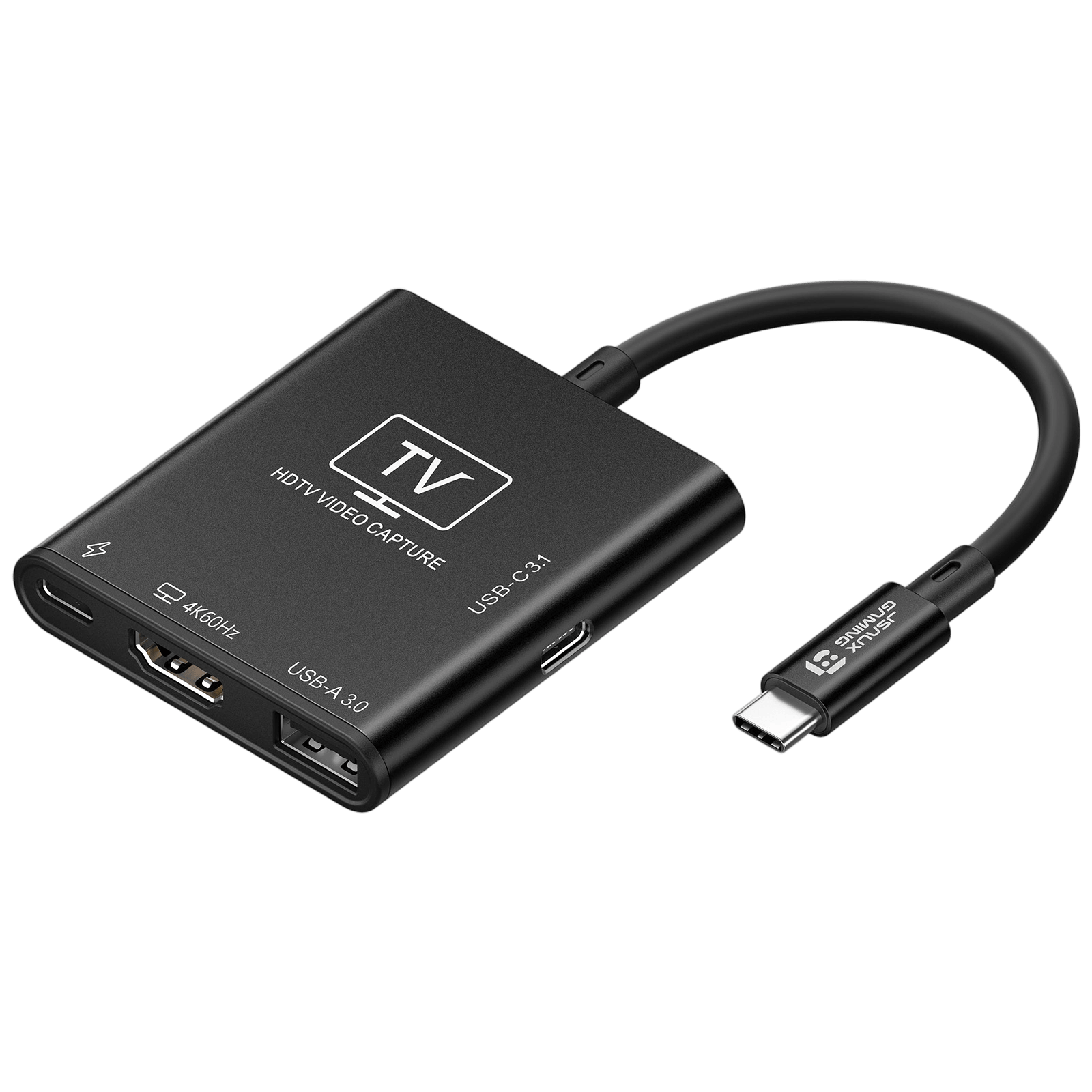
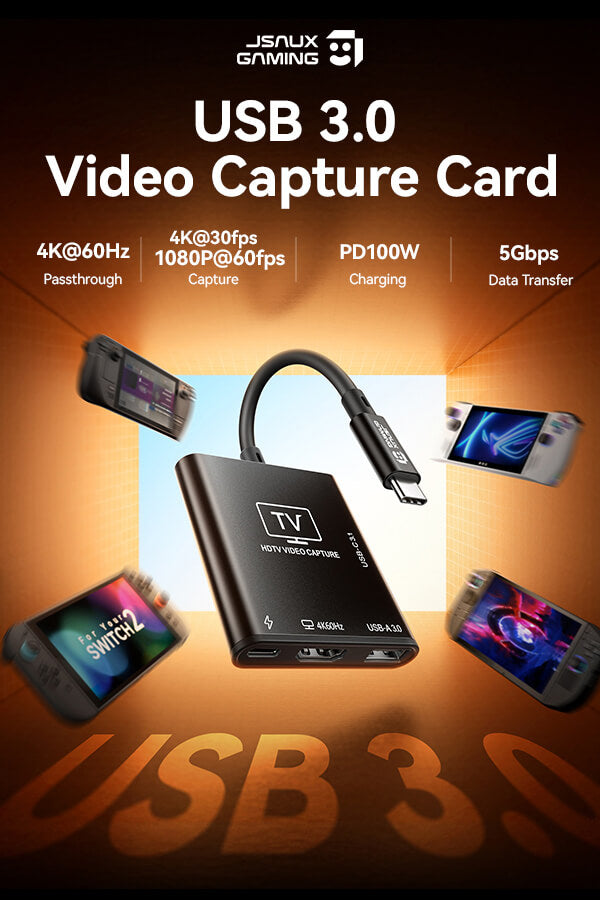
USB 3.0 HDMI Capture Card
FEATURES
- All-in-One Capture Dock for Gaming & Streaming
- Switch / Steam Deck / ROG Ally / Legion Go Compatible
- Ultra-Smooth 4K Gaming & Streaming Experience
- 100W Power Delivery for Non-Stop Gaming
- USB Expansion Ports (5Gbps High-Speed)
- Plug & Play Compatibility Across Platforms
SHIPPING



FEATURES
描述
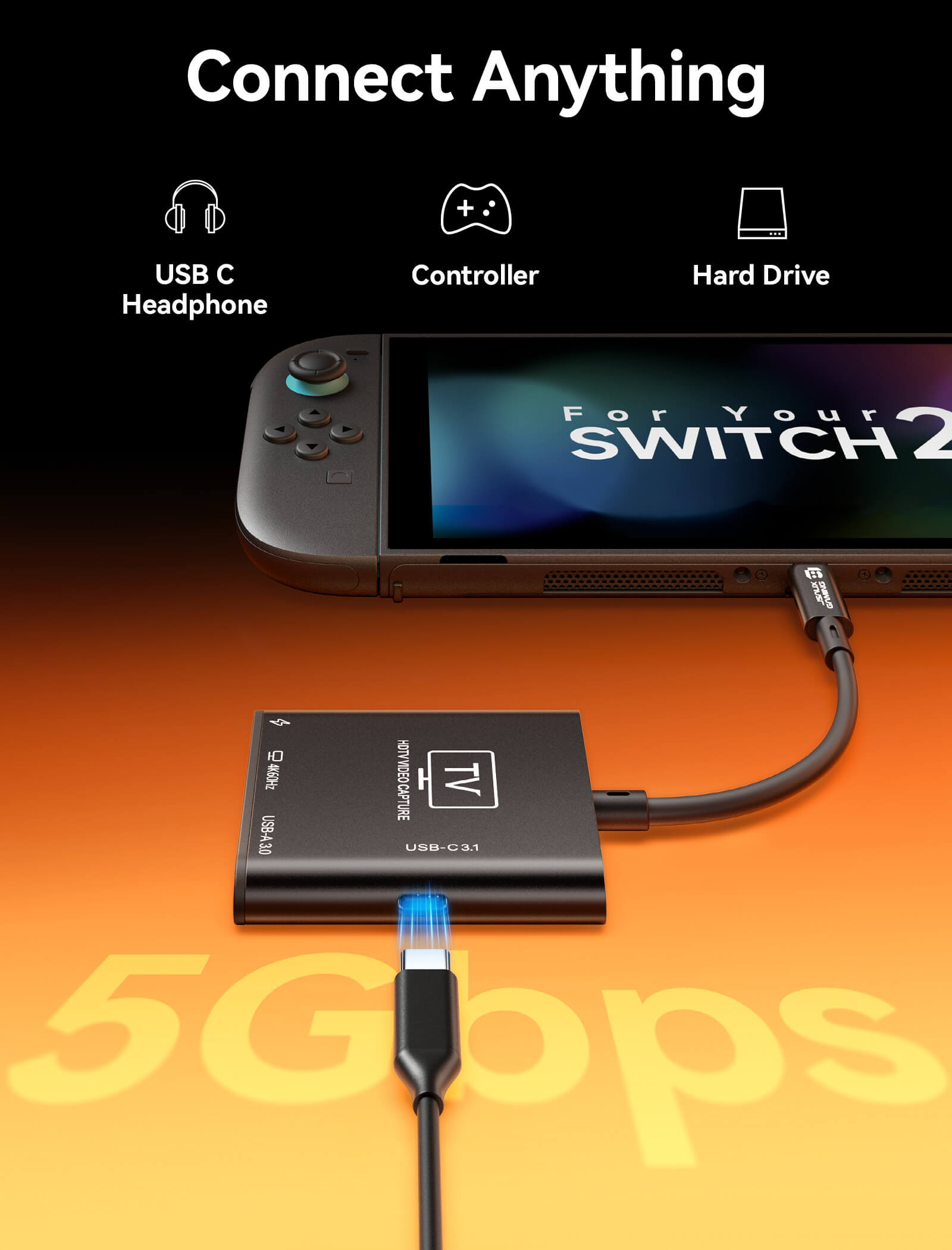
- 【2 in 1 HDMI Capture Card】This product is not only a capture card, but it also functions as a portable dock for handheld. Its compact size fits easily into backpacks, making it perfect for travel and on-the-go scenarios. Premium aluminum alloy shell for enhanced durability and heat dissipation.(Note: For Switch 2 console, please connect capture card to the bottom USB C port for video output/capture)
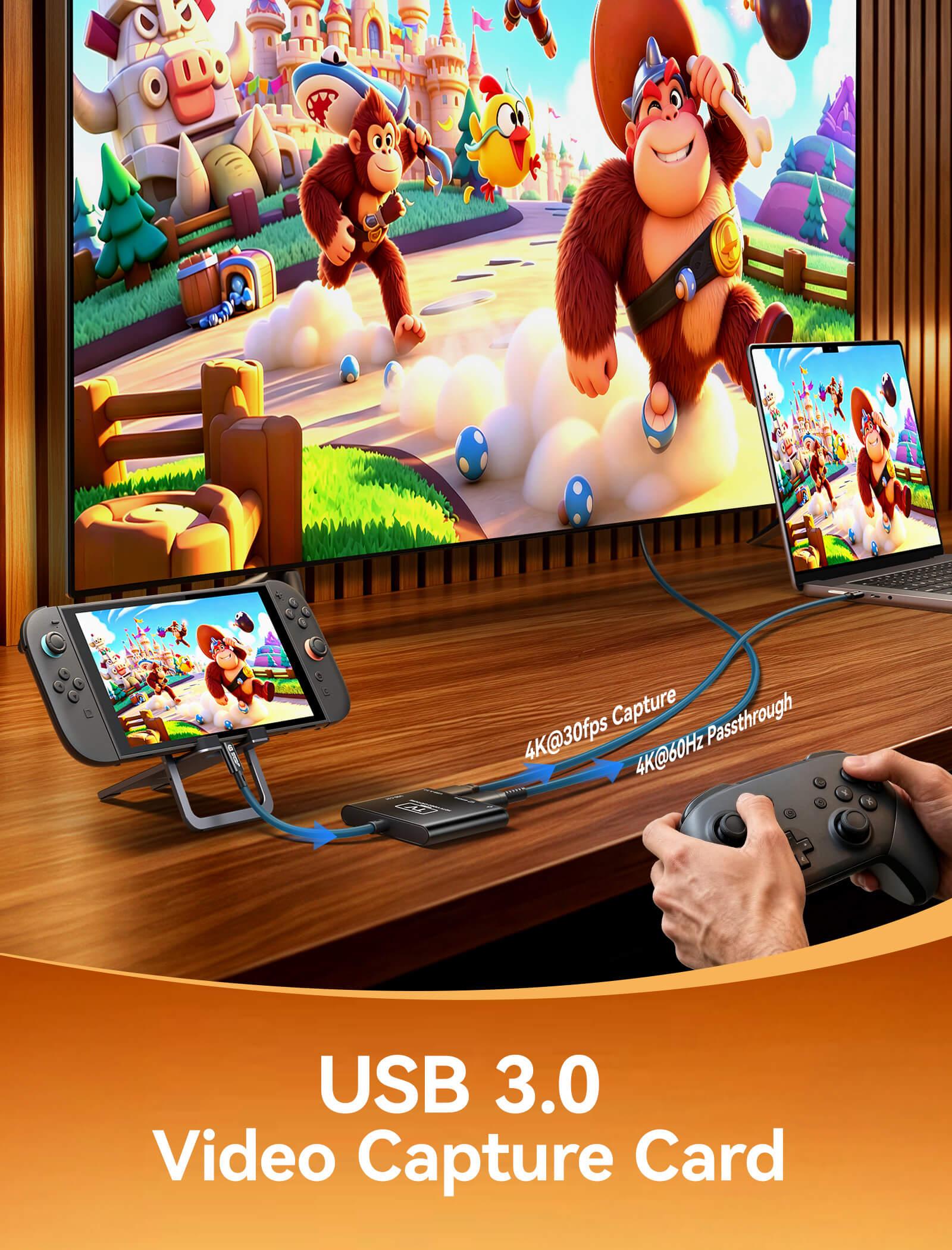
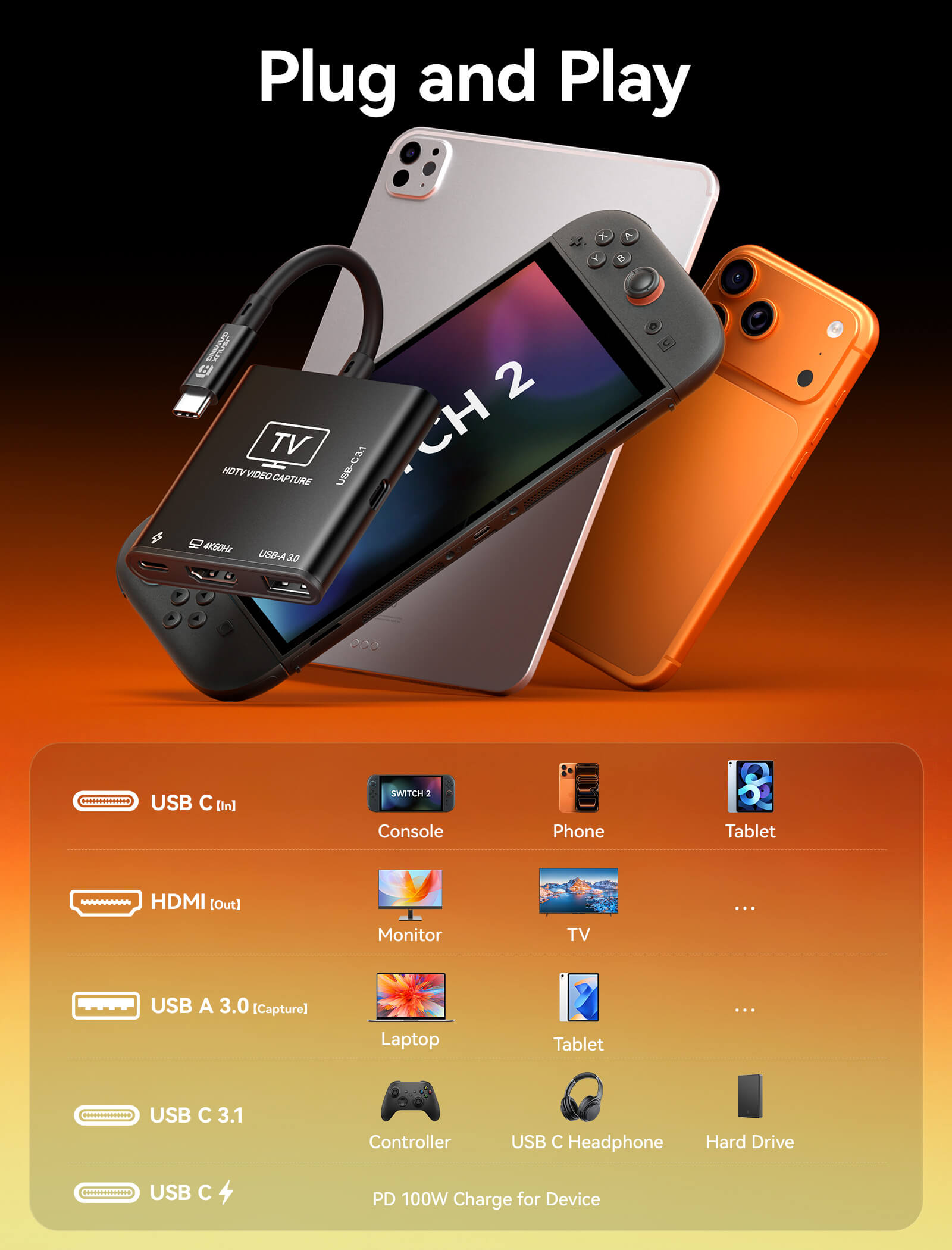
- 【4K60Hz HDMI Passthrough & USB C Input】This video capture card supports up to 4K@60Hz or 1440p@120Hz USB C source input and HDMI pass-through. Enjoy buttery-smooth gameplay and ultra-crisp visuals on your monitor or TV. Compatible with Nintendo Switch 2, Steam Deck, ROG Ally, iPads, phone, laptop, camera.(Note: The USB C port serves as the video input source)
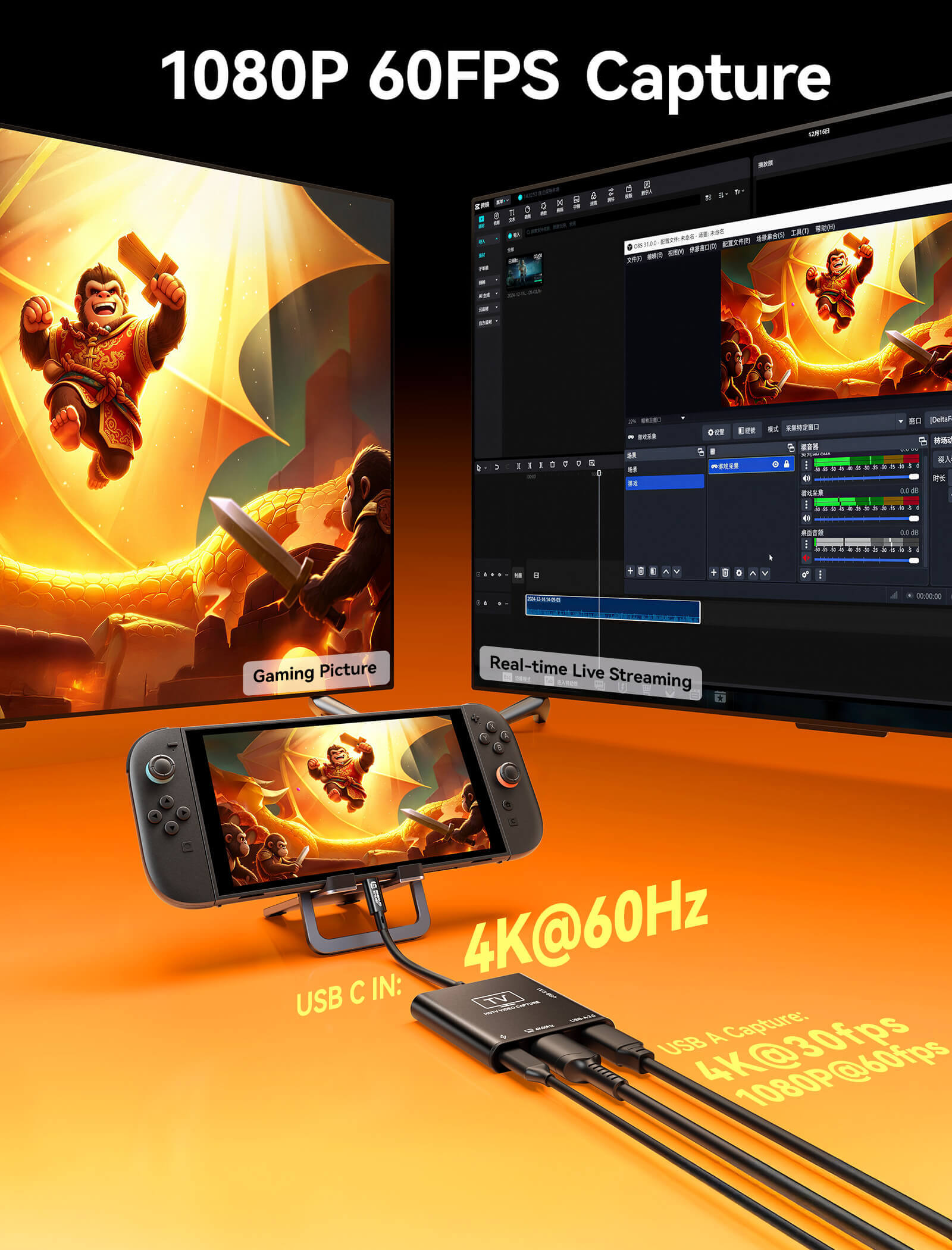
- 【4K30fps USB A Recording & Streaming】This USB capture card supports 4K30fps or 1080p60fps recording, delivering smooth and stable performance for live streaming, gameplay recording, and video capture.(Note: The USB A port serves as the video capture output)
-
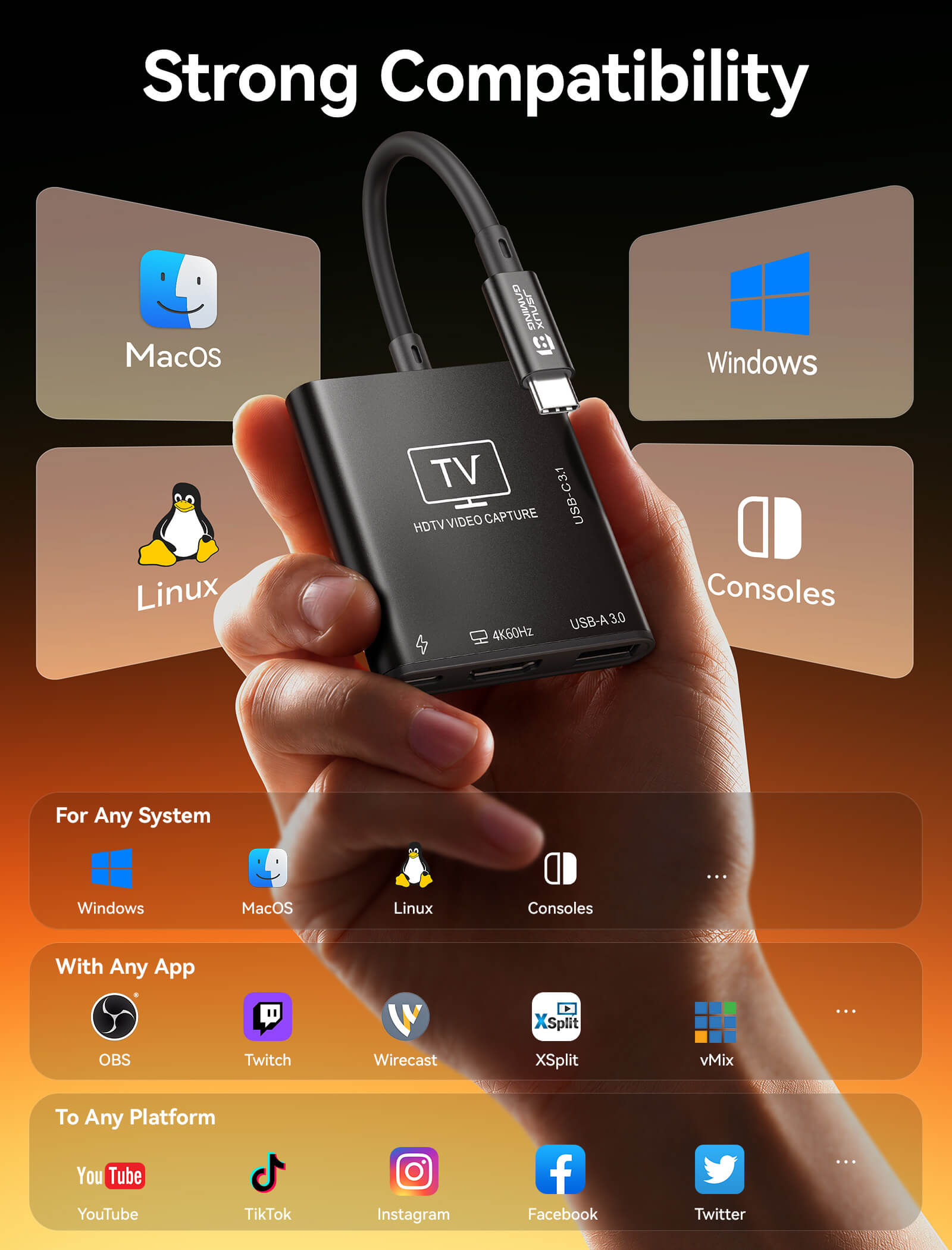
【Plug and Play】No drivers needed. Once plugged in, the device is identified automatically. Suitable for Windows, macOS, and Linux system. Fully compatible with broadcasting software including OBS Studio, Streamlabs, XSplit, vMix, and Twitch Studio. Please make sure your device has full-featured USB C port
【USB C 100W PD Charging】Our capture card has an independent USB C PD charging port that supports up to 100W fast charging. Plug in the USB C cable to charge your handheld while playing. Never let a dead battery ruin your winning streak - 【USB C3.1 Data Transfer】This captured card has a USB C3.1 port, it support 5Gbps data transfer. Whether you're transferring files via a flash drive, locking into the game with a low-latency keyboard and controller, or immersing yourself with a USB C headphone, this USB C port handles it all
SPECS
SPECS
Approx. 50g
200(L) × 58.5(W) × 11.8(H) mm
- 1* USB-C Port (Input)
USB-C male upstream port supporting USB video input, PD charging, and device expansion. Compatible with USB 3.2 and Thunderbolt 3/4/5 devices. - 1* USB-C PD Charging Port
USB-C female port supporting PD 2.0 / 3.0 / 3.1 standards with up to 100W (20V/5A max) power input. - 1* USB-A 3.0 Port (Capture)
USB 3.0 interface used for video capture with support for up to 4K input signal. - 1* HDMI Output
HDMI 2.0 output port supporting up to 4K@60Hz with 18Gbps bandwidth. Backward compatible with HDMI 2.0b / 1.4 / 1.3 / 1.2 / 1.1. - USB-C Data Port
USB 3.0 interface supporting up to 5Gbps data transfer and 5V/1A power output for external devices.
- Handheld Gaming Consoles: Switch 2, Switch, Switch OLED, Steam Deck, Steam Deck OLED, ROG BOX Ally X, ROG BOX Ally, ROG Ally X, ROG Ally, Legion Go, Legion Go S, Legion Go 2, MSI Claw A1M, MSI Claw 7 AI+, MSI Claw 8 AI+.
- Operating Systems: Windows, macOS, Linux, and Android.
- Supported Software: Compatible with OBS Studio, VLC, AMCap, and all UVC/UAC-compliant video capture, streaming, and playback software.
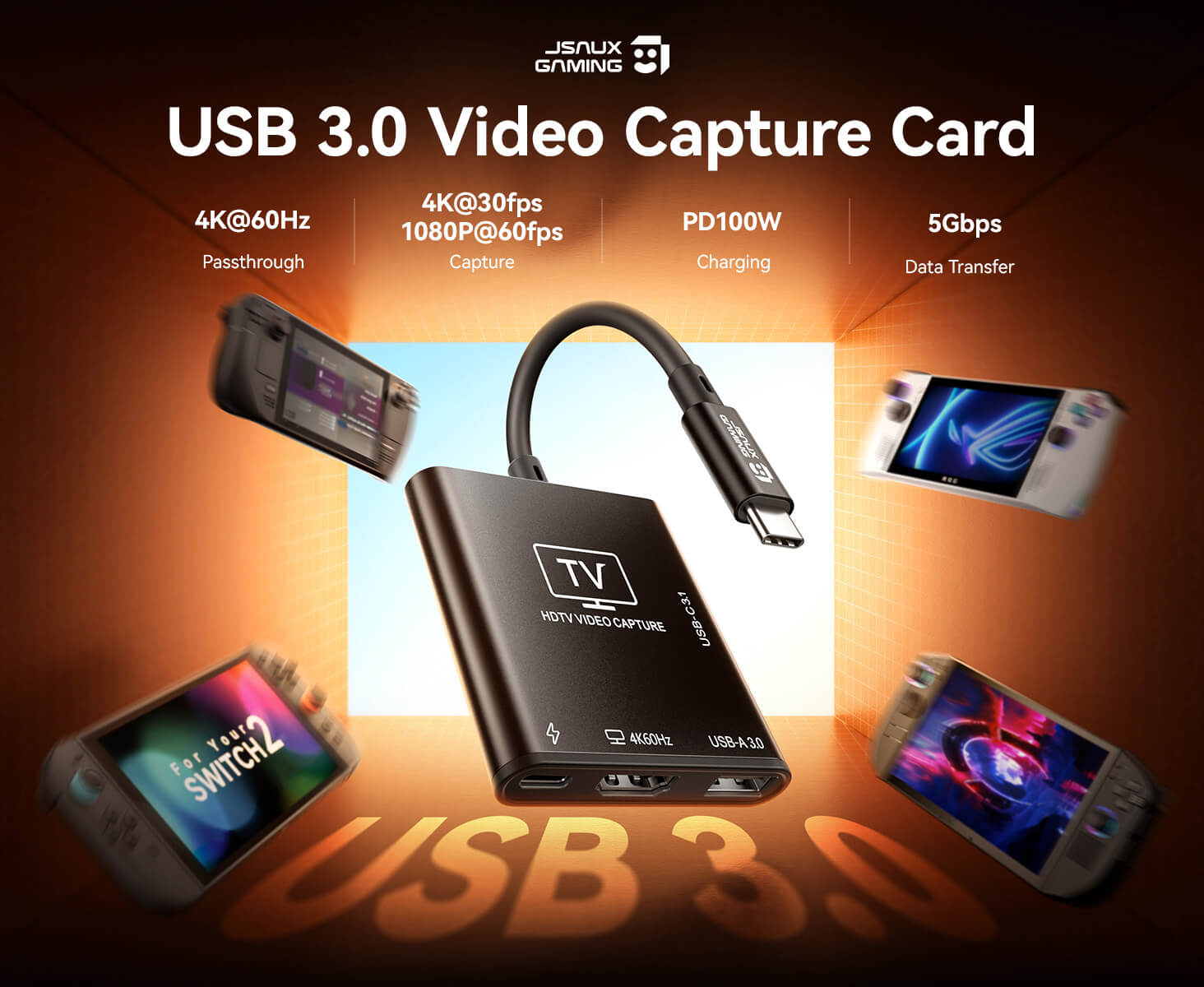
- HDMI capture input up to 4K@30Hz, 1080P@60Hz, and 1080P@30Hz
- HDMI pass-through (loop-out) up to 4K@60Hz, with support for 1440P@120Hz and 1080P@120Hz high refresh rates
- USB 3.0 data transfer up to 5Gbps (120–150MB/s)
Up to 10-bit Deep Color with RGB / YUV color formats (UVC compliant)
UAC-compliant digital audio transmission with LPCM support
SHIPPING
SHIPPING & RETURN
请在下单前仔细阅读我们的配送提示。
- 订单金额超过50美元即可享受免运费。
- 订单金额低于 49.99 美元的,将收取 6.99 美元的运费。
(注:以上配送政策不适用于 FlipGo。具体配送详情请参阅 FlipGo 产品页面。)
请注意:
- JSAUX GAMING 为全球客户提供快速高效的配送服务。(但无法配送至军事地址(APO/FPO)和部分岛屿。)
- 目前所有订单的处理时间为 2-4 天(周末不处理订单)。
- 订单配送时间为7-12个工作日(预售商品除外)。
- 国际关税和税款可能需要缴纳,且不会在结账时计算。
- 预售产品的发货时间以产品页面上的说明为准。
由于物流服务提供商的要求:
- 为了尽快准备好您的订单并避免运输问题,请务必提供准确的邮政地址,包括您的确切门牌号以及快递公司可能需要的任何其他信息。
-
中国大陆及台湾地区:中国大陆客户请使用天猫下单。香港、澳门客户请提供您的姓名、身份证号码及繁体中文收货地址。
- 沙特阿拉伯地区:订单金额超过 50 美元不享受免运费服务。需支付 14.99 美元(含增值税)的运费。
- 由于物流原因,我们暂时不向以下国家和地区提供订单服务:阿富汗、阿尔巴尼亚、阿尔及利亚、安道尔、安哥拉、安圭拉、阿根廷、亚美尼亚、阿鲁巴、阿塞拜疆、巴林、孟加拉国、巴巴多斯、白俄罗斯、百慕大、不丹、波斯尼亚和黑塞哥维那、巴西、英属维尔京群岛、文莱、布基纳法索、布隆迪、玻利维亚、柬埔寨、喀麦隆、开曼群岛、中非共和国、中国、圣诞岛、哥斯达黎加、科特迪瓦、吉布提、刚果-布拉柴维尔、刚果-金沙萨、埃及、萨尔瓦多、厄瓜多尔、福克兰群岛、法罗群岛、法属波利尼西亚、加蓬、冈比亚、格鲁吉亚、加纳、直布罗陀、格陵兰岛、瓜德罗普岛、危地马拉、根西岛、几内亚、洪都拉斯、冰岛、印度尼西亚、以色列、牙买加、约旦、泽西岛、哈萨克斯坦、肯尼亚、基里巴斯、吉尔吉斯斯坦、黎巴嫩、莱索托、利比里亚、列支敦士登、马尔代夫、毛里求斯、马提尼克、摩尔多瓦、摩纳哥、蒙古、黑山、缅甸(缅甸)、纳米比亚、瑙鲁、新喀里多尼亚、尼加拉瓜、尼日尔、尼日利亚、诺福克岛、北马其顿、挪威、阿曼、巴基斯坦、巴拉圭、卢旺达、圣马力诺、塞内加尔、塞尔维亚、塞舌尔、所罗门群岛、南苏丹、斯里兰卡、苏丹、塔吉克斯坦、多哥、汤加、突尼斯、土库曼斯坦、土耳其、图瓦卢、乌干达、乌克兰、乌拉圭、印度、乌兹别克斯坦、瓦努阿图、梵蒂冈、美国部分地区(包括波多黎各、关岛、美属维尔京群岛、北马里亚纳群岛、美属萨摩亚和军事基地)例如 APO、FPO 和 DPO)。
15天退货:
自您收到商品之日起,我们的退换货政策有效期为15天。更多信息,请访问我们的配送政策页面。
FAQ
Q. Why does 4K@30Hz playback show frame drops or noticeable stuttering?
4K video capture requires high decoding performance from the receiving computer.
Hardware recommendation:
If you are using integrated graphics or a GPU below an RTX 3060, it is recommended to lower the resolution to 1080P@60Hz for smoother performance.
High-performance support:
Only systems equipped with an RTX 3060 or higher GPU are generally capable of handling the high decoding load required for stable 4K@30Hz capture.
Q. Why is the capture card not recognized or showing “No Signal” after being plugged into the USB port?
Please troubleshoot using the following steps:
- USB port requirement: Ensure the device is connected to a USB 3.0 (blue port) or higher-speed port on your computer.
- Input source check: Make sure the signal source (e.g., console, camera) is powered on and the HDMI cable is securely connected.
- Permission settings: Check your system settings and ensure that capture applications (such as OBS or recording software) are allowed to access the camera/device permissions.
Q. Why does the captured video look dull or have abnormal colors?
This is usually related to color space settings. Please adjust your capture software (e.g., OBS) as follows:
- Set Color Space to Rec.709
- Set Color Range to Partial / Limited
(Note: Setting it to “Full” on some displays may cause crushed blacks or incorrect color output.)
Q. Why are audio and video out of sync during capture (audio delay)?
High processing load may cause encoding delay.
- Software setting: In your capture software audio properties, enable “Use custom audio device timestamps”
- Sync adjustment: If slight delay persists, use “Sync Offset” in Advanced Audio Properties and fine-tune within 50ms–200ms depending on your setup.
Q. Is it normal for the capture card to get hot during long use? Will it affect performance?
Video capture is a high-power processing task, and heat generation is normal during operation. The metal housing helps dissipate heat effectively.
- Normal condition: As long as there is no screen glitching or disconnection, the device is operating within normal temperature range.
- Usage recommendation: Keep the device in a well-ventilated area and avoid placing it near heat vents or covering it with objects.
Q. How can I use the capture card if my computer does not have a USB-A port?
Use a USB-C to USB-A adapter (simplest solution).
- How to use: Connect the capture card’s USB-A plug into a USB-A to USB-C adapter, then plug it into your computer’s Type-C port.
- Important note: The adapter must support USB 3.0 (5Gbps) or higher.
If a USB 2.0 adapter (often used for phone charging) is used instead, even if the capture card supports 4K, bandwidth limitation may cause severe lag or force lower resolution output.
此产品的评分为 4.0 / 5.0 颗星。
已收到 2 条评价。
What Customers Are Saying on JSAUX.com