


![JSAUX anti-glare matte screen protector for ROG Ally and ROG Xbox Ally series #style_[2-pack] for all rog ally models](http://jsaux.com/cdn/shop/files/GP0113A-Anti-Glare-Screen-Protector-for-ROG-Ally-_-ROG-Xbox-Ally-Series-1_jpg.png?v=1762310072&width=92)


![Grey 2-pack 90 degree USB-C to USB-C right angle adapters #style_grey [2-pack]](http://jsaux.com/cdn/shop/files/90_-USB-C-to-USB-C-Right-Angle-Adapter-grey-1.png?v=1755238920&width=92)










FlipGo Horizon スナップオン トライスクリーン
- 発送: FlipGo Horizon Pro 144Hz の米国および EU の注文は、海外の倉庫に到着次第、2 月上旬に発送されます。
- 割引: FlipGo Horizon には新規顧客割引やプロモーション割引はありません。
-
返品について: FlipGo Horizonモニターは、返品手続きの対象外です。返品は品質上の問題の場合のみ受け付けております。
特徴
- スナップロッククイックアタッチメントシステム
- モジュラーマルチスクリーン構成
- 一体型スタンド&ドッキングステーション
- SnapMagモジュールとMagSafeの互換性
- タクティカルバックパックでFlipGo Horizonをどこへでも持ち運べます
配送
-
標準国
- 送料一律:19.99ドル
- 配送時間: 5~12営業日
-
その他の国
- 送料一律:29.99ドル
- 配送時間: 12~15営業日


FlipGo Horizon の実際の動作をご覧ください
Designed for Every Workflow
This is Horizon Mode. Where Productivity Expands
🔹 Triple-Screen Workflow
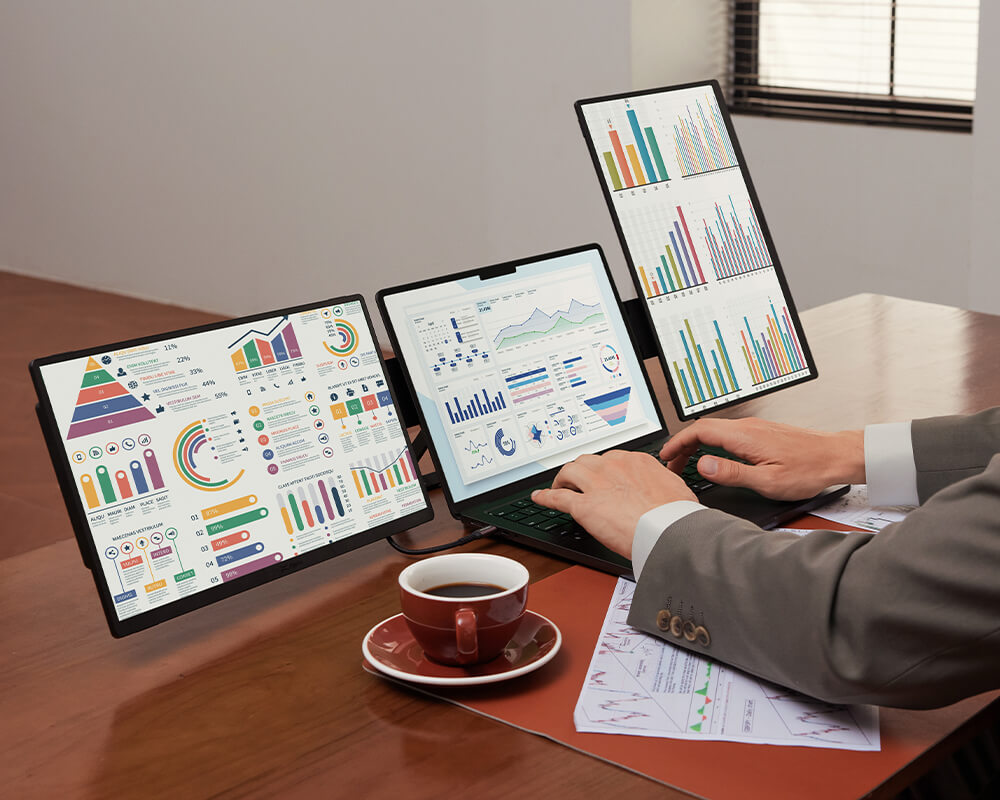
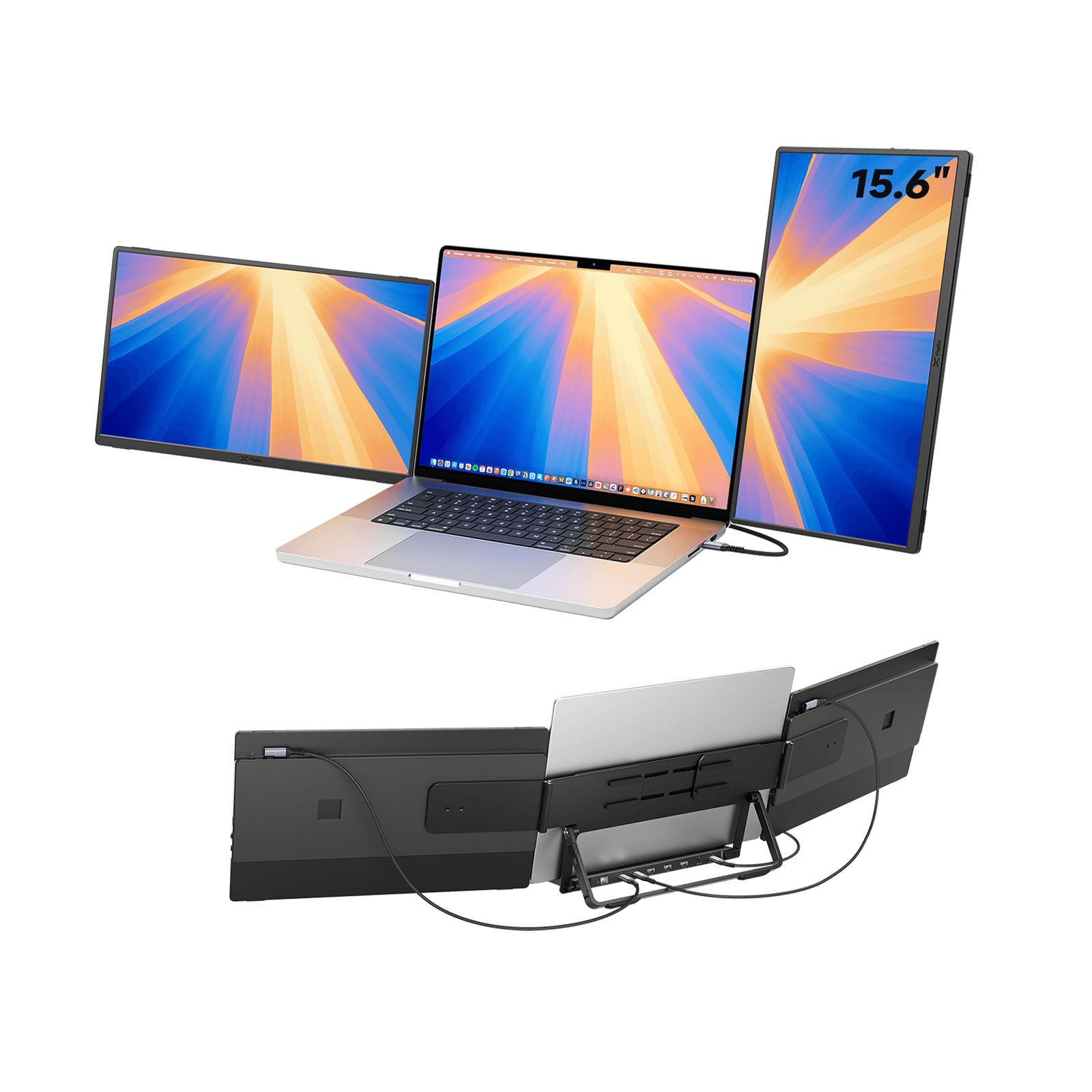
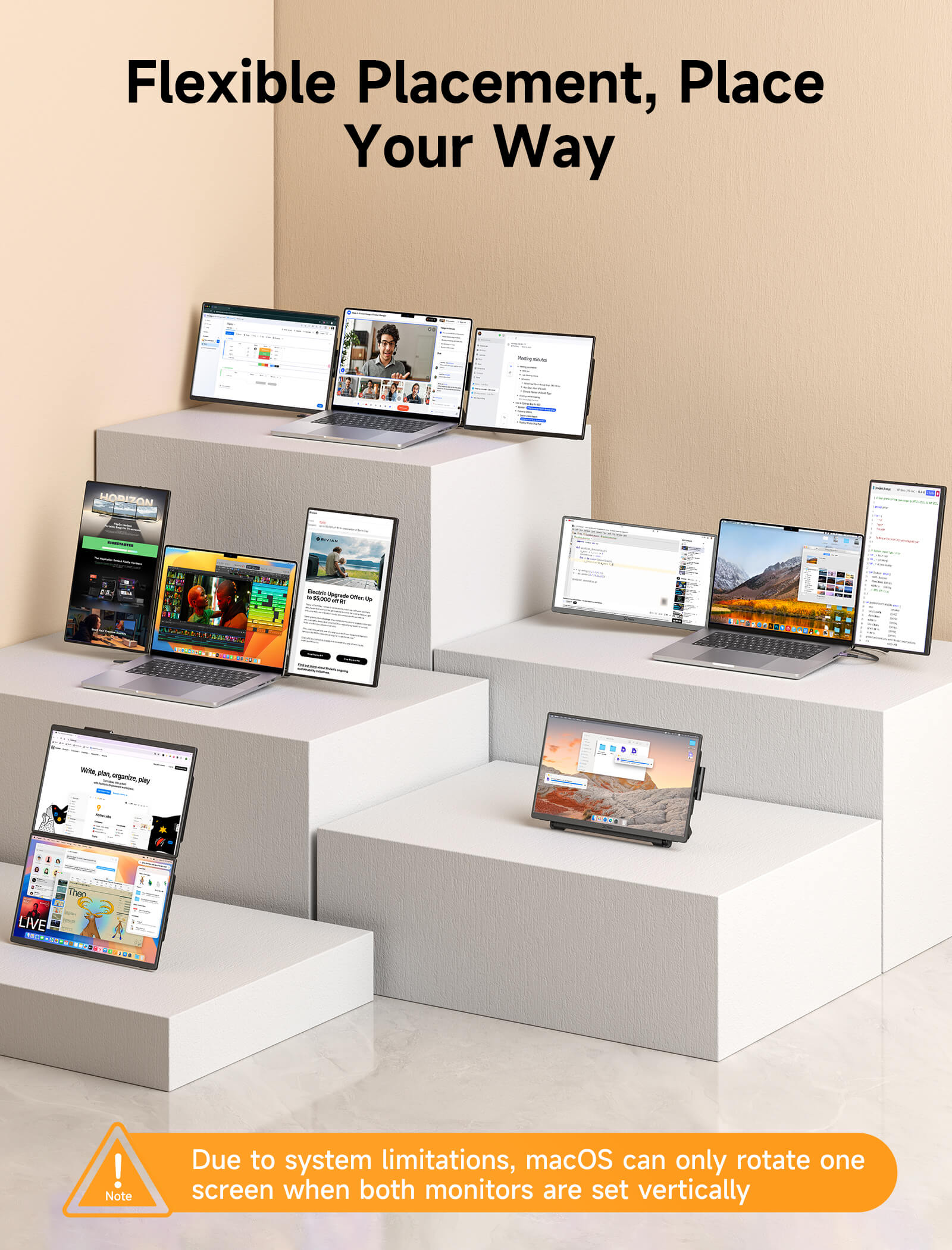
Boost your productivity with a two-vertical, one-horizontal layout— excellent for long documents, web Browse, and detailed code reviews.
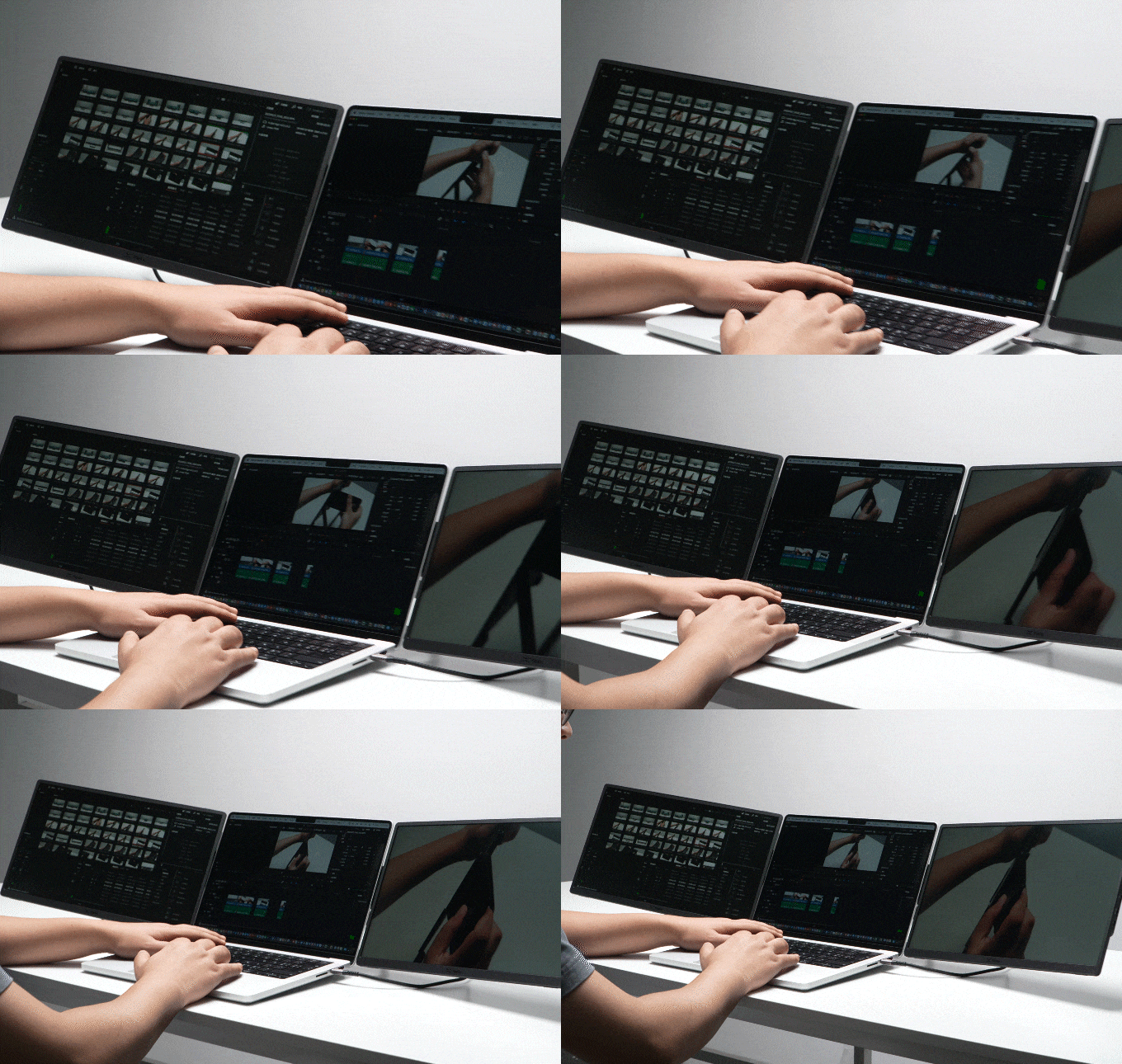
Triple landscape screens, ideal for editing workflows: one for your media library, one for the timeline, and one for the preview monitor.
🔹 Stand & Dock in One
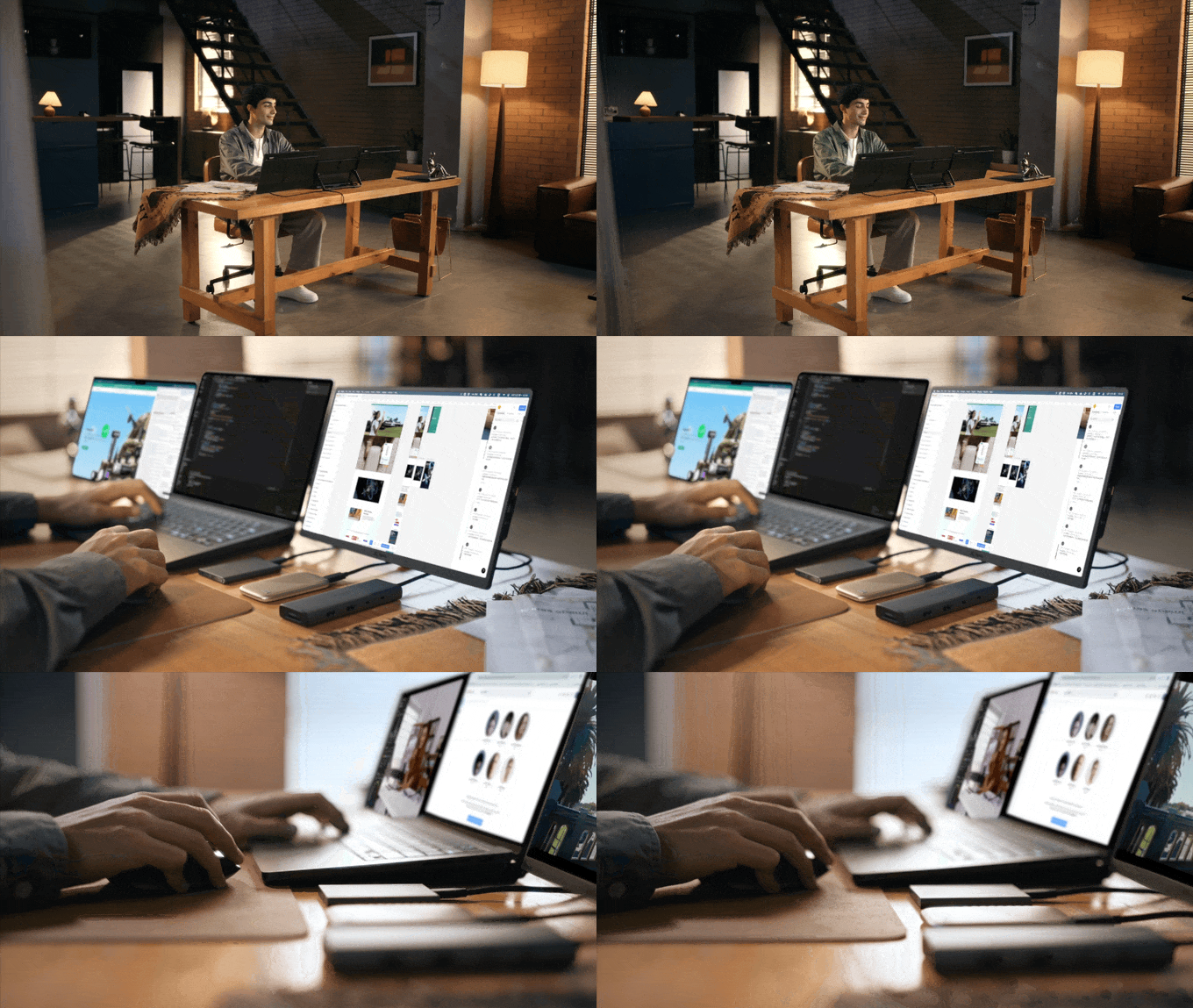
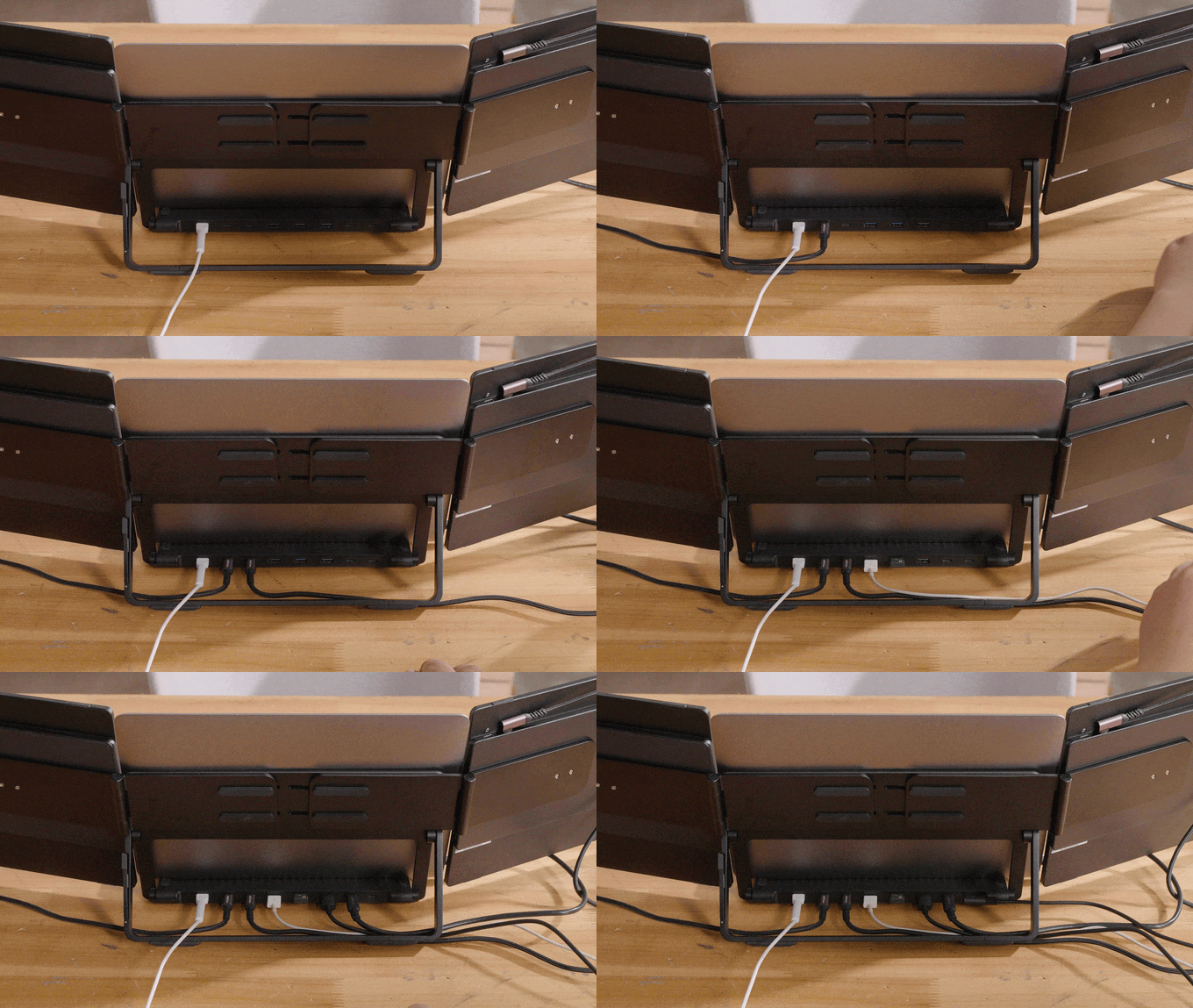
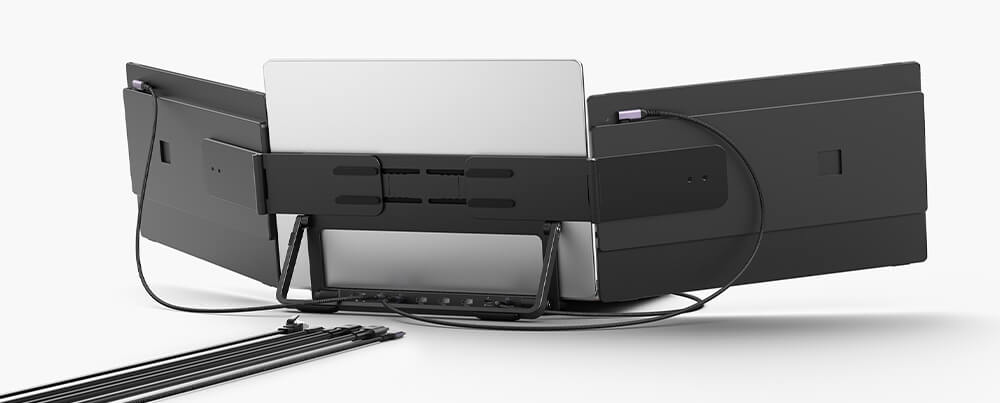
Your Horizon setup isn’t just about screen space — it’s about serious power & storage expansion.
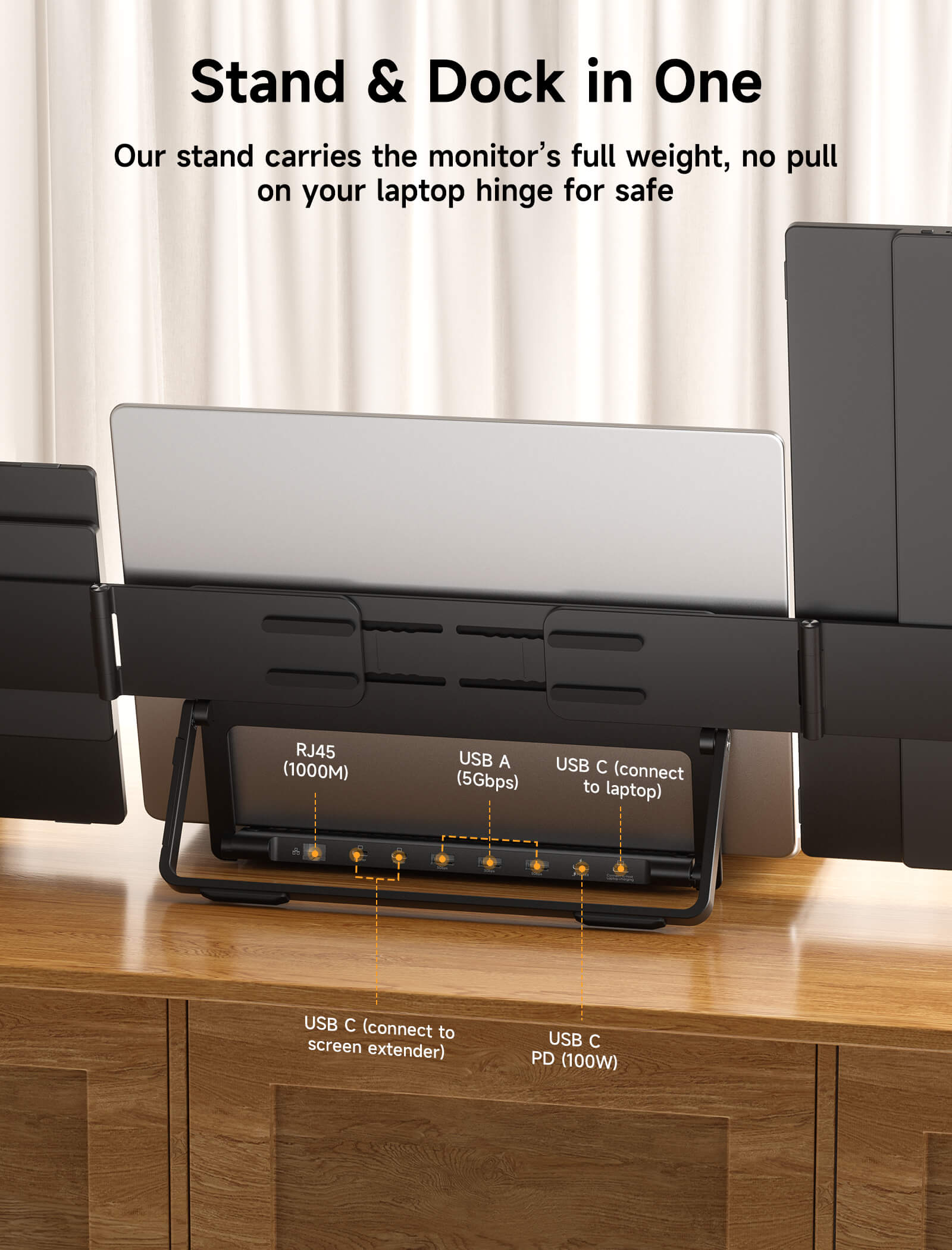
Snap Stand Pro transforms your desk into a full-fledged workstation with built-in Ethernet, USB expansion, PD charging, and rock-solid stability. With just one cable connecting your laptop, you get dual screen expansion, 3 USB 3.0 ports, Gigabit Ethernet extension, and reliable power delivery—supporting M1, M2, M3, M4 MacBook, and many more for seamless, limitless workflow.
🔹 SnapMag: Expand Your Setup
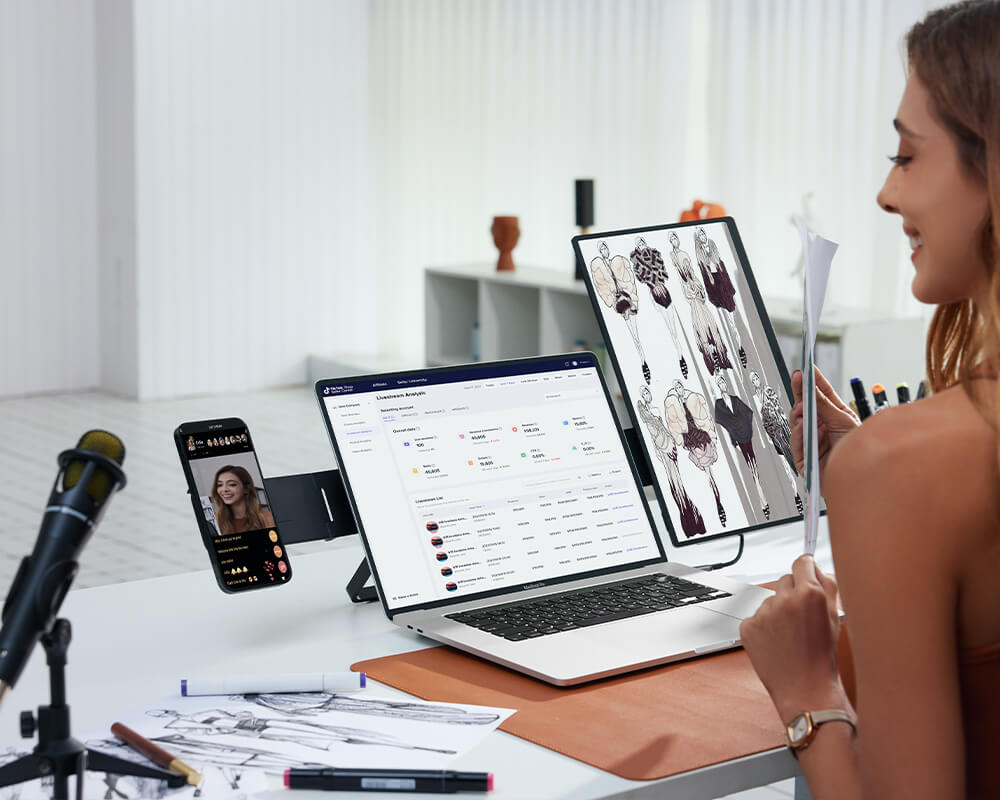
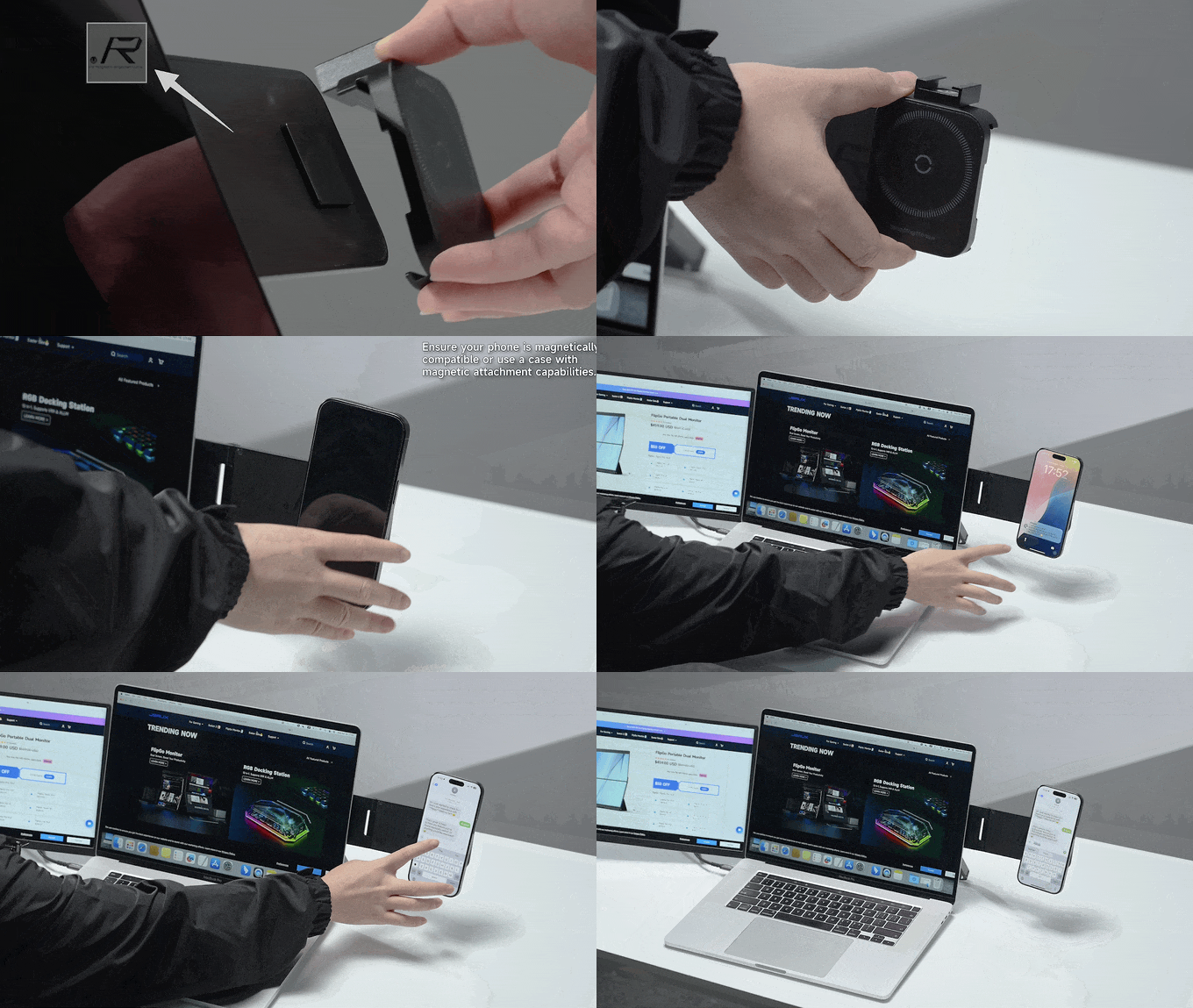
Horizon Mode gives you more than just screen space — it gives you a foundation for limitless expansion. Add an iPhone, an iPad, a fill light, or a custom module. With SnapMag Module, your setup evolves with you — magnetically, instantly, creatively.
This Is Stack Mode. Where Focus Comes First
Stack Mode unlocks a vertical workspace for deep tasks like coding, writing, and research.With one screen stacked above another, your workflow stays aligned and your focus uninterrupted. It’s made for developers, content creators, and thinkers who go deep.

This Is Solo Mode. Where Protability Meets Play
Solo Mode delivers flexible expansion in the most compact form. Snap on a single screen to enhance your workflow — or connect your gaming handheld for a bigger, better view. From business trips to gaming breaks, Solo Mode adapts with ease.
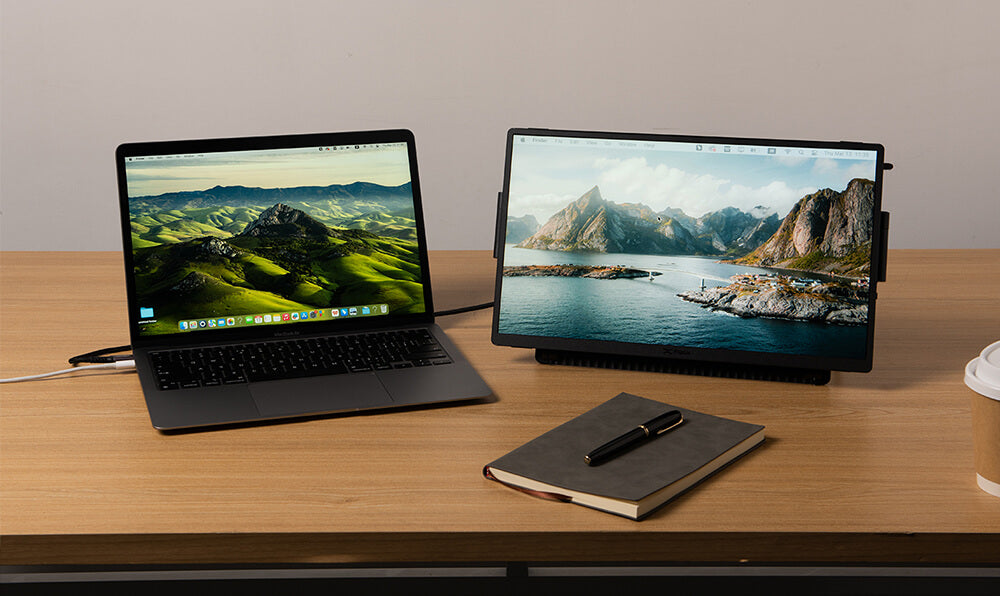
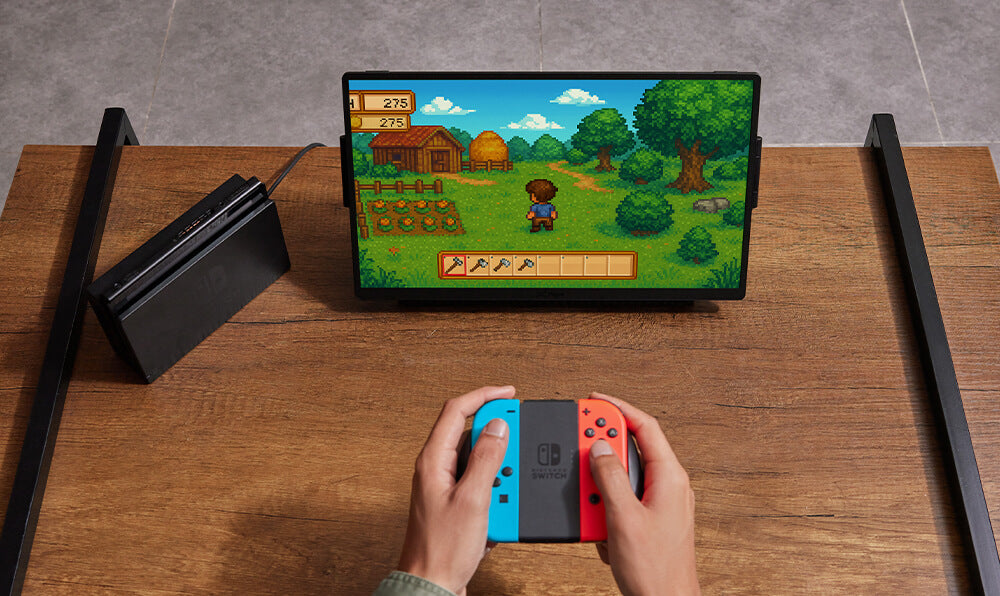
Who Needs FlipGo Horizon?
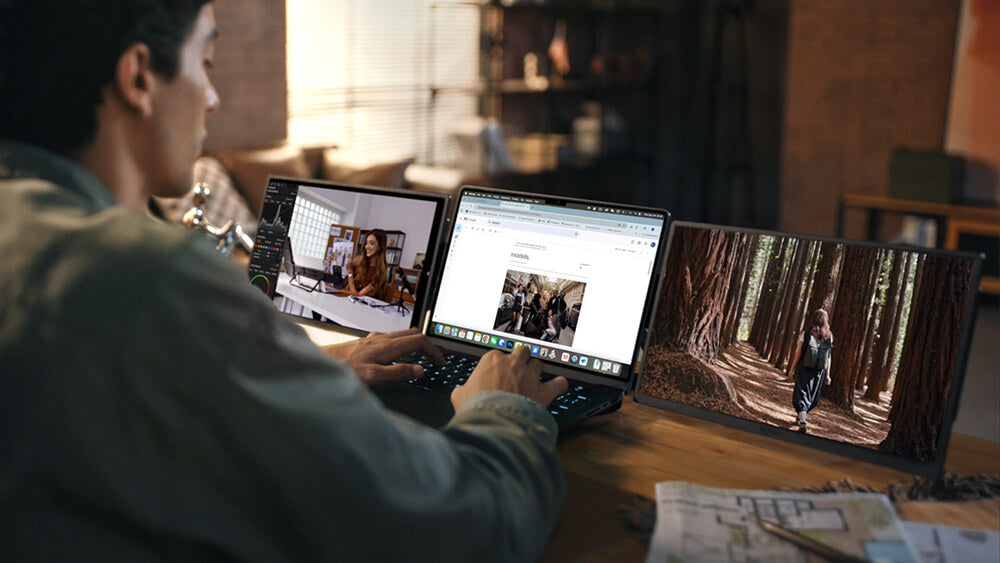
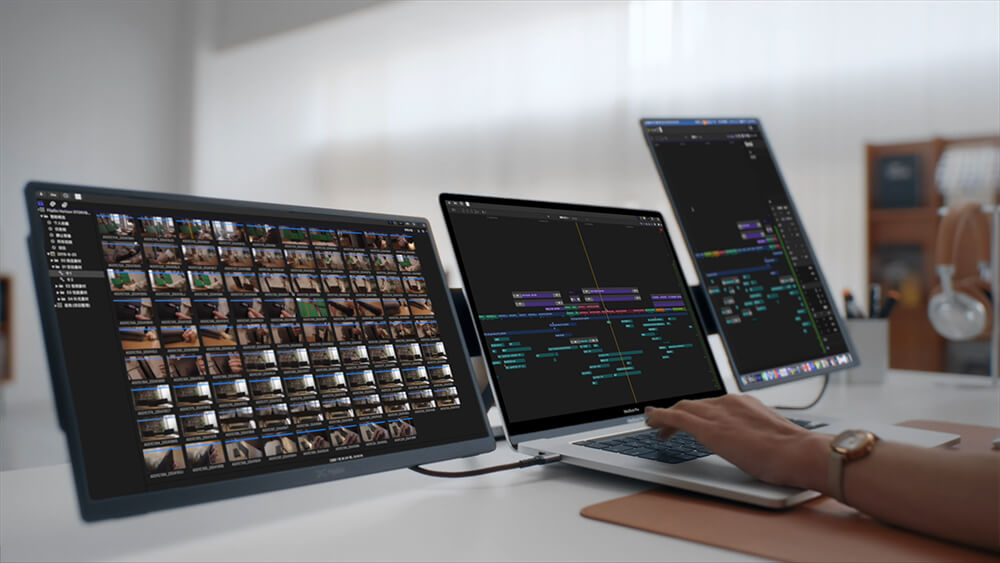
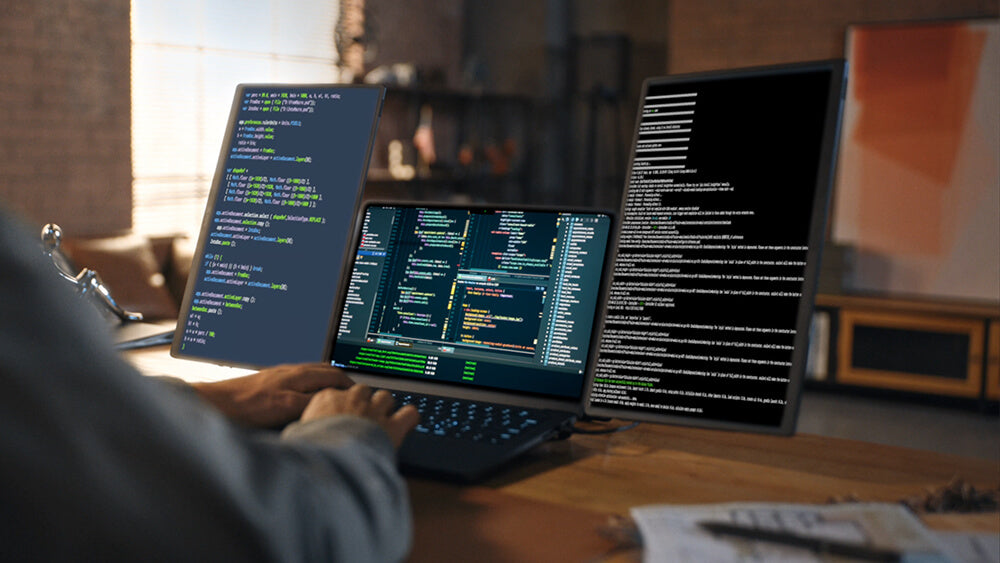
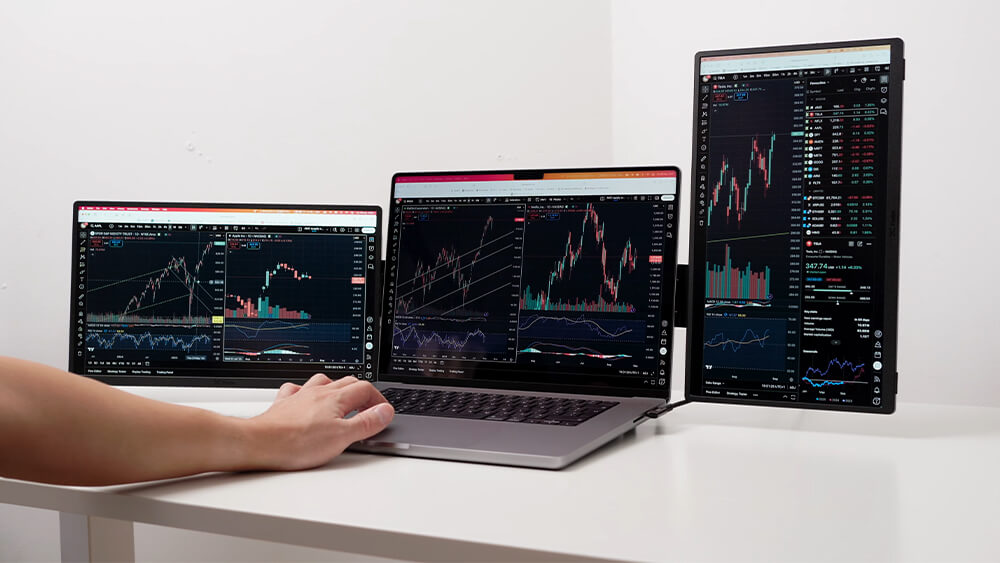
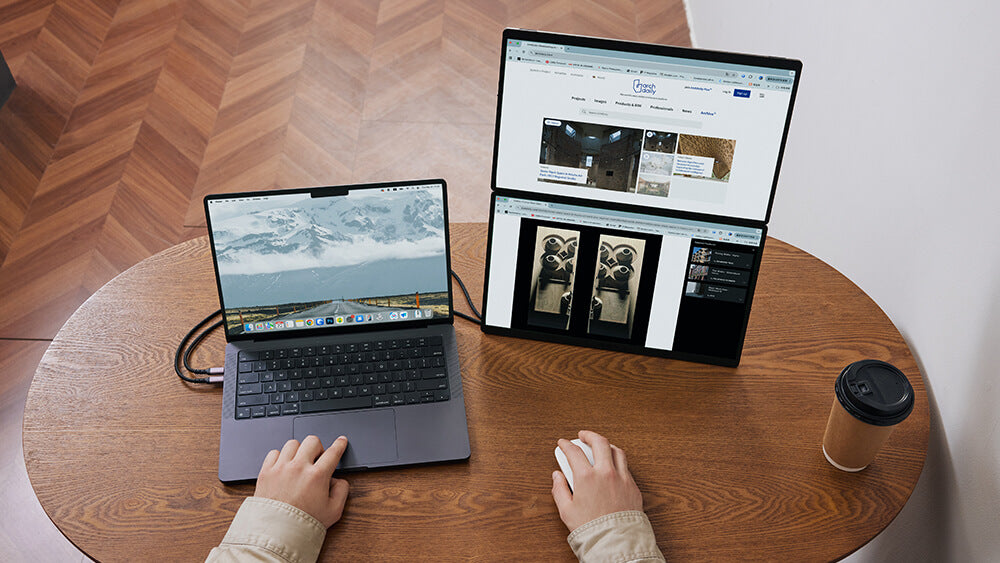
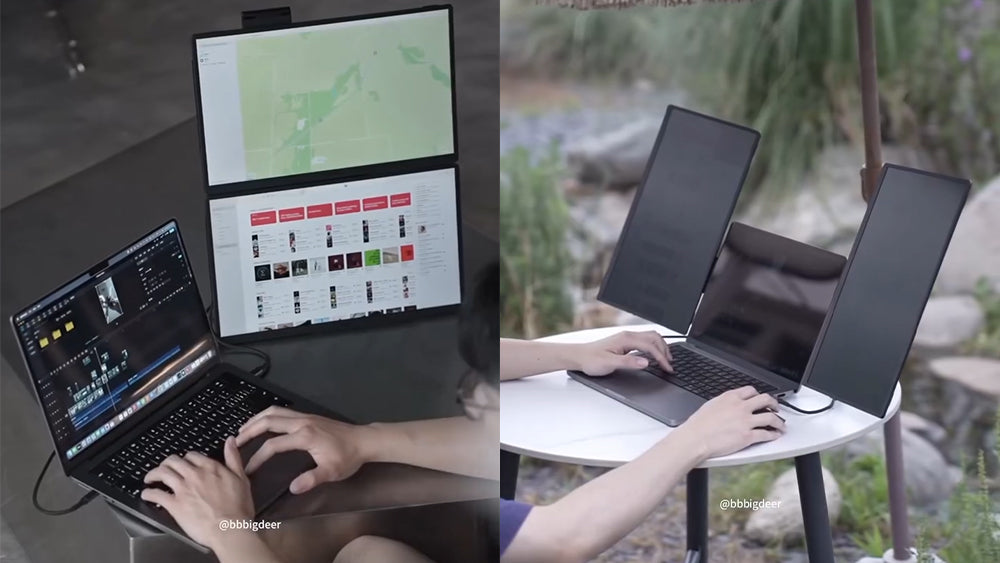
The Power of 'Snap-Lock'
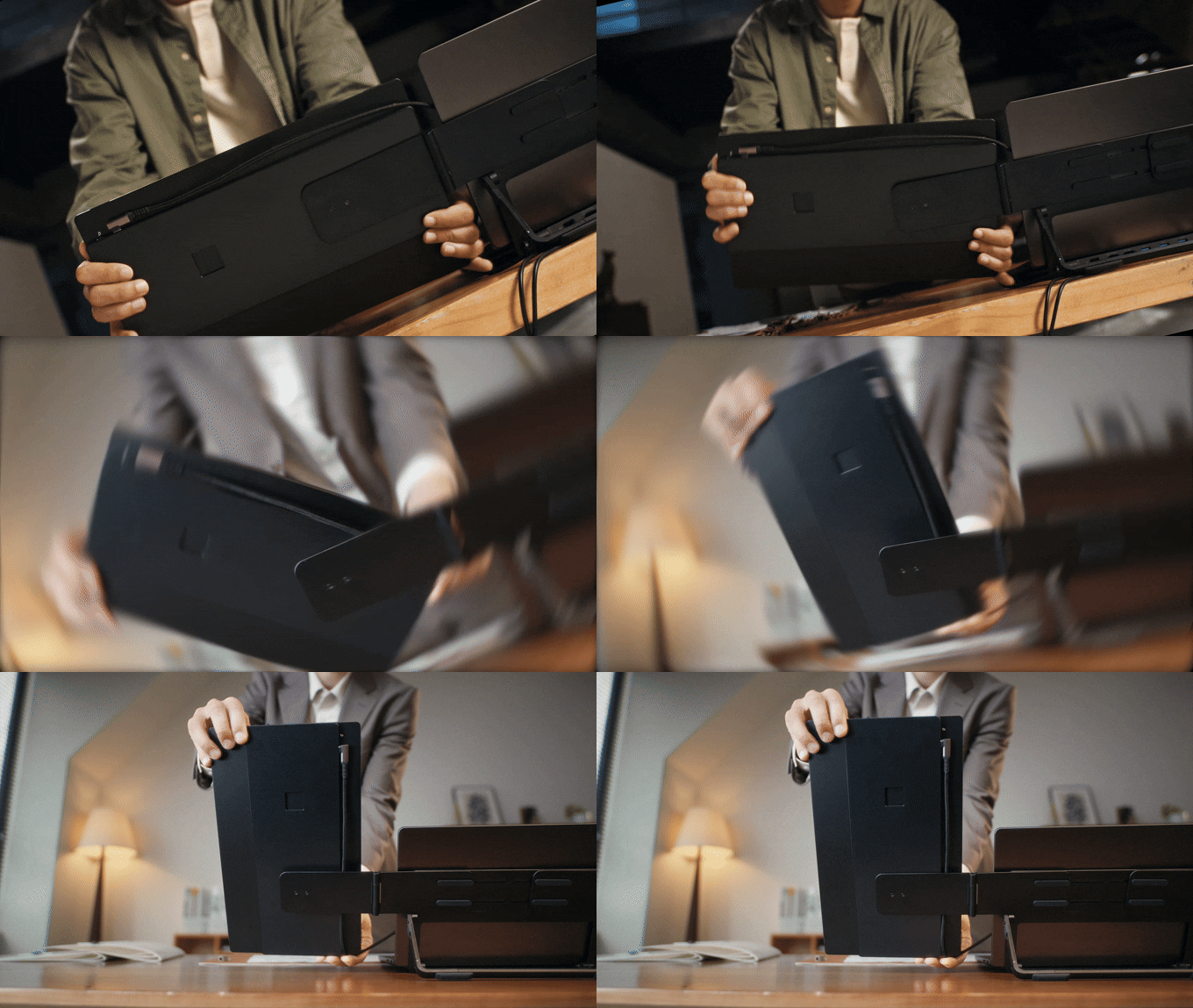
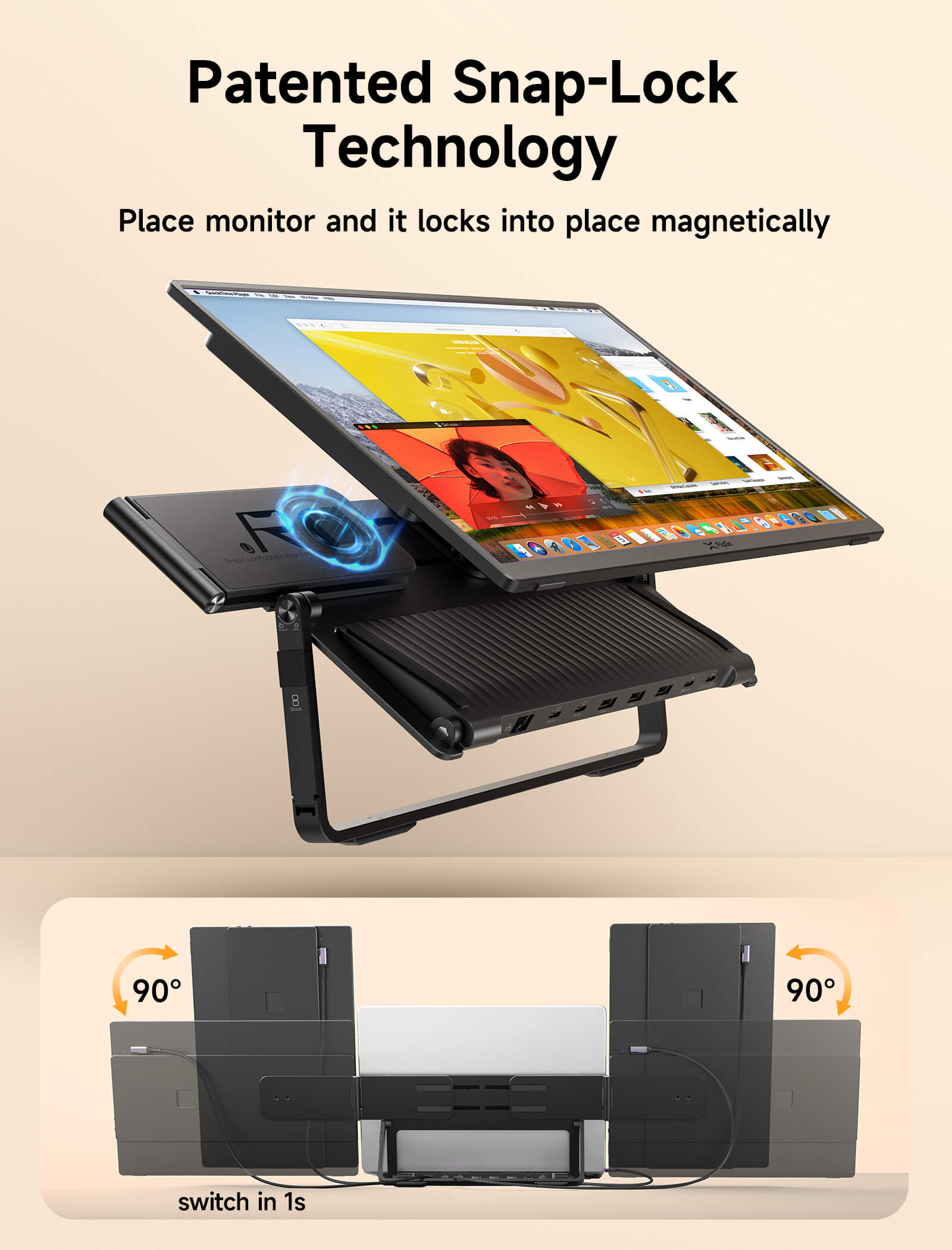
① Freely switch between landscape and portrait modes, with quick Snap-On installation
Our patented Snap-Lock system features a unique mechanical structure, enhanced by magnetic-assist alignment. This synergy creates an incredibly simple installation for the Snap Screen—just one snap secures it perfectly in place. Furthermore, it unlocks the full freedom to instantly switch between portrait and landscape orientations.
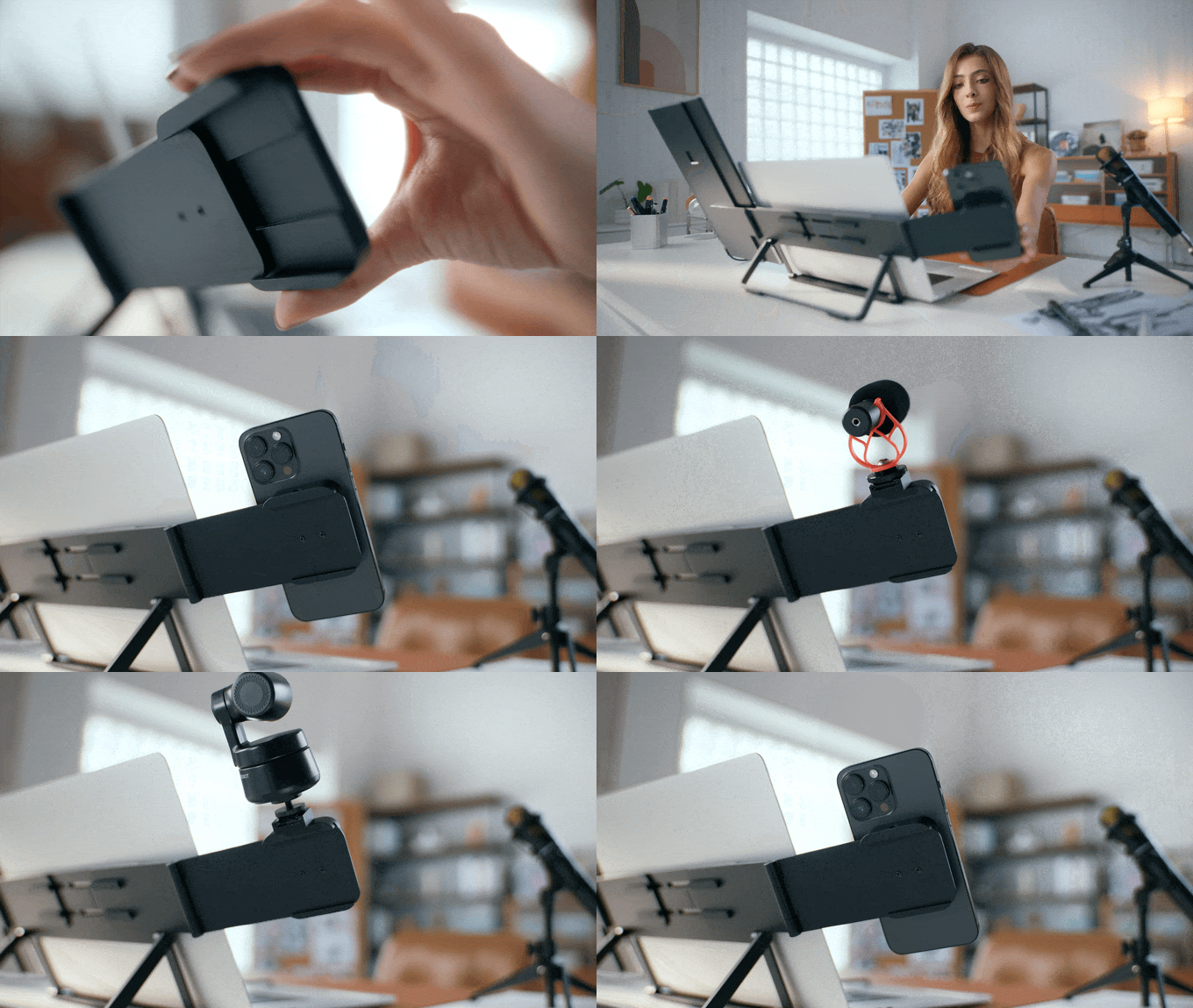
② Snap-Lock + SnapMag Module: Your Modular World. Instantly Connected.
Horizon Mode gives you more than just screen space — it gives you a foundation for limitless expansion. Add an iPhone, an iPad, a fill light,or a custom module. With SnapMag Module, your setup evolves with you — magnetically, instantly, creatively.
But That's Not All...
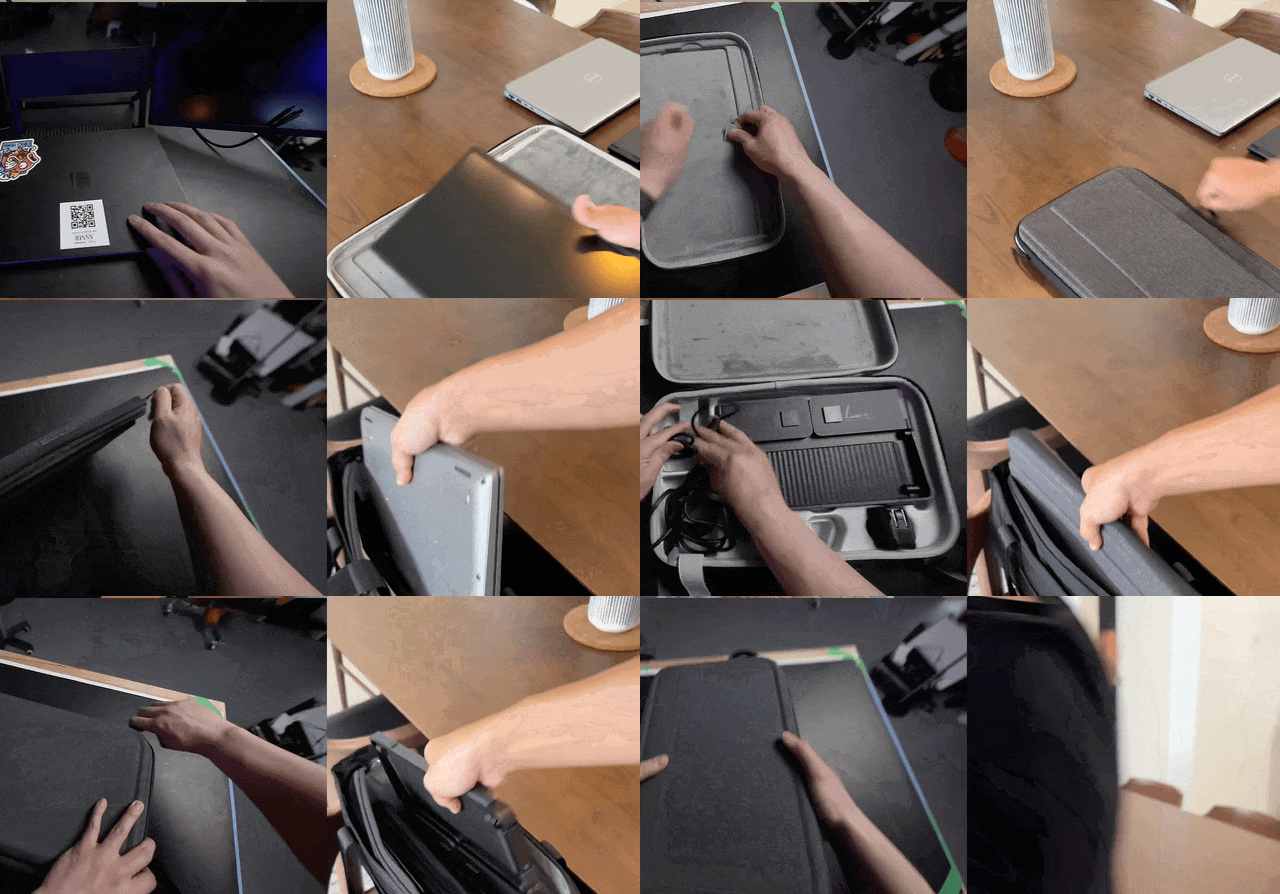
Take FlipGo Horizon Anywhere
Just Pack It in Your Tactical Backpack (Included in the package). Your mobile triple-screen workstation, ready for action whenever you are.
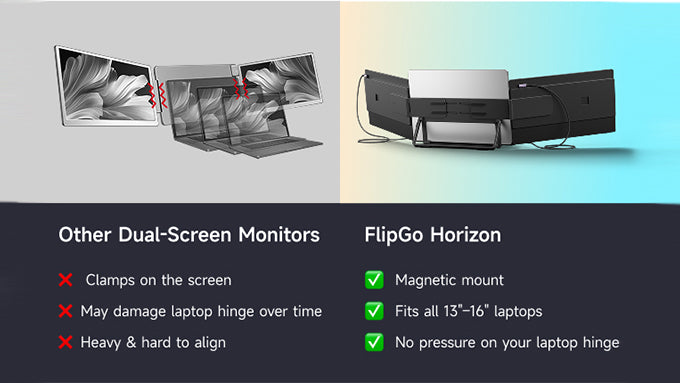
Why We Stand Out?
Just place and snap —no hinge damage, no setup stress.
Unlike other dual-screen monitors that clamp directly onto your laptop screen — potentially damaging the hinge over time — FlipGo Horizon uses a zero-pressure magnetic mount and a sturdy stand to keep everything safe and aligned.
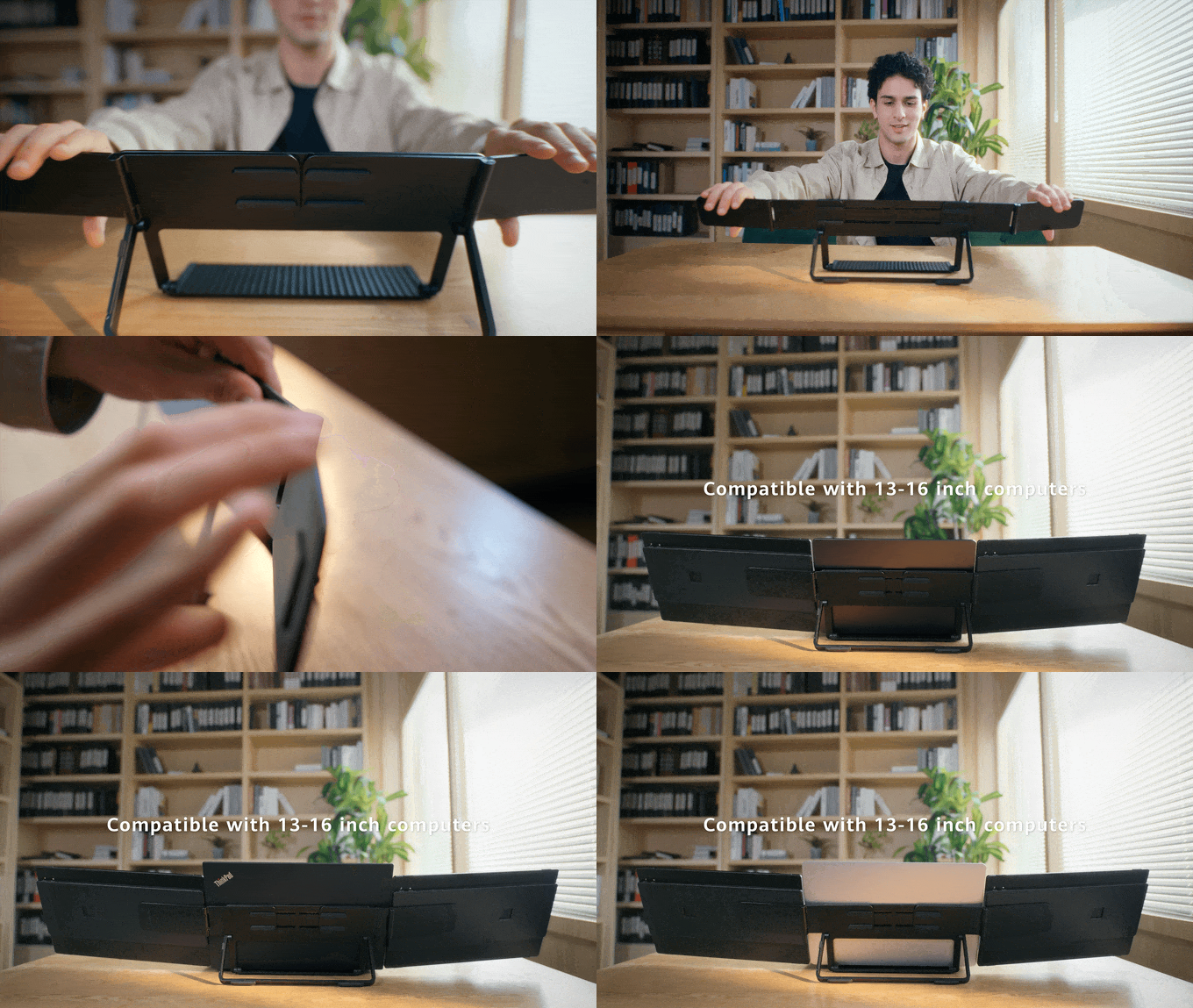
Worry About the Compatibility?
You can adjust the extendable magnetic arm to fit different laptop sizes, achieving a seamless three-screen experience.
説明文
- 【スナップロッククイックアタッチメントシステム】磁気スナップロック技術により、外出先でもスクリーンやアクセサリーを簡単に取り付けたり交換したりできます。追加のモニター、携帯電話、タブレットが必要な場合でも、セットアップの拡張は迅速かつ工具不要で、比類のない汎用性を実現します。
- 【モジュラーマルチスクリーン構成】各スクリーンを独立して回転させ、ワークフローに合わせて配置できます。縦型スクリーンは、より多くの高さが必要なプログラマーに最適で、横型トリプルディスプレイは、複数のタイムラインやフィードを管理する写真家、編集者、クリエイターに対応します。
- 【統合スタンド&ドッキングステーション】高度な内部チップを搭載したSnap Stand Proは、電力供給、ストレージ拡張、イーサネット、USBハブ、デュアルスクリーン接続を1本のケーブルソリューションに統合します。真のワークステーションの強力な味方です。
- 【SnapMagモジュールとのMagSafe互換性】FlipGo Horizonは、iPhone、iPad、アクセサリーなどのMagSafe対応デバイスとシームレスに接続します。さまざまなアドオンで生産性を向上させるために設計された、多用途でオープンなエコシステムをお楽しみください。
- 【タクティカルバックパックでFlipGo Horizonをどこへでも】付属の頑丈なタクティカルバックパックに、モバイルトリプルスクリーンワークステーションを簡単に収納できます。仕事や冒険がどこへ行こうとも、すぐに使える状態です。
⚠️注記:
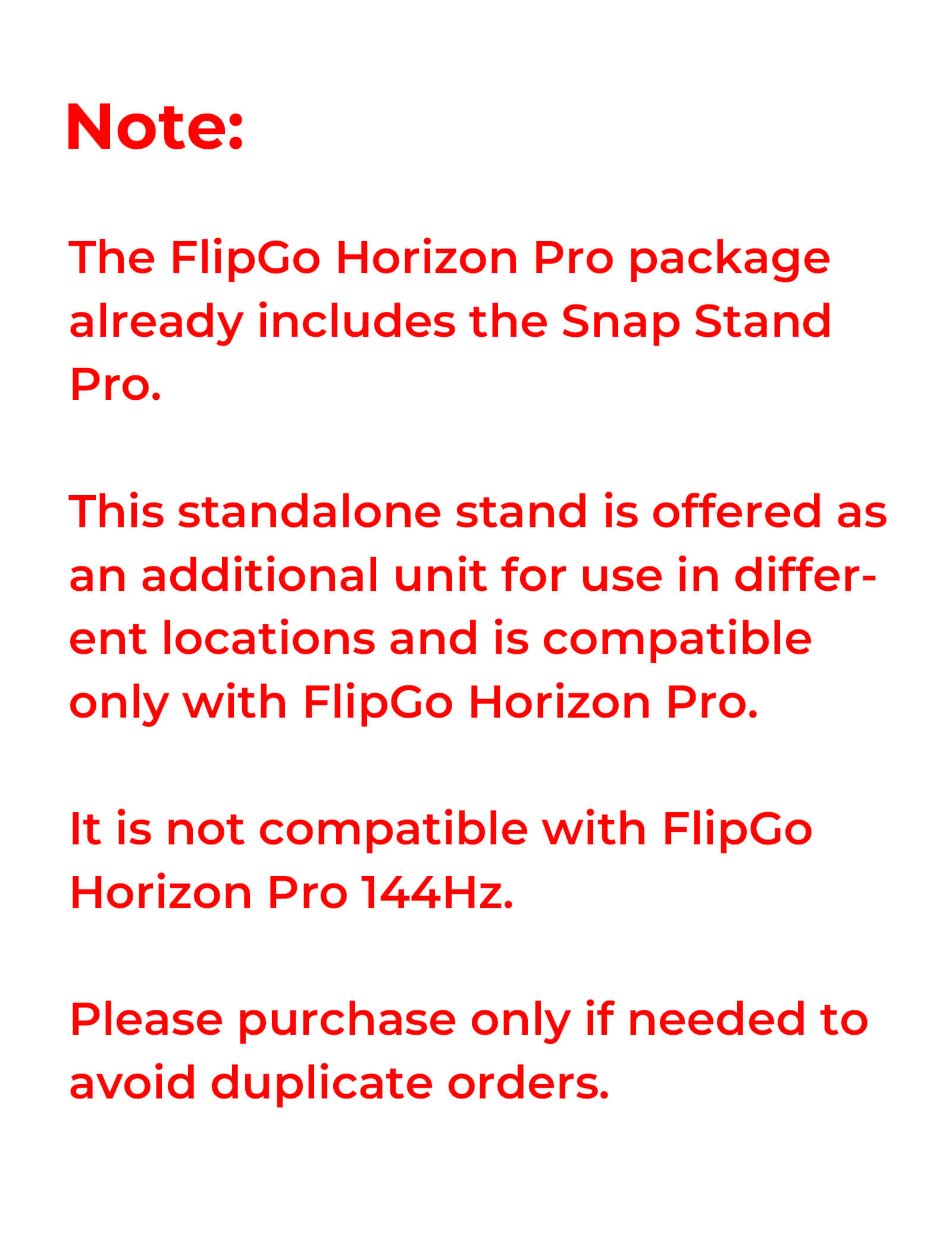
- FlipGo Horizon Pro / Pro 144Hzパッケージには、Snap Stand ProおよびSnapMag磁気モジュールがすでに含まれています。
- 別売りのSnap Stand Proは、交換用または予備ユニットとして設計されており、FlipGo Horizon Proのみに対応しています。別売りのSnapMagは、FlipGo Horizon ProとFlipGo Horizon Pro 144Hzの両方に対応しています。どちらの製品も単独で使用したり、FlipGo Horizon以外のデバイスで使用したりすることはできません。
- 適切なFlipGo Horizonのセットアップを選択するのに役立ちますか?比較ガイドを読む >。
スペックと比較
- Horizon Standard Pro:
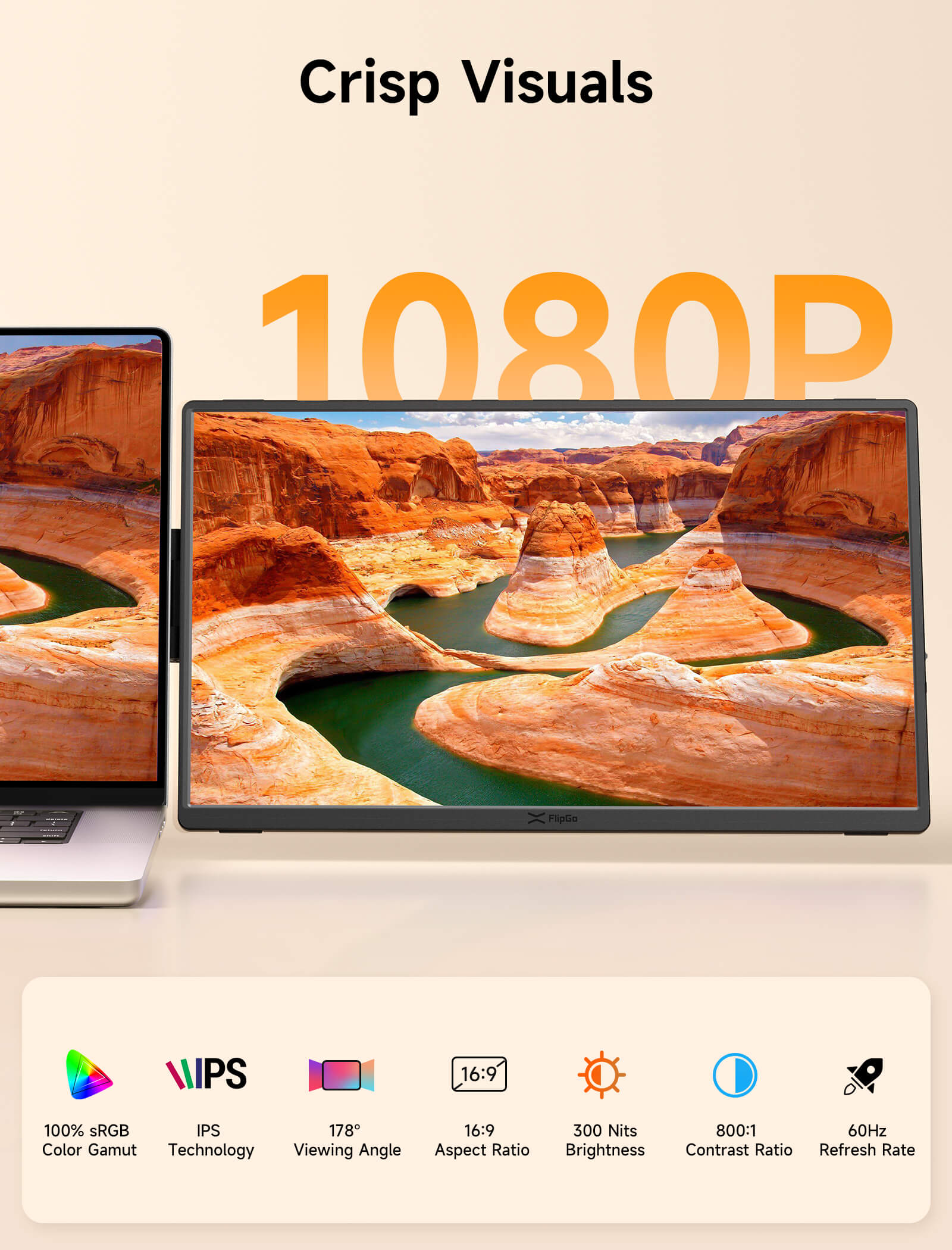
Refresh rate: 60Hz
Resolution: 1920 x 1080
Contrast Ratio: 800:1
Size: 15.6"
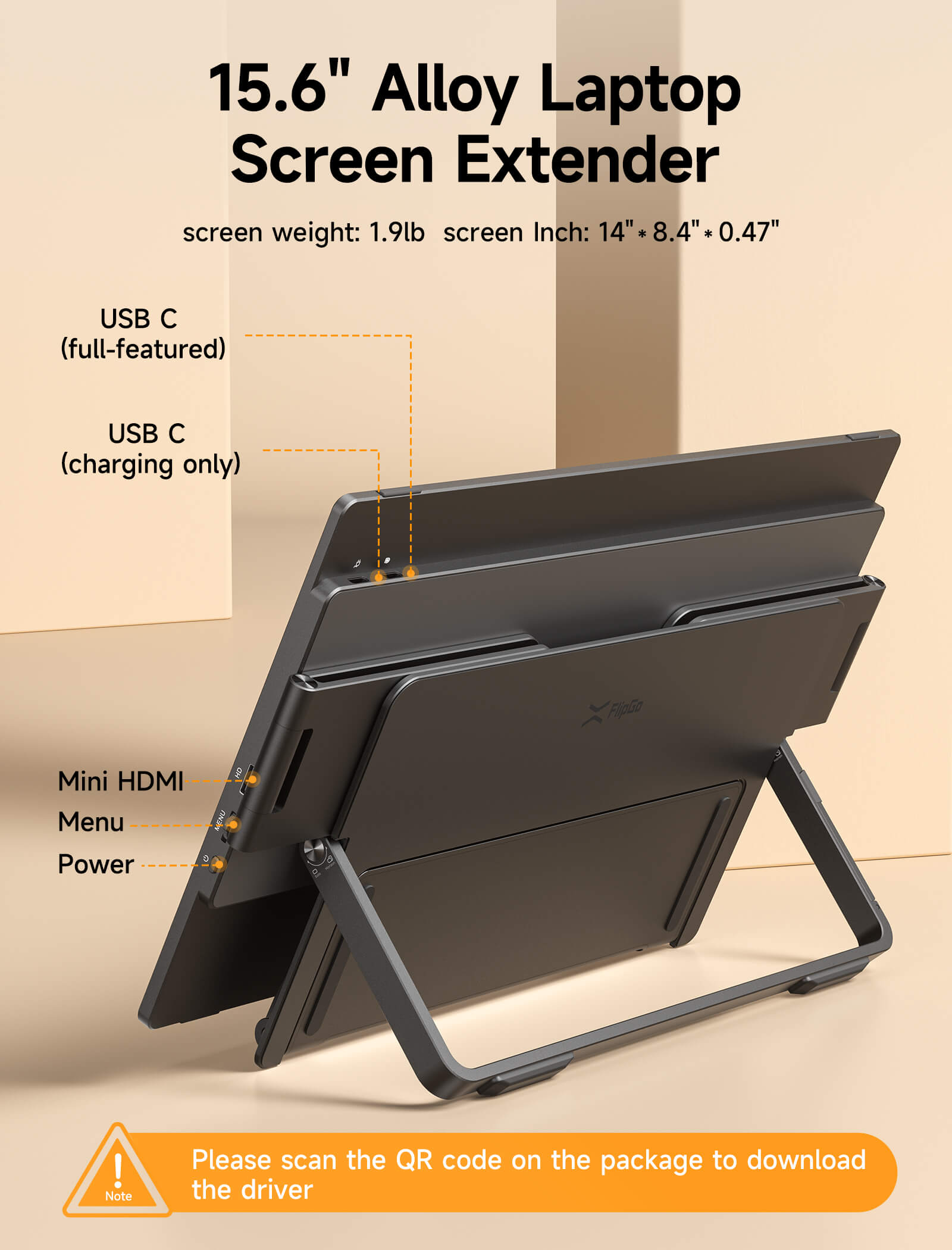
Weight: 0.82kg (Single Screen)
Screen size: 357 × 214 × 12mm
Brightness: 300nits
Aspect Ratio: 16:9
Color gamut: 100% sRGB
Interface: 2 × USB-C,1 × mini HDMI
Power Supply: Supports reverse charging
- Horizon Standard Pro 144Hz:
Refresh rate: 144Hz
Resolution: 1920 x 1200
Contrast Ratio: 1200:1
Size: 16"
Weight: 0.82kg (Single Screen)
Screen size: 357 × 225 × 12mm
Brightness: 400nits
Aspect Ratio: 16:10
Color gamut: 100% sRGB
Interface: 2 × USB-C,1 × mini HDMI
Power Supply: Supports reverse charging
- Size: 293mm x 172mm x 14mm
- Weight: 820g
- Extended functionality:USB expansion, reverse power supply, Gigabit Ethernet
- Interface Configuration:
2× USB-C Gen2 10Gbps (for connecting the display)
3× USB 3.1 Gen1 5Gbps (for connecting peripherals)
1× USB-C PD Power Input (for powering the display or supplying power to a laptop)
1× USB-C Upstream Port (for connecting to a computer)
1× Gigabit Ethernet - Power supply support: Support reverse power supply
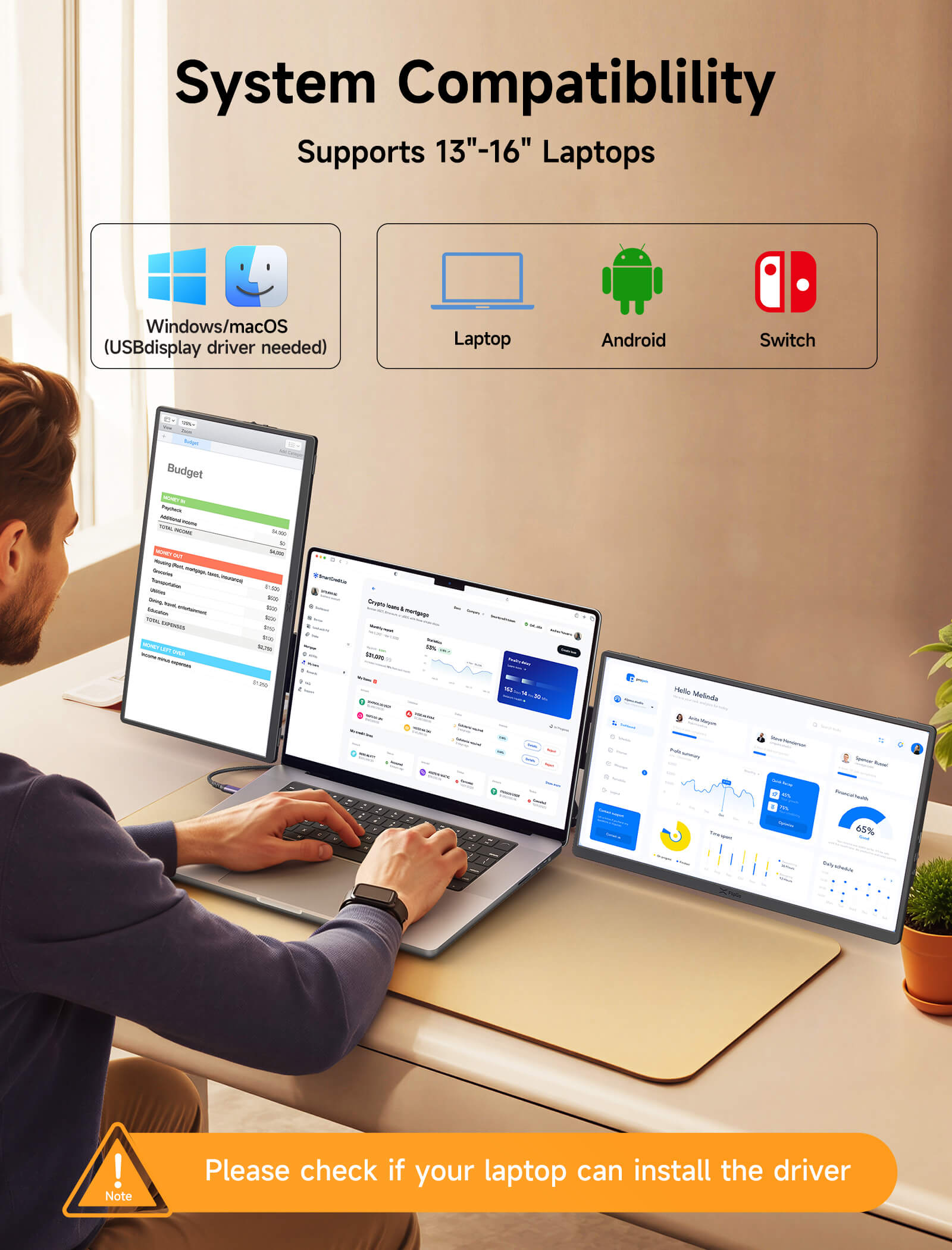
- Operating System Support: macOS, Windows
- Connection Method: One Cable Connection
- Supported MacBook models: All M-Series MacBooks (including M1/M2/M3/M4 base models, Pro/Max series, and M4 Air)
-
ホライゾンプロ:
15.6インチ FlipGo Horizon スナップスクリーン ×2
スナップスタンドプロ ×1
SnapMagモジュールx1
HDMI-mini HDMIビデオケーブル×2
USB-C充電ケーブル×1
USB-C 3.2 ケーブル ×2(スクリーンをSnap Stand Proに接続)
USB-C 3.2 ケーブル × 1 (ノートパソコンを Snap Stand Pro に接続)
65W充電器×1
EUアダプター×1
英国アダプター×1
-
ホライゾンプロ144Hz:
16インチ FlipGo Horizon スナップスクリーン ×2
スナップスタンドプロ ×1
SnapMagモジュールx1
HDMI-mini HDMIビデオケーブル×2
USB-C充電ケーブル×1
USB-C 3.2 ケーブル ×2(スクリーンをSnap Stand Proに接続)
USB-C 3.2 ケーブル × 1 (ノートパソコンを Snap Stand Pro に接続)
65W充電器×1
EUアダプター×1
英国アダプター×1
Order Handling Notices
1. Receiving Instructions:
After purchasing items, please monitor the delivery status promptly. With our Signature Service, please receive the package face-to-face to ensure it arrives undamaged.
⚠️Please note:
---If the initial delivery attempt fails due to personal reasons (such as inability to contact the recipient or incorrect personal information such as the address), resulting in scenarios like resending, loss, or return of the package, we will not assume liability. You will be responsible for any subsequent redelivery costs. If you cannot receive the package in person, please promptly contact the courier to arrange an alternative delivery time.
---If you receive a damaged/defective product, please contact JSAUX GAMING Customer Service within 7 days of acquiring the product. We reserve the right to decline responsibility for issues reported after this period.
2. Unboxing Advice:
To protect your post-purchase rights (returns/exchanges/warranty), consider recording the unboxing process. Ensure the recording is unedited, capturing details inside the package and displaying the serial numbers of the items. This helps effectively assess any issues arising from human factors or manufacturing defects.
3. Returns/Exchanges/Warranty:
---Packaging and Accessories: Ensure both internal and external packaging are intact, with all accessories included. Please keep the packaging and accessories upon receiving the product.
---No Impact on Resale Value: We reserve the right to decline returns that affect the item's resale value.
---Return Shipping Costs: Customers are responsible for covering the return shipping costs for returns unrelated to product quality.
📢Attention:
Due to the product's unique characteristics, it does not qualify for our standard hassle-free return policy. Except for quality issues, JSAUX reserves the right to decline returns. Please consider this carefully before purchasing.
Thank you for your understanding and support!
Shipping Instructions
ご注文の前に、弊社の発送に関するヒントをよくお読みください。
FlipGo Horizonの場合:
-----オーストリア、ベルギー、ブルガリア、クロアチア、チェコ、デンマーク、エストニア、フィンランド、フランス、ギリシャ、ハンガリー、アイルランド、イタリア、ラトビア、リトアニア、ルクセンブルク、モナコ、オランダ、ポーランド、ポルトガル、ルーマニア、スロバキア、スロベニア、スペイン、スウェーデン、英国、米国、香港特別行政区、日本、マレーシア、韓国、タイ、ベトナムの場合:
- 送料一律: 19.99ドル
- お届け予定日数: 5~12営業日
--- ベラルーシ、キプロス、アイスランド、マルタ、ノルウェー、スイス、トルコ、オーストラリア、カナダ、ドイツ、ヨルダン、メキシコ、ニュージーランド、オマーン、フィリピン、カタール、サウジアラビア、シンガポール、台湾、ウクライナ、UAE の場合:
- 送料一律: 29.99ドル
- お届け予定日数: 12~15営業日
ご注意ください:
- JSAUX GAMINGは、世界中のお客様に迅速かつ効率的な配送サービスを提供しています。(ただし、軍事施設(APO/FPO)および一部の島嶼部には商品を配送できません。)
- 現在、すべての注文の処理時間は 2 ~ 4 日かかります (週末は注文は処理されません)。
- ご注文のお届けには7〜12営業日かかります(先行販売商品は除く)。
- 国際関税および税金が適用される場合がありますが、チェックアウト時には計算されません。
- 先行販売商品の発送時期については商品ページの指示に従います。
物流サービスプロバイダーの要件により、
- ご注文をできるだけ早く準備し、配送の問題を回避するために、正確な番地や配送会社に必要なその他の情報を含む正確な住所を必ず入力してください。
- 中国本土および台湾にお住まいのお客様へ:中国本土のお客様は、Tmall をご利用の上ご注文ください。香港、マカオにお住まいのお客様は、氏名、身分証明書番号、配送先住所を繁体字中国語でご記入ください。
- 物流上の理由により、当社は次の国および地域への注文サービスを一時的に提供していません:アフガニスタン、アルバニア、アルジェリア、アンドラ、アンゴラ、アンギラ、アルゼンチン、アルメニア、アルバ、アゼルバイジャン、バーレーン、バングラデシュ、バルバドス、バミューダ、ブータン、ボスニア・ヘルツェゴビナ、ブラジル、英領ヴァージン諸島、ブルネイ、ブルキナファソ、ブルンジ、ボリビア、カンボジア、カメルーン、ケイマン諸島、中央アフリカ共和国、中国、クリスマス島、コスタリカ、ジブチ、コンゴ - ブラザヴィル、コンゴ - キンシャサ、エジプト、エルサルバドル、エクアドル、フォークランド諸島、フェロー諸島、フランス領ポリネシア、ガボン、ガンビア、ジョージア、ガーナ、ジブラルタル、グリーンランド、グアドループ、グアテマラ、ガーンジー島、ギニア、インドネシア、ジャマイカ、ジャージー、カザフスタン、ケニア、キリバス、キルギスタン、レバノン、レソト、リベリア、リヒテンシュタイン、モルディブ、マルティニーク、モルドバ、モンゴル、モンテネグロ、ミャンマー(ビルマ)、ナミビア、ナウル、ニューカレドニア、ニカラグア、ニジェール、ナイジェリア、ノーフォーク島、北マケドニア、パキスタン、パラグアイ、ロシア、ルワンダ、サンマリノ、セネガル、セルビア、セーシェル、ソロモン諸島、南スーダン、スリランカ、スーダン、タジキスタン、トーゴ、トンガ、チュニジア、トルクメニスタン、トルコ、ツバル、ウガンダ、ウルグアイ、インド、ウズベキスタン、バヌアツ、バチカン市国、米国の一部地域(プエルトリコ、グアム、米領バージン諸島、北マリアナ諸島、アメリカ領サモア、およびAPO、FPO、などの軍事基地を含む) DPO)。
よくある質問
私のセットアップにはどのFlipGo Horizonモデルが最適ですか?
主に仕事、執筆、コーディング、マルチタスク用にポータブルモニターが必要な場合は、FlipGo Horizon Proがほとんどのユーザーにとって最適です。よりスムーズな動きとより良いゲーム体験を求める場合は、FlipGo Horizon Pro 144Hzがより強力な選択肢です。
詳細については、FlipGo Horizon比較ガイドをご覧ください。
What devices are compatible with FlipGo Horizon's Snap Screen?
It is compatible with Windows laptops, macOS devices, Android smartphones/tablets (with USB-C Alt Mode), and game consoles such as Xbox and Switch.
Can I use other USB-C to USB-C cables to connect the monitor?
Yes, provided the cable supports USB-C 3.2 Gen1 or higher and has video output capability, and we recommend the cable length is less than 1 meter.
Does the monitor support HDMI connection?
Yes, it has a Mini HDMI port for video output. When using HDMI, please make sure the monitor is powered via the USB-C port.
Can I connect an iPhone to this monitor?
Yes, but only certain iPhone models are supported. This monitor supports iPhones with a USB-C port, such as:
iPhone 15 Pro
iPhone 15 Pro Max
iPhone 16 Pro
iPhone 16 Pro Max
Please note:
This monitor does not support older iPhones with a Lightning port. Only iPhone 15 and later with a USB-C port are supported.
Please make sure your iPhone is running the latest version of iOS and connected using a USB-C to USB-C cable that supports video output.
Due to iPhone system limitations, some features or resolutions may be limited.
Is the monitor compatible with Nintendo Switch?
Yes, it supports single screen or mirrored output when connected via a USB-C 3.2 or later cable and using external power supply.
Does the monitor support touch?
No, touch input is not supported.
Can I rotate the screen for portrait orientation?
Yes, this monitor supports both landscape and portrait modes, which need to be adjusted on the laptop device
Can the monitor charge my laptop?
Yes, it can provide reverse charging for compatible laptops when connected to an external power source of at least 65W via the USB-C port.
Does the monitor have an internal battery?
No, it requires external power via USB-C or a connected device
What is the recommended power input for optimal performance?
It is recommended to use a charger with PD 65W or higher power to ensure stable operation and enable reverse charging function.
Can I use this monitor for a dual-screen setup?
Yes, it supports dual-screen configurations with compatible devices and proper connections.
Is the monitor made of durable materials?
Yes, it uses aluminum alloy and PC construction, which is more durable.
Does it support charging and display when the laptop is in sleep mode?
Yes, FlipGo Horizon supports power delivery in sleep mode. However, on some laptops, the USB-C port may be disabled when the device goes to sleep, and you need to reconnect the USB-C cable after waking up to restore the display.
Does FlipGo Horizon have built-in speakers or audio output?
No, FlipGo Horizon does not have built-in speakers. For audio output, you can connect external audio devices via the OTG (USB-C) port, depending on the compatibility of your device.
Can I use FlipGo Horizon with an iPad or Android tablet?
FlipGo Horizon requires a USB-C port that supports video output, typically USB 3.2 or higher.
iPad: Only works with iPads equipped with a USB-C (non-Lightning) connector
Android: Your tablet must support DisplayPort Alt mode via the USB-C connector
Can two Snap Screens display different content at the same time?
Yes, FlipGo Horizon supports extended display mode, allowing each Snap Screen to display different content when used with compatible devices. Please make sure your laptop device supports more than two external monitors to achieve extended display mode.
Can I close both Snap Screens at the same time or control them separately?
Yes. You can close both Snap Screens at the same time, or control them separately through the display settings of the operating system (such as Windows or macOS).
Will the display remember the brightness setting?
If the monitor is still connected to the same computer, it will retain the last used brightness setting when it restarts.
If you disconnect and reconnect the monitor, you will need to readjust the brightness setting manually.
5.0つ星中5.0つ
2件
What Customers Are Saying on JSAUX.com

FlipGo Horizon Care+
Coverage Details:
Screen Damage
Accidental Damage
Priority Technical Support
Plan details & FAQs >>>
📢Note:
1. Please add this plan within 7 days of your FlipGo Horizon purchase. Requests afterward cannot be accepted.
2. FlipGo Horizon Care+ is only applicable to FlipGo Horizon purchased on JSAUX.com.

