![JSAUX anti-glare matte screen protector for ROG Ally and ROG Xbox Ally series #style_[2-pack] for all rog ally models](http://jsaux.com/cdn/shop/files/GP0113A-Anti-Glare-Screen-Protector-for-ROG-Ally-_-ROG-Xbox-Ally-Series-1_jpg.png?v=1762310072&width=92)


![Grey 2-pack 90 degree USB-C to USB-C right angle adapters #style_grey [2-pack]](http://jsaux.com/cdn/shop/files/90_-USB-C-to-USB-C-Right-Angle-Adapter-grey-1.png?v=1755238920&width=92)




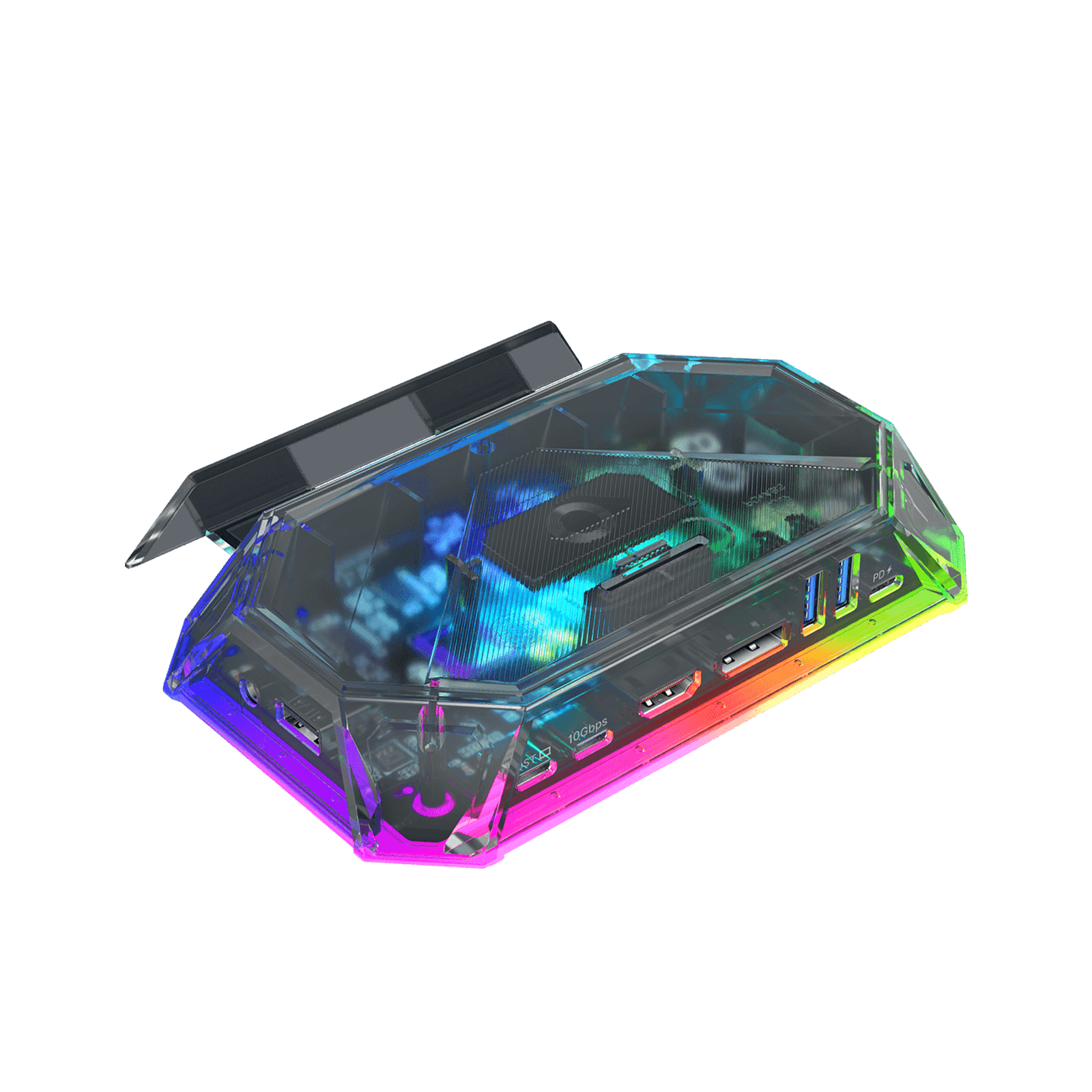
RGBドッキングステーション
「売り切れ」と表示されている商品でも、青い「プライム会員で購入」ボタンからご購入いただけます。Amazonプライム会員へのご登録が必要です。
特徴
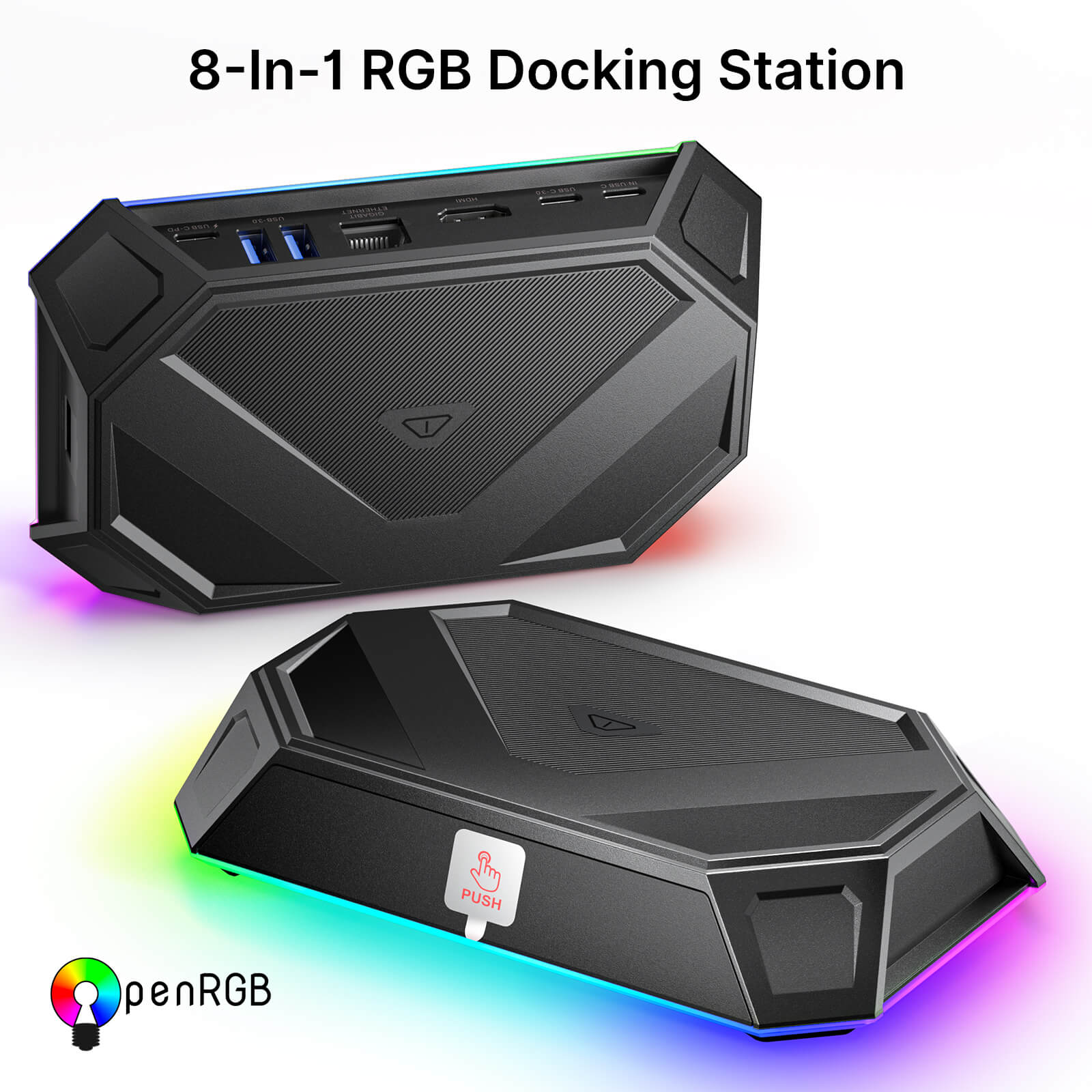
- 8-In-1 & 12-In-1 RGB ドッキングステーション
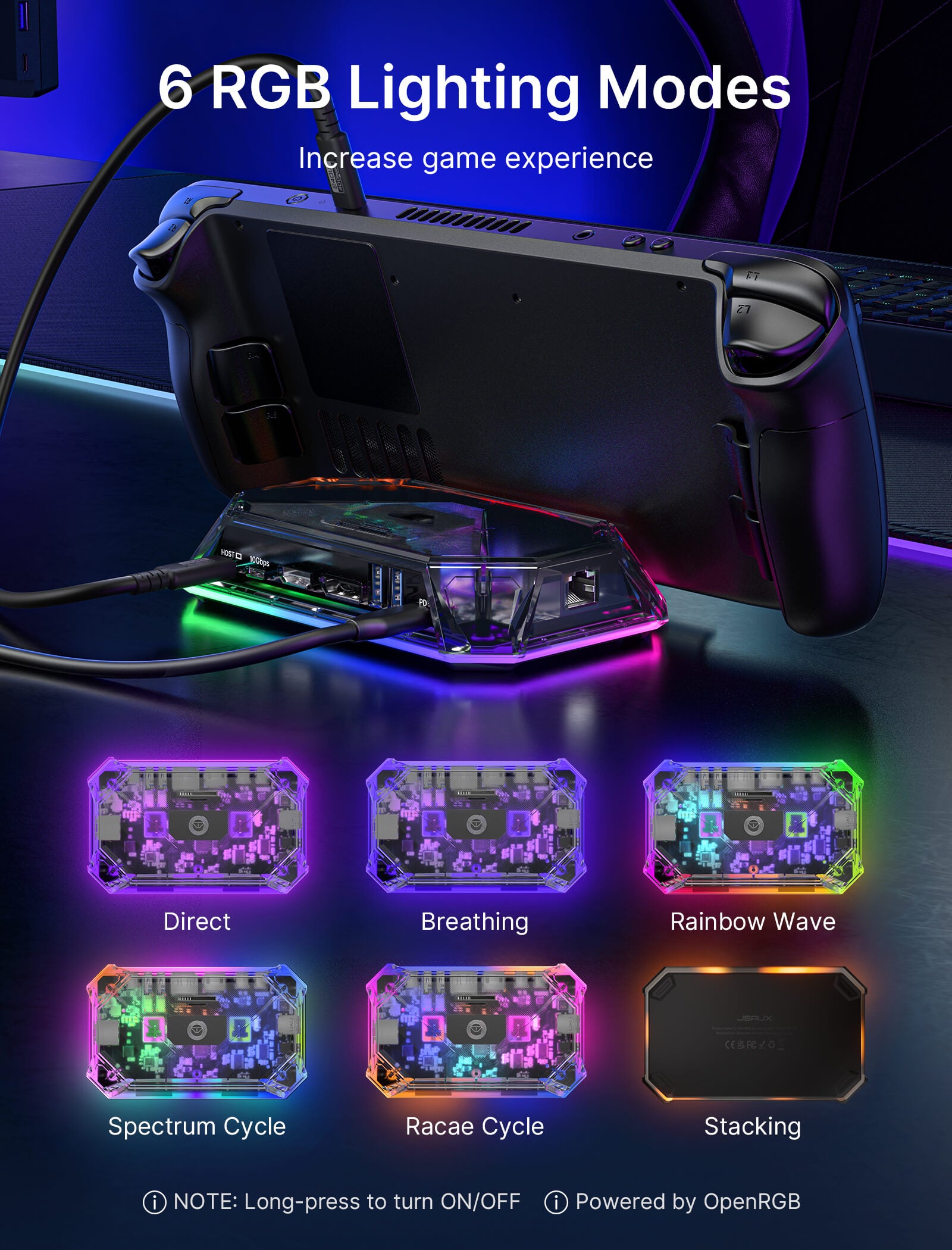
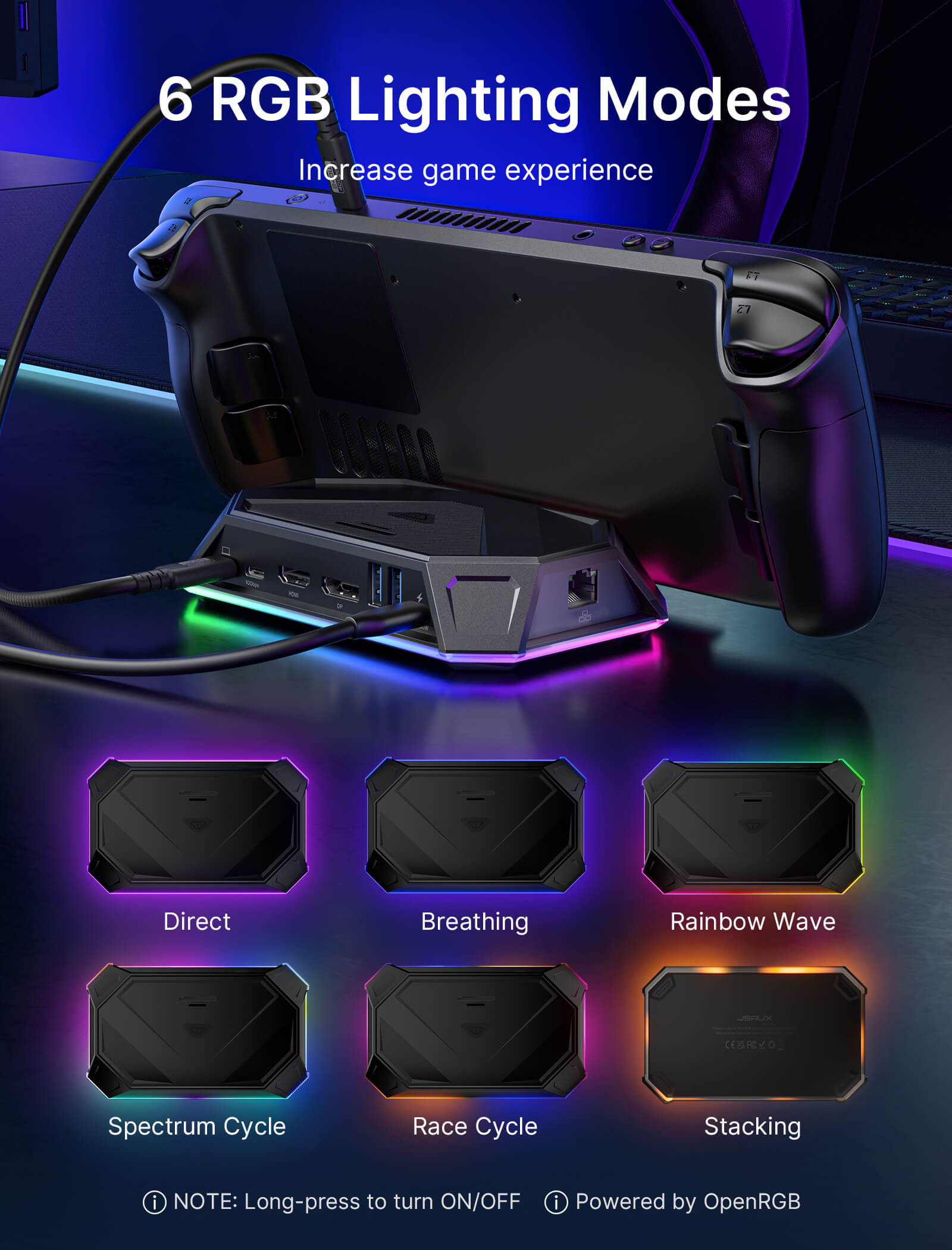
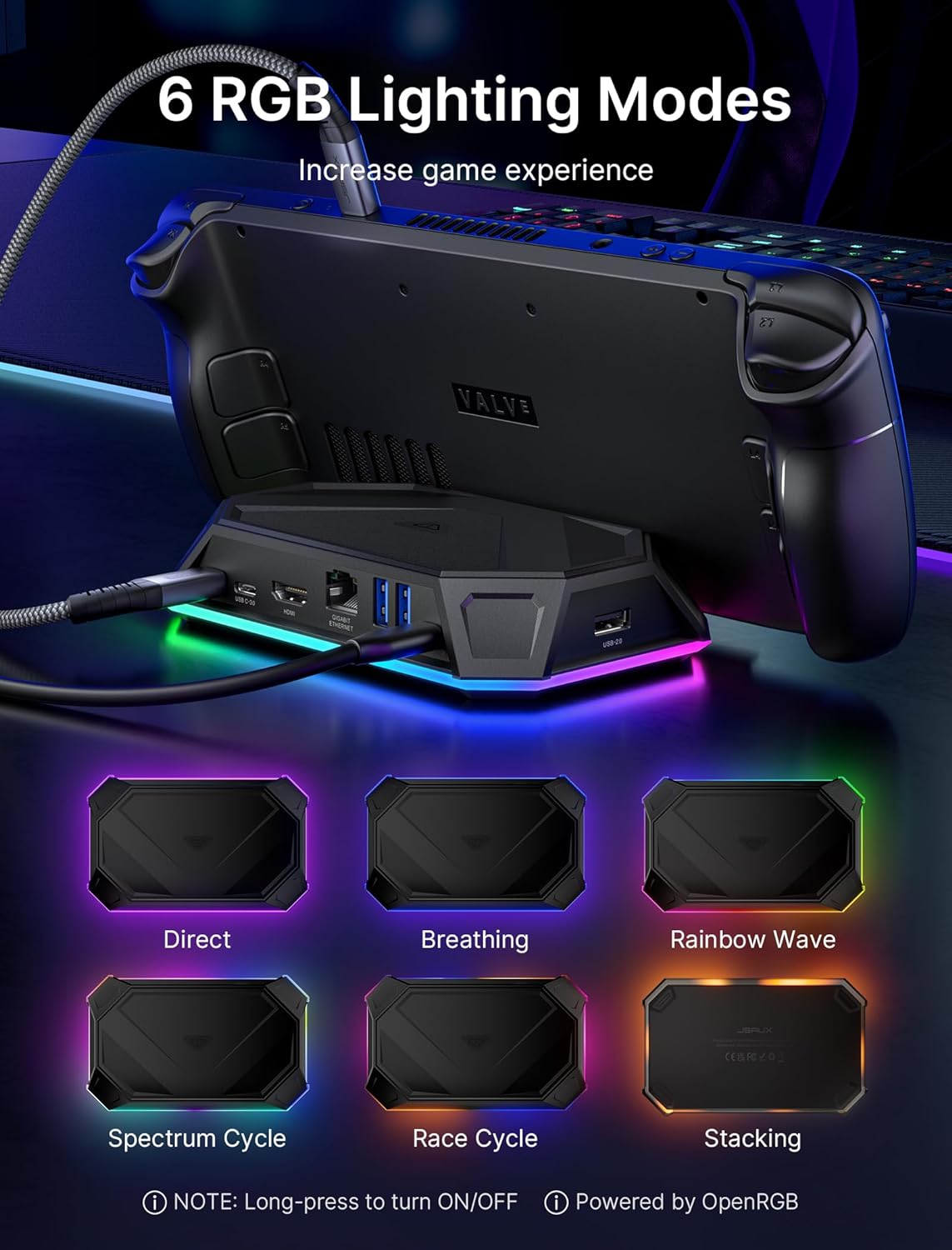
- OpenRGB対応の6つのRGBライティングモード
- 高速データ転送と100W PD充電
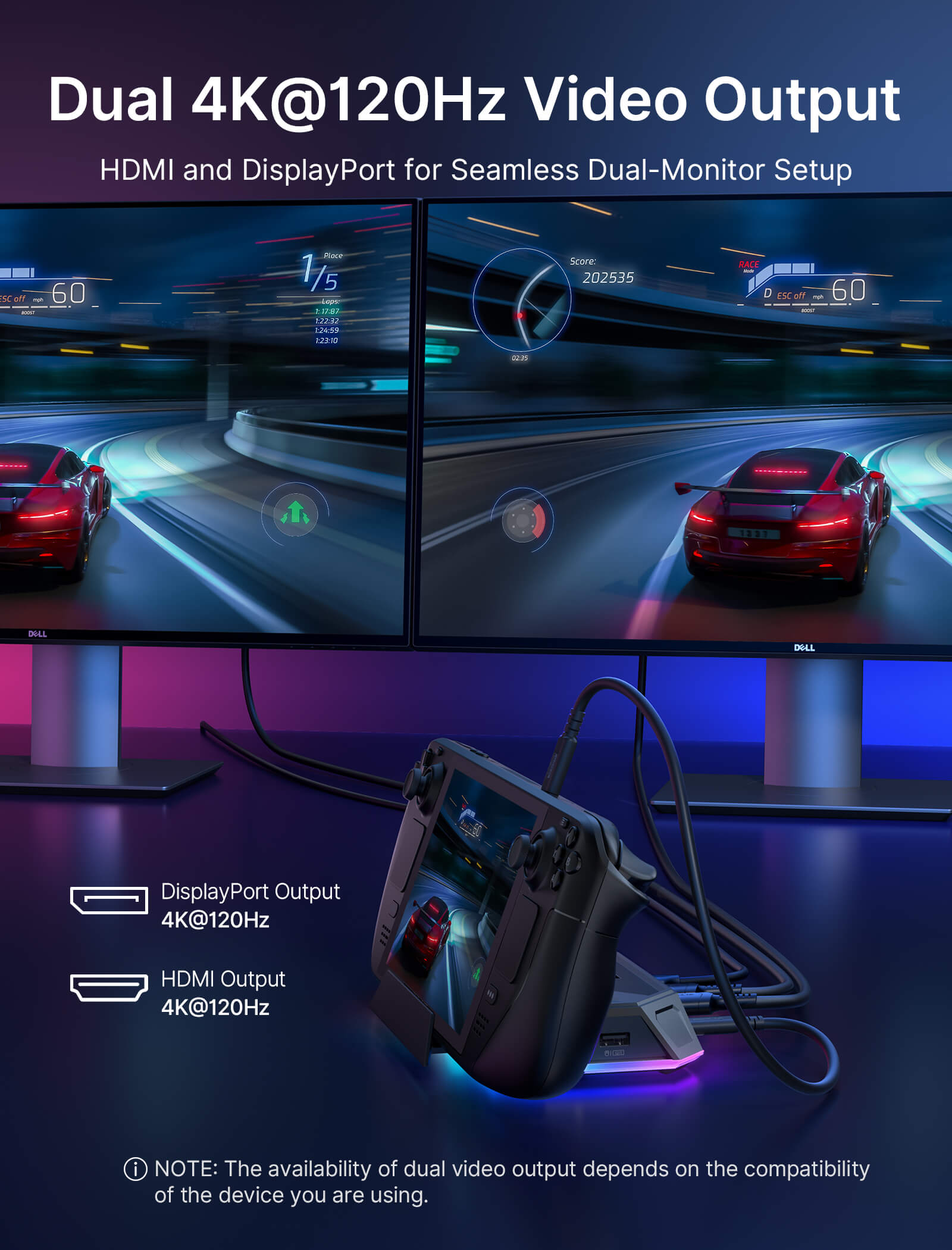
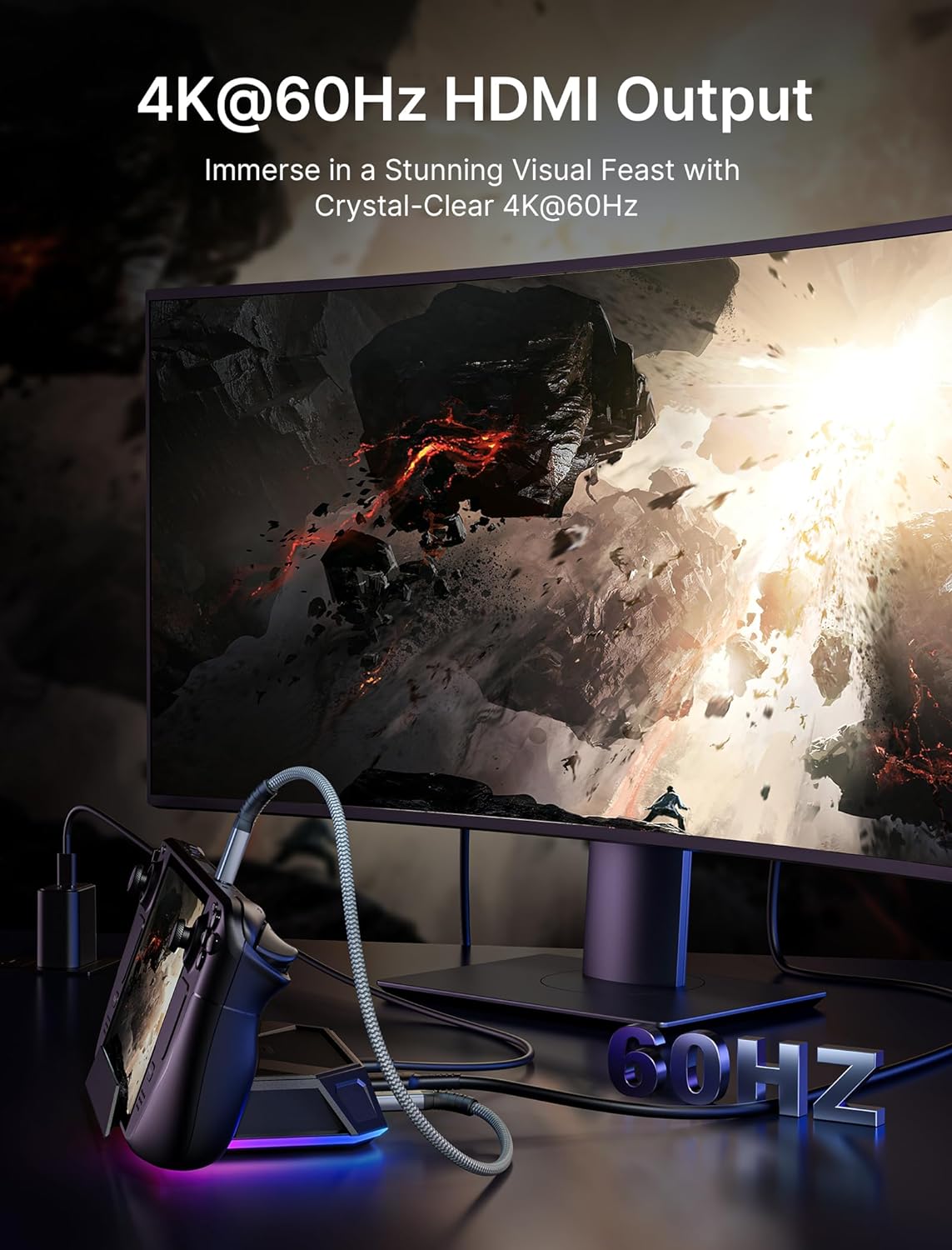
- 最大4K 120Hzの映像出力
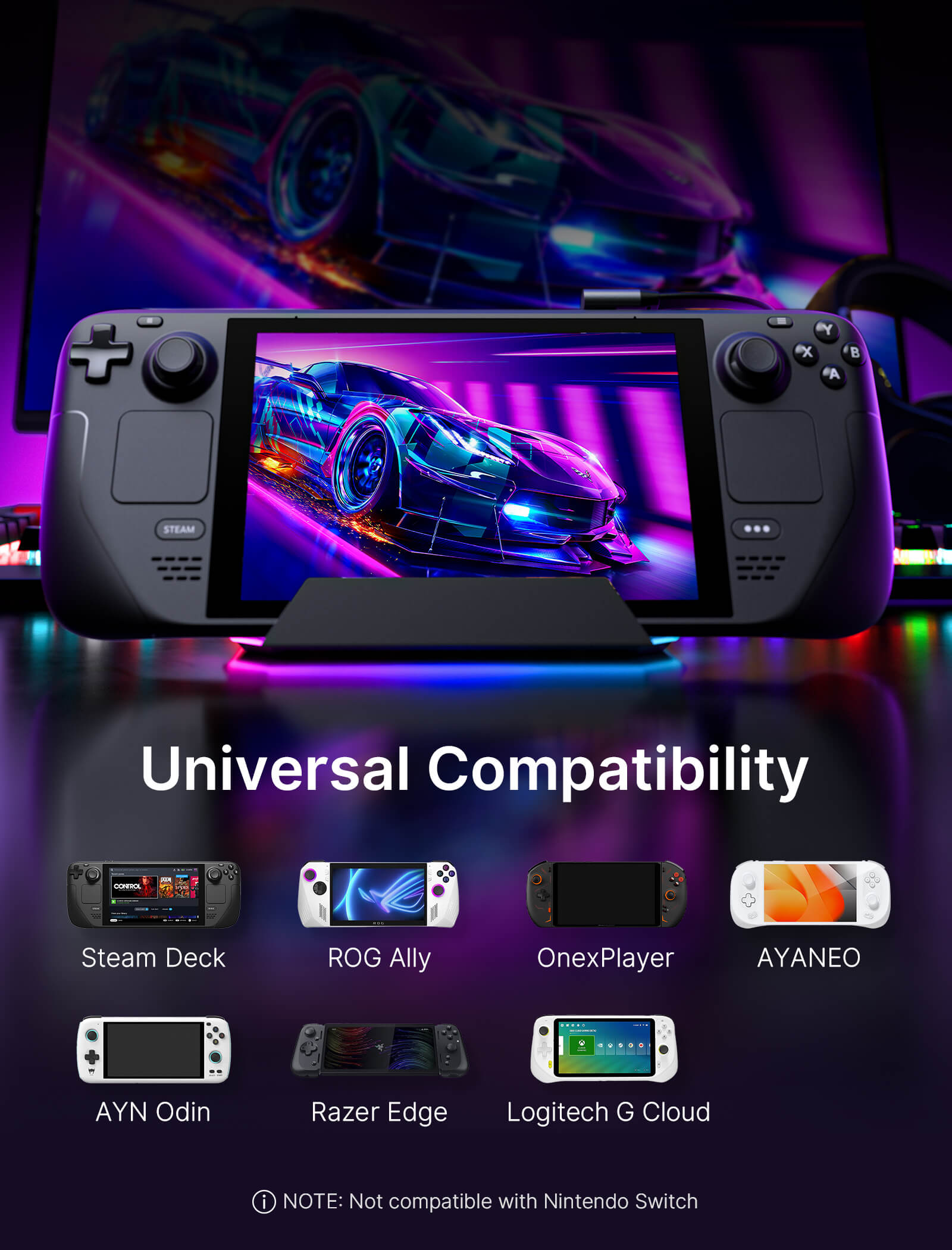
- 幅広い互換性
配送

In The Press
Both the RGB Docking Station and the Silicone Grip Case Set look to be more good investments if you love your ROG Ally.

JSAUX continues to be the leaders of accessories for the Steam Deck.

You should buy this if versatility and compatibility with multiple devices is important to you.





特徴
説明文
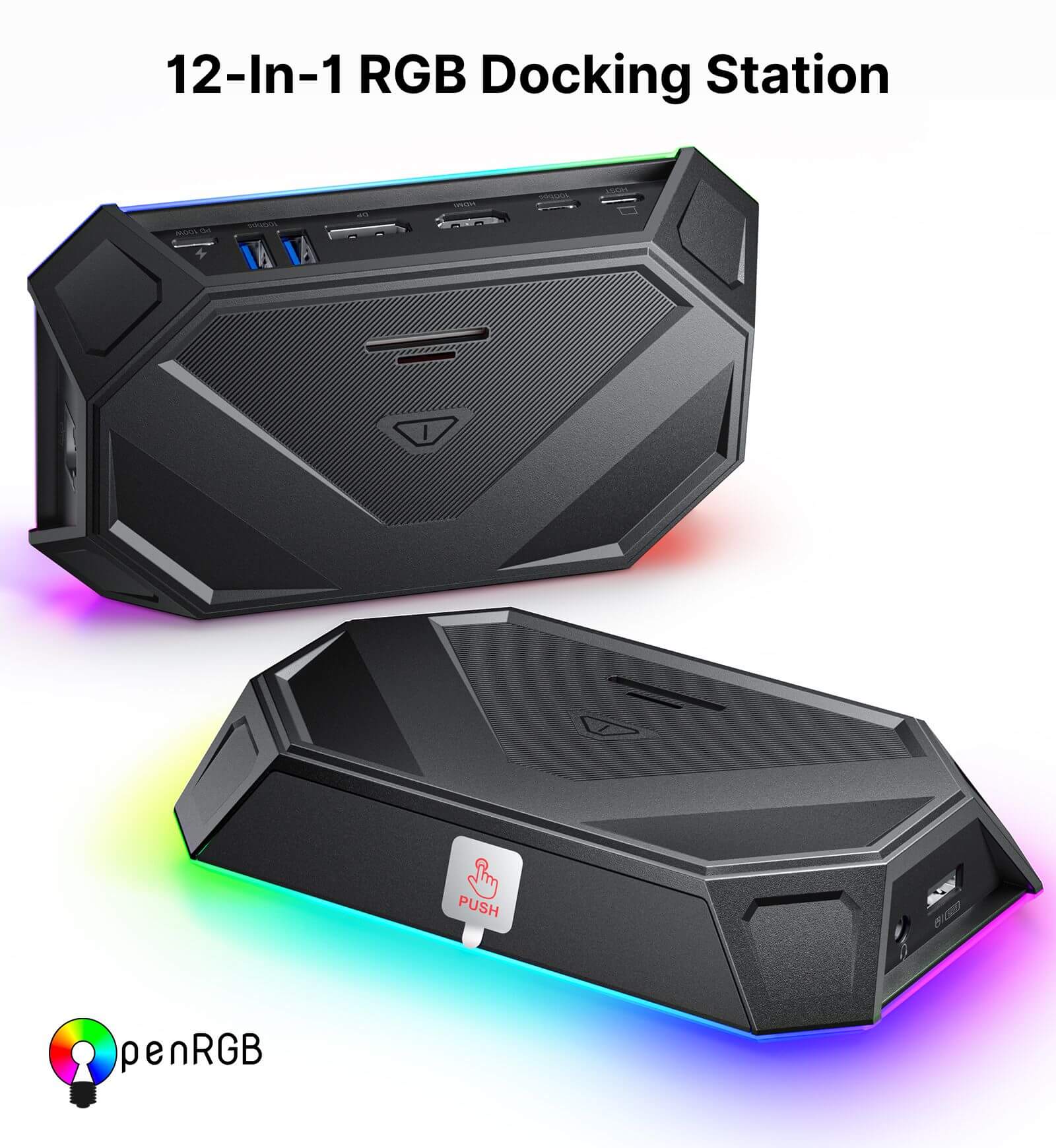
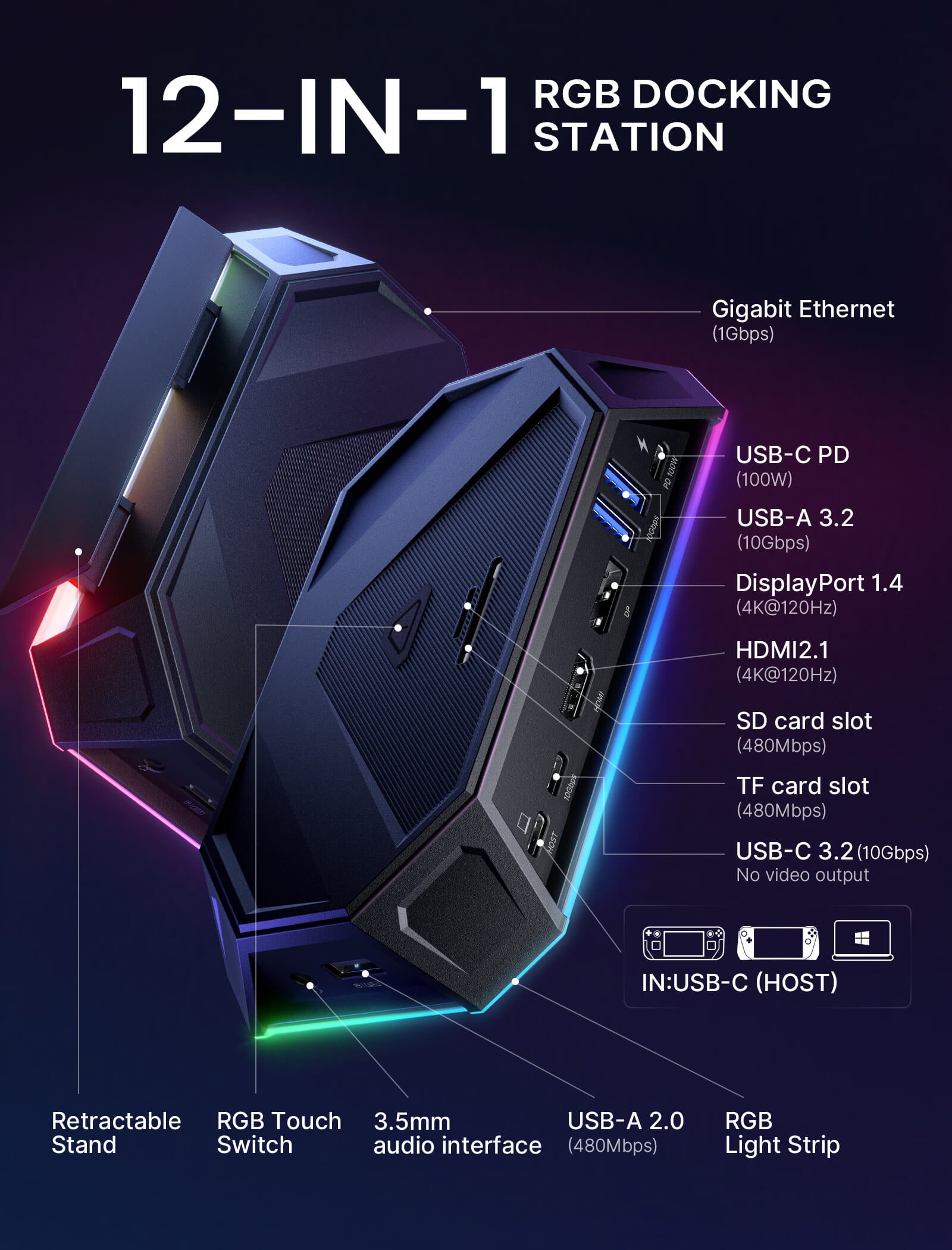
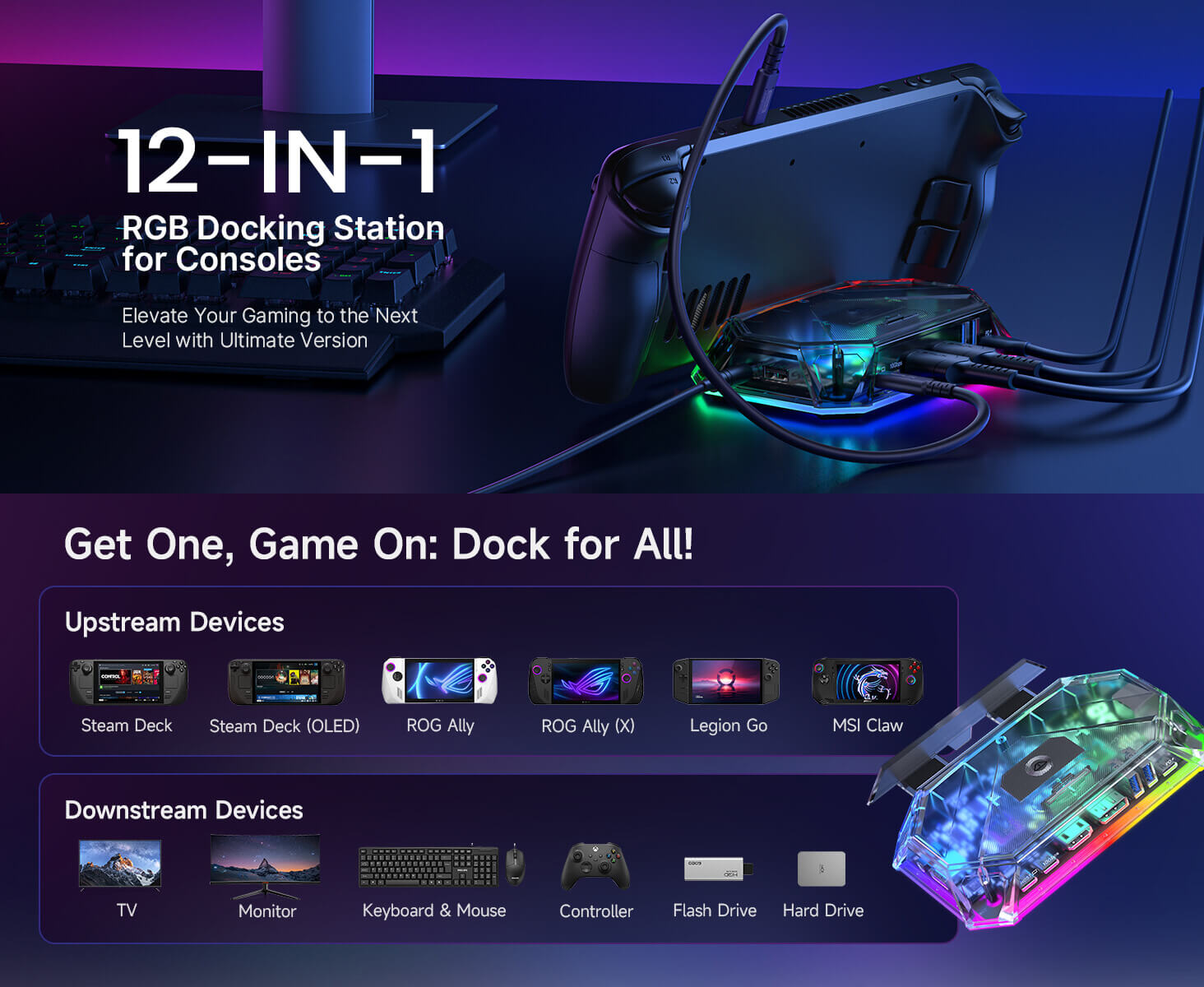
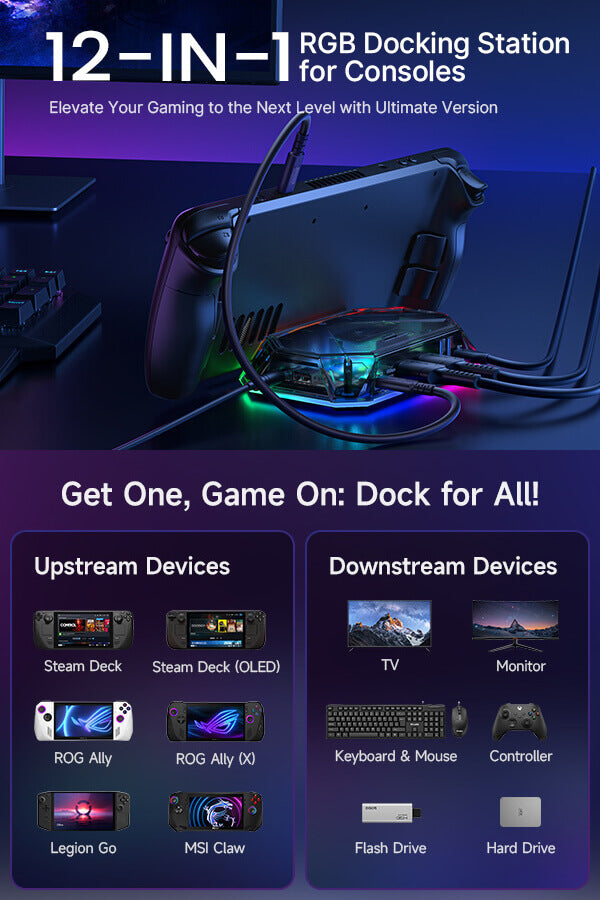
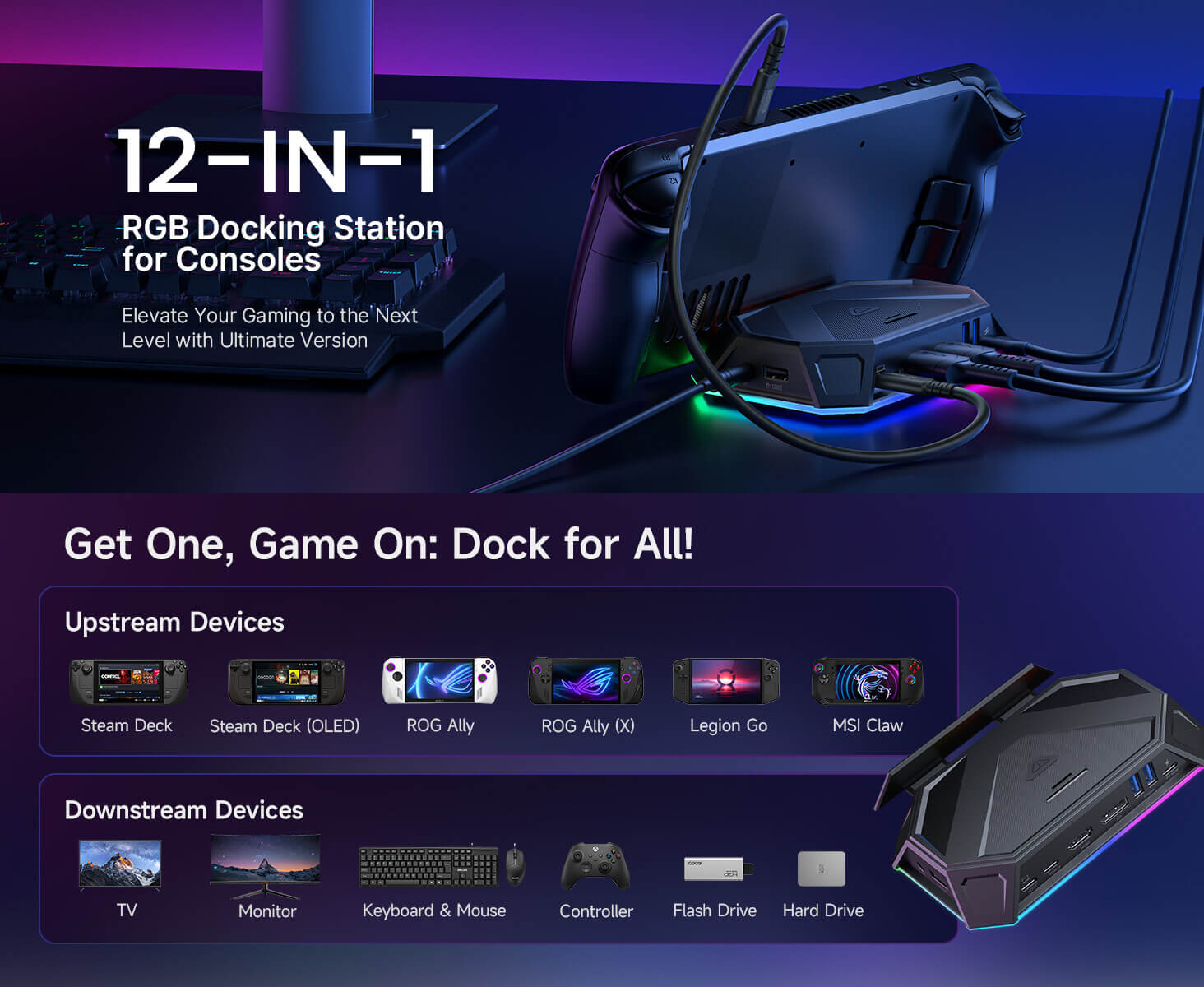
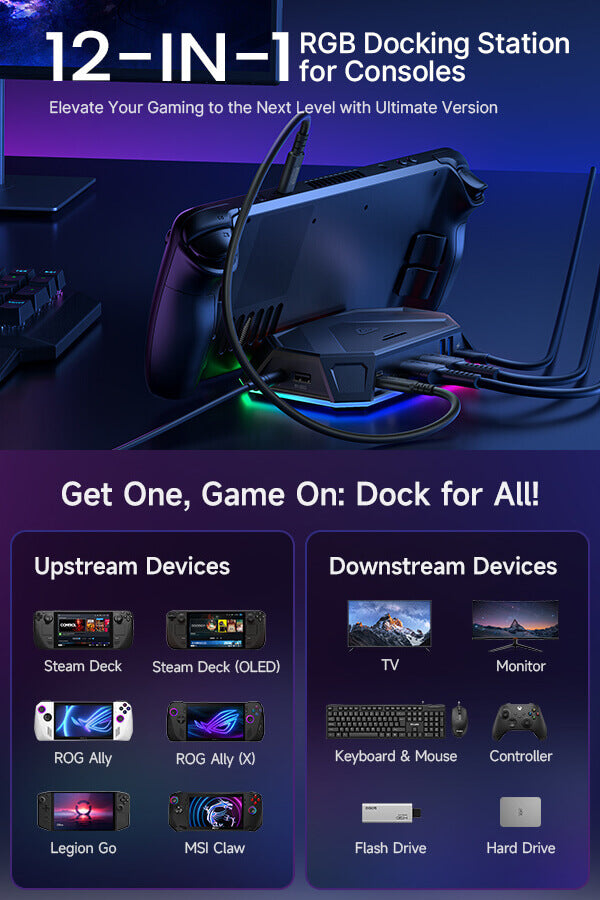
- 【8-in-1および12-in-1のハンドヘルドゲーム用ドッキングステーション】8-in-1および12-in-1構成で利用可能なこのRGBドッキングステーションは、さまざまなゲームおよびデスクトップセットアップに対応するように構築されています。12-in-1バージョンは、HDMI、DisplayPort、Ethernet、カードスロット、オーディオ、充電など、より多くの拡張オプションを提供し、8-in-1バージョンは日常的なハンドヘルドゲームに不可欠な接続性を提供します。
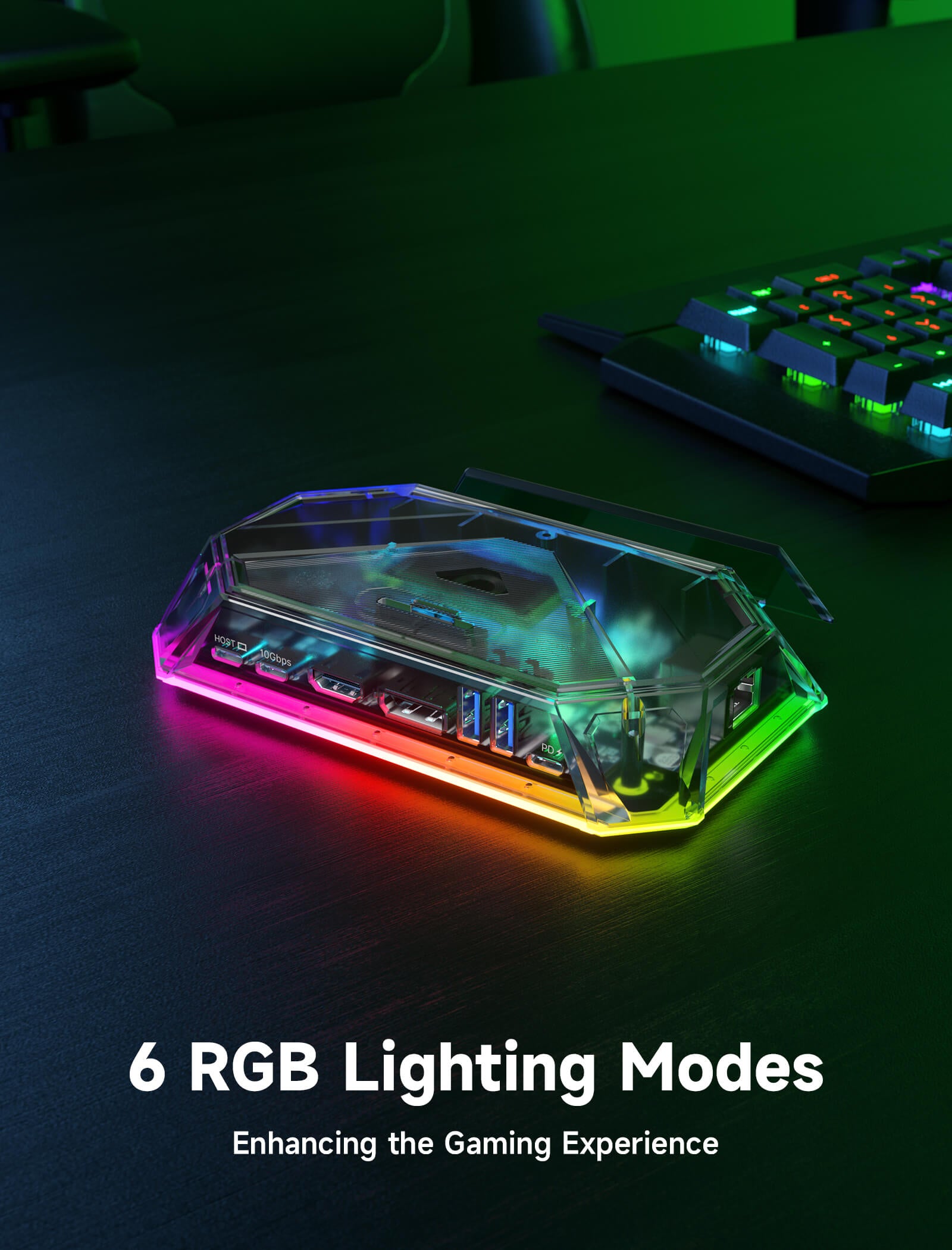
- 【OpenRGB対応の6つのRGBライティングモード】Proバージョンには、ダイレクト、ブリージング、レインボーウェーブ、スペクトルサイクル、レースサイクル、スタッキングの6つのRGBライティングモードがあります。USB-Cアップストリームポートを介してPCに接続すると、OpenRGBソフトウェアでライティング効果をカスタマイズすることもできます。
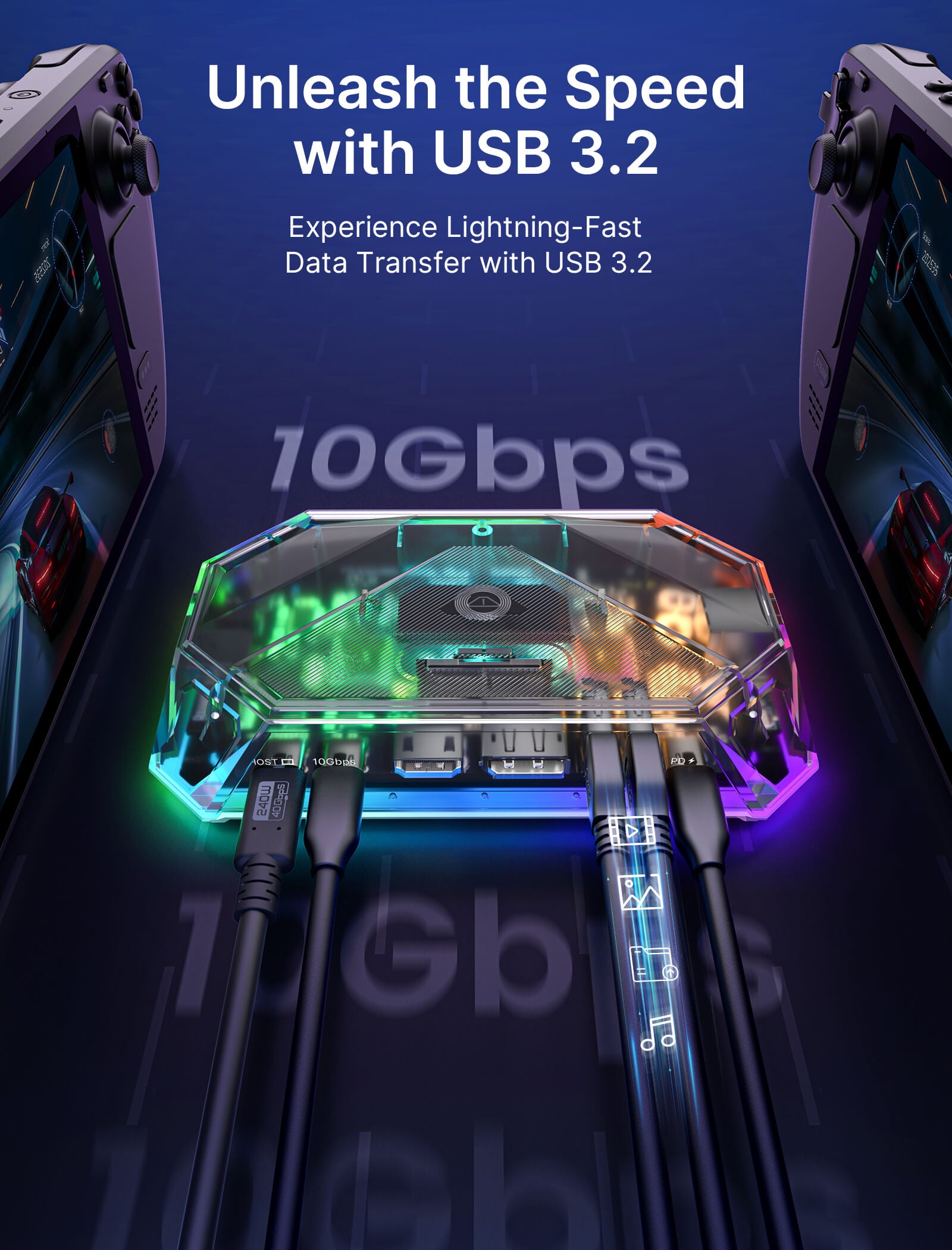
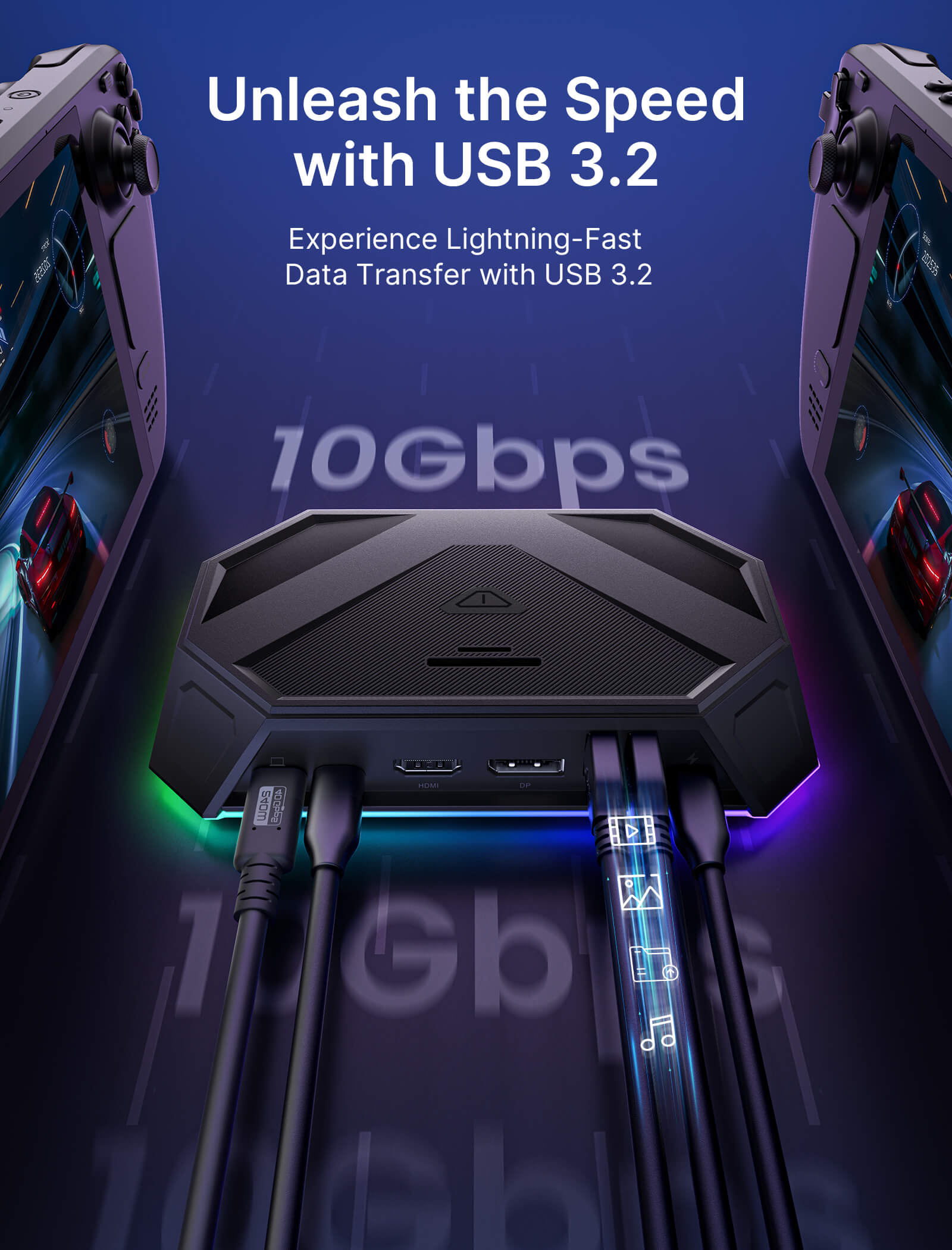
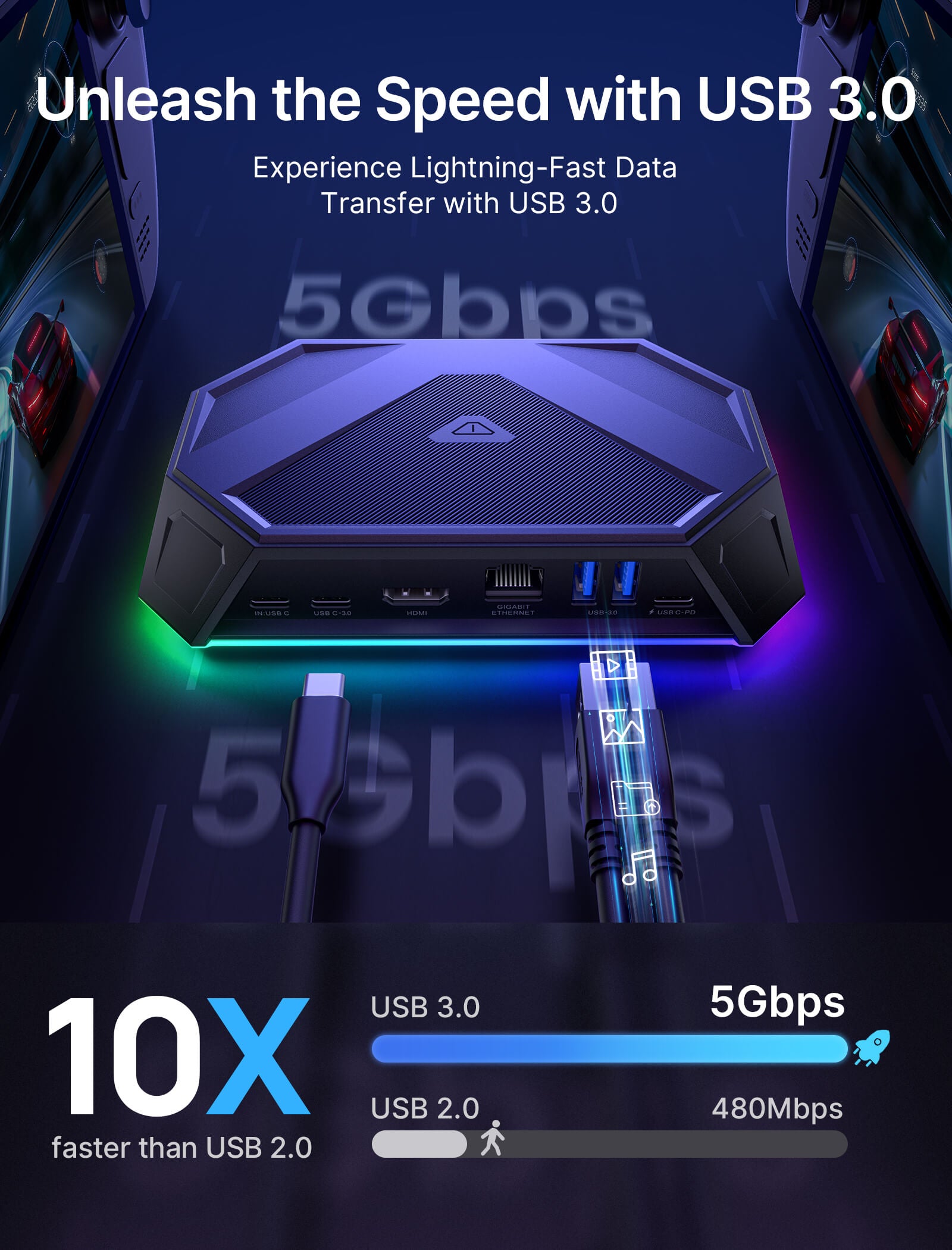
- 【高速データ転送と100W PD充電】12-in-1バージョンは最大10GbpsのUSB 3.2データ転送をサポートし、8-in-1バージョンは日常のアクセサリやストレージデバイス用に最大5Gbpsの転送をサポートします。すべてのバージョンは、ゲーム、ストリーミング、デスクトップ使用中の安定した充電のために最大100WのPD入力をサポートします。
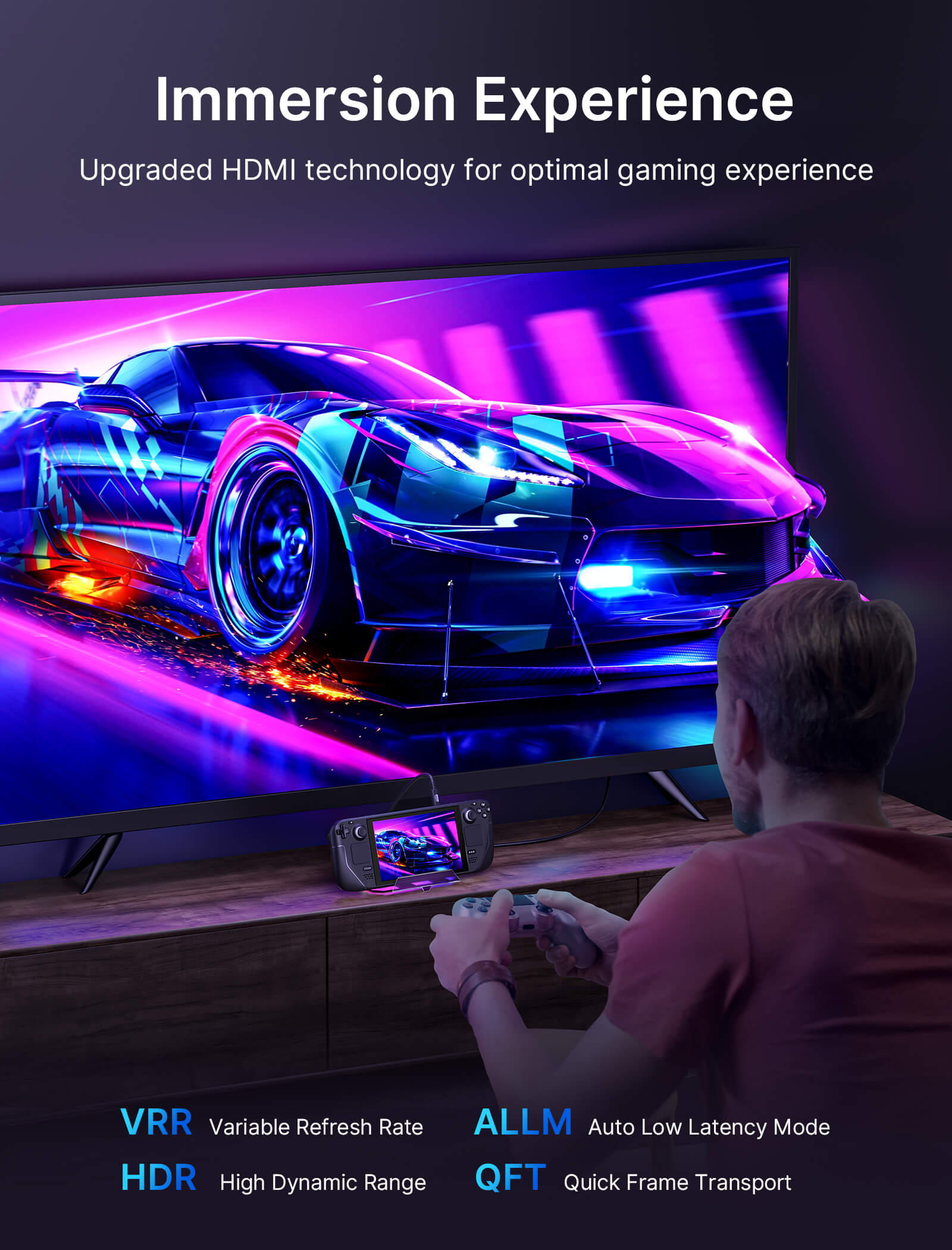
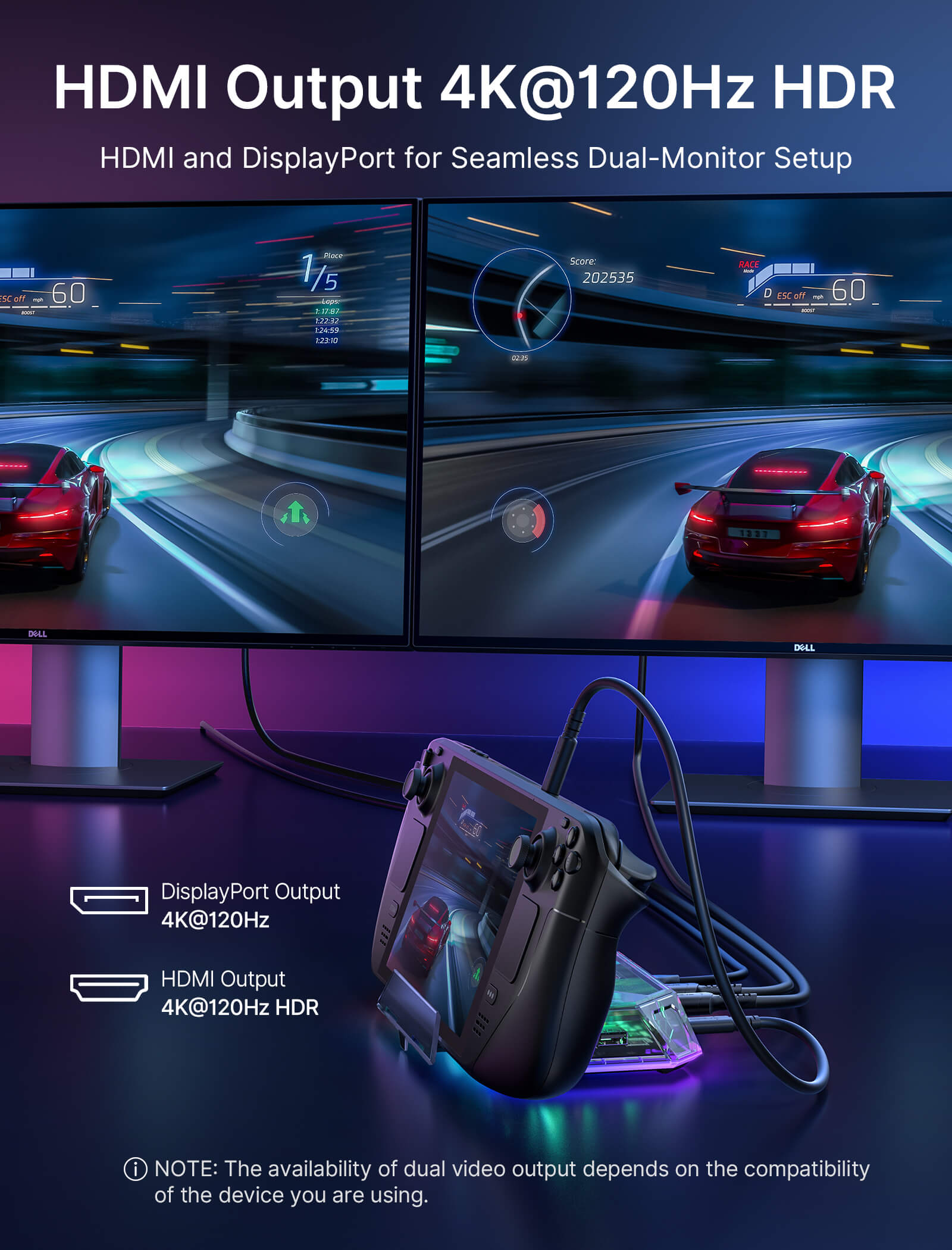
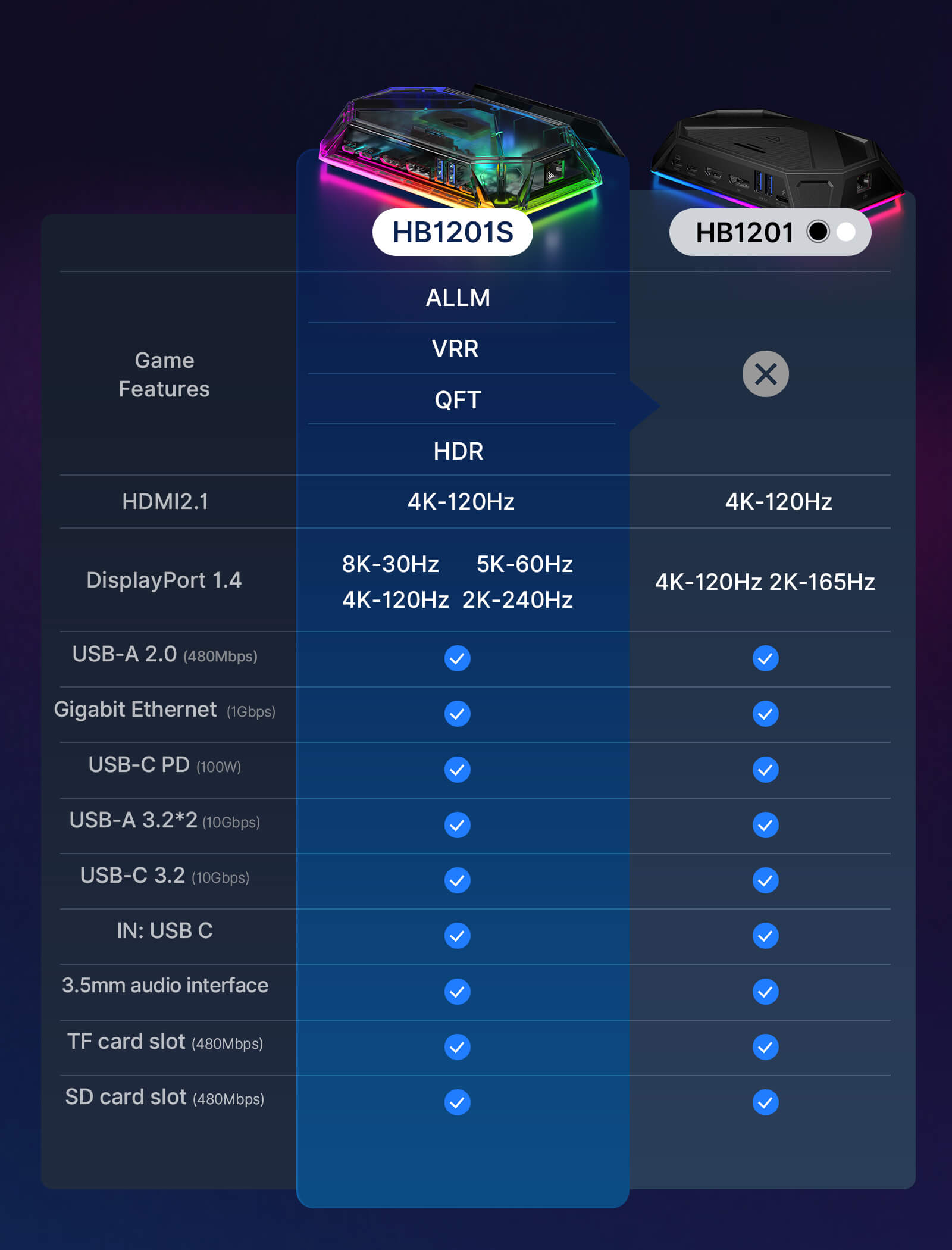
- 【最大4K 120Hzのビジュアル出力】12-in-1 Pro、8-in-1 Pro、および12-in-1バージョンは最大4K@120HzのHDMI出力をサポートし、8-in-1バージョンは最大4K@60Hzをサポートします。12-in-1 Proおよび12-in-1バージョンにはDisplayPortも含まれており、Proバージョンは互換性のあるディスプレイでALLM、VRR、QFT、およびHDRをさらにサポートします。
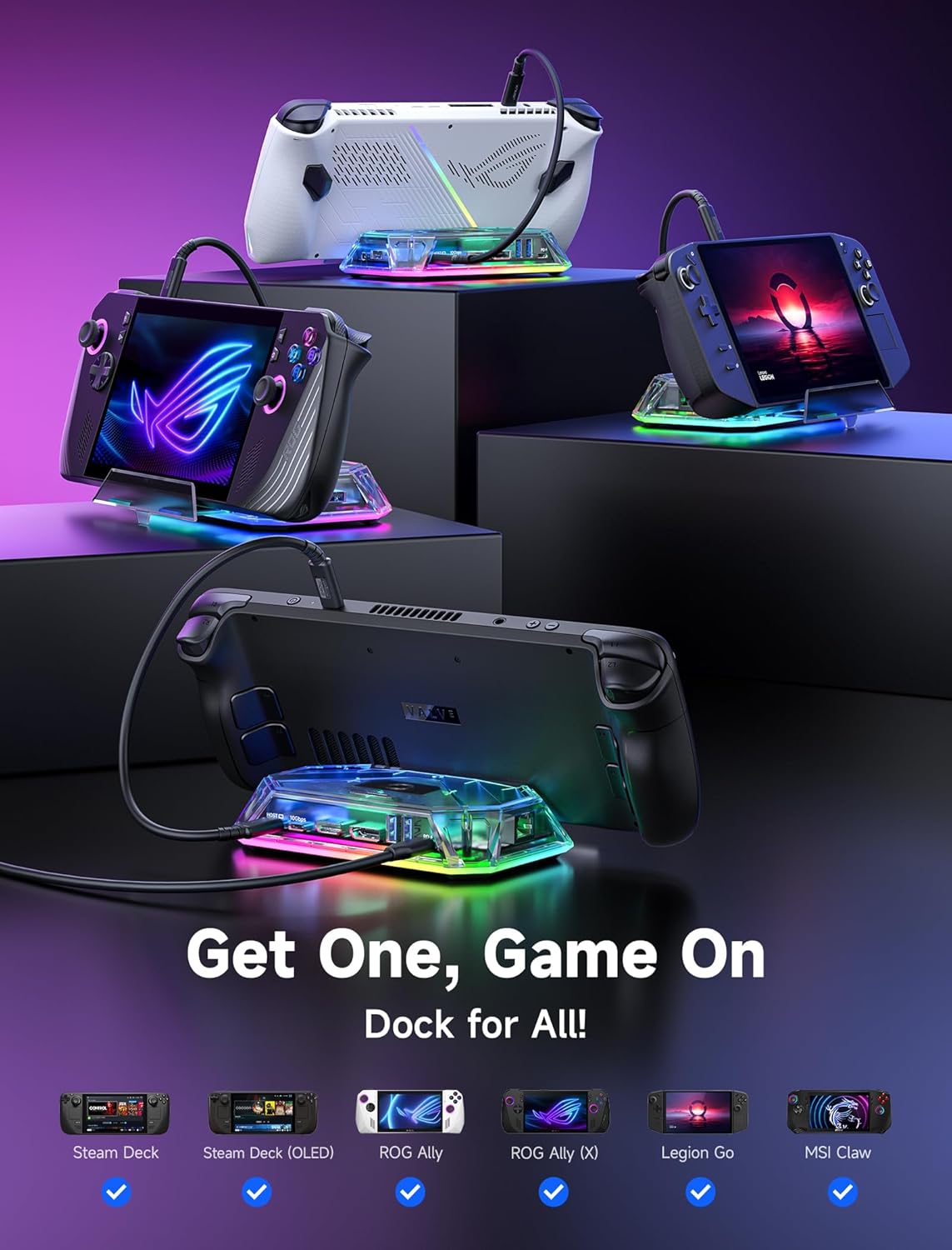
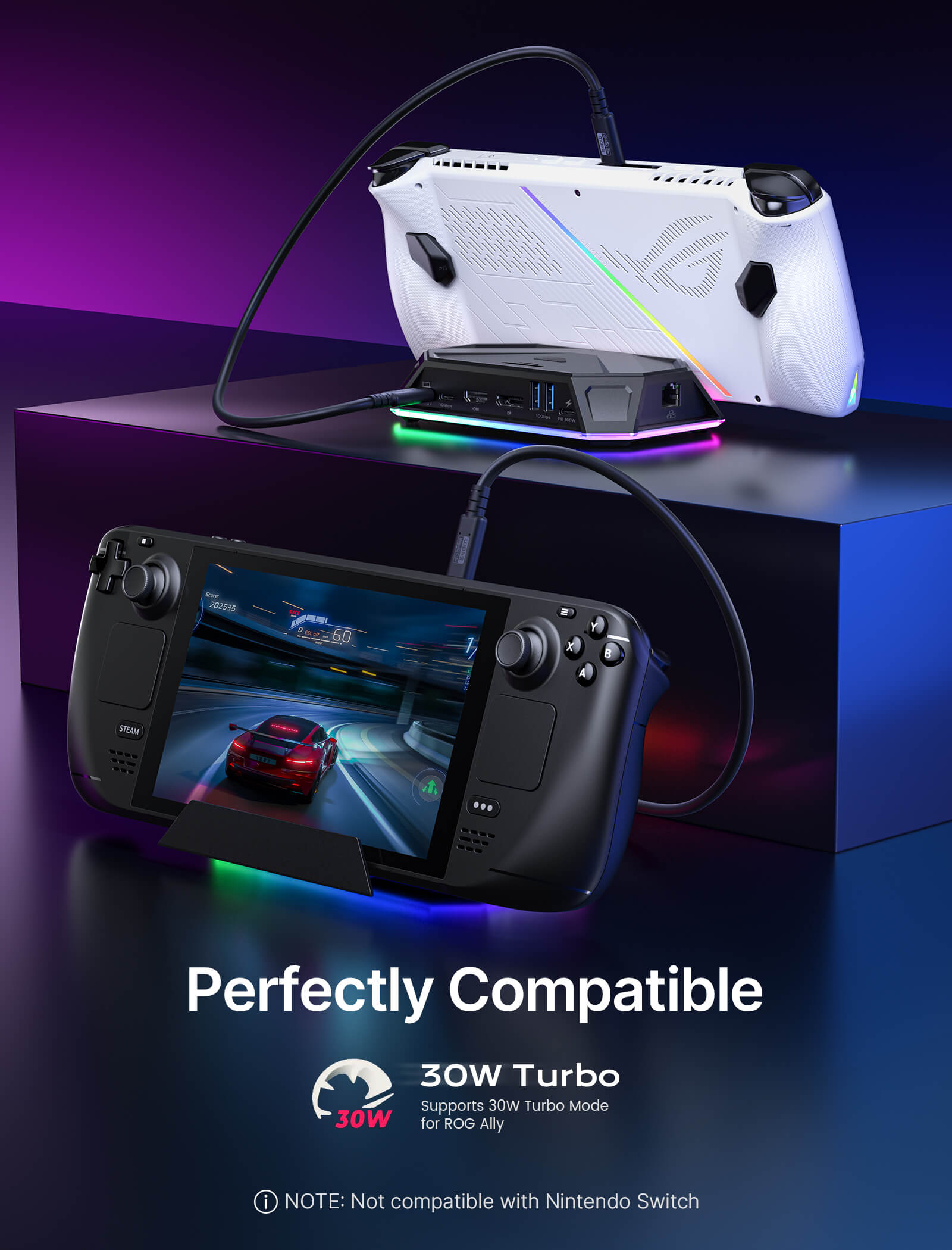
- 【人気のハンドヘルドおよびUSB-Cデバイスとの幅広い互換性】Steam Deck LCD/OLED、ROG Ally、ROG Ally X、Legion Go、AYANEOデバイス、iPad、ラップトップ、タブレット、その他のUSB-Cデバイスと互換性があります。ハンドヘルドゲーム、仕事、ストリーミング、デスクトップ拡張に1つの多機能ドックを求めるユーザーに最適です。注:Nintendo Switchとは互換性がありません。
📢注記:
- RGBライティングエフェクトを調整する必要がある場合は、OpenRGB公式ウェブサイト にアクセスして、OpenRGB 0.9をダウンロードしてください。
- ROG Allyの高性能30Wモードをよりよく体験するには、100W充電器の使用をお勧めします。
- OpenRGBソフトウェアでオフモードを開くと、LED全体がオフになります。次に、他のモードをオンにしてLEDを点灯させます。Hubのタッチボタンを2秒間押すと、すべてのモードがオフになります(Hubのライトエフェクトスイッチをオンにするには2秒間押し続ける必要があります。その後、OpenRGBを介して他のモードをデバッグできます)。
- ドッキングステーションで操作上の問題が発生した場合は、USB-Cケーブルが指定された「IN-USB-C」ポートに正しく接続されていることを確認してください。最適な機能性を確保するため、付属のUSB-Cケーブルを使用してデバイスに接続することを強くお勧めします。別のUSB-Cケーブルを使用することを選択した場合は、USB-C 3.2規格に準拠していることを確認してください。
- ドッキングステーションのインターフェースラベルは画像と若干異なる場合がありますが、機能は同じですのでご安心ください。
- RGBドッキングステーションは、ROG Ally X/Legion Go2/Legion Go Sのベアユニットのみと互換性があります。
仕様
スペック(HB1201S/HB0801S)
12-in-1 Pro(HB1201S)
150×92×28.2mm、170g
Game Features:
- ALLM: Auto Low Latency Mode
- VRR (HDMI 2.1 Only): Variable Refresh Rate
- QFT: Quick Frame Transport
- HDR: High Dynamic Range
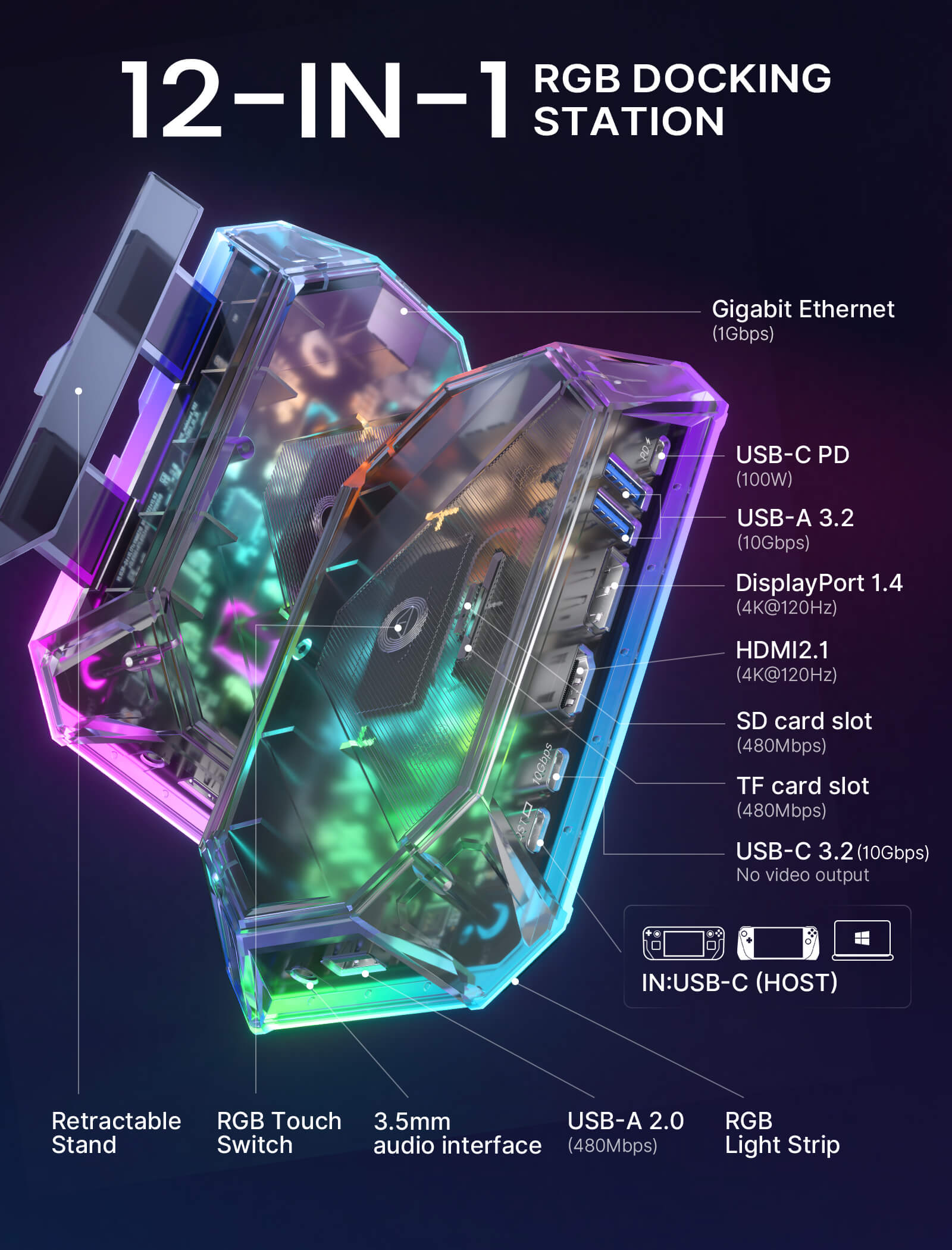
- USB-A 2.0: データ転送480Mbps対応。
- USB-A 3.2: データ転送10Gbps対応。
- USB-C 3.2: データ転送10Gbps対応、5V/1A出力対応。
- USB-C PD: PD 100W給電対応。
- HDMI: 4K-120Hz出力対応。
- DisplayPort: 8K-30Hz/5K-60Hz/4K-120Hz/2K-240Hz出力対応。
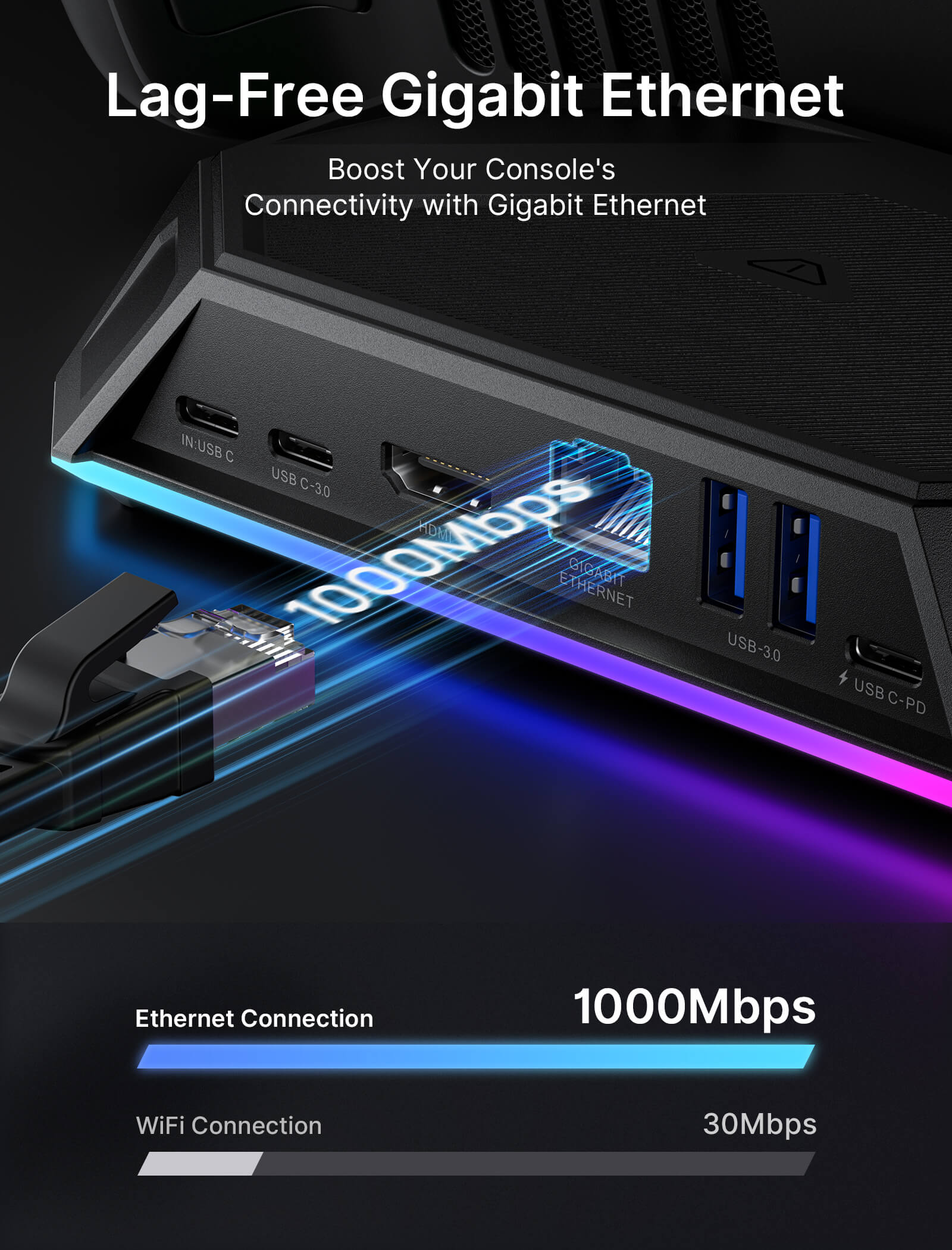
- RJ45: 1000Mbps入力ブロードバンド対応、複数システムと互換性あり。
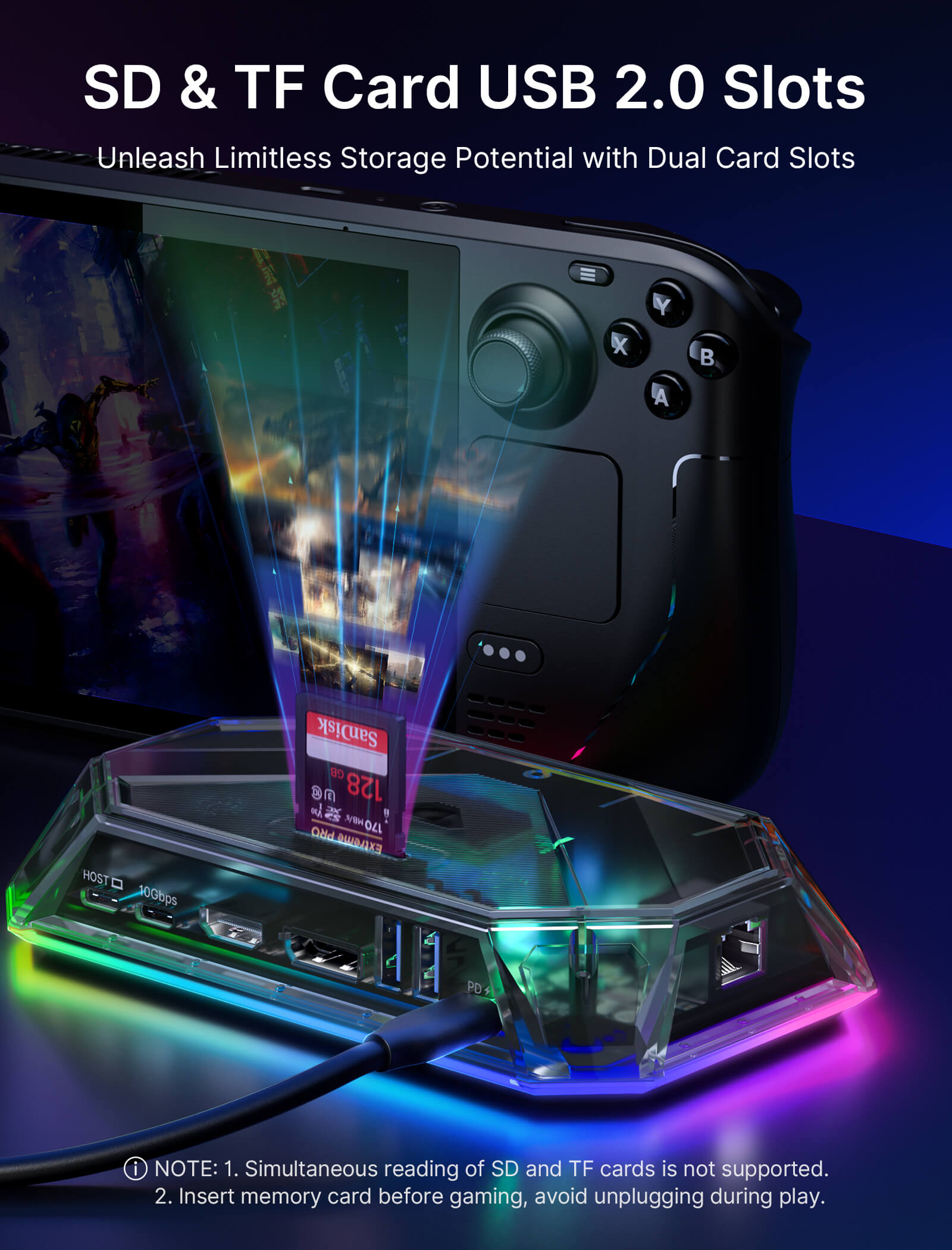
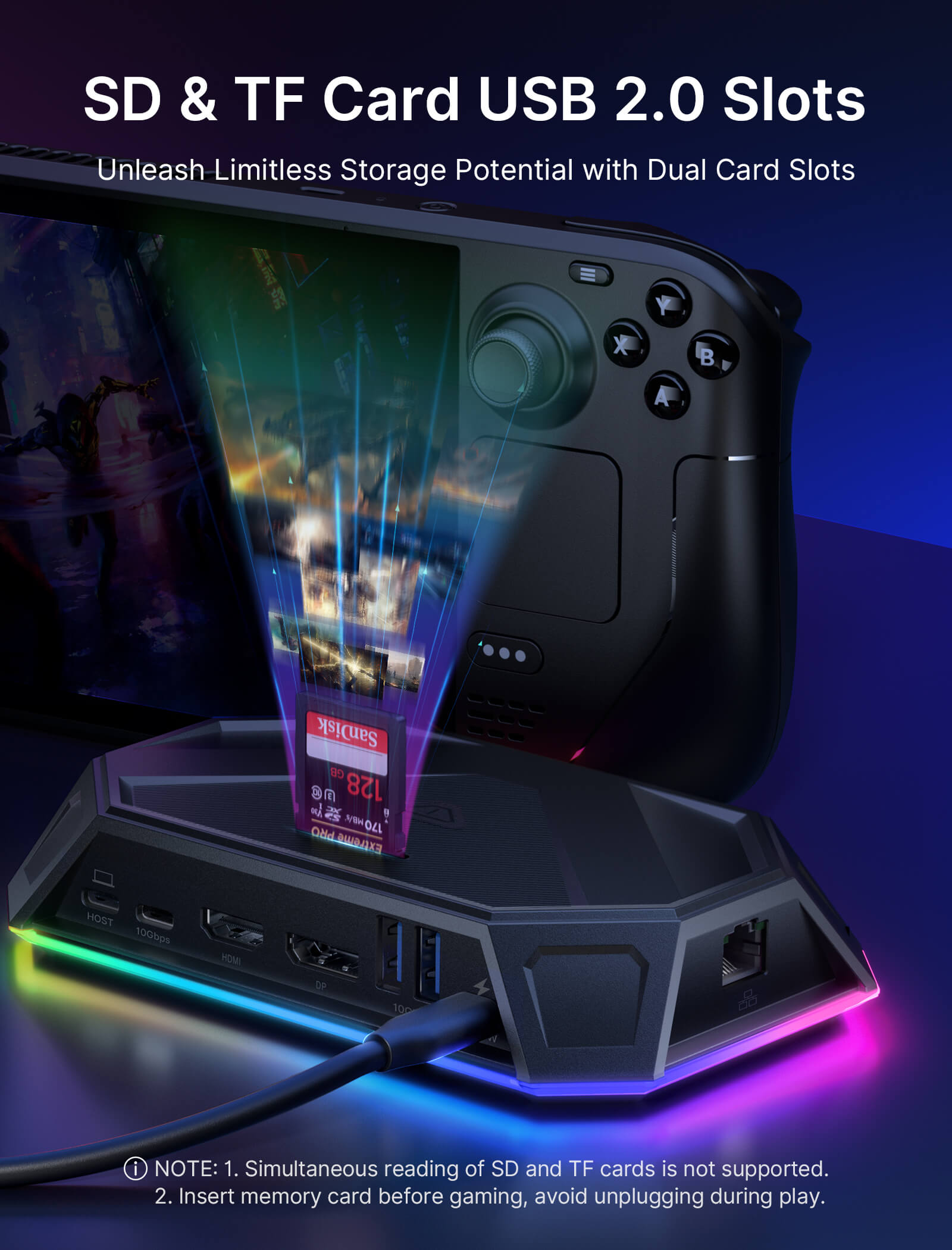
- SD/TF: USB 2.0データ転送480Mbps対応。
- 3.5mmメスオーディオ: アメリカ規格ヘッドホン対応。
- IN: USB-C
ゲームの特徴:
- ALLM:自動低遅延モード
- VRR ( HDMI 2.1 のみ):可変リフレッシュ レート
- QFT:クイックフレームトランスポート
- HDR:ハイダイナミックレンジ
1. 100Wの充電器の使用をお勧めします
2. RGB ドッキング ステーションは、ROG Ally X/Legion Go2/Legion Go S 本体のみと互換性があります。
仕様(HB1201/HB0801)
12-In-1 (HB1201)
8-in-1 (HB0801)
150×92×28.2mm、170g
150×92×28.2mm, 150g
- USB-A 2.0:データ転送480Mbpsに対応。
- USB-A 3.2:データ転送10Gbpsに対応。
- USB-C 3.2:データ転送10Gbpsに対応。
- USB-C PD:PD 100W給電に対応。
- HDMI: 4K-120Hz/2K-144Hz出力に対応。
- DisplayPort: 4K@120Hz/2K-165Hz出力に対応。
- RJ45: 1000Mbps入力ブロードバンドに対応、複数のシステムと互換性あり。
- SD/TF: USB 2.0データ転送480Mbpsに対応。
- 3.5mmオーディオジャック:アメリカ規格のヘッドホンに対応。
- IN:USB-C
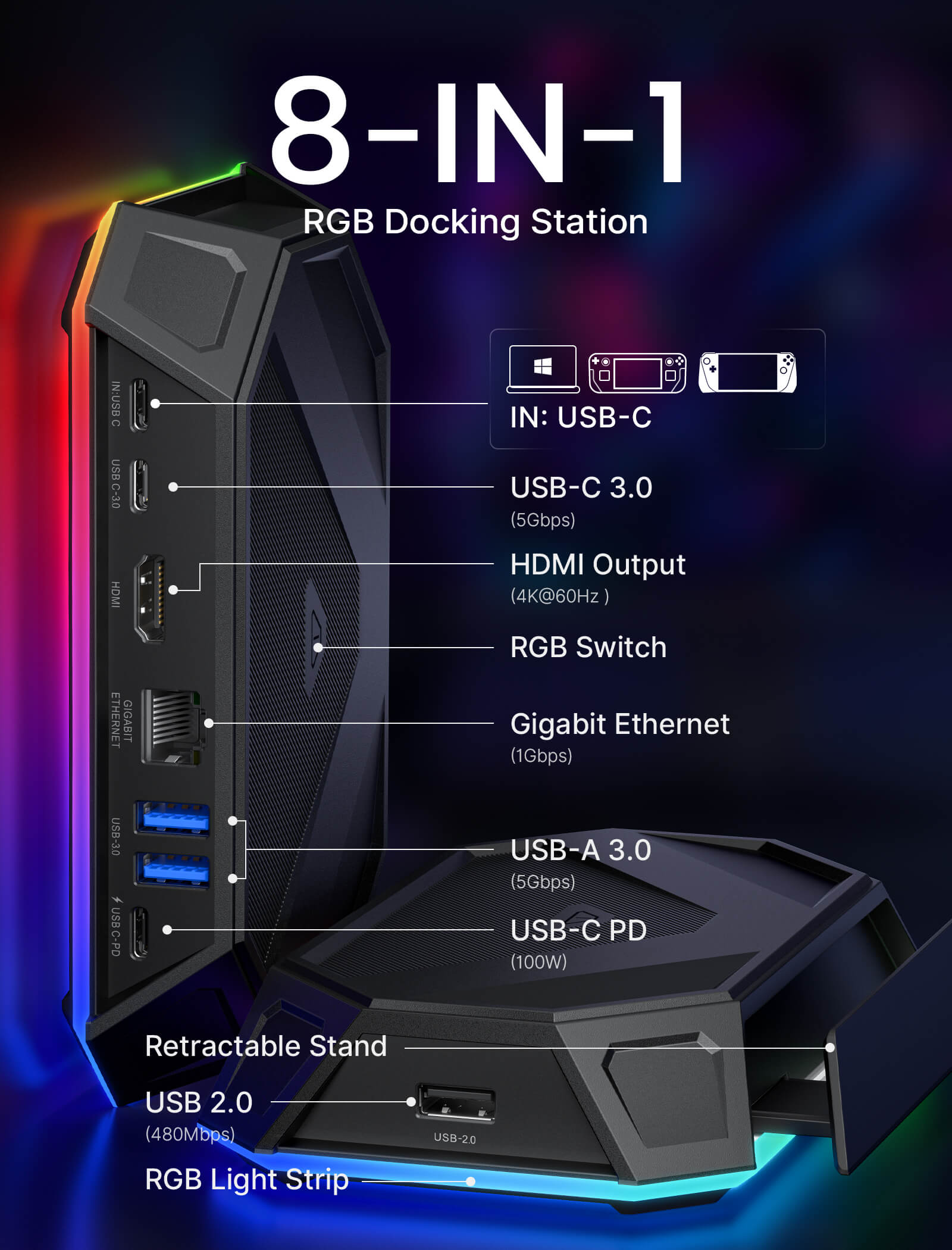
- USB-A 2.0: Support data transmission 480Mbps.
- USB-A 3.0: Support data transmission 5Gbps.
- HDMI: Support 4K-60Hz/2K-144Hz output
- USB-C 3.0: Support data transmission 5Gbps.
- RJ45: Supports 1000Mbps input broadband, and is compatible with multiple systems
- USB-C Female PD: Support PD 100W power supply
- IN: USB-C
1* 12-in-1ドック(HB1201S)
1* USB-C to USB-Cケーブル
1* ステッカー
1* 8-in-1 ドック (HB0801)
1* USB-C - USB-C ケーブル
1* ステッカー
- 100W充電器のご使用をお勧めします。
- デュアルビデオ出力ディスプレイは4K@120Hz出力をサポートしていません。
- RGBドッキングステーションは、ROG Ally X本体のみに対応しています。
- SDカードとTFカードの同時読み取りには対応していません。ゲームを開始する前にメモリーカードを挿入し、プレイ中は抜かないでください。
- 100W充電器のご使用を推奨いたします。
- RGBドッキングステーションは、ROG Ally X本体のみに対応しています。
配送
SHIPPING & RETURN
ご注文の前に、配送のヒントをよくお読みください
- 50ドルを超えるご注文はすべて送料無料です。
- 49.99ドル未満のご注文には、配送料として6.99ドルが課金されます。
(注:上記の配送ポリシーはFlipGoには適用されません。具体的な配送については、FlipGo製品ページをご参照ください。)
ご注意ください:
- JSAUX GAMINGは、世界中のお客様に迅速かつ効率的な配送サービスを提供しています(ただし、軍事住所(APO/FPO)および一部の離島への配送はできません)。
- 現在、すべてのご注文の処理には2~4日かかります(週末は注文処理が行われません)。
- ご注文の配送には7~12営業日かかります(予約販売品を除く)。
- 国際的な関税や税金が適用される場合がありますが、これらはチェックアウト時に計算されません。
- 予約販売品の配送時期は、商品ページに記載されている指示に従います。
物流サービスプロバイダーの要件により:
- ご注文をできるだけ早く準備し、配送の問題を避けるため、正確な家屋番号や配送会社に必要なその他の情報を含む正確な郵便番号を必ずご入力ください。
-
中国本土および台湾の場合:中国本土のお客様は、Tmallをご利用ください。香港、マカオのお客様は、お名前、身分証明書番号、配送先住所を繁体字中国語でご記入ください。
- サウジアラビアの場合:50ドル以上の送料無料は適用されません。配送料14.99ドル(VAT込み)が適用されます。
- 物流上の理由により、現在、以下の国と地域への注文サービスは一時的に提供しておりません:アフガニスタン、アルバニア、アルジェリア、アンドラ、アンゴラ、アングィラ、アルゼンチン、アルメニア、アルバ、アゼルバイジャン、バーレーン、バングラデシュ、バルバドス、ベラルーシ、バミューダ諸島、ブータン、ボスニア・ヘルツェゴビナ、ブラジル、英領ヴァージン諸島、ブルネイ、ブルキナファソ、ブルンジ、ボリビア、カンボジア、カメルーン、ケイマン諸島、中央アフリカ共和国、中国、クリスマス島、コスタリカ、コートジボワール、ジブチ、コンゴ - ブラザヴィル、コンゴ - キンシャサ、エジプト、エルサルバドル、エクアドル、フォークランド諸島、フェロー諸島、フランス領ポリネシア、ガボン、ガンビア、ジョージア、ガーナ、ジブラルタル、グリーンランド、グアドループ、グアテマラ、ガーンジー島、ギニア、ホンジュラス、アイスランド、インドネシア、ジャマイカ、ヨルダン、ジャージー、カザフスタン、ケニア、キリバス、キルギス、レバノン、レソト、リベリア、リヒテンシュタイン、モルディブ、モーリシャス、マルティニーク、モルドバ、モナコ、モンゴル、モンテネグロ、ミャンマー(ビルマ)、ナミビア、ナウル、ニューカレドニア、ニカラグア、ニジェール、ナイジェリア、ノーフォーク島、北マケドニア、ノルウェー、オマーン、パキスタン、パラグアイ、ルワンダ、サンマリノ、セネガル、セルビア、セーシェル、ソロモン諸島、南スーダン、スリランカ、スーダン、タジキスタン、トーゴ、トンガ、チュニジア、トルクメニスタン、トルコ、ツバル、ウガンダ、ウクライナ、ウルグアイ、インド、ウズベキスタン、バヌアツ、バチカン市国、米国の一部地域(プエルトリコ、グアム、アラブ首長国連邦、米領ヴァージン諸島、北マリアナ諸島、米領サモア、およびAPO、FPO、DPOなどの軍事基地を含む)。
15日間の返品:
当社の返品および交換ポリシーは、お客様が自宅で商品を受け取った日から15日間有効です。詳細については、配送ポリシーのセクションをご覧ください。
よくある質問
Q1.Difference between 12-in-1 RGB Docking Station/8-in-1 RGB Docking Station:
A1.The main difference between the two products is the number of interfaces and parameters, as follows:
12-in-1 RGB docking station has 12 functional ports, including:1* HDMI port (4K@120Hz), 1*DisplayPort(4K@120Hz),2*USB-A 3.2 (10Gbps ), 1*USB-A 2.0(480Mbps ),1*Gigabit Ethernet port, 1*USB-C PD port, 1*3.5mm audio interface,1*IN:USB-C,1*TF card slot(480Mbps), 1*SD card slot(480Mbps) and 1*USB-C 3.2 port(10Gbps ,!!Only supports data transmission and does not support video output).
8-in-1 RGB docking station has 8 functional ports, including:1* HDMI port (4K@120Hz), 2*USB-A 3.0(5Gbps), 1*USB-A 2.0(480Mbps),1*Gigabit Ethernet port, 1*USB-C PD port, and 2*USB-C port(5Gbps ).
Q2.How to open and retract the bracket?
A2. 1. Please slightly press the middle part of the bracket, then the bracket would eject automatically, which could be adjusted to the proper size for your device.
2. When the bracket needs to be retracted, press the middle part of the bracket again.
Q3.Does this dock work with Switch?
A3.No, it's incompatible with Switch.
Q4.What's the standard of USB-C to C cable enclosed?
A4.The USB C-C cable reaches USB 3.2 standard, which maximum supports 10 Gbps and 100W charging.
Q5. How to customize my lighting effect?
A5. To use OpenRGB to customize RGB lighting effects, please follow the steps below:
Step 1, start the OpenRGB software on your Windows or Linux device.
Step 2, Connect the JSAUX RGB Dock to your device using the provided USB-C cable. Make sure to connect it to the "IN: USBC" port.
Step 3, click "Rescan Device" in the software to detect and load your dock. Once loaded, you will see your dock information displayed in the upper left corner of the software window, such as "JSAUX RGB Docking Station.
Step 4. Navigate to the "Mode" section to choose from different RGB light effect modes. Available modes typically include "Direct", "Breathing", "Rainbow Wave", "Spectrum Cycle", "Stacking" and "Race Cycle".
Step 5, you can adjust the speed, direction, and brightness of the selected light effect according to your preference. Experiment with these settings until you achieve the desired RGB lighting customization.
Q6. Why can't I enable VRR with my docking station?
A6. The docking station supports VRR function. But the performance and effectiveness of the VRR function are influenced by several factors:
●Display Compatibility: Your monitor must be VRR-compatible, supporting technologies like NVIDIA's G-Sync, AMD's FreeSync, or HDMI 2.1's VRR.
●Device and Graphics Card Support: Ensure that both your device and graphics card are VRR-capable and that all drivers are up-to-date for optimal functionality.
●Connection and Cables: Use the appropriate connection interface (e.g., DisplayPort 1.4, HDMI 2.1) and high-quality cables to facilitate effective VRR.
●Refresh Rate Requirements: VRR often requires specific refresh rates, such as 4K120Hz or 2K120Hz, to function correctly.
●Game Compatibility: Not all games support VRR. Some may need updates or specific settings adjustments to enable this feature.
●Dual Display Limitation: VRR is not supported when using dual display mode.
Please note that the VRR function may currently exhibit varying levels of stability with some handheld and may not be fully compatible with all types of monitors.
We are committed to improving this feature and recommend checking compatibility with your specific devices for the best experience.
Q7. Why can’t my ROG Ally turn on the 30W mode when connected to HB1201/HB1201S/HB0801/HB0801S using the charger (65W) provided with ROG Ally?
A7. If you encounter this situation, it is recommended that you try to use a 100W charger to connect.
5.0つ星中4.6つ
106件
What Customers Are Saying on JSAUX.com