


![JSAUX anti-glare matte screen protector for ROG Ally and ROG Xbox Ally series #style_[2-pack] for all rog ally models](http://jsaux.com/cdn/shop/files/GP0113A-Anti-Glare-Screen-Protector-for-ROG-Ally-_-ROG-Xbox-Ally-Series-1_jpg.png?v=1762310072&width=92)


![Grey 2-pack 90 degree USB-C to USB-C right angle adapters #style_grey [2-pack]](http://jsaux.com/cdn/shop/files/90_-USB-C-to-USB-C-Right-Angle-Adapter-grey-1.png?v=1755238920&width=92)




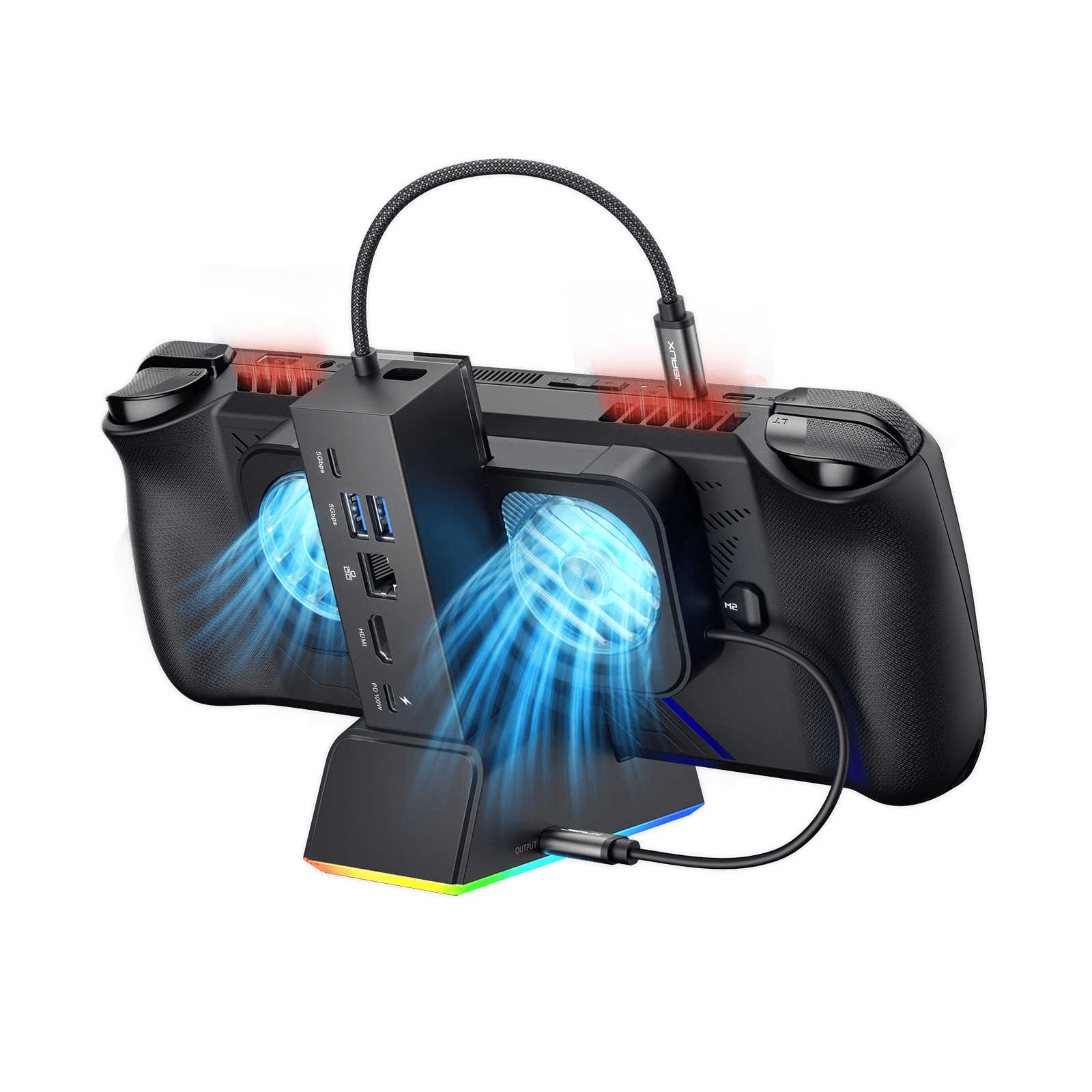
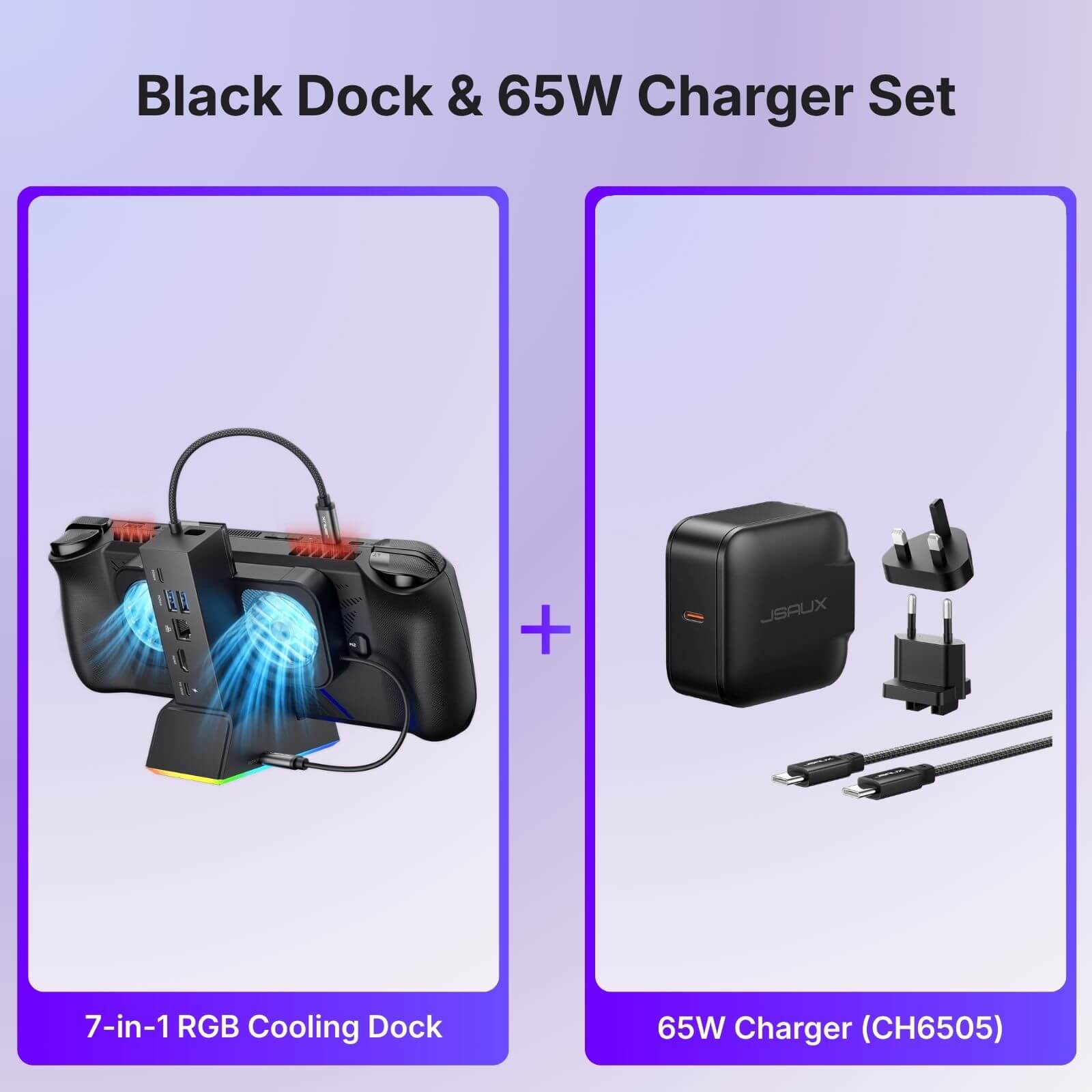
7-in-1 RGB 冷却ドッキングステーション
FEATURES
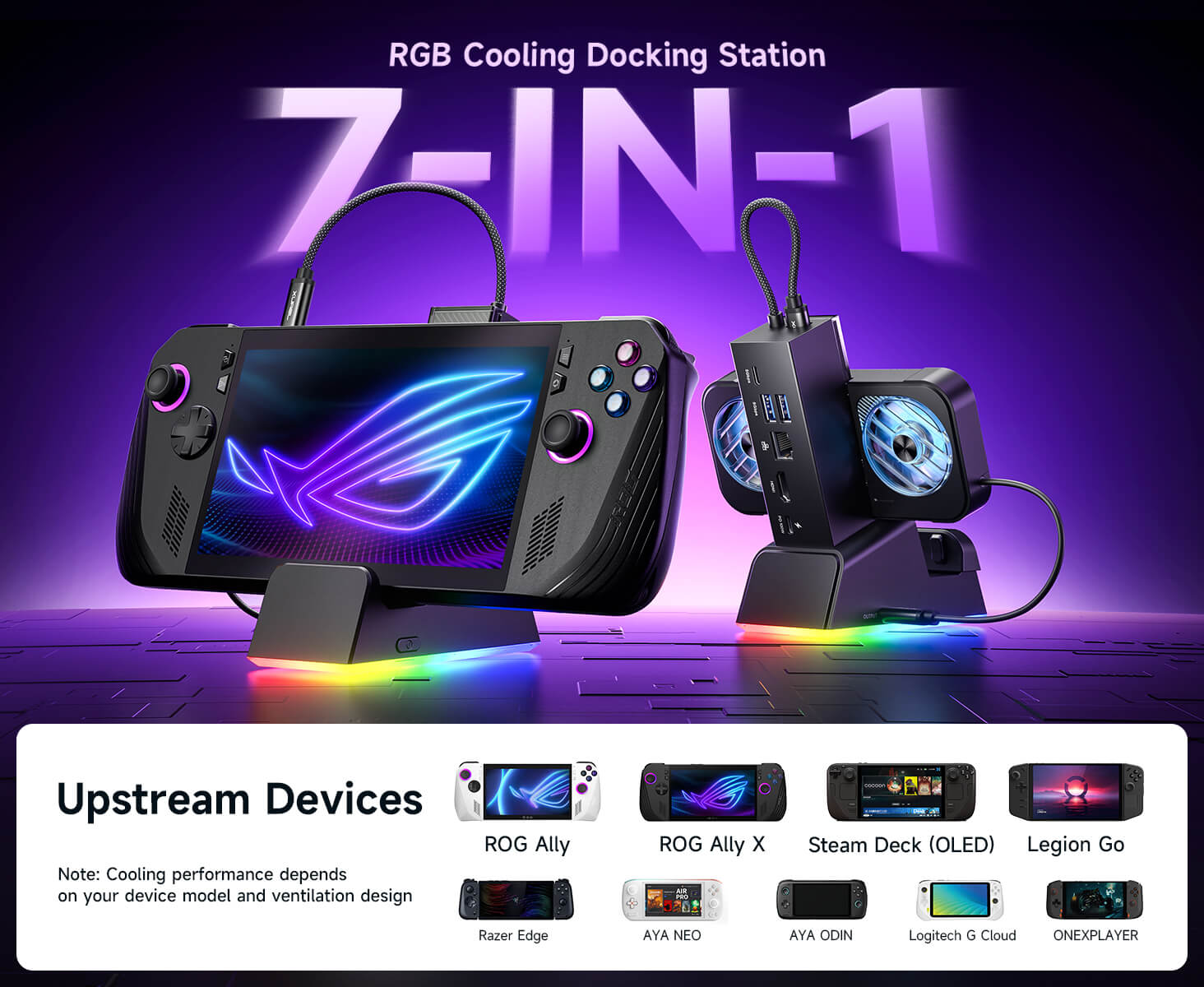
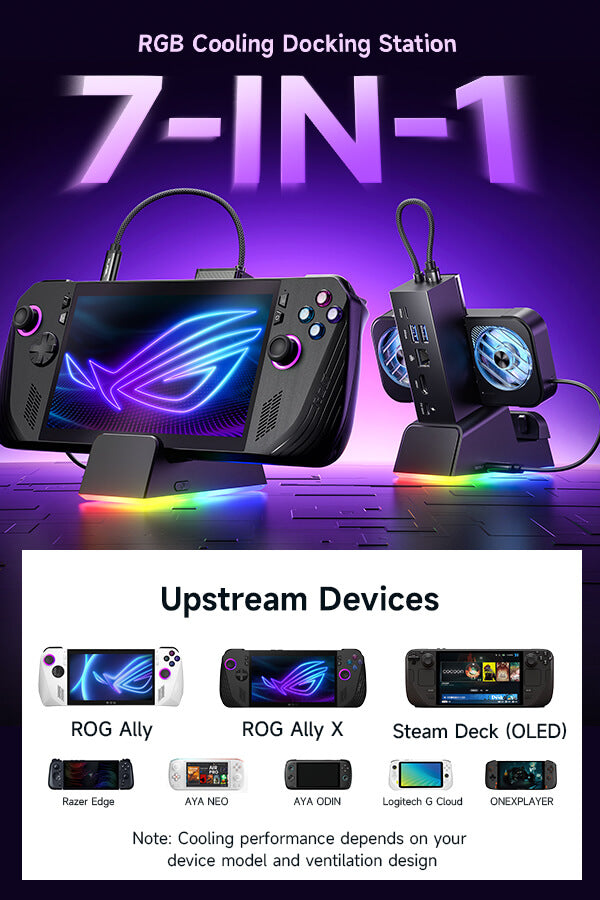
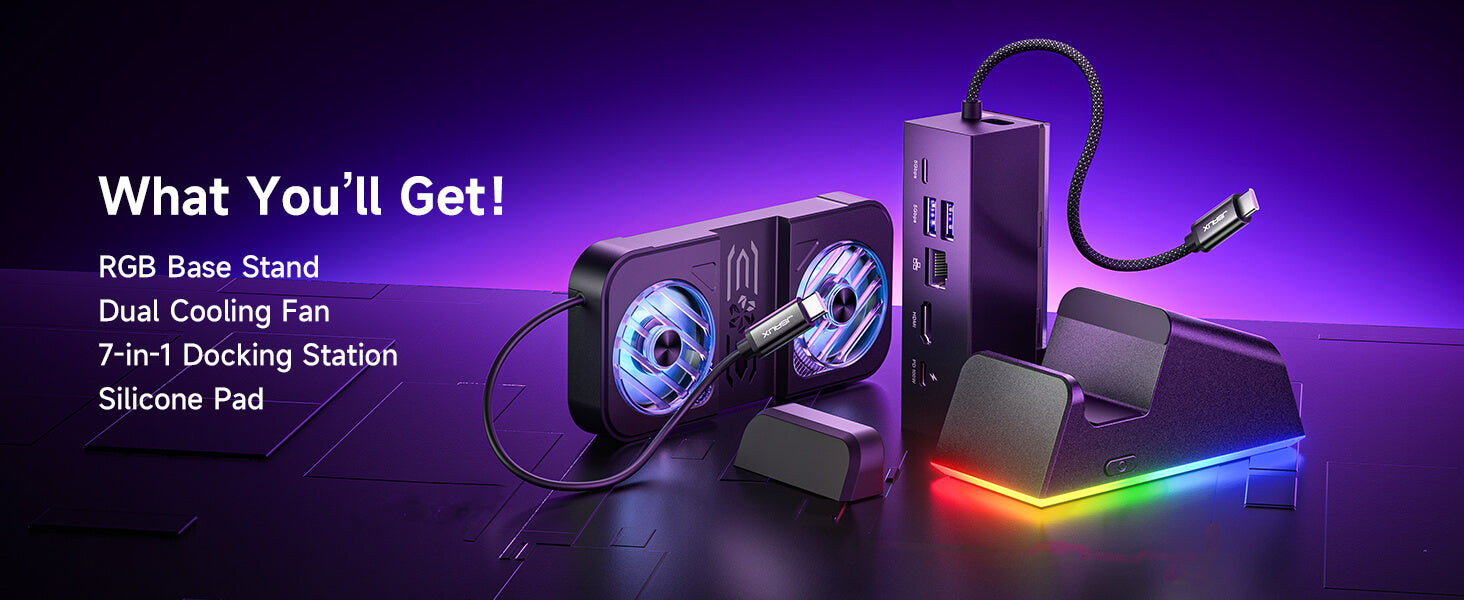
- ハンドヘルド用7-in-1ドッキングステーション
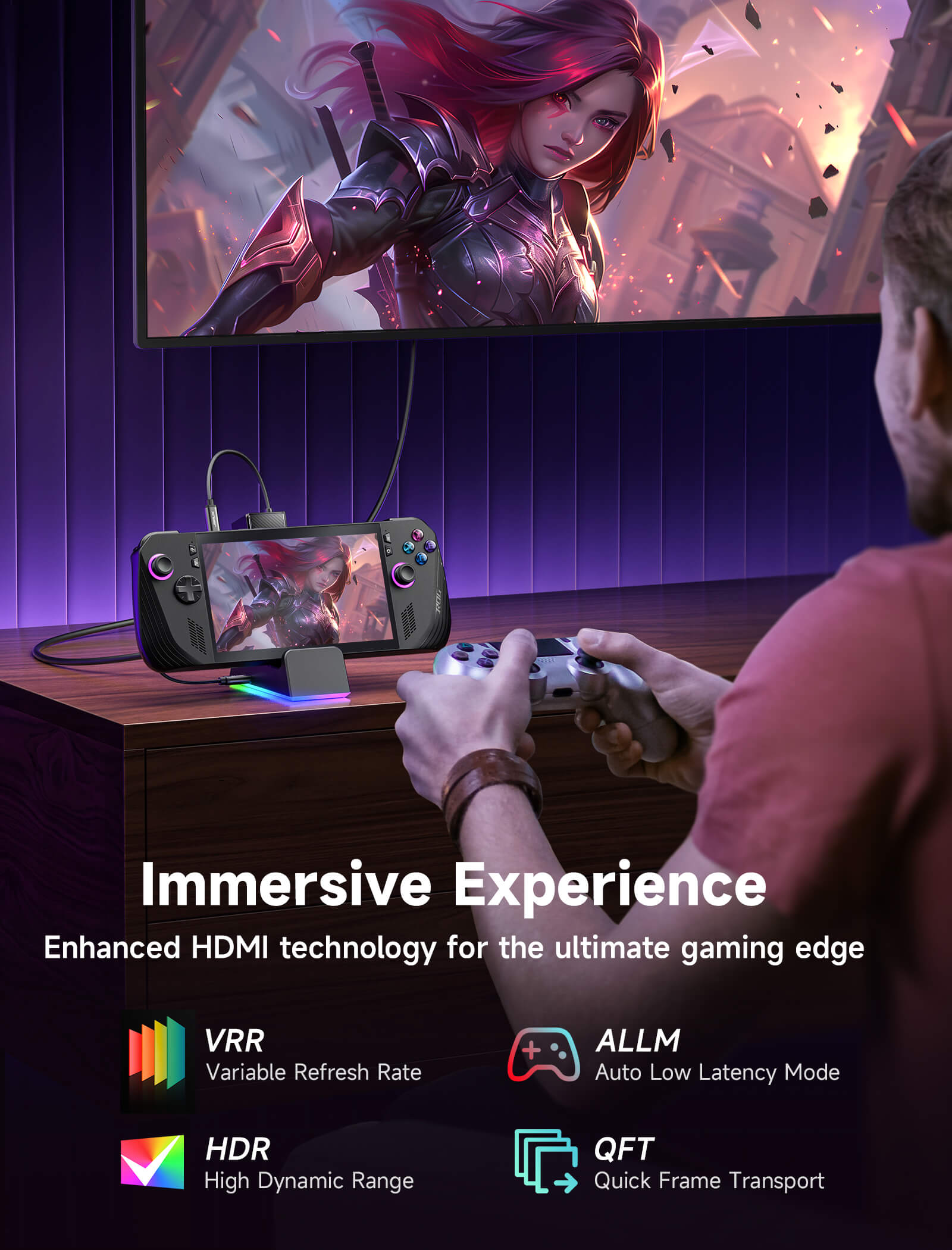
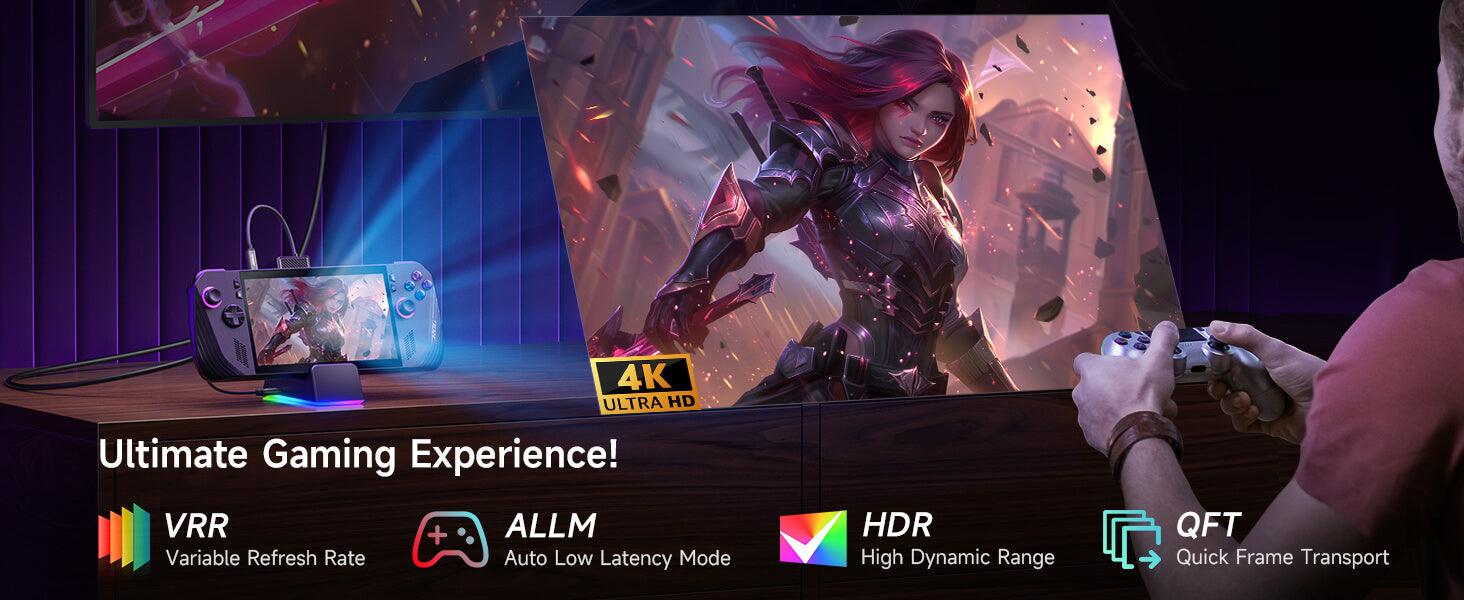
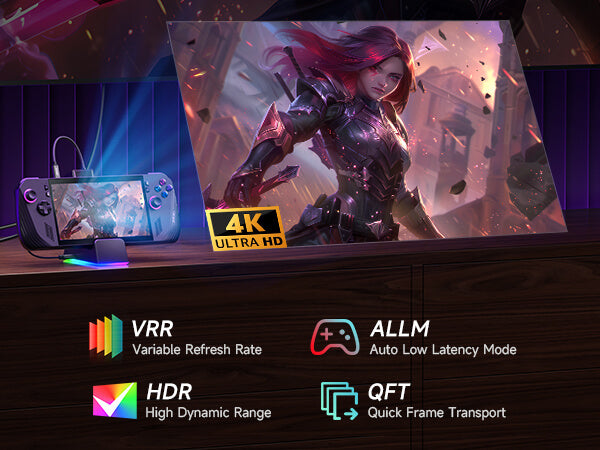
- 次世代の4Kゲーミングパフォーマンス
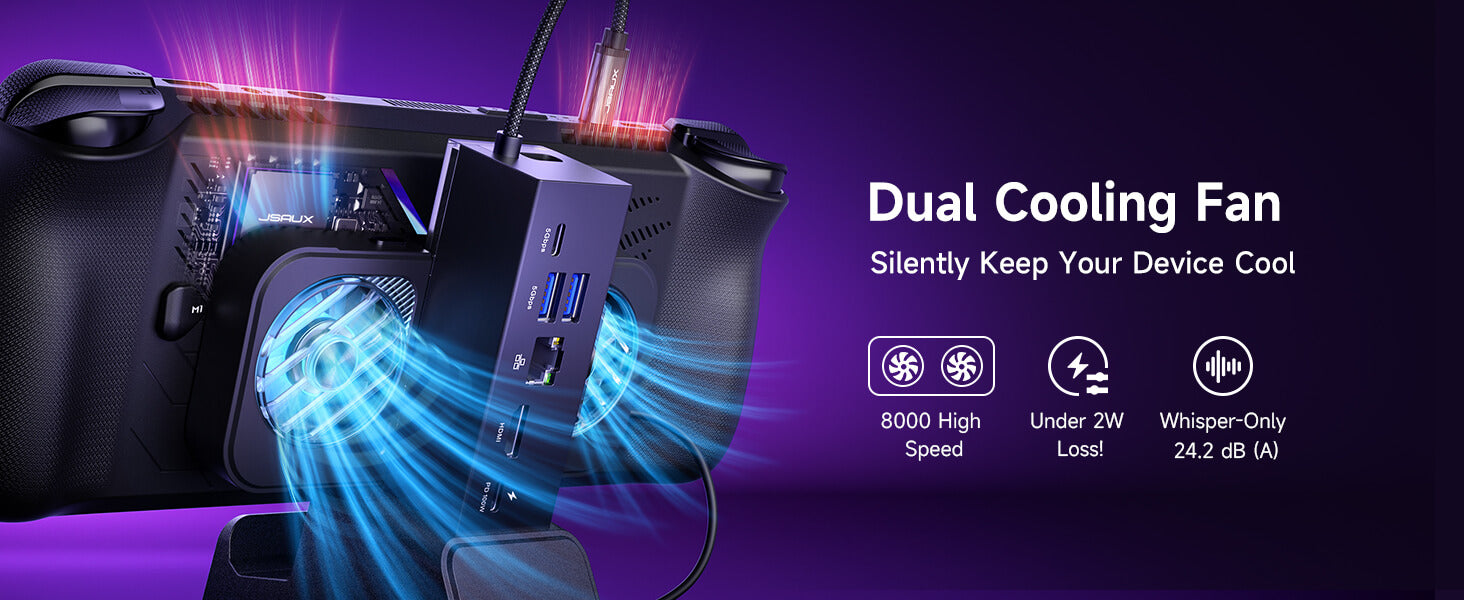
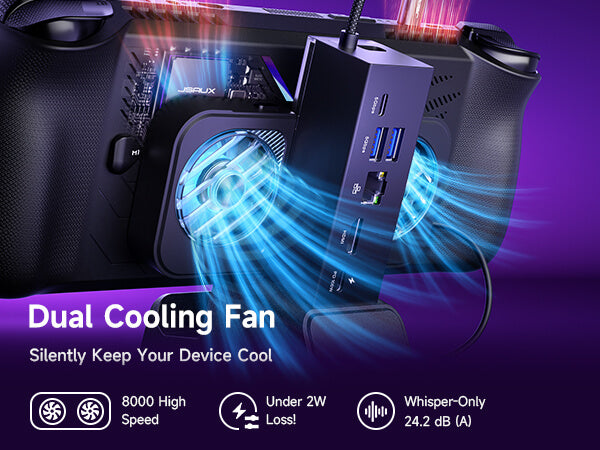
- マグネット式RGB冷却ファン
- ダイナミックRGBライティング&DIYカスタムカードスロット
- 幅広い互換性とターボモード対応
SHIPPING

In The Press
セットアップは簡単で、豊富な機能を備え、SteamDeckの体験を真に向上させます。RGBライティングは楽しく、冷却性能も高く、接続オプションも他に類を見ないほど豊富です。SteamDeck(またはROG Ally、Legion Go)を、携帯ゲーム機のヒーローからリビングルームの伝説へと昇華させたいなら、このドックは必需品です。

Considering all the supported features and how great the dock looks when fully assembled, the purchase is more than justified. If you don’t yet have a dock but really want one, this is definitely a solid choice.
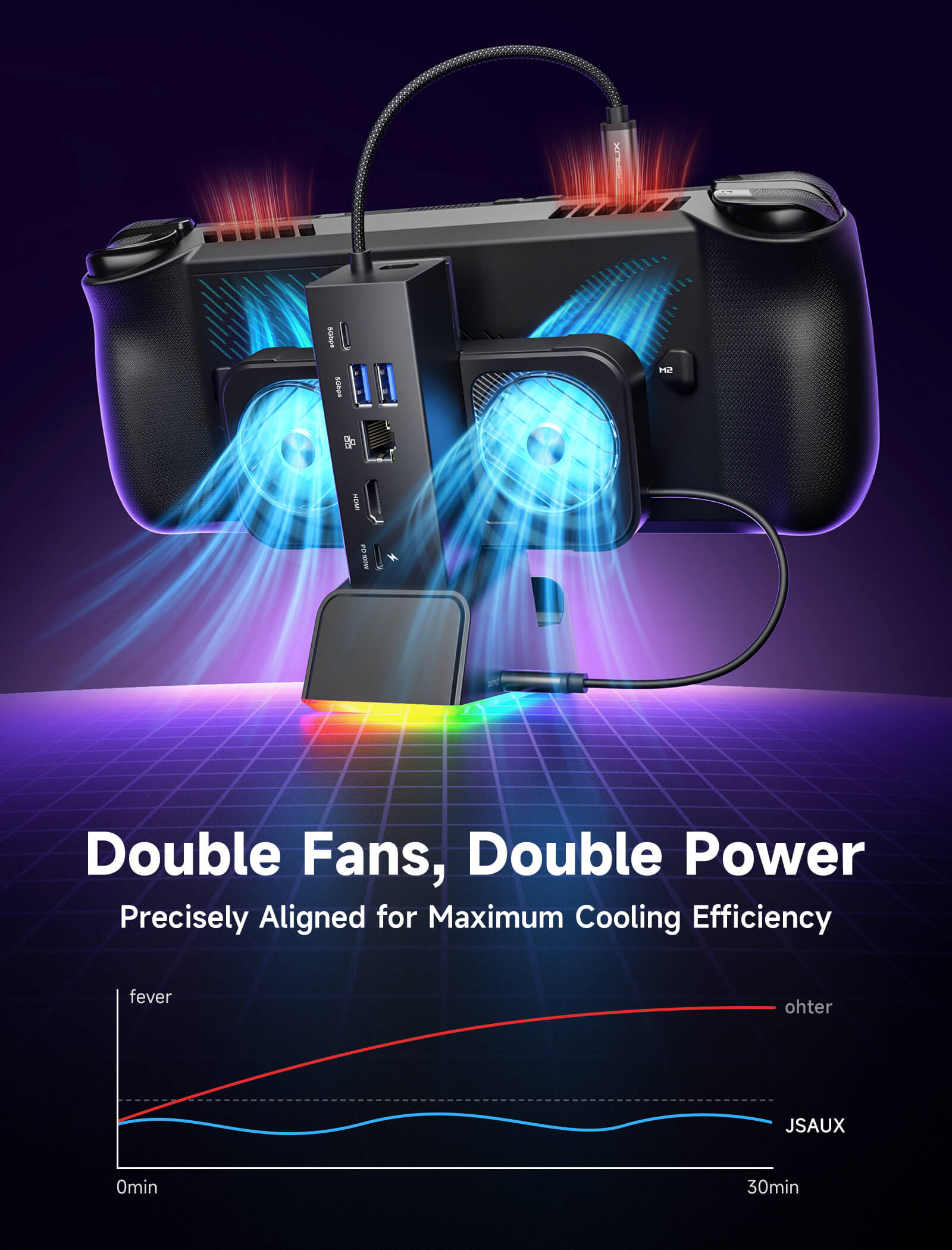
The real standout feature is the active cooling function: the dock is equipped with two RGB fans (removable) that can help lower the console's temperature by around 3–5 degrees, according to our tests and data from some other reviewers. It’s not a dramatic drop, but it can make a difference in terms of stability and performance under load.

If you’re looking for a good docking station for your Lenovo Legion Go that can keep your computer stable while also improving thermal efficiency, then I think this docking station is a must-have.

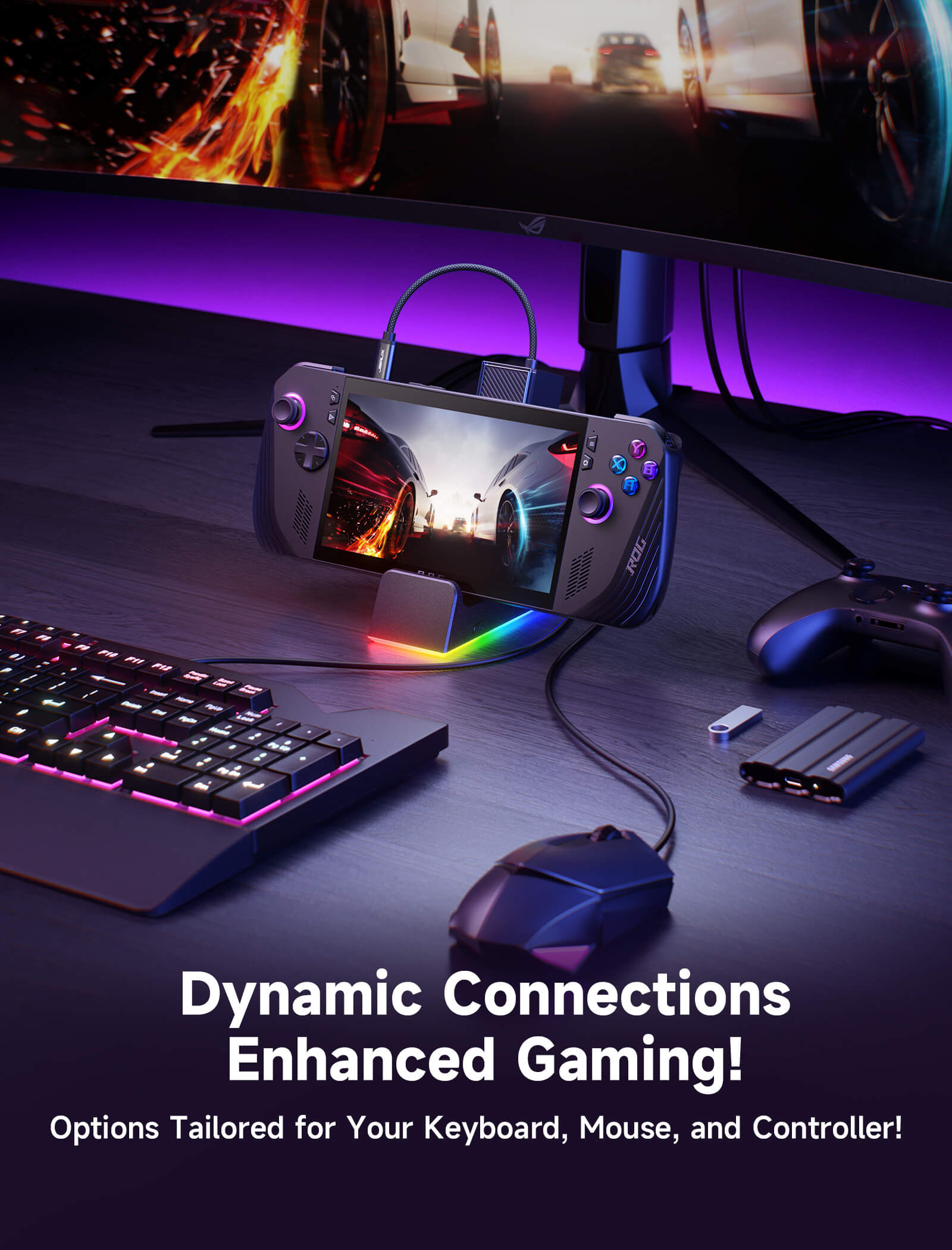
It features plenty of ports, both USB-C and USB-A, for your additional peripherals and accessories, is capable of connecting it to the internet via a cable, and projects an astounding image to your display device through an HDMI 2.1 output.

This 7-in-1 RGB Cooling Docking Station let your steam at that higher resolution and frame rate, lt's gonna be cool to have the dock



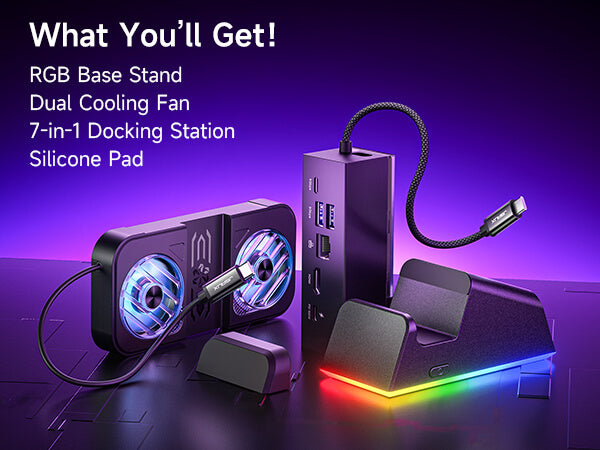
製品比較

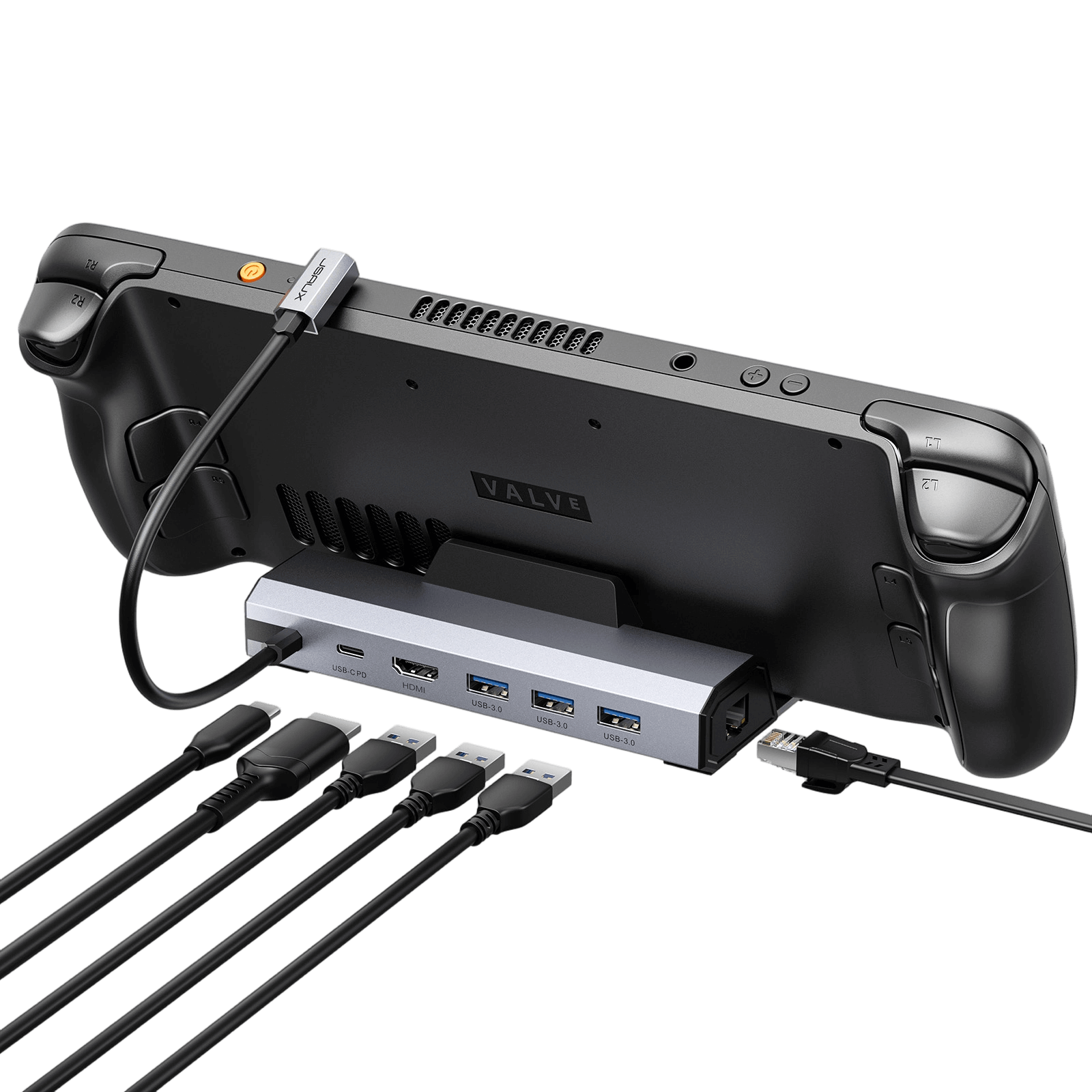
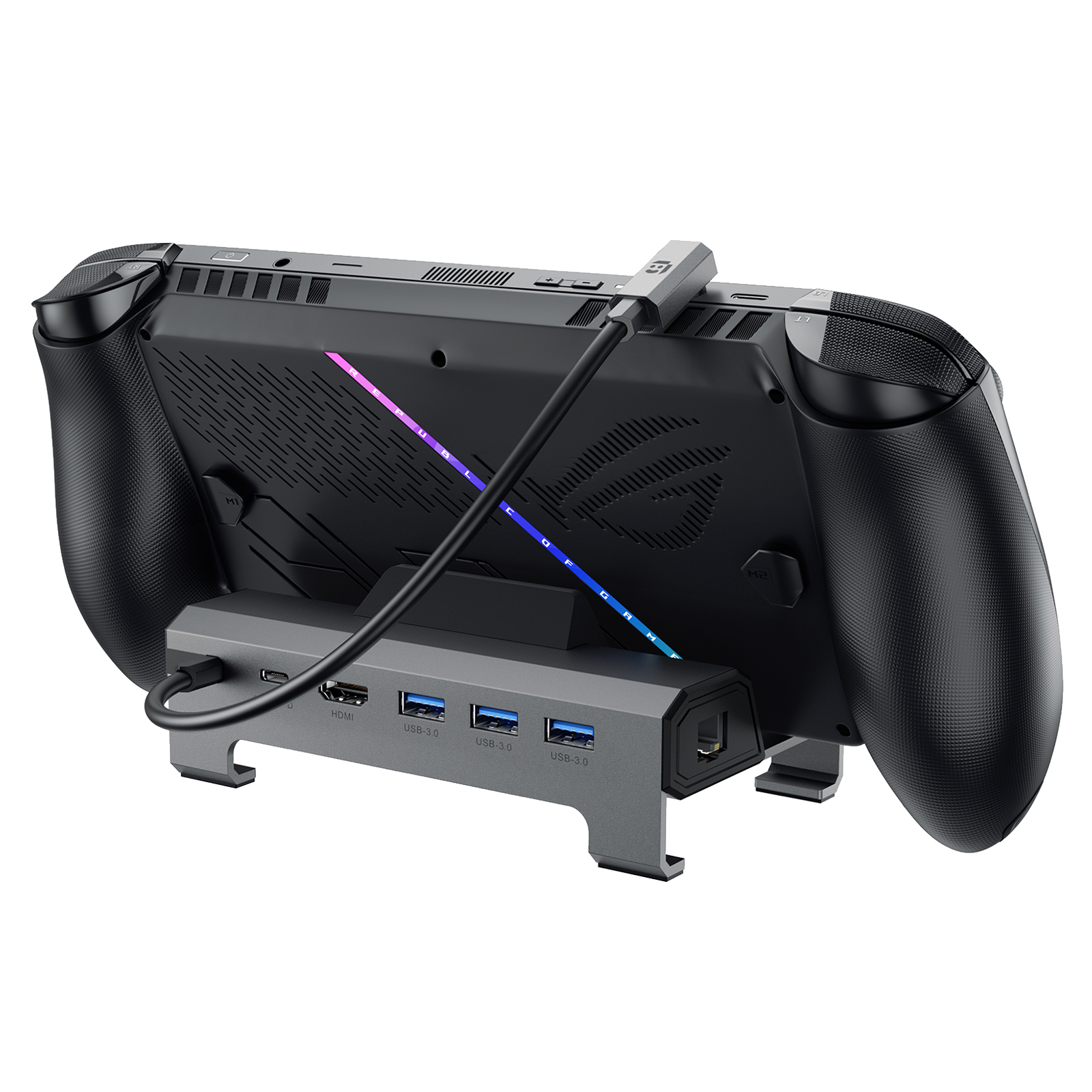
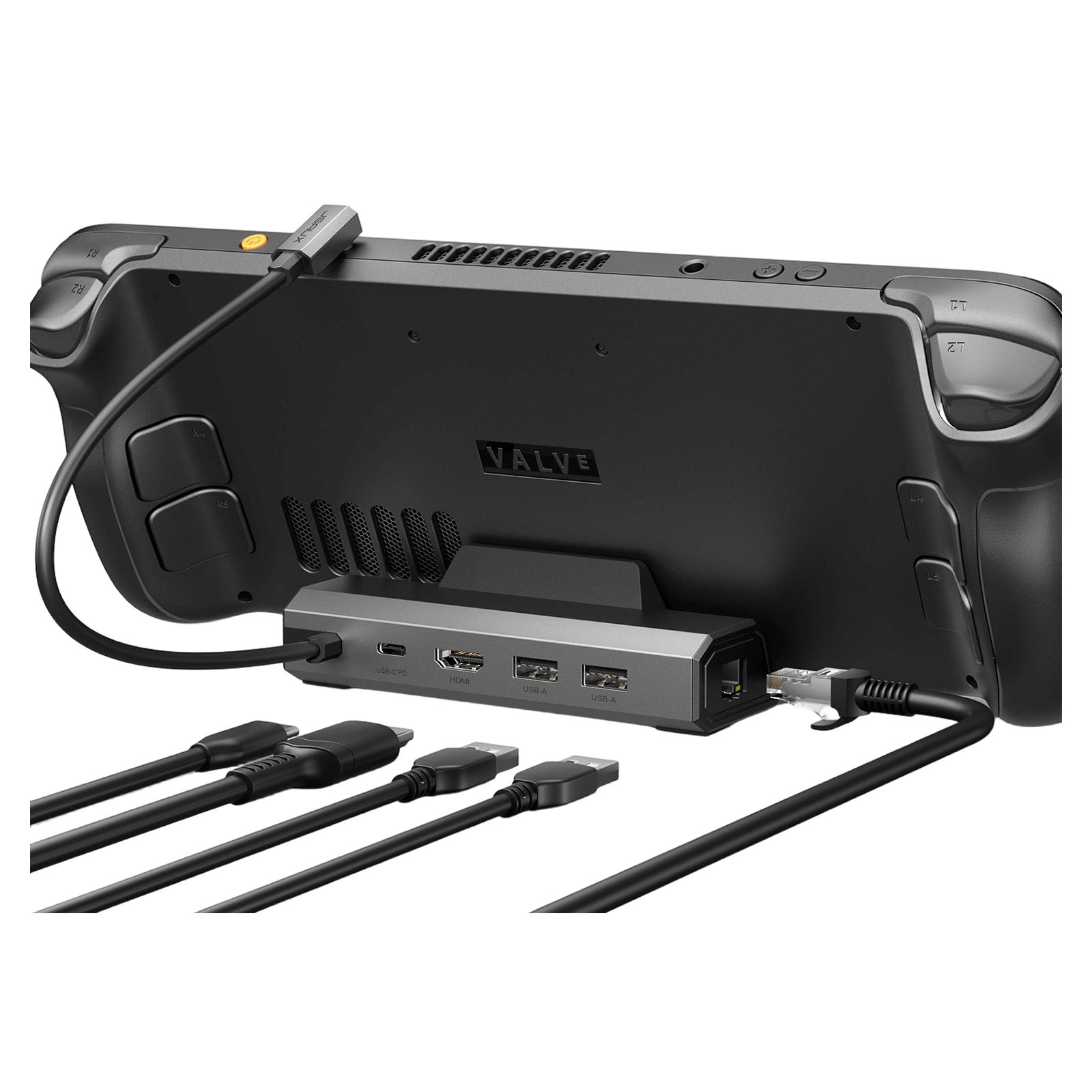

7-in-1 RGB Cooling Docking Station HB0705
6-in-1 Multifunctional Docking Station HB0609
6-in-1 Docking Station HB0603S
6-in-1 ドッキングステーション HB0612
5-in-1 Docking Station HB0602S
4-in-1 ドッキングステーション HB0503
138×145×143mm
360g
125*85*49mm
179g
140*77.5*36mm
141g
140×85×58mm
170g
120*77.5*36mm
124g
116.5×93.2×51.6mm
156g
✔
✘
✘
✘
✘
✘
1* USB-C
(100W)
USB-C(100W)x 1
1* USB-C
(100W)
1* USB-C
(100W)
USB-C(100W)*1
1* USB-C
(100W)
HDMI 2.1 x 1
(4K@120Hz)
ゲーミング機能: VRR、ALLM、HDR、QFT
HDMI 2.1 x 1
(4K@120Hz)
HDMI 2.1 x 1
(4K@120Hz)
1* HDMI 2.1
(4K@120Hz)
HDMI 2.1 x 1
(4K@120Hz)
HDMI 2.0 × 1
(4K@60Hz)
USB-A 3.0 *2
USB-C 3.0*1
RGB給電USB-C *1
USB-A 3.0 *2
USB-C 3.0*1
(5 Gbps)
USB-A 3.0 × 3
(5 Gbps)
USB-A 3.0ポート x 3
(5 Gbps)
2* USB-A 2.0
(480 Mbps)
2* USB-A 2.0
(480 Mbps)
ギガビットイーサネット
(1000Mbps)
ギガビットイーサネット
(1000Mbps)
ギガビットイーサネット
(1000Mbps)
ギガビットイーサネット
(1000Mbps)
Ethernet RJ45
(100Mbps)
✘
Steam Deck / OLED
ROG Ally / X
Legion Go / Go 2 / Go S
Steam Deck / OLED
ROG Xbox Ally / X
ROG Ally / X
Legion Go / Go 2 / Go S
Steam Deck / OLED
ROG Ally / X
Legion Go / Go 2 / Go S
Steam Deck / OLED
ROG Xbox Ally / X
ROG Ally / X
Legion Go / Go 2 / Go S
Steam Deck / OLED
ROG Ally / X
Legion Go / Go 2 / Go S
Steam Deck / OLED
ROG Xbox Ally / X
ROG Ally / X
Legion Go / Go 2 / Go S
FEATURES
説明文
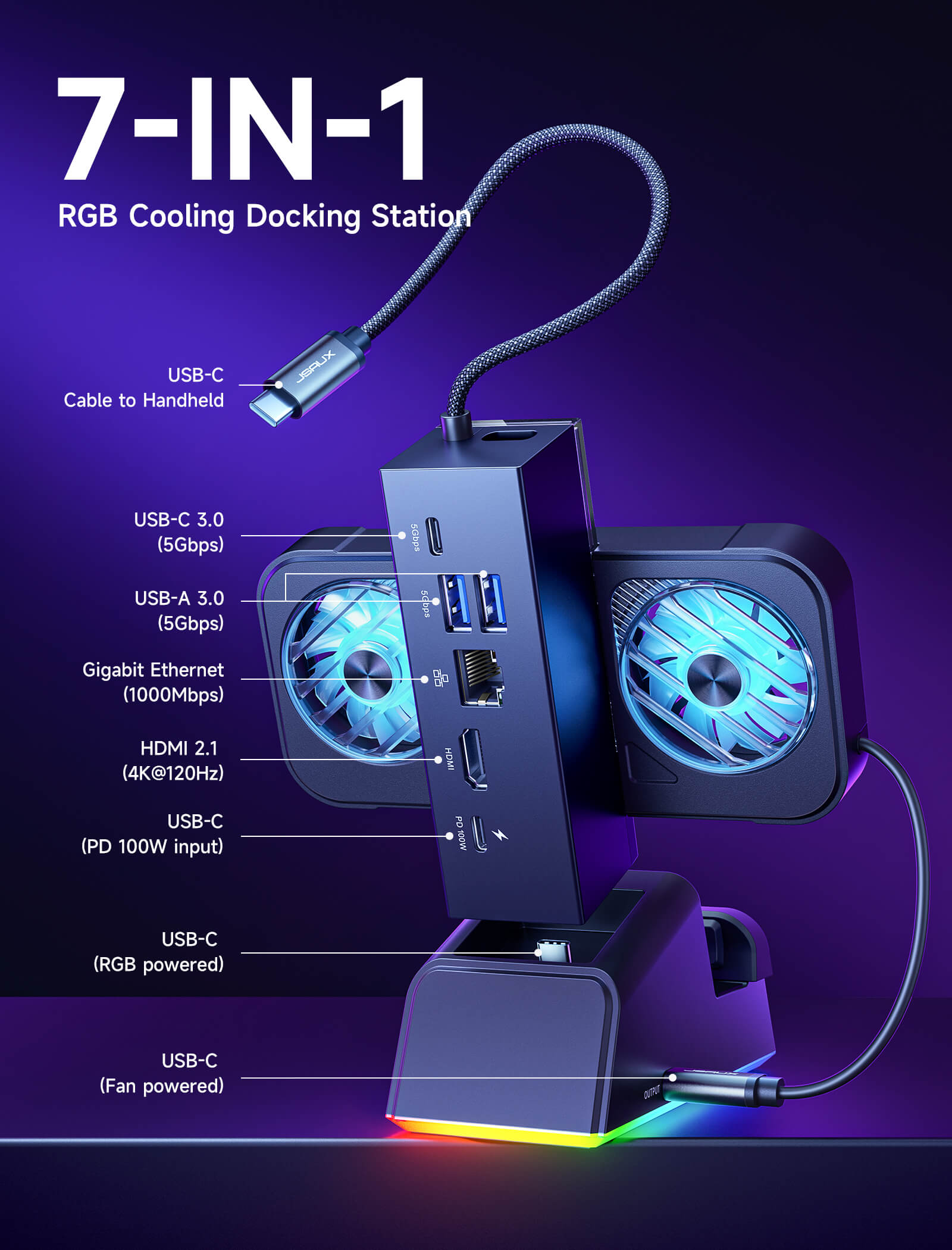
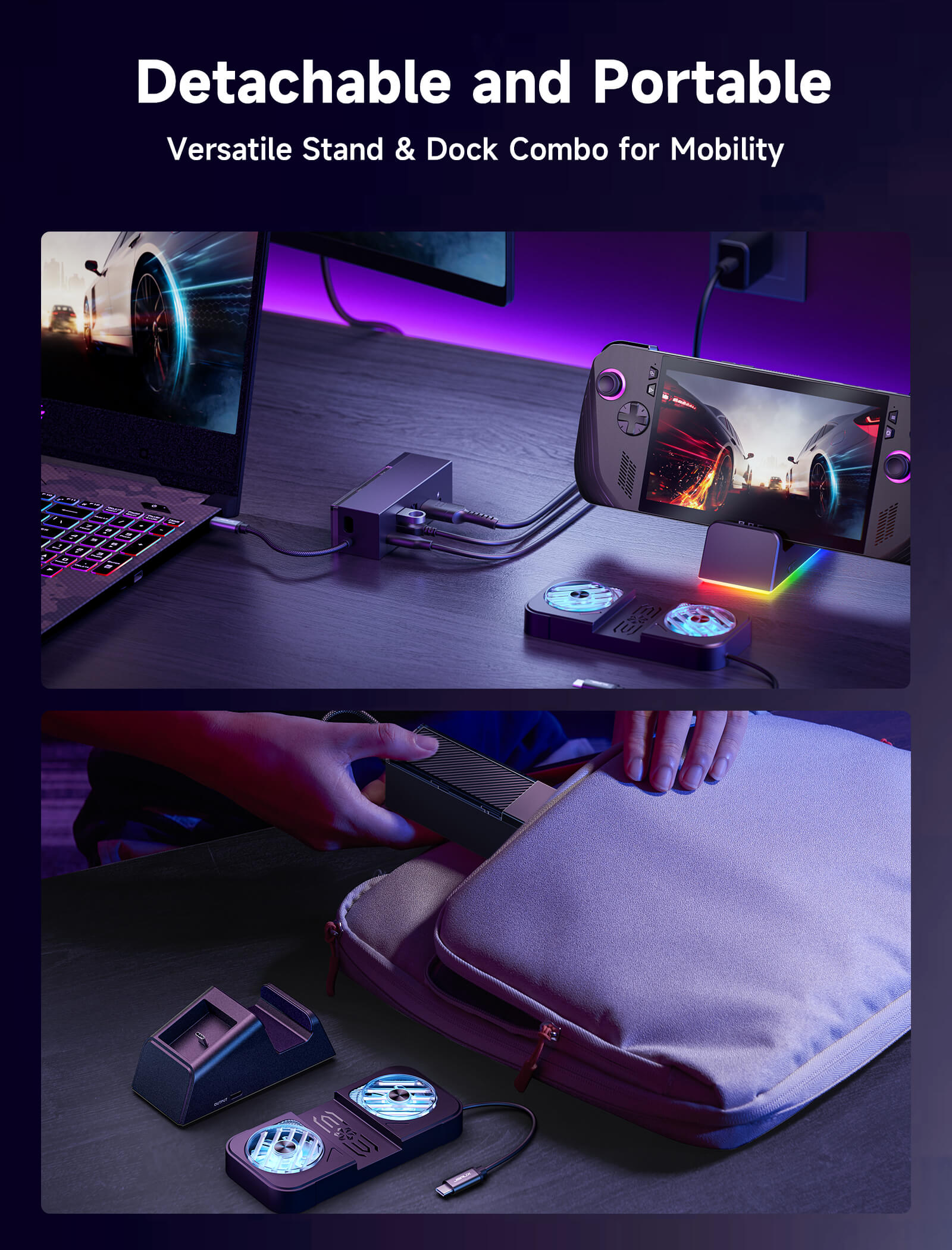
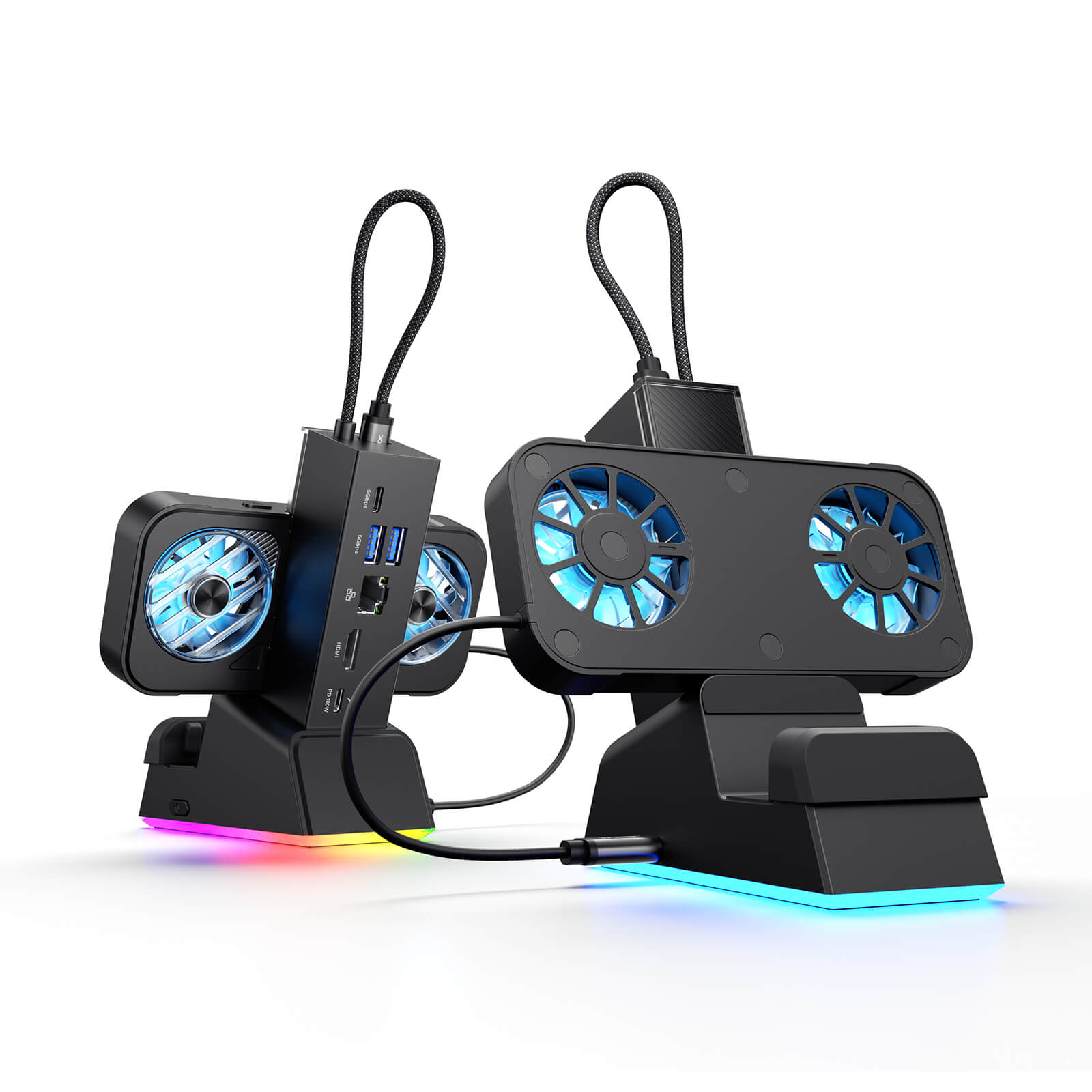
- 【携帯型ゲーム機用7-in-1ドッキングステーション】: JSAUX 7-in-1ドックでゲーム環境を向上させましょう。4K@120Hz HDMI 2.1、ギガビットイーサネット、USB C PD充電、USB C 3.0、デュアルUSB A 3.0、RGB対応USB Cポートを搭載。モジュラー設計により、完全に組み立ててドッキングステーションとして使用することも、スタンドアローンスタンドとして取り外して使用することもできます。安定性とサポート角度を向上させるシリコンパッドが付属しており、お好みに合わせて使用したり取り外したりできます。
- 【次世代の4Kゲーム性能】: HDMI 2.1経由で4K@120Hzまたは1080p@240Hzに対応し、VRR(可変リフレッシュレート)、ALLM(自動低遅延モード)、HDR、QFT(クイックフレームトランスポート)をサポート。よりスムーズなゲームプレイ、高速な応答、没入感のある視覚体験をお楽しみください。
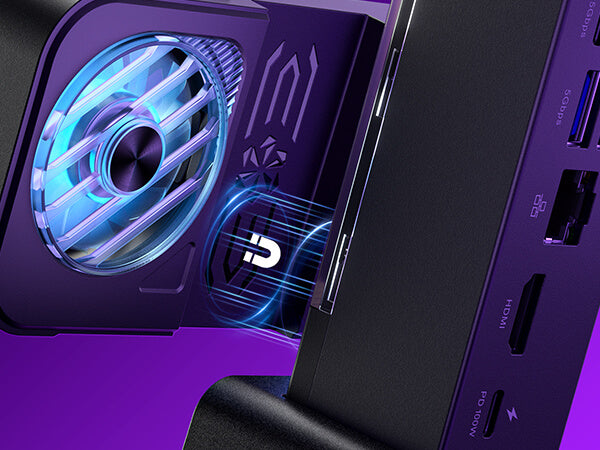
- 【マグネット式RGB冷却ファン】: 付属のマグネット式RGBファンはROG Ally (X)専用に設計されており、吸気口に正確に合致して効率的な冷却を実現します。しっかりと取り付けられ、不要な時は簡単に取り外せます。注意:他の携帯型ゲーム機では吸気口の位置が異なるため、ROG Ally以外のモデルで使用した場合、冷却効率が低下する可能性があります。
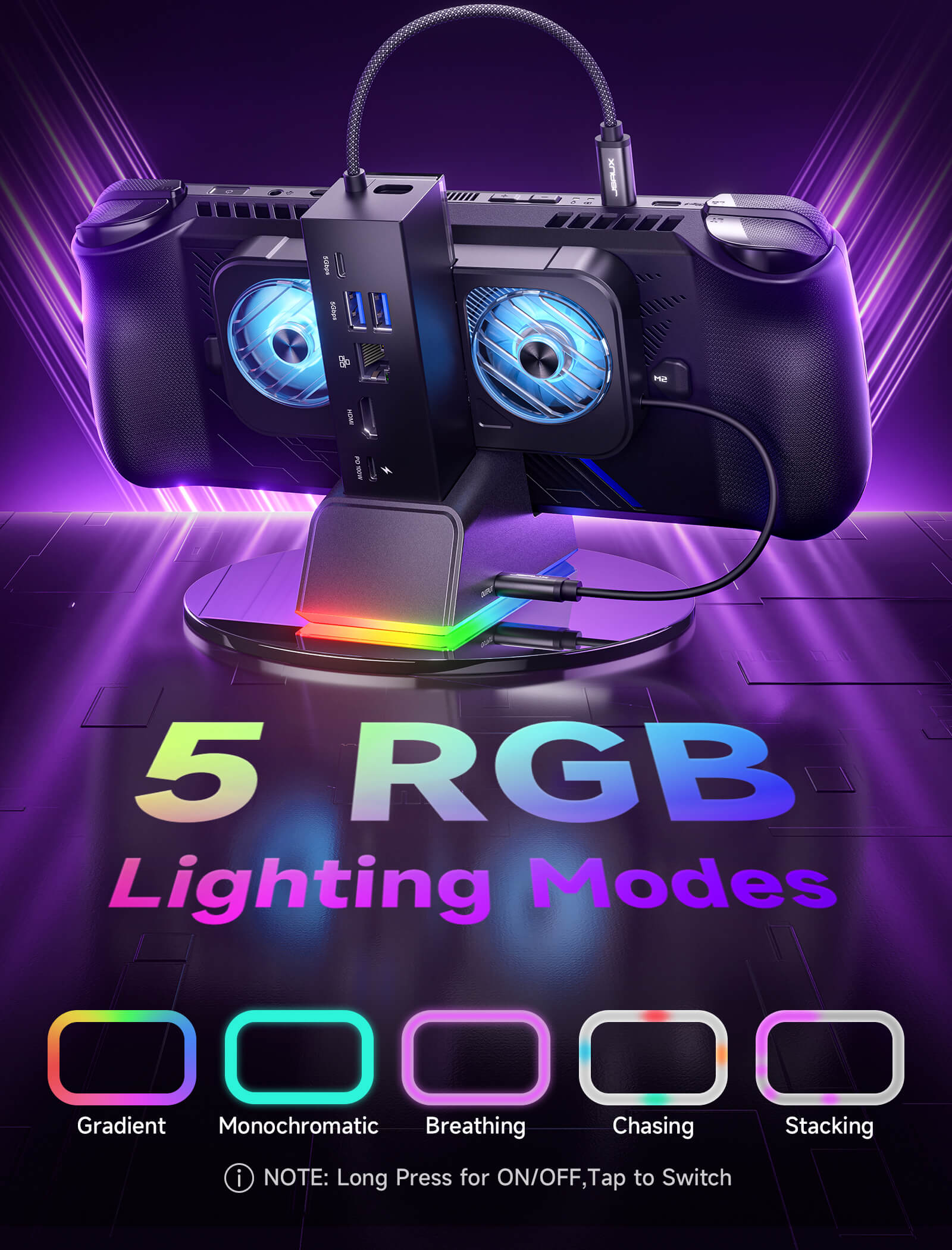
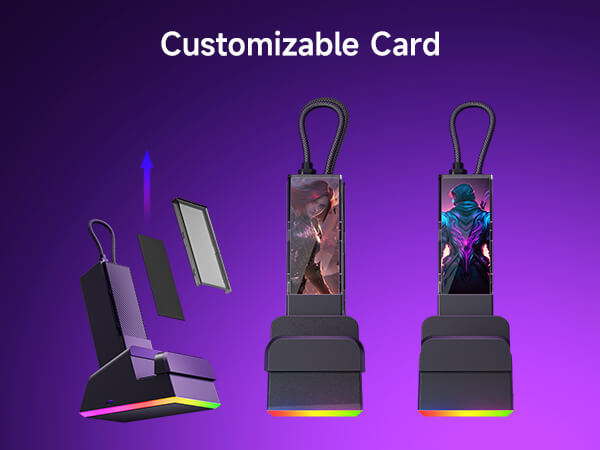
- 【ダイナミックRGBライティング&DIYカスタムカードスロット】: ドックベースにはモノクロ、ブリージング、チェイシング、グラデーション、スタッキングの5つのRGBライティングモードがあり、ファンは7色グラデーションモードを搭載しています。カスタムフロントカード(3.00 x 1.13 x 0.01インチ / 76.3 x 28.7 x 0.3 mm)を追加して、お好みに合わせてセットアップをパーソナライズできます。カバーを外し、カードを挿入し、元に戻すだけです。
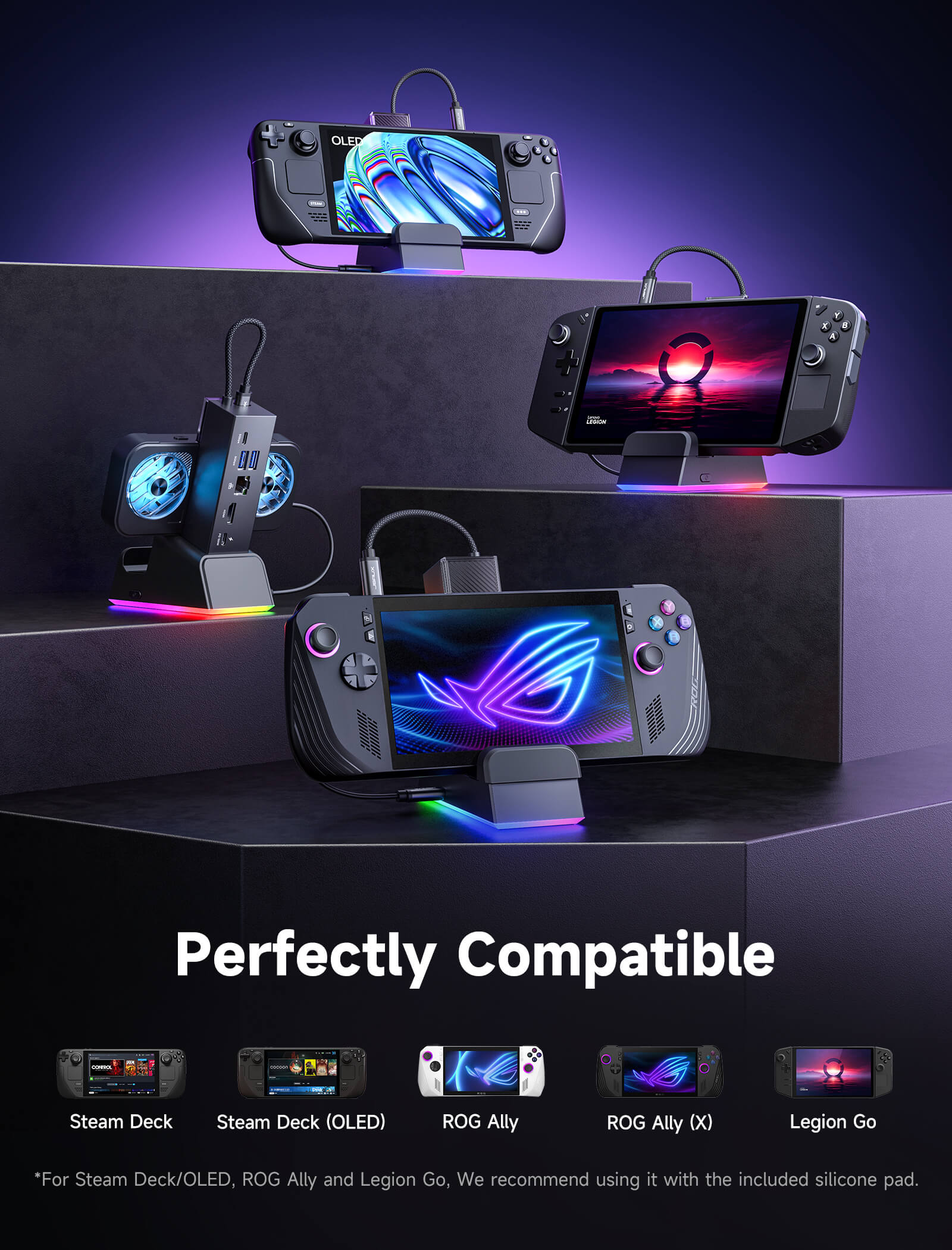
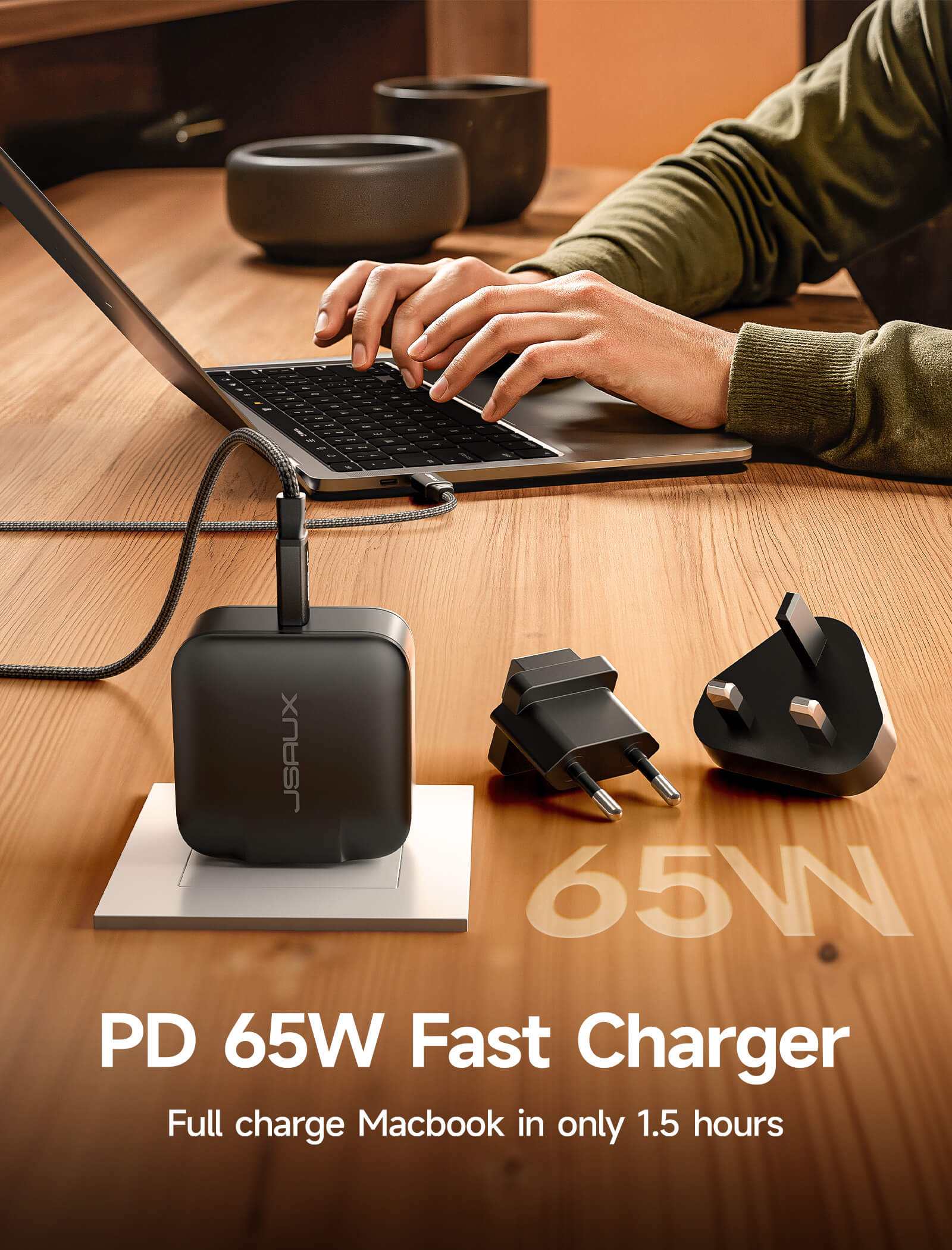
- 【幅広い互換性&ターボモード対応】: ROG Ally X、ROG Ally、Steam Deck、Legion Go、Legion Go Sに対応。ROG AllyおよびAlly Xの30Wターボモードに完全にサポート。注意:30Wターボモードには100W PD充電器(別売)の接続が必要です。接続がない場合は機能しません。
仕様
仕様
Aluminum Alloy + ABS & PC
138*145*143mm
Wire length: 14cm
About 360g
- ハンドヘルドデバイスに接続するためのUSB-Cポート1個
- 1* USB-C 3.0(5Gbps)
- 2* USB-A 3.0 (5Gbps)
- ギガビットイーサネット(1000Mbps)×1
- HDMI 2.1 (4K@120Hz) × 1
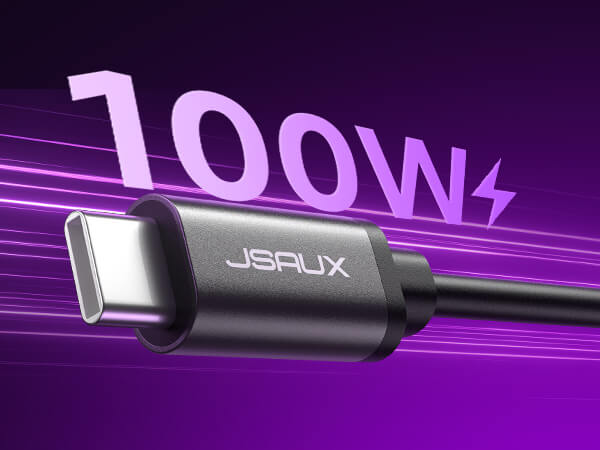
- 1* USB-C(PD 100W入力)
- 1* USB-C(RGB電源)
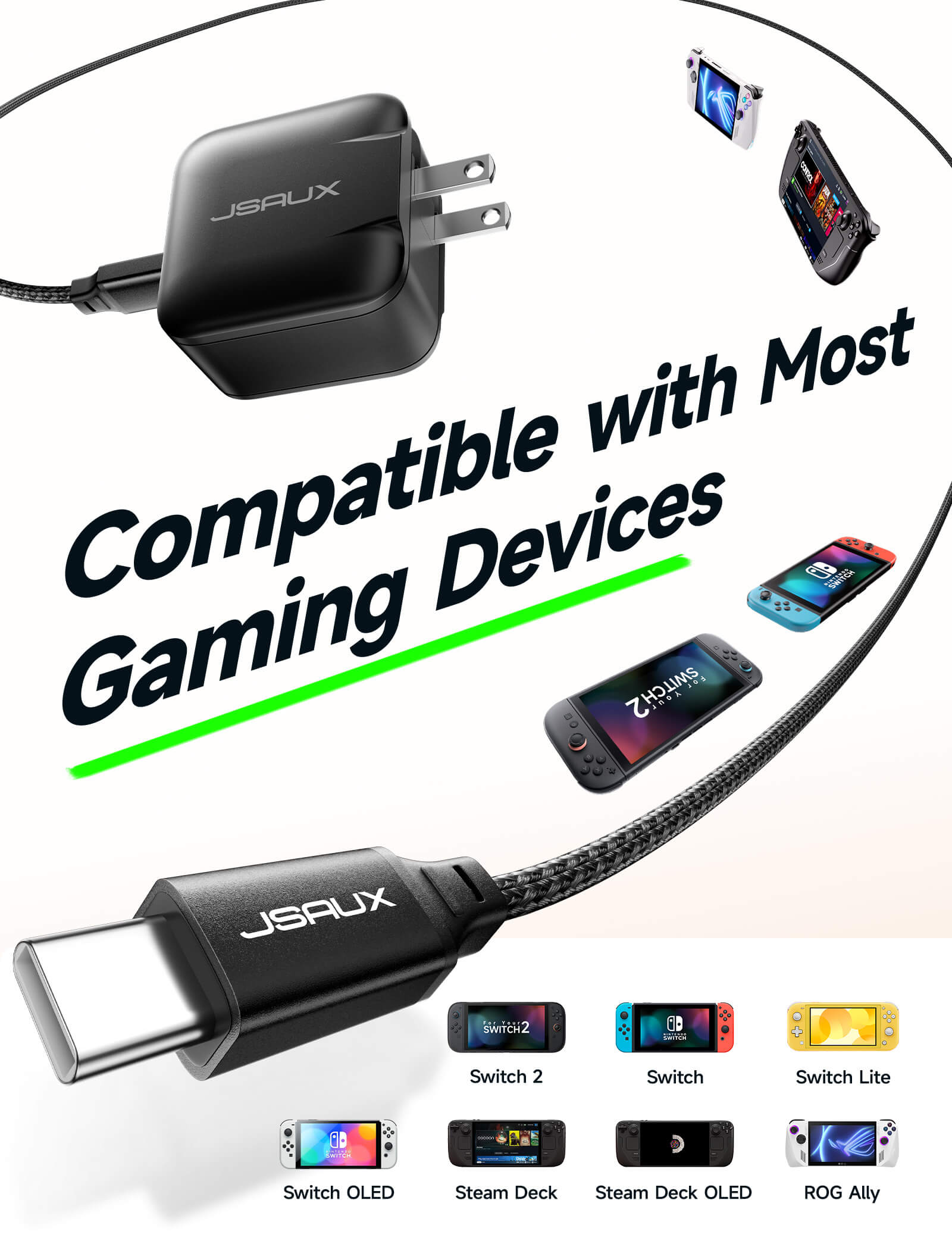
ROG Ally X、ROG Ally、Steam Deck OLED、Steam Deck LCD、Legion Go、Legion Go S、Legion Go 2。
SHIPPING
SHIPPING & RETURN
ご注文の前に、配送のヒントをよくお読みください
- 50ドルを超えるご注文はすべて送料無料です。
- 49.99ドル未満のご注文には、配送料として6.99ドルが課金されます。
(注:上記の配送ポリシーはFlipGoには適用されません。具体的な配送については、FlipGo製品ページをご参照ください。)
ご注意ください:
- JSAUX GAMINGは、世界中のお客様に迅速かつ効率的な配送サービスを提供しています(ただし、軍事住所(APO/FPO)および一部の離島への配送はできません)。
- 現在、すべてのご注文の処理には2~4日かかります(週末は注文処理が行われません)。
- ご注文の配送には7~12営業日かかります(予約販売品を除く)。
- 国際的な関税や税金が適用される場合がありますが、これらはチェックアウト時に計算されません。
- 予約販売品の配送時期は、商品ページに記載されている指示に従います。
物流サービスプロバイダーの要件により:
- ご注文をできるだけ早く準備し、配送の問題を避けるため、正確な家屋番号や配送会社に必要なその他の情報を含む正確な郵便番号を必ずご入力ください。
-
中国本土および台湾の場合:中国本土のお客様は、Tmallをご利用ください。香港、マカオのお客様は、お名前、身分証明書番号、配送先住所を繁体字中国語でご記入ください。
- サウジアラビアの場合:50ドル以上の送料無料は適用されません。配送料14.99ドル(VAT込み)が適用されます。
- 物流上の理由により、現在、以下の国と地域への注文サービスは一時的に提供しておりません:アフガニスタン、アルバニア、アルジェリア、アンドラ、アンゴラ、アングィラ、アルゼンチン、アルメニア、アルバ、アゼルバイジャン、バーレーン、バングラデシュ、バルバドス、ベラルーシ、バミューダ諸島、ブータン、ボスニア・ヘルツェゴビナ、ブラジル、英領ヴァージン諸島、ブルネイ、ブルキナファソ、ブルンジ、ボリビア、カンボジア、カメルーン、ケイマン諸島、中央アフリカ共和国、中国、クリスマス島、コスタリカ、コートジボワール、ジブチ、コンゴ - ブラザヴィル、コンゴ - キンシャサ、エジプト、エルサルバドル、エクアドル、フォークランド諸島、フェロー諸島、フランス領ポリネシア、ガボン、ガンビア、ジョージア、ガーナ、ジブラルタル、グリーンランド、グアドループ、グアテマラ、ガーンジー島、ギニア、ホンジュラス、アイスランド、インドネシア、ジャマイカ、ヨルダン、ジャージー、カザフスタン、ケニア、キリバス、キルギス、レバノン、レソト、リベリア、リヒテンシュタイン、モルディブ、モーリシャス、マルティニーク、モルドバ、モナコ、モンゴル、モンテネグロ、ミャンマー(ビルマ)、ナミビア、ナウル、ニューカレドニア、ニカラグア、ニジェール、ナイジェリア、ノーフォーク島、北マケドニア、ノルウェー、オマーン、パキスタン、パラグアイ、ルワンダ、サンマリノ、セネガル、セルビア、セーシェル、ソロモン諸島、南スーダン、スリランカ、スーダン、タジキスタン、トーゴ、トンガ、チュニジア、トルクメニスタン、トルコ、ツバル、ウガンダ、ウクライナ、ウルグアイ、インド、ウズベキスタン、バヌアツ、バチカン市国、米国の一部地域(プエルトリコ、グアム、アラブ首長国連邦、米領ヴァージン諸島、北マリアナ諸島、米領サモア、およびAPO、FPO、DPOなどの軍事基地を含む)。
15日間の返品:
当社の返品および交換ポリシーは、お客様が自宅で商品を受け取った日から15日間有効です。詳細については、配送ポリシーのセクションをご覧ください。
よくある質問
Q1. What handheld devices are compatible?
A1. Compatible with Steam Deck, ROG Ally, Legion Go, and ROG Ally X.
Please note that the fan is specially designed for the outlet position of the ROG Ally X, so the suitability of the fan for other models is low.
Q2. Is the console compatible with the dock when equipped with a modcase?
A2. Support,and compatibility with ROG Ally X when using a modcase (The modcase thickness within 3mm).
Q3. If the USB-C port of the docking station support video output?
A3. Not supported. The USB-C 3.0 port only supports 5Gbps data transfer and 5V/1A output.
Q4. Does the Docking Station HDMI port support 4K@120Hz?
A4. The HDMI support 4K@120Hz video output. However the actual effect depends on the resolution and support capability of the monitor, and some monitors may not be able to achieve it 4K@120Hz.
Q5. Why Are There Display Issues with Certain Monitors When Using the HB0705 Docking Station?
A5. Display issues may occur due to resolution compatibility between certain handheld devices and specific monitors.
During testing with Steam Deck (LCD & OLED) and the HB0705 Docking Station, display anomalies were observed on the LG (850) monitor, Acer monitor, LG (950) monitor, LG (TV), and SONY (TV) at specific, less commonly used resolutions. These issues were present in both game and desktop modes. The affected resolutions are:
3840x2160 @ 24Hz, 1920x1200 @ 60Hz, 1600x1200 @ 60Hz, 1680x1050 @ 60Hz, 1440x900 @ 60Hz, 1280x800 @ 60Hz, and 1280x1024 @ 60Hz.
For ROG Ally, ROG Ally X, and Lenovo gaming consoles tested with the PHILIPS 2K monitor, display anomalies occurred when adjusting the resolution and refresh rate at any pixel format (8bpc/4:4:4, 8bpc/4:2:2, 8bpc/4:2:0, 10bpc/4:2:2, 10bpc/4:2:0, 12bpc/4:2:0). Specifically, at 50Hz refresh rate across all resolutions, there was a delayed screen reflection of approximately 15-20 seconds.
Additionally, when using ROG Ally, ROG Ally X, or Lenovo gaming consoles with the LG (950) monitor, setting the pixel format to 8bpc/4:2:0 and the resolution to 3840x2160 @ 120Hz resulted in no display output. However, other 120Hz resolutions and pixel formats functioned correctly.
Due to the limited availability of monitors for testing, not all models have been evaluated, and some may not be covered. We apologize for any inconvenience this may cause. If you have any questions or concerns, please reach out to our customer support team at official@jsaux.com.
5.0つ星中4.5つ
28件
What Customers Are Saying on JSAUX.com