


![Grey 2-pack 90 degree USB-C to USB-C right angle adapters #style_grey [2-pack]](http://jsaux.com/cdn/shop/files/90_-USB-C-to-USB-C-Right-Angle-Adapter-grey-1.png?v=1755238920&width=92)


![JSAUX anti-glare matte screen protector for ROG Ally and ROG Xbox Ally series #style_[2-pack] for all rog ally models](http://jsaux.com/cdn/shop/files/GP0113A-Anti-Glare-Screen-Protector-for-ROG-Ally-_-ROG-Xbox-Ally-Series-1_jpg.png?v=1762310072&width=92)


![JSAUX anti-glare screen protector 2-pack for Lenovo Legion Go 2 with alignment frame #model_for legion go 2 [2-pack]](http://jsaux.com/cdn/shop/files/GP0132-Anti-Glare-Screen-Protector-for-Legion-Go-2-1.png?v=1766136633&width=92)






Navigation
10. Remove Trigger
12. Remove Joystick
18. Remove Screen
20. Remove Speaker
22. Remove Trackpad
1. Check PC0108
20. Try to Boot
Transparent Front Cover PC0108 Installation Tutorial

PC0108 Installation Tutorial
Have questions? Click to view "Installation FAQ"
- Precautions
Replacing the cover is a difficult and time-consuming job, estimated to take 3 to 5 hours. We strongly recommend that you seek the help of a professional repairer. Regarding the change of the whole machine maintenance policy caused by the disassembly, please refer to the information officially released by VALVE.
As an extra precaution, Valve recommends entering the BIOS to put the Steam Deck in battery storage mode before starting internal repairs. If you have installed a Micro SD card, please remove it before disassembly.
Before starting the disassembly, make sure the Steam Deck battery has dropped below 25%, is fully powered off, and disconnected all connected cables. Please follow the anti-static safety regulations during operation, and keep the removed original accessories properly. Be aware that accidentally damaging a live Lithium-ion battery can result in serious hazards.
During repairs, please manage the screws properly to ensure they are correctly replaced to avoid damage to the Steam Deck. During the installation process, please note that the "L" logo should be on your right and the "R" logo should be on your left to prevent installation errors.
Note that the order of the video tutorials and this document may be slightly different, they provide two possible disassembly sequences, both of which will ensure proper removal and installation of the device. You can choose a reference according to your actual situation.
- Disassembly Steps


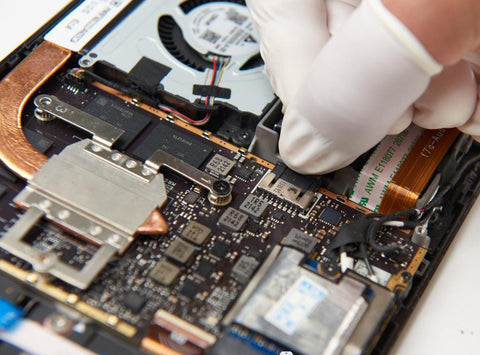


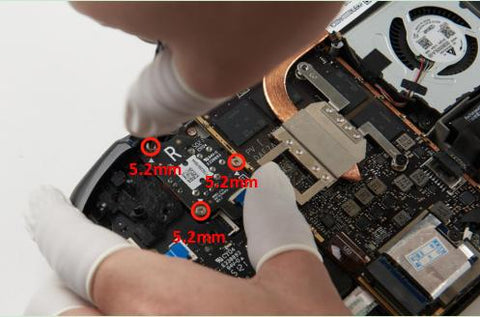


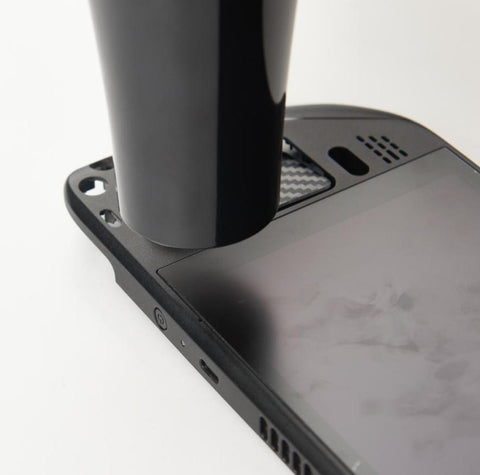
18. Remove Screen


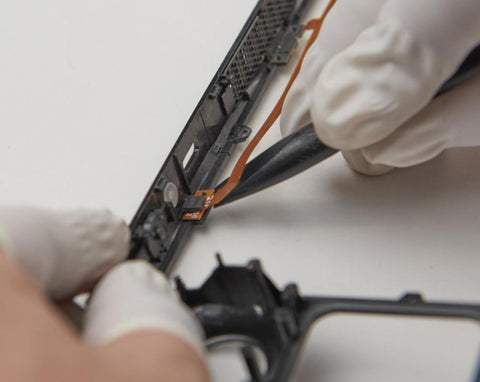


- Installation Steps


Do not remove the cover after installation.

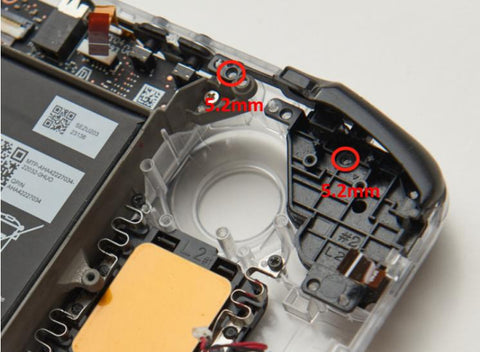
15. Install Steam Key and Quick Access Key


16. Installing the Touchpad MCB


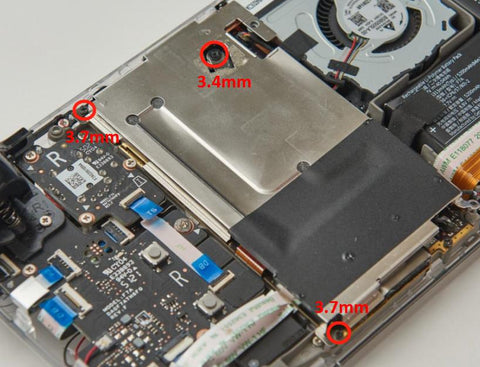


- Board Calibration