


![#style_[2-pack] for all rog ally models](http://jsaux.com/cdn/shop/files/GP0113A-Anti-Glare-Screen-Protector-for-ROG-Ally-_-ROG-Xbox-Ally-Series-1_jpg.png?v=1762310072&width=92)


![#style_grey [2-pack]](http://jsaux.com/cdn/shop/files/90_-USB-C-to-USB-C-Right-Angle-Adapter-grey-1.png?v=1755238920&width=92)


![#model_for legion go 2 [2-pack]](http://jsaux.com/cdn/shop/files/GP0132-Anti-Glare-Screen-Protector-for-Legion-Go-2-1.png?v=1766136633&width=92)
![#model_for legion go 2 [2-pack]](http://jsaux.com/cdn/shop/files/GP0131-HD-Tempered-Glass-Screen-Protector-for-Legion-Go-2-1.png?v=1766136733&width=92)


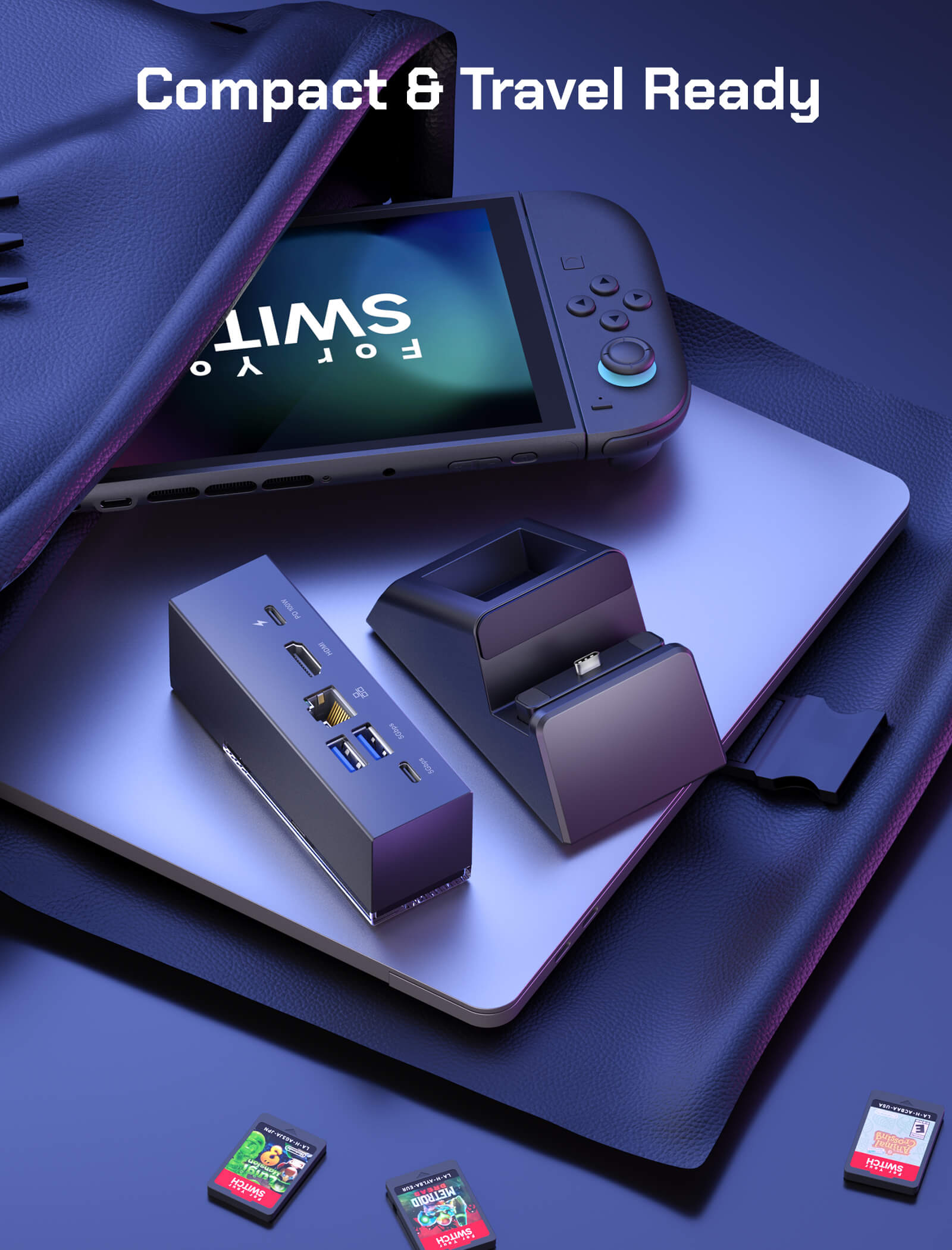
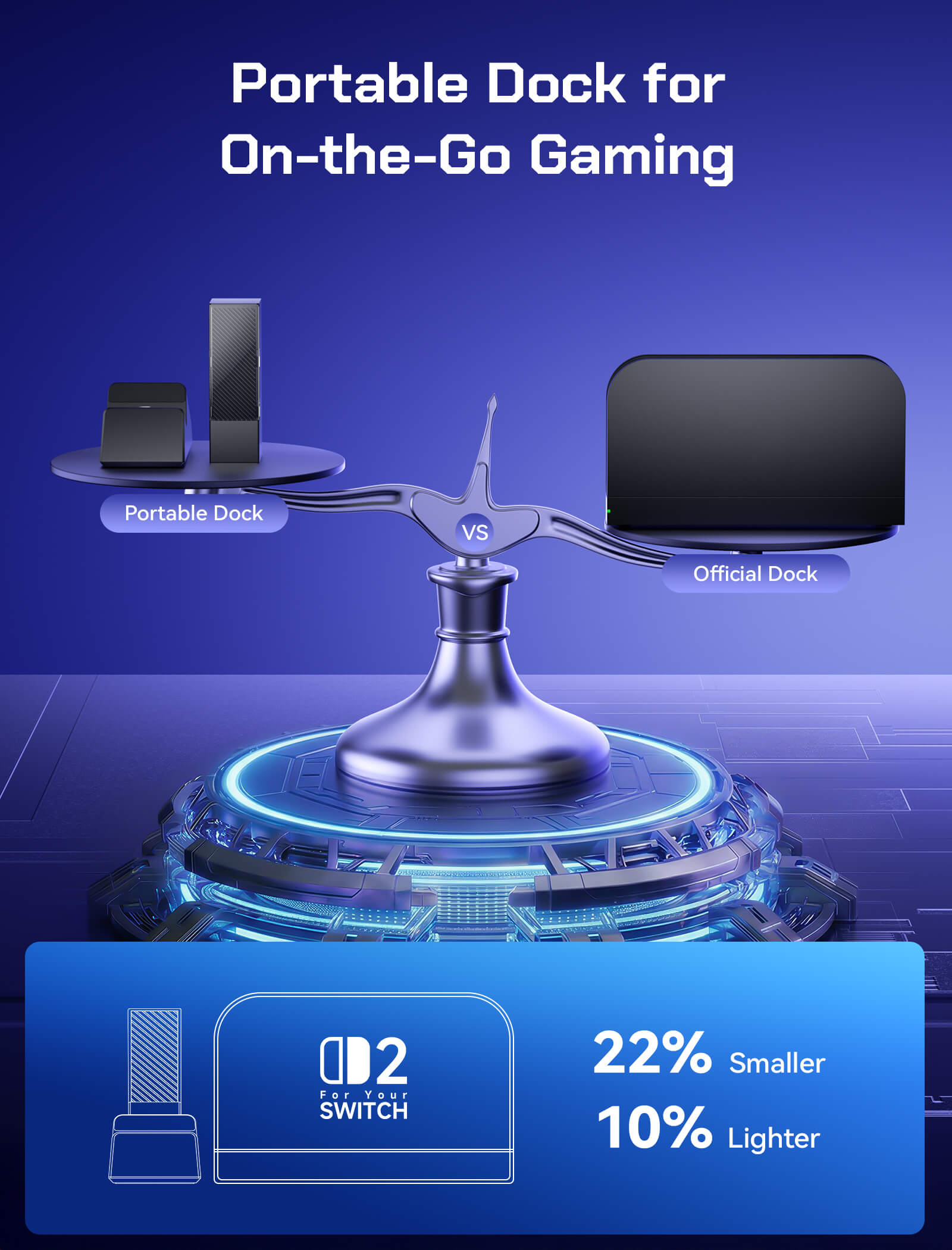
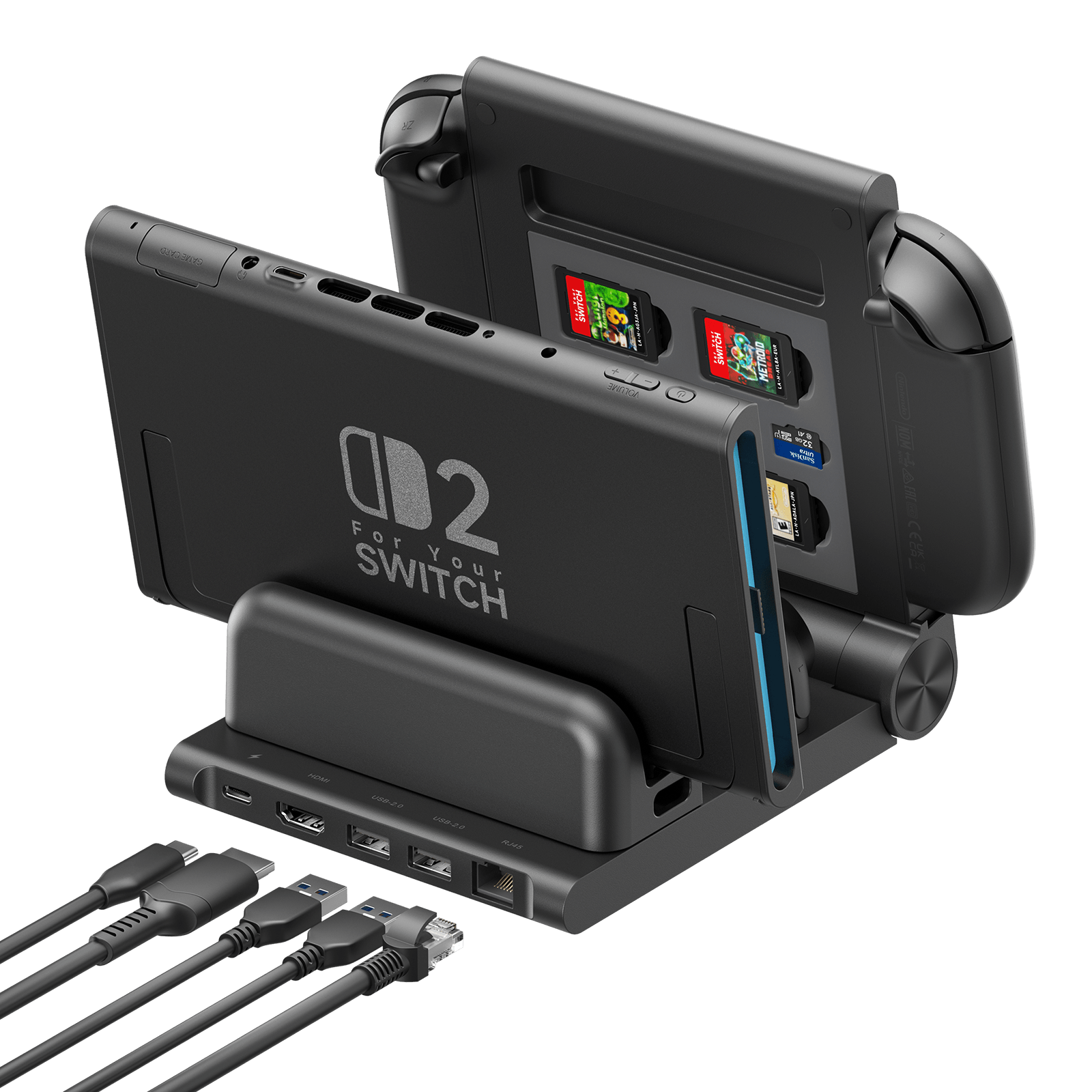
7-in-1 Multifunctional Docking Station for Switch 2
FEATURES
- 7-in-1 Docking Station for Switch 2 / Switch / Switch OLED
- 4K HDMI for Big-Screen Gaming
- Expandable Connectivity
- Modular & Flexible Design
- DIY Customization & Durable Build
SHIPPING





FEATURES
Description
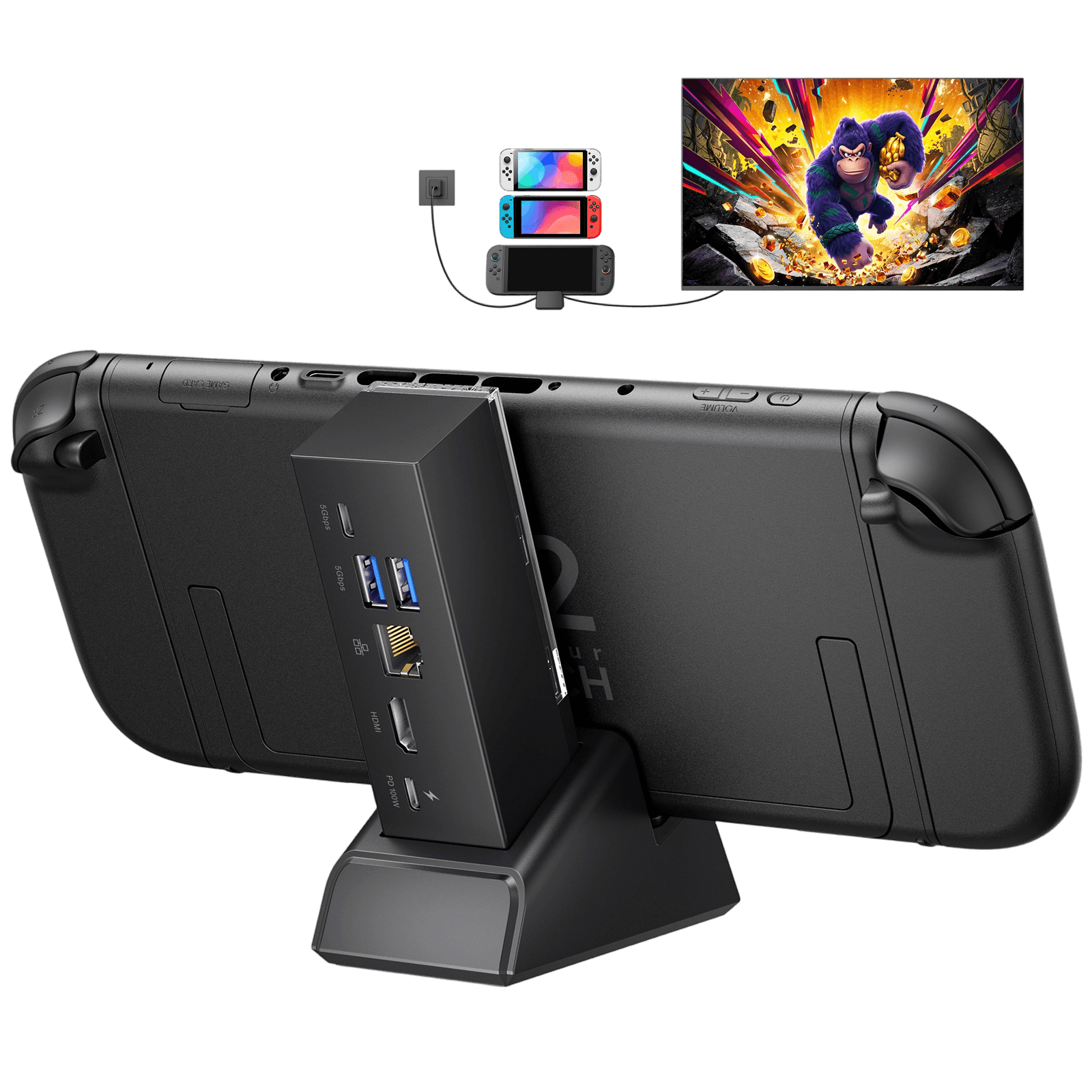
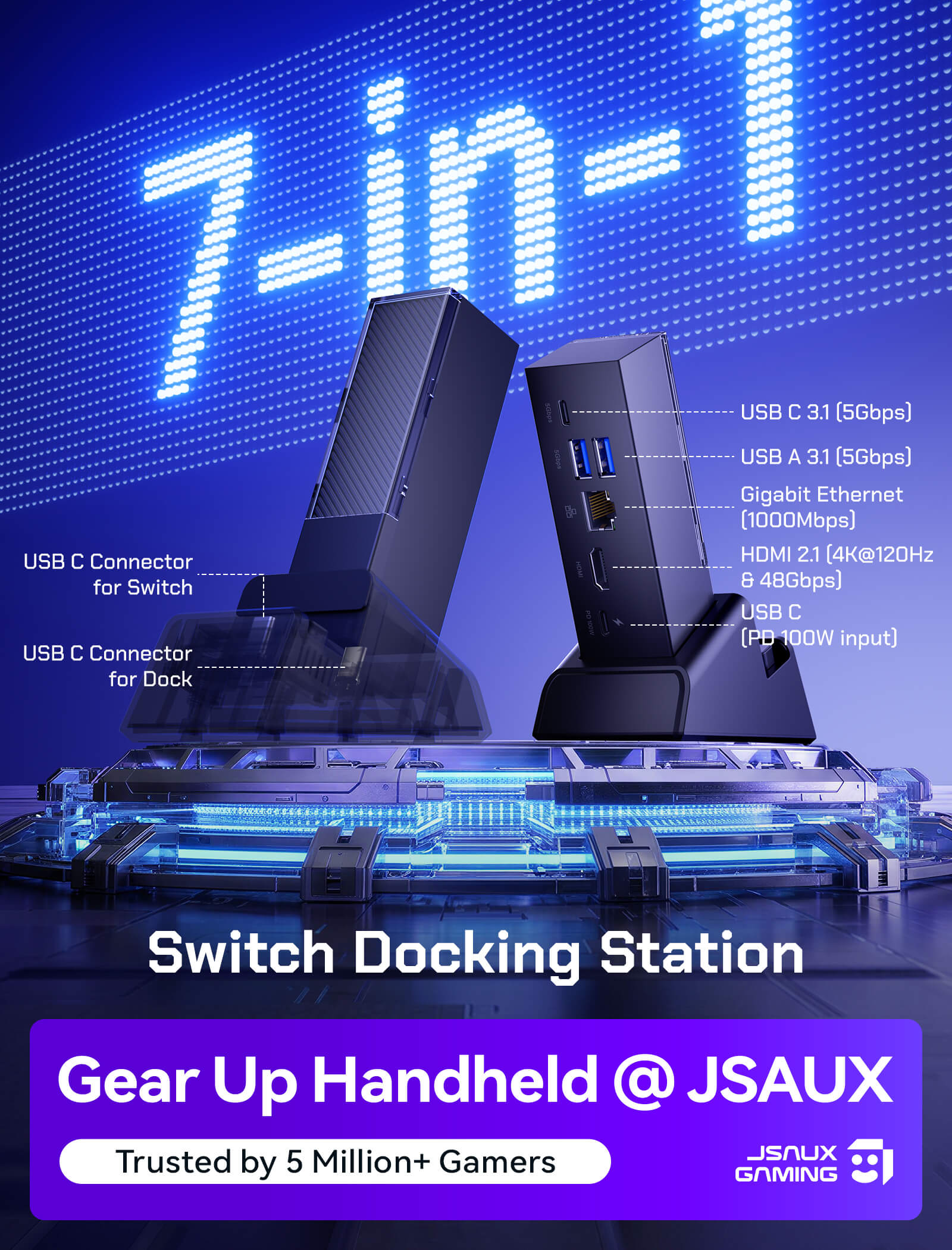
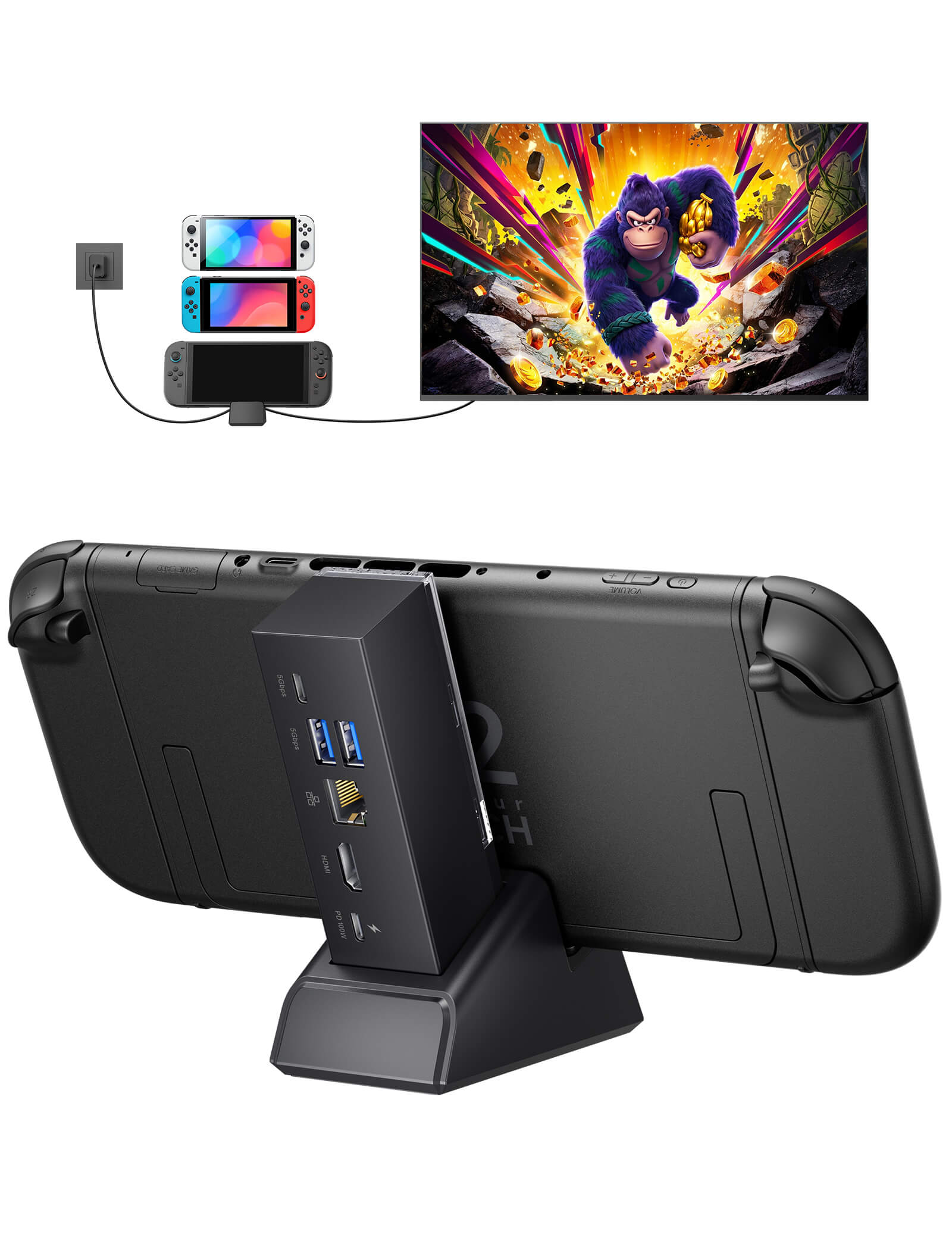
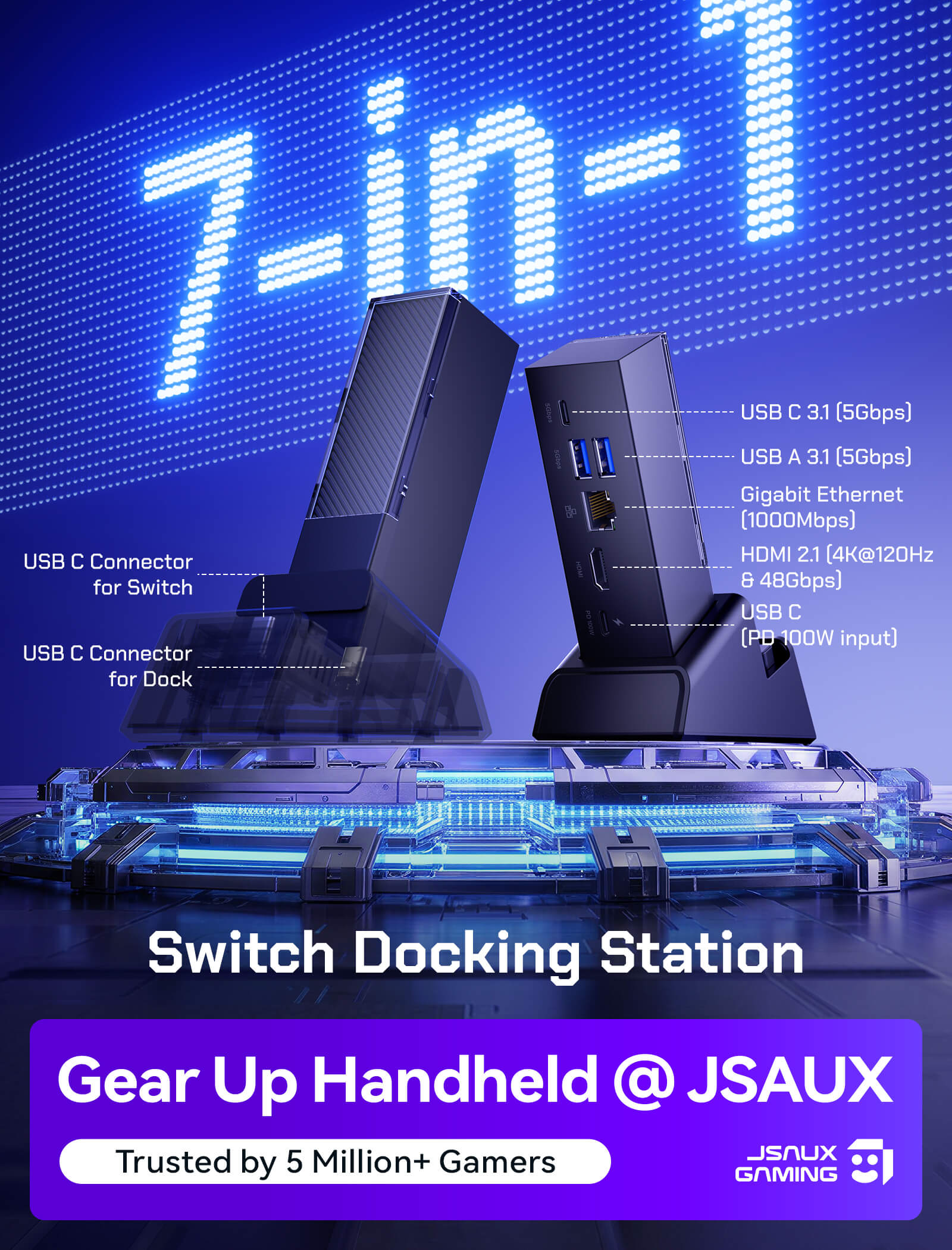
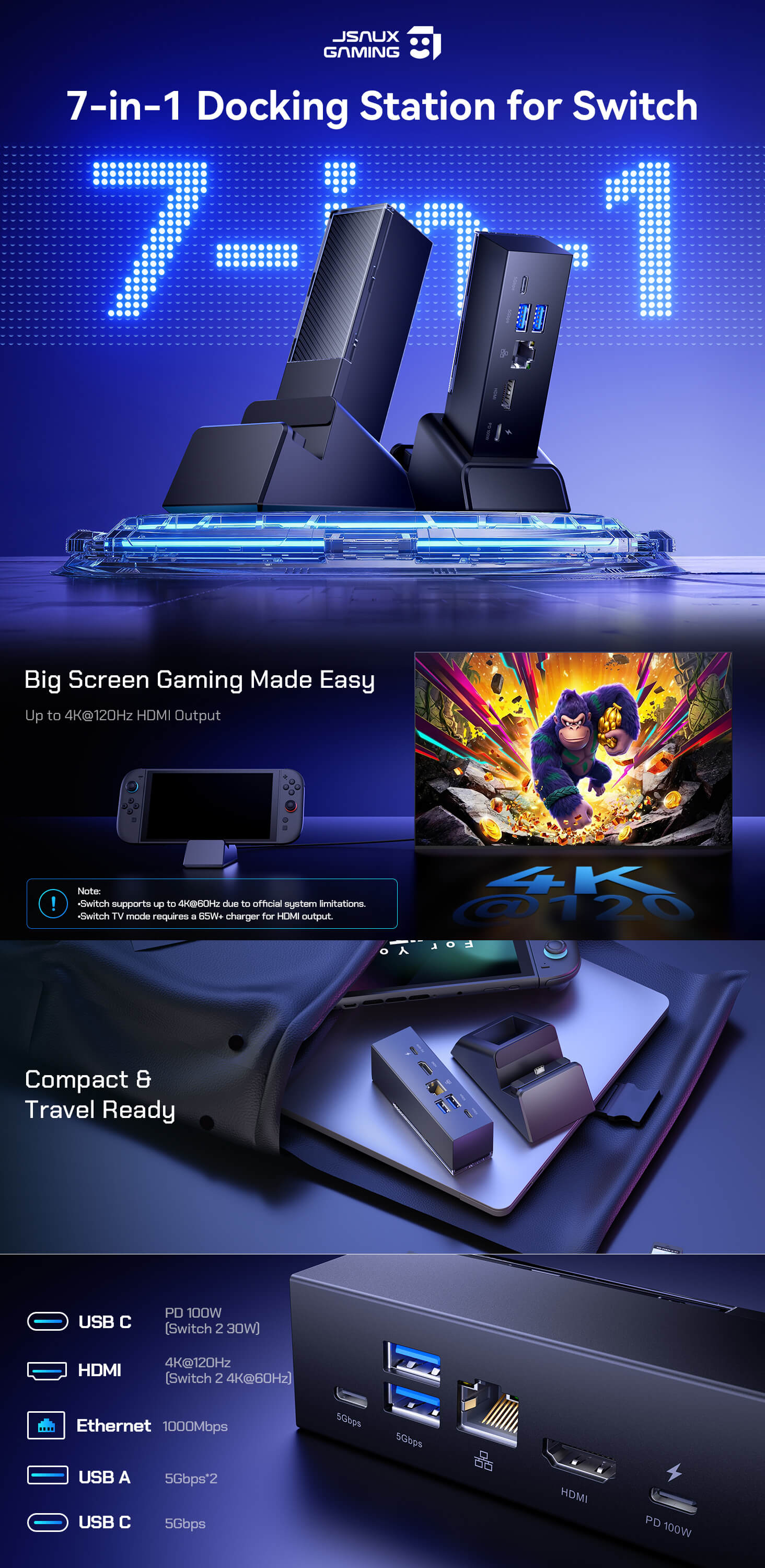
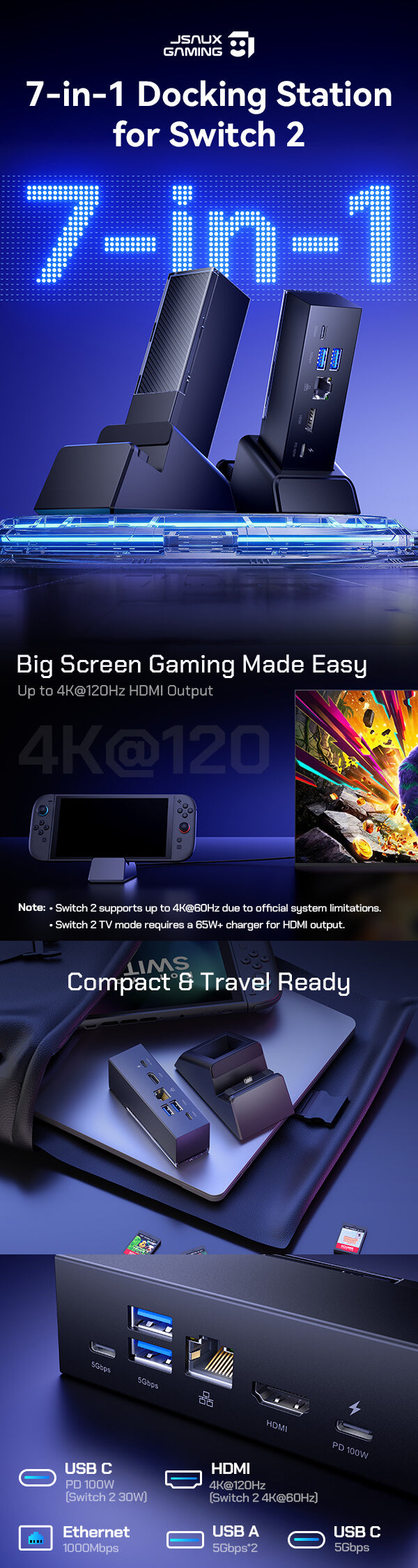
- 【7-in-1 Docking Station for Switch 2】 Upgrade your gaming setup with HDMI 2.1 4K@120Hz output, Gigabit Ethernet, USB-C 100W PD charging, USB-C 3.2 Gen 1, and dual USB-A 3.2 Gen 1 ports. An all-in-one hub for charging, console expansion, and seamless gameplay.
-
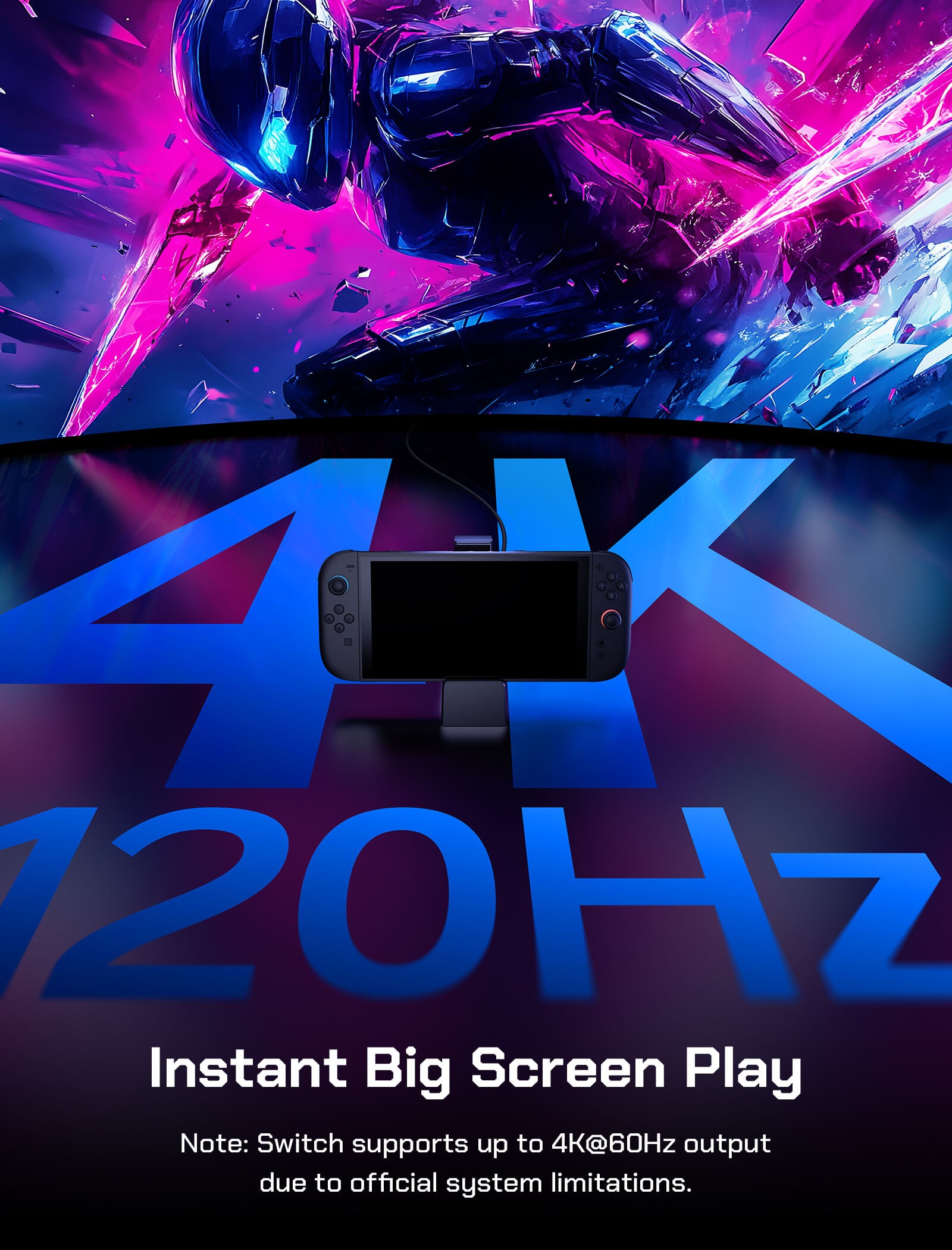
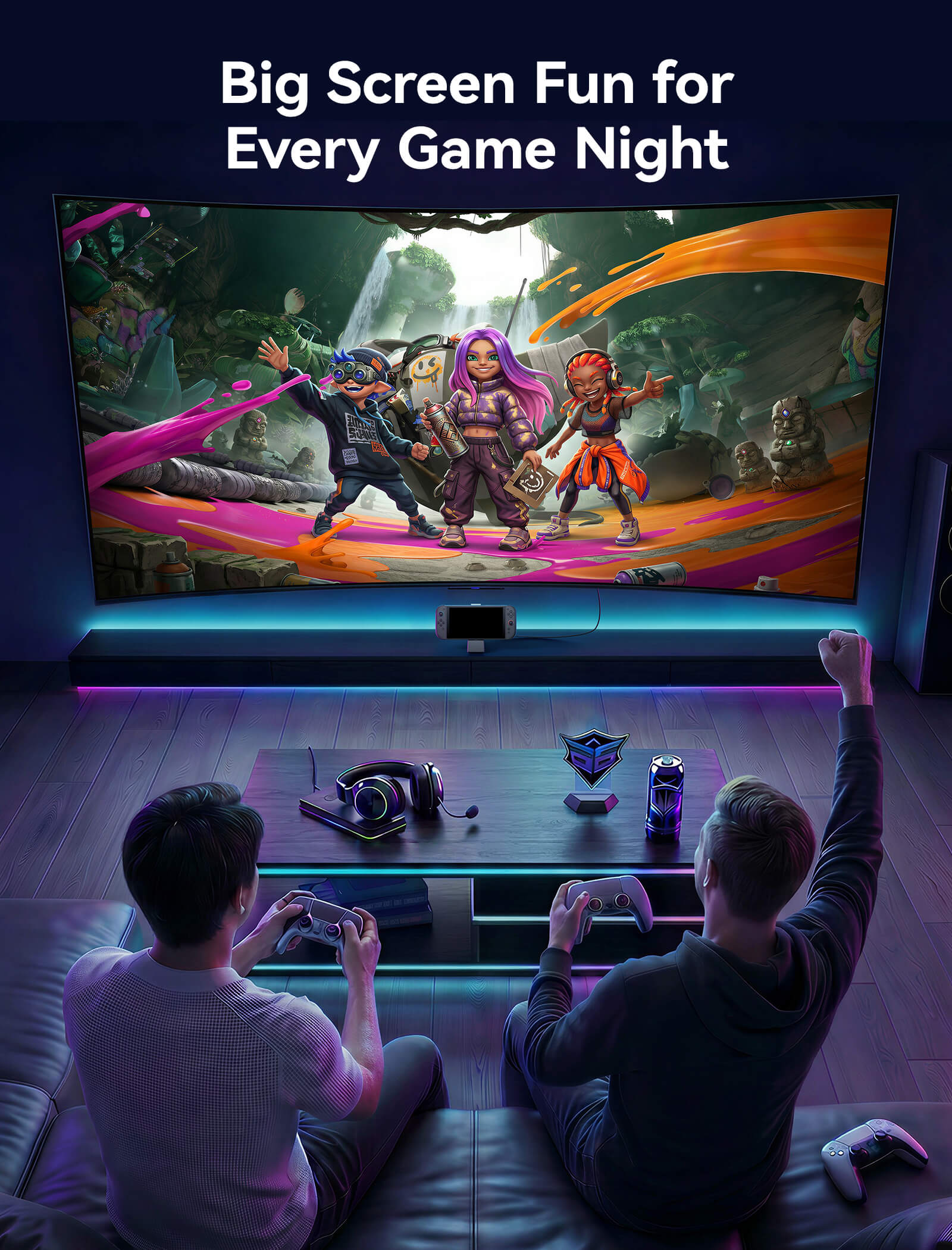
【4K HDMI for Big-Screen Gaming】Bring your games to the big screen with crisp, smooth visuals via HDMI output up to 4K@120Hz. For Switch 2, connect to your TV in seconds and jump into TV mode anytime.
(⚠️ Note: Due to official system limitations, Switch 2 supports up to 4K@60Hz output, while Switch / Switch OLED supports 1080p@60Hz or 4K@30Hz.) - 【Expandable Connectivity】 The USB-C port and dual USB-A ports allow you to connect compatible devices such as smartphones, cameras, or other USB-C accessories, making the dock versatile for both gaming and productivity setups.
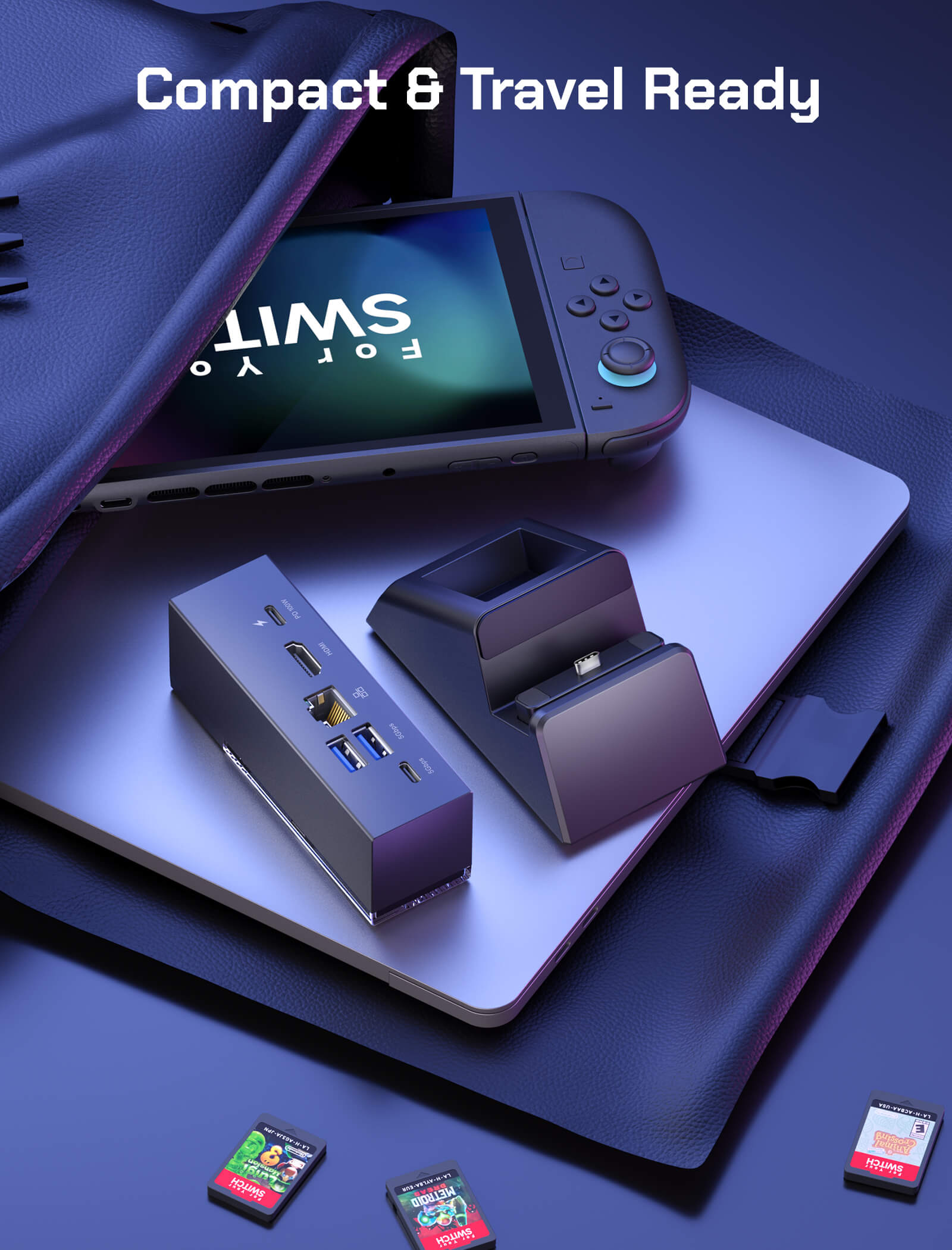
- 【Modular & Flexible Design】Detach the base for standalone desktop use or portable gaming setups. Easily switch between handheld gaming and TV mode whenever you want.
- 【DIY Customization & Durable Build】 Personalize your dock by inserting a custom card between the front cover and the dock. Built with SPCC + ABS materials and gold-plated pins, ensuring long-lasting performance, stability, and reliable connections.
SPECS
SPECS
- Nintendo Switch 2 / Switch / Switch OLED – Fully compatible for gaming and docking.
- Other USB-C Devices – When detached from the base, the dock also supports smartphones, tablets, cameras, and other USB-C peripherals.
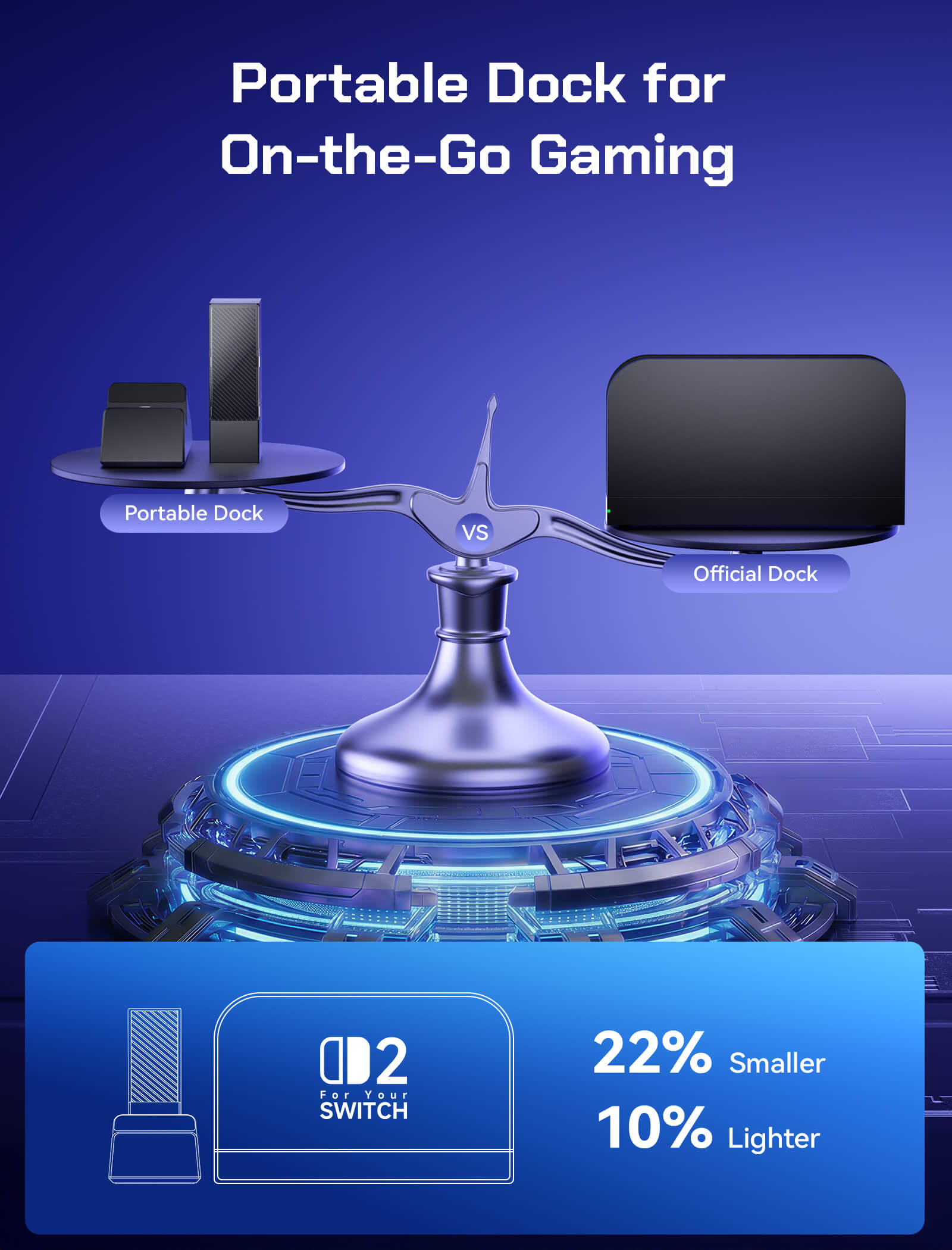
Dock: 108 x 33 x 31mm
Dock + Stand: 125 x 85 x 49mm
296g
ABS & PC (durable and heat-resistant)
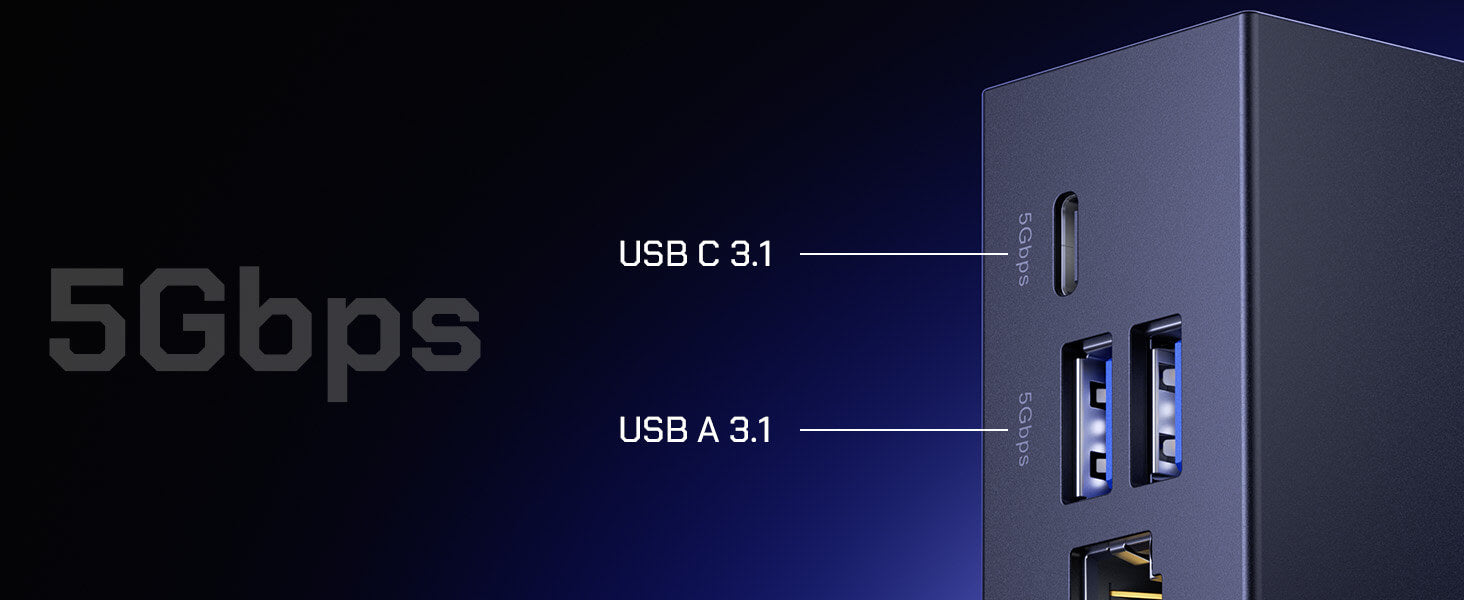
1* USB-C 3.1– 5Gbps data transfer with 5V/1A output for USB-C devices (smartphones, cameras, etc.)
2* USB-A 3.1–
5Gbps data with 5V/1A output for controllers and accessories
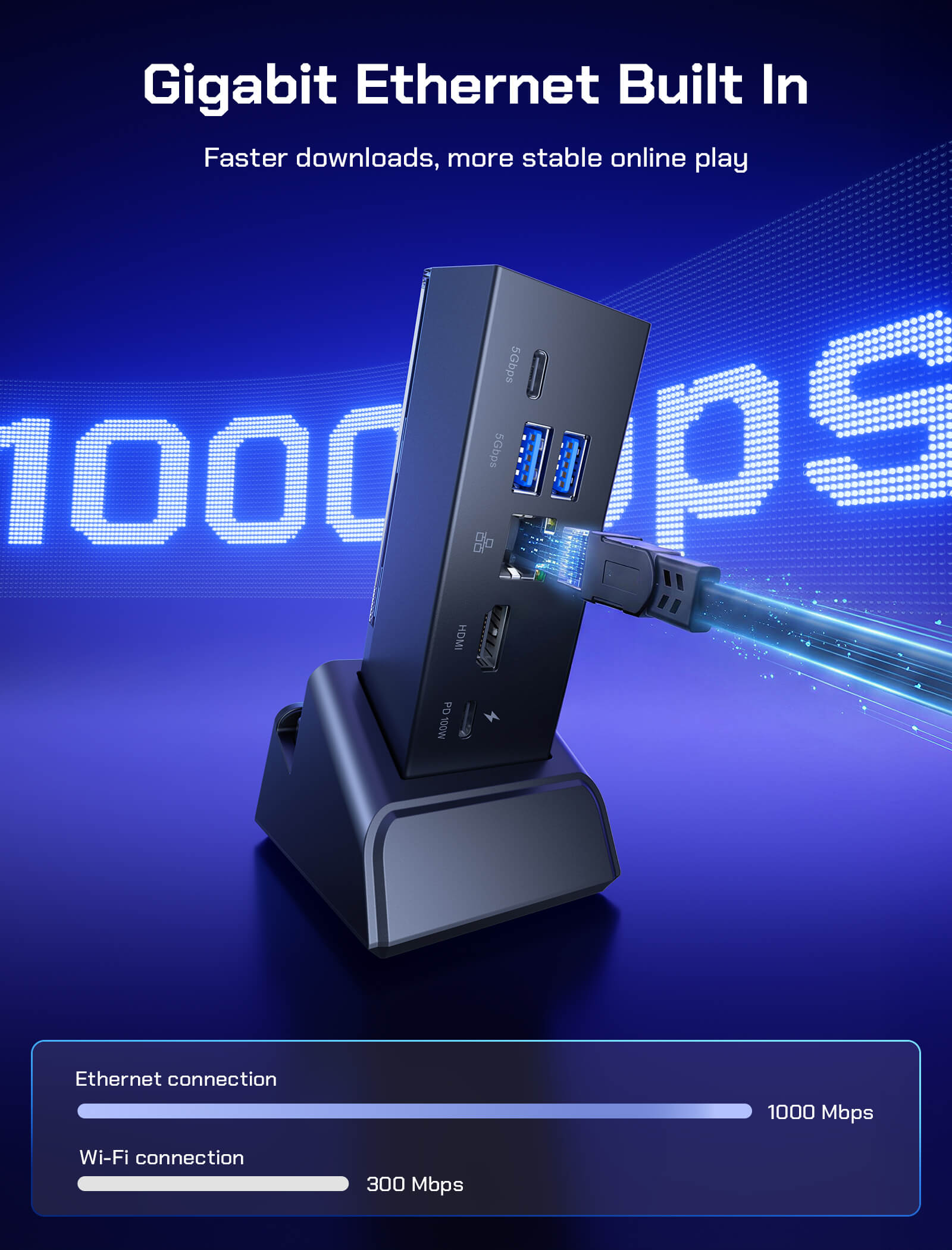
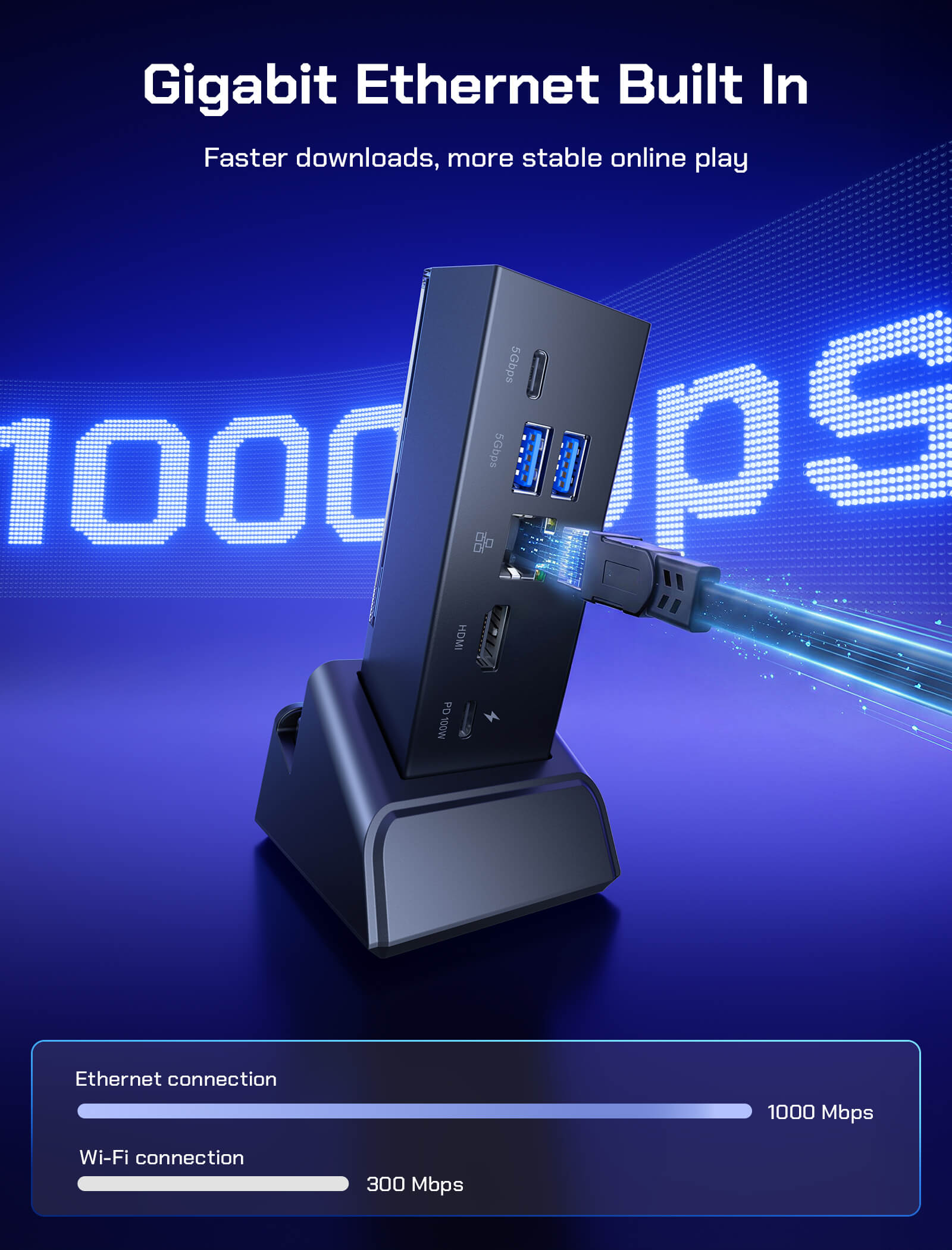
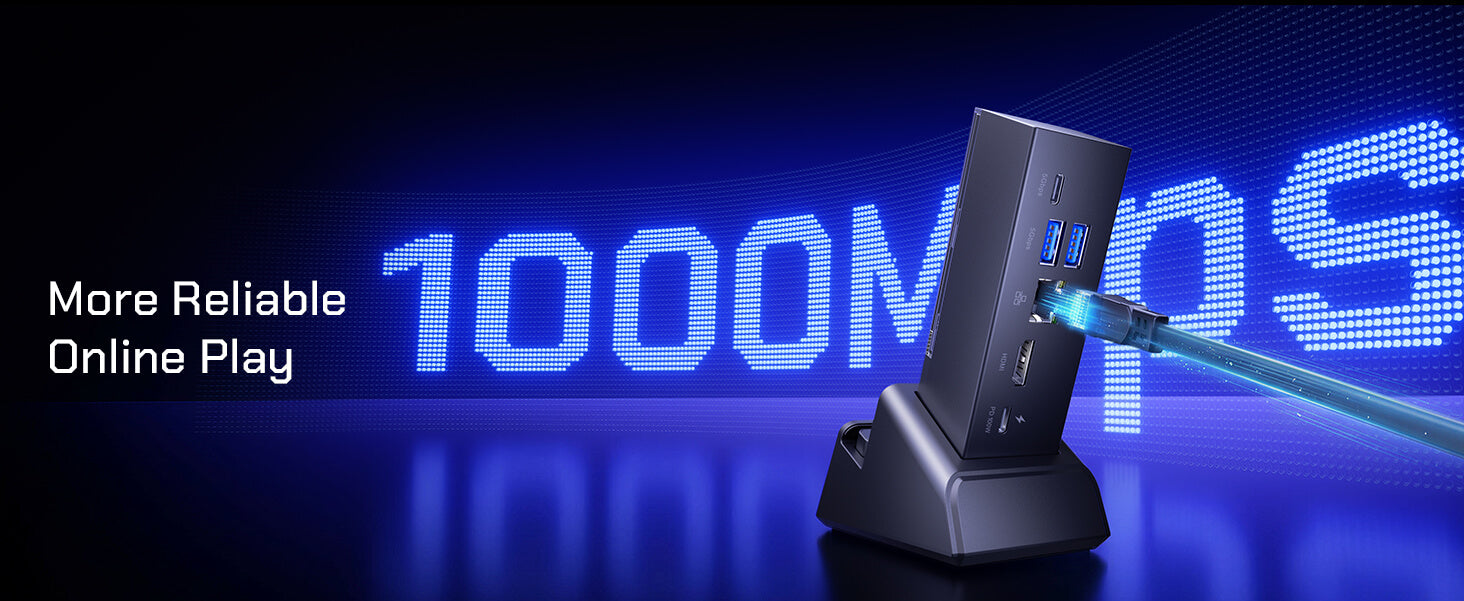
1* RJ45 – Gigabit Ethernet, up to 1000Mbps
1* HDMI 2.1 – Up to 4K@120Hz output; backward compatible with HDMI 1.1/1.2/1.3/1.4.
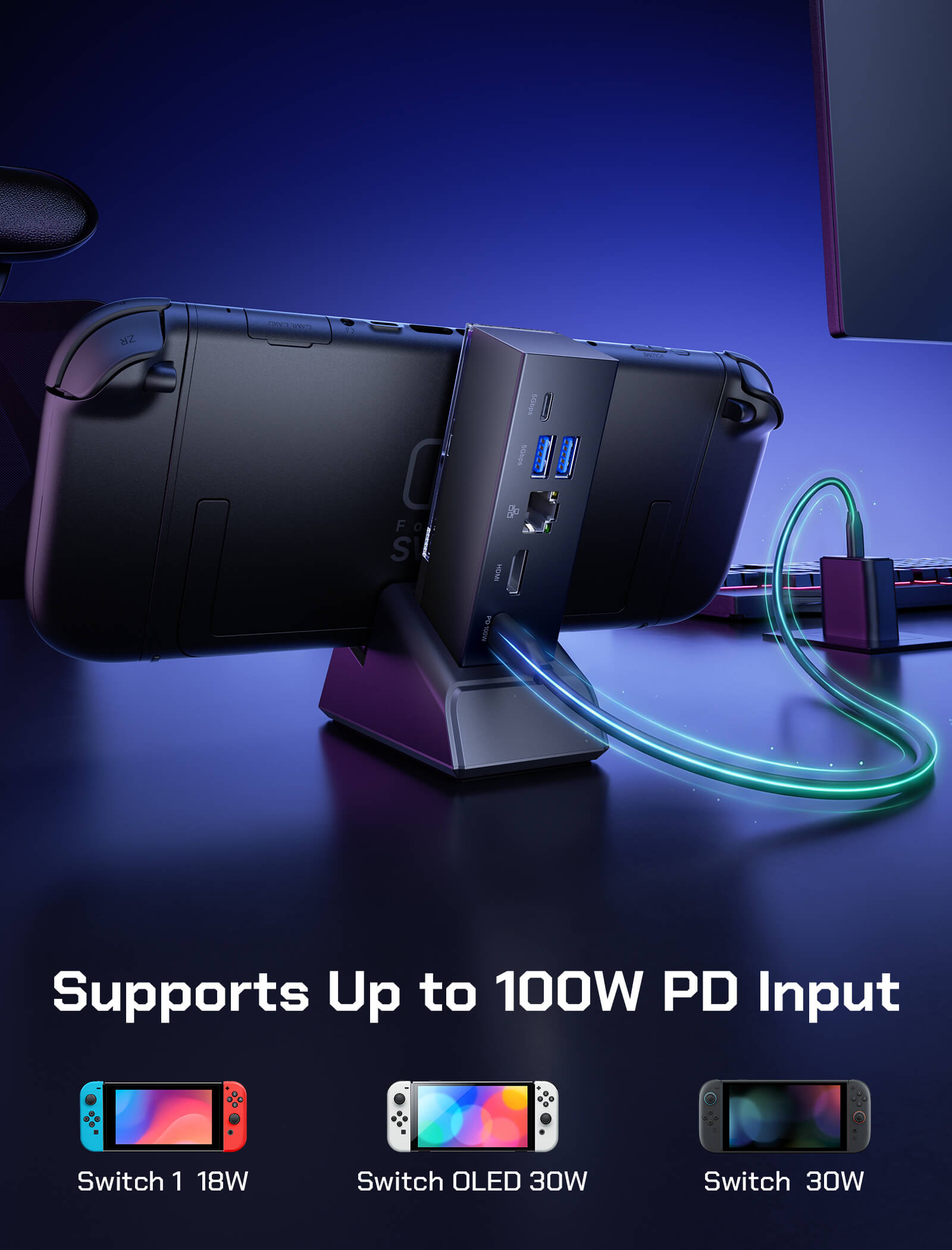
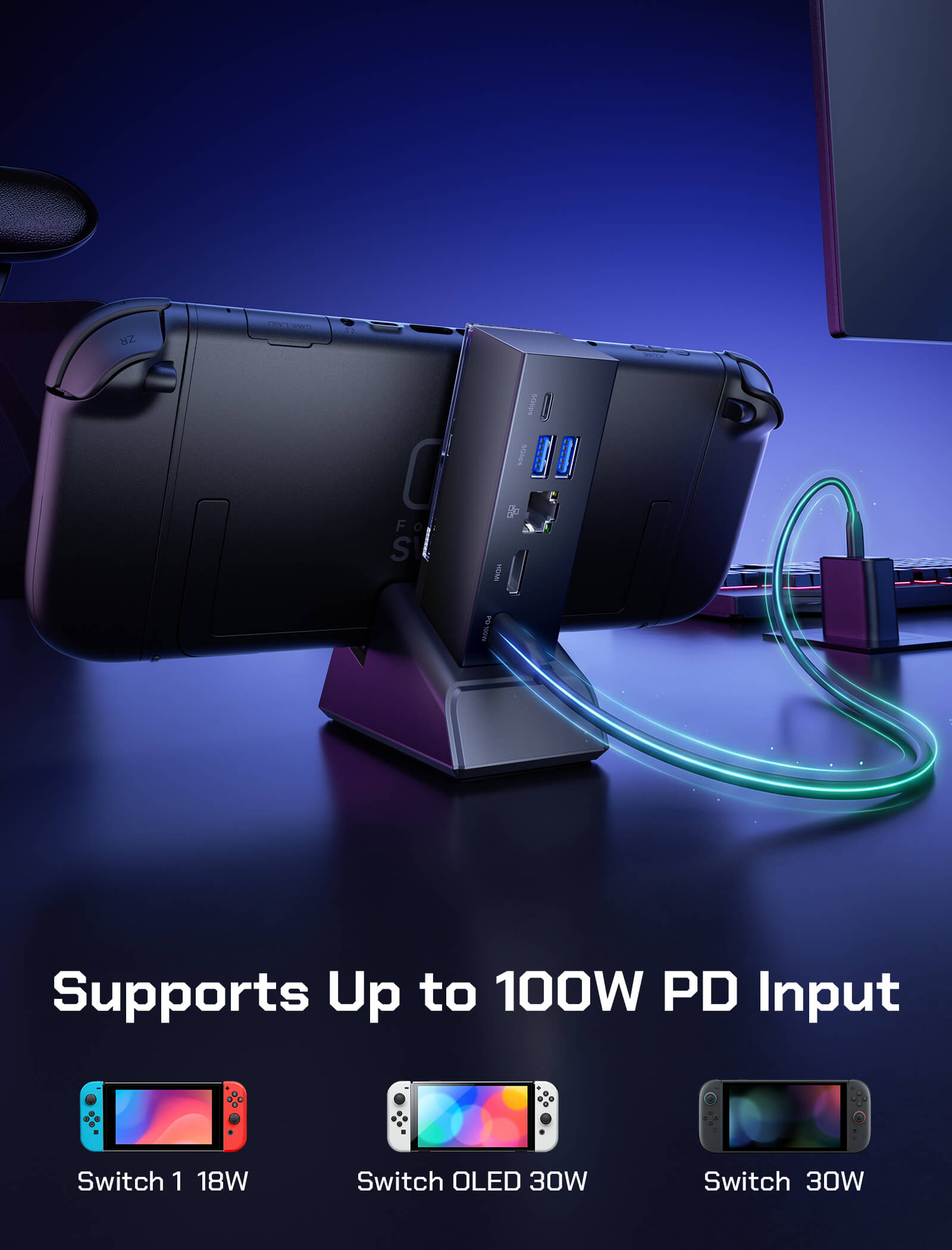
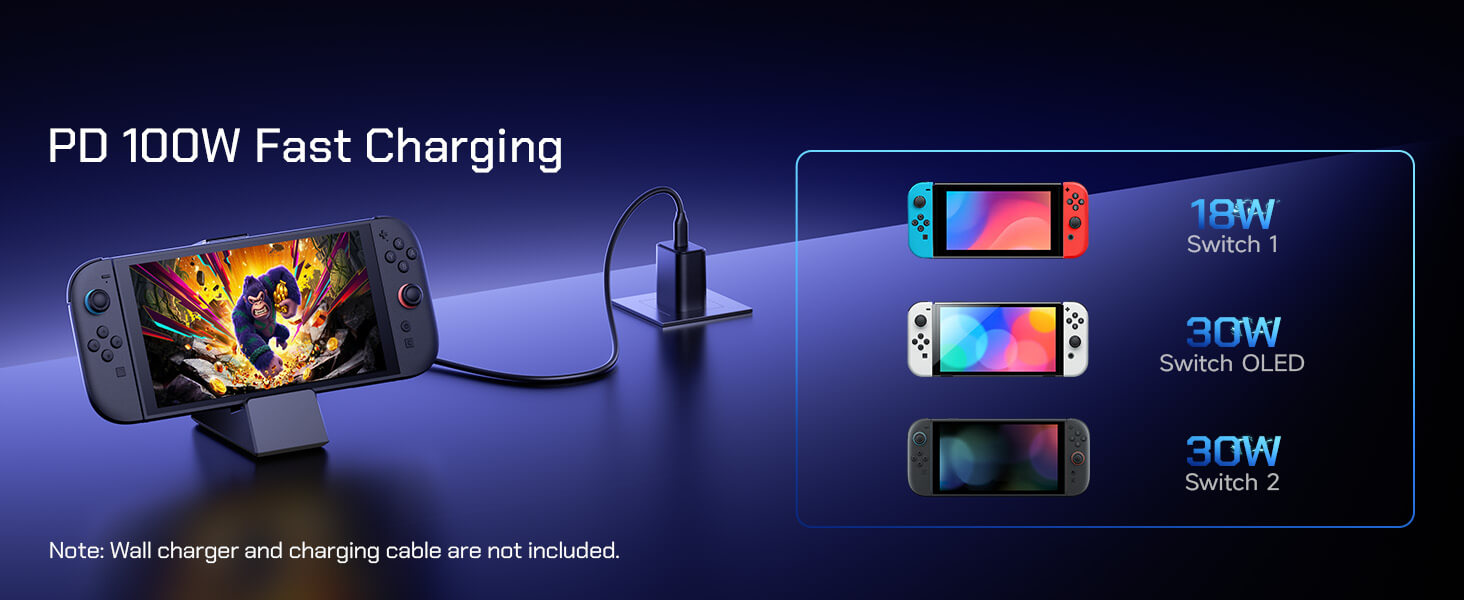
1* USB-C – Supports up to 100W PD input
1* USB-C (male) – Connects dock to handheld console
⚠️Note: Due to official system limitations, Switch 2 outputs up to 4K@60Hz, while Switch / Switch OLED outputs 1080p@60Hz or 4K@30Hz.
- Video Bandwidth: Up to 48Gbps
- Video Output: 8K @ 30Hz HDR, 5K @ 60Hz HDR, 4K @ 120Hz HDR, 1080p @ 240Hz
- Color Depth: Up to 10-bit, YUV 4:4:4
- 3D Video: Supported, up to 4K@60Hz
- Audio Format: Up to 192kHz / 24-bit
- Audio Return Channel: Supports eARC & ARC, CEC compatible
- Power Input: USB-C PD, up to 100W (20V/5A)
- Driver: Plug & play, driver-free, hot-swappable
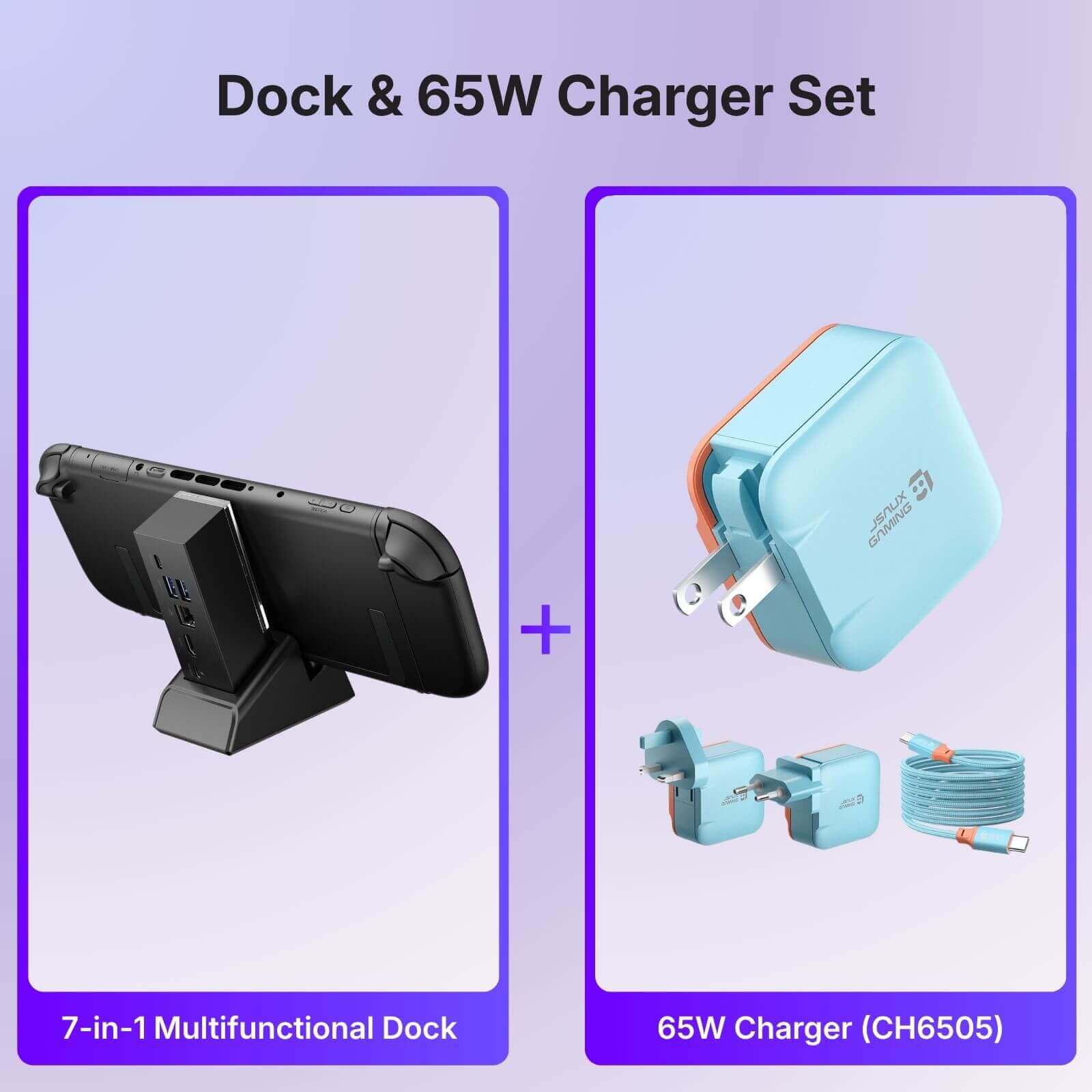
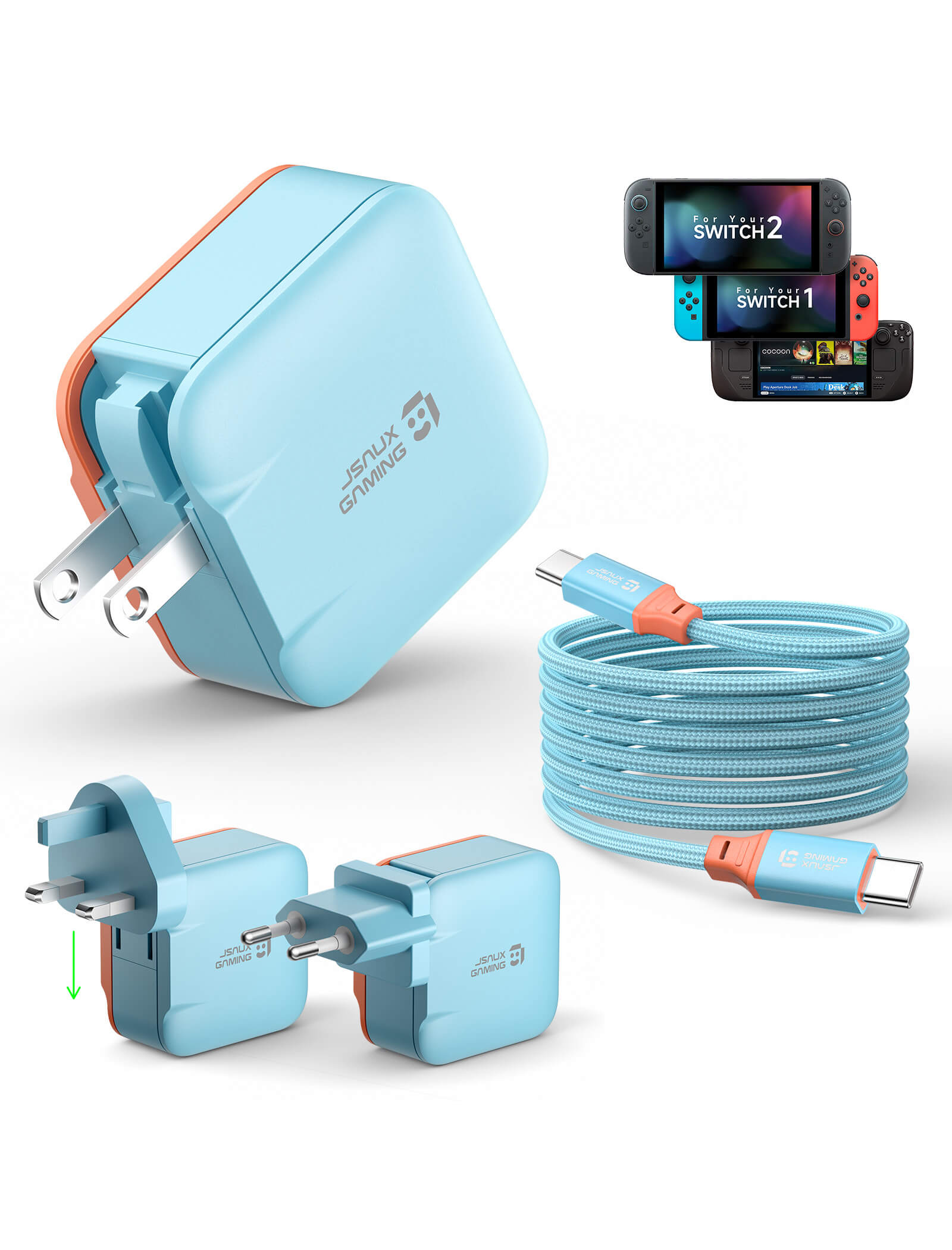
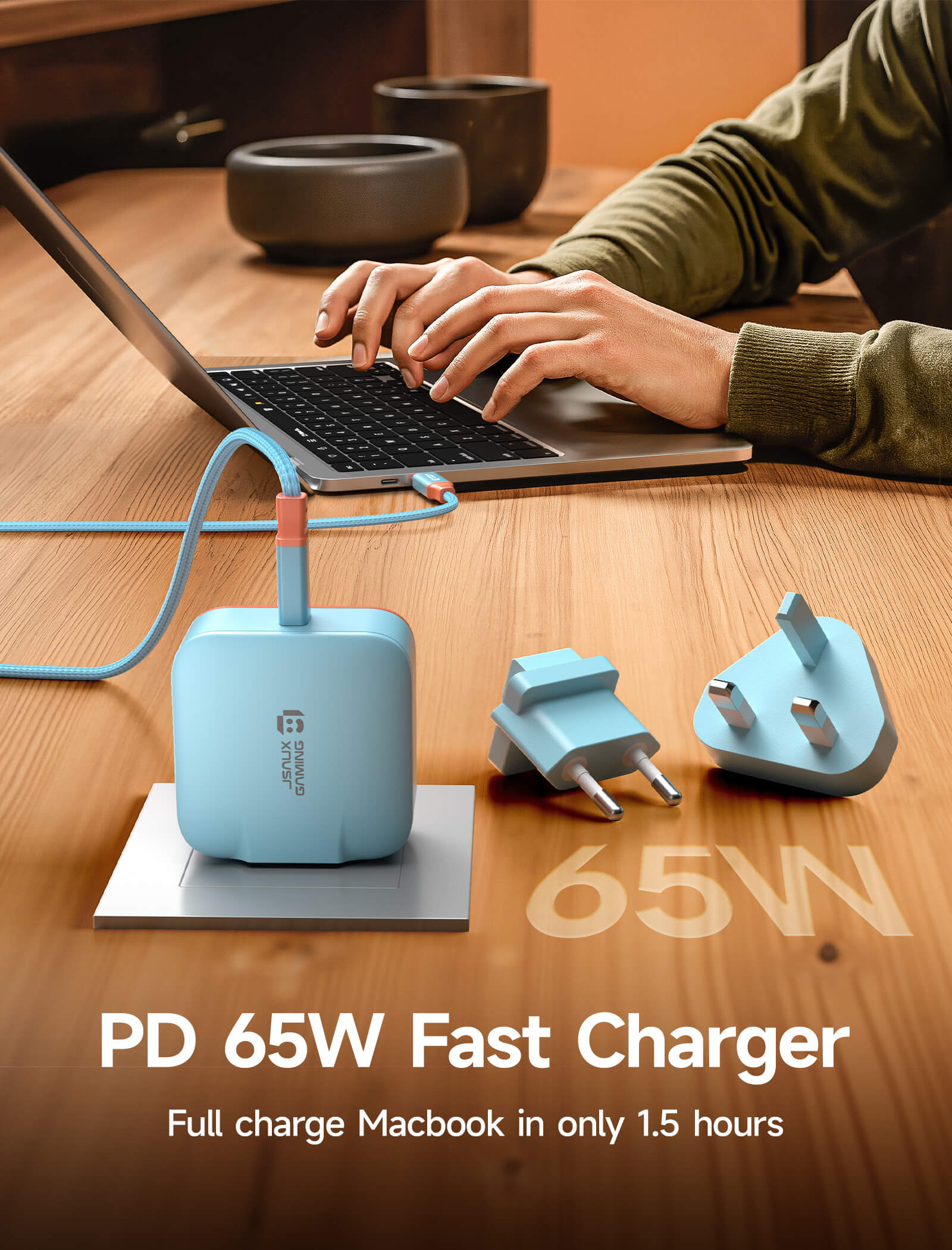
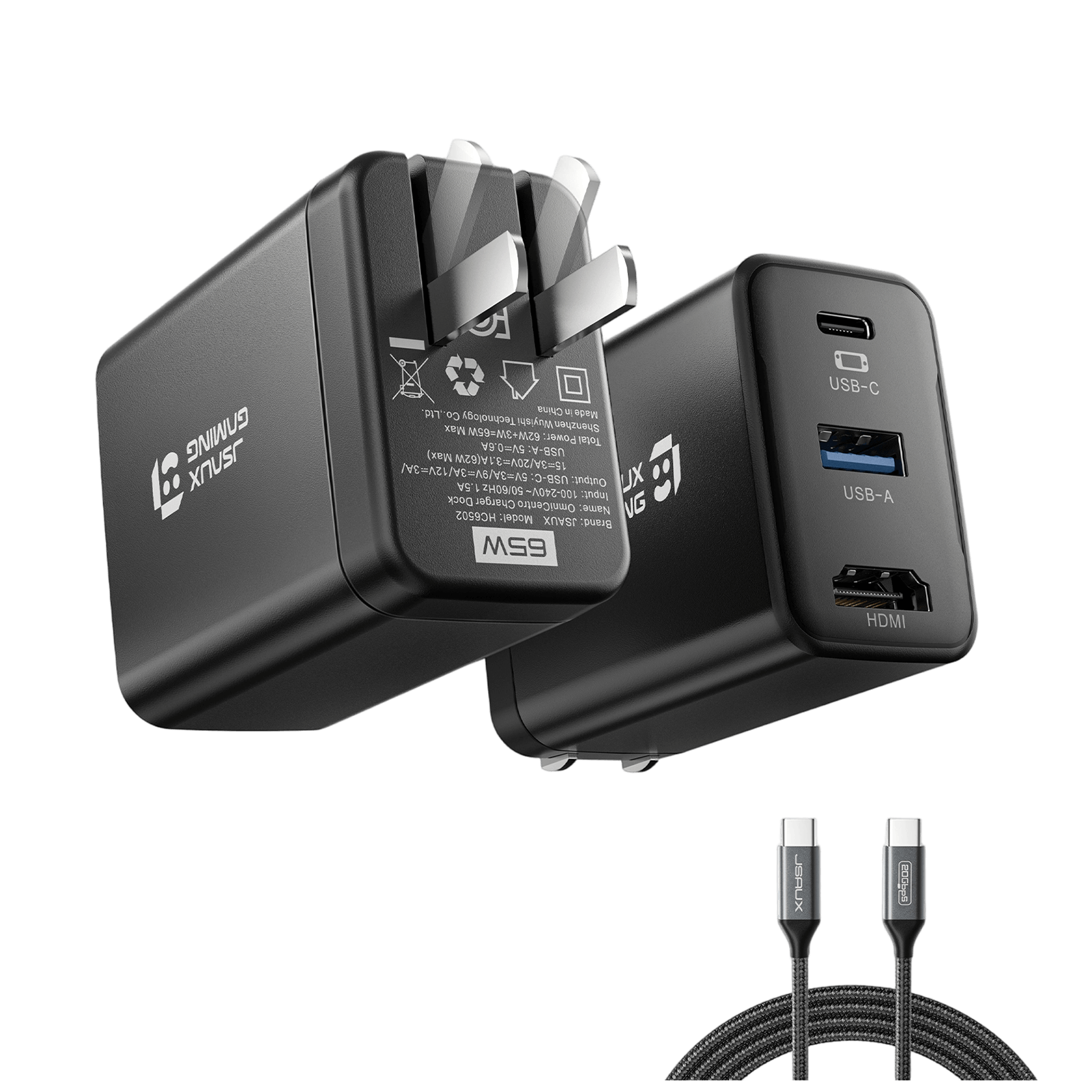
⚠️Note: For Switch 2, Charging is limited to 30W - the same as the official dock. ( For Switch 2 TV mode requires a 65W charger to enable HDMI display - OmniCentro Charger Dock delivers 65W PD )
- Dock-to-Base Connection: Magnetic attachment for secure alignment
- Device Connection: Dock connects to the console via USB-C
SHIPPING
SHIPPING & RETURN
Please read our shipping tips carefully before you place your order
- All orders above $50 are free shipping.
- Orders under $49.99 will be charged $6.99 as shipping cost.
(Note: The above shipping policy does not apply to FlipGo. Please refer to the FlipGo product page for specific shipping details.)
Please Note:
- JSAUX GAMING provides fast and efficient delivery services for global customers.(But unable to deliver products at military addresses (APO/FPO) and some islands.)
- The current processing time for all orders takes 2-4 days(Orders are not processed on weekends).
- Order delivery time will be at 7-12 business days(pre-sale items excluded).
- International duties & taxes may apply and are not calculated at checkout.
- Shipping time for pre-sale products is subject to the instructions on the product page.
Due to the requirements of logistics service providers:
- In order to get your order ready as soon as possible and avoid shipping issues, make sure to introduce an accurate postal address including your exact house number and any other info that may be necessary for the delivery company.
-
For mainland China & Taiwan China: For mainland China customers, please use Tmall to place your order. Hong Kong, Macao, please include your name, ID number and shipping address in traditional Chinese.
- For Saudi Arabia: Free shipping over $50 is not available. A shipping fee of $14.99 (VAT included) applies.
- Due to logistical reasons, we are temporarily not providing order services to the following countries and regions: Afghanistan, Albania, Algeria, Andorra, Angola, Anguilla, Argentina, Armenia, Aruba, Azerbaijan, Bahrain, Bangladesh, Barbados, Belarus, Bermuda, Bhutan, Bosnia & Herzegovina, Brazil, British Virgin Islands, Brunei, Burkina Faso, Burundi,Bolivia, Cambodia, Cameroon, Cayman Islands, Central African Republic, China, Christmas Island, Costa Rica, Côte d'Ivoire, Djibouti, Congo - Brazzaville, Congo - Kinshasa, Egypt, El Salvador, Ecuador,Falkland Islands, Faroe Islands,French Polynesia, Gabon, Gambia, Georgia, Ghana, Gibraltar, Greenland, Guadeloupe, Guatemala, Guernsey, Guinea, Honduras,Iceland, Indonesia, Jamaica, Jordan,Jersey, Kazakhstan, Kenya, Kiribati, Kyrgyzstan, Lebanon, Lesotho, Liberia, Liechtenstein, Maldives, Mauritius, Martinique, Moldova, Monaco,Mongolia, Montenegro, Myanmar (Burma), Namibia, Nauru, New Caledonia, Nicaragua, Niger, Nigeria, Norfolk Island, North Macedonia, Norway,Oman, Pakistan, Paraguay, Rwanda, San Marino, Senegal, Serbia, Seychelles, Solomon Islands, South Sudan, Sri Lanka, Sudan, Tajikistan, Togo, Tonga, Tunisia, Turkmenistan, Türkiye, Tuvalu, Uganda, Ukraine, Uruguay, India, Uzbekistan, Vanuatu, Vatican City, Some regions in the United States(including Puerto Rico, Guam, United Arab Emirates, US Virgin Islands, Northern Mariana Islands, American Samoa, and military bases like APO, FPO, and DPO).
15-Days RETURN:
Our return & exchange policy will be active for 15 days from the very same day you receive your product(s) at home. For more information, please visit our Shipping Policy section.
Product Comparison
All JSAUX GAMING Switch 2 Docks Compared – Find Your Perfect Fit 🎮
7-in-1 Multifunctional Docking Station (HB0704)
6-in-1 Gaming Dock (HB0610)
OmniCentro Charger Dock (HC6502)
Switch 2 / Switch / Switch OLED
Switch 2
Switch 2 / Switch , ROG Ally / Ally X, ROG Xbox Ally / Ally X , Steam Deck LCD / OLED, Legion Go / Go S / Go 2
Dock: 108 x 33 x 31mm
Dock + Stand: 125 x 85 x 49mm
296g
133 × 161 × 163 mm
405g
59.9*47.4*31mm
124g
- 1* USB-C 3.1: 5Gbps + 5V/1A
- 2* USB-A 3.1: 5Gbps + 5V/1A
- 1* RJ45: 1000Mbps
- 1* HDMI 2.1: Up to 4K@120Hz
- 1* USB-C PD: Up to 100W Input
- 1* HDMI 2.1: Up to 4K@120Hz
- 1* USB-C PD: Up to 100W
- 2* USB-A 2.0: 480Mbps + 5V/1A
- 1* RJ45: 1000Mbps
- 4* Joy-Con Slots: Simultaneous Charging
- 1* Pro Controller Slot: Controller / Console Charging
- 1* USB-C: 65W PD Charging
- 1* HDMI: Up to 4K@120Hz
- 1* USB-A: 480Mbps
Home setups, more ports, wired gaming
Shared gaming spaces, controller charging, organized setups
Travel, simple TV mode setups, everyday use
Not sure which Switch 2 dock is right? Compare all options in our 2026 Switch 2 dock guide >
FAQ
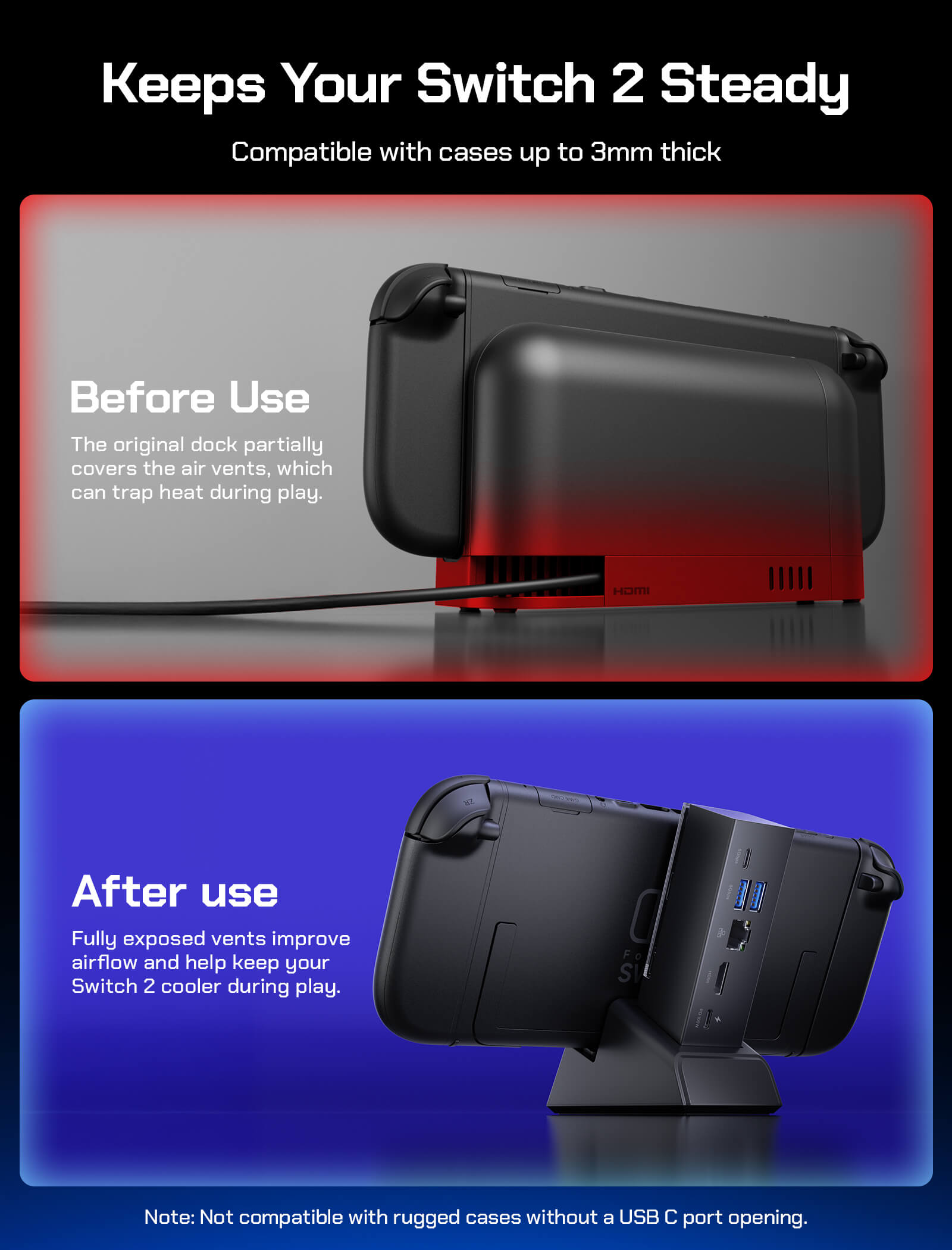
Q1. Is the dock compatible with Switch consoles that have a protective case?
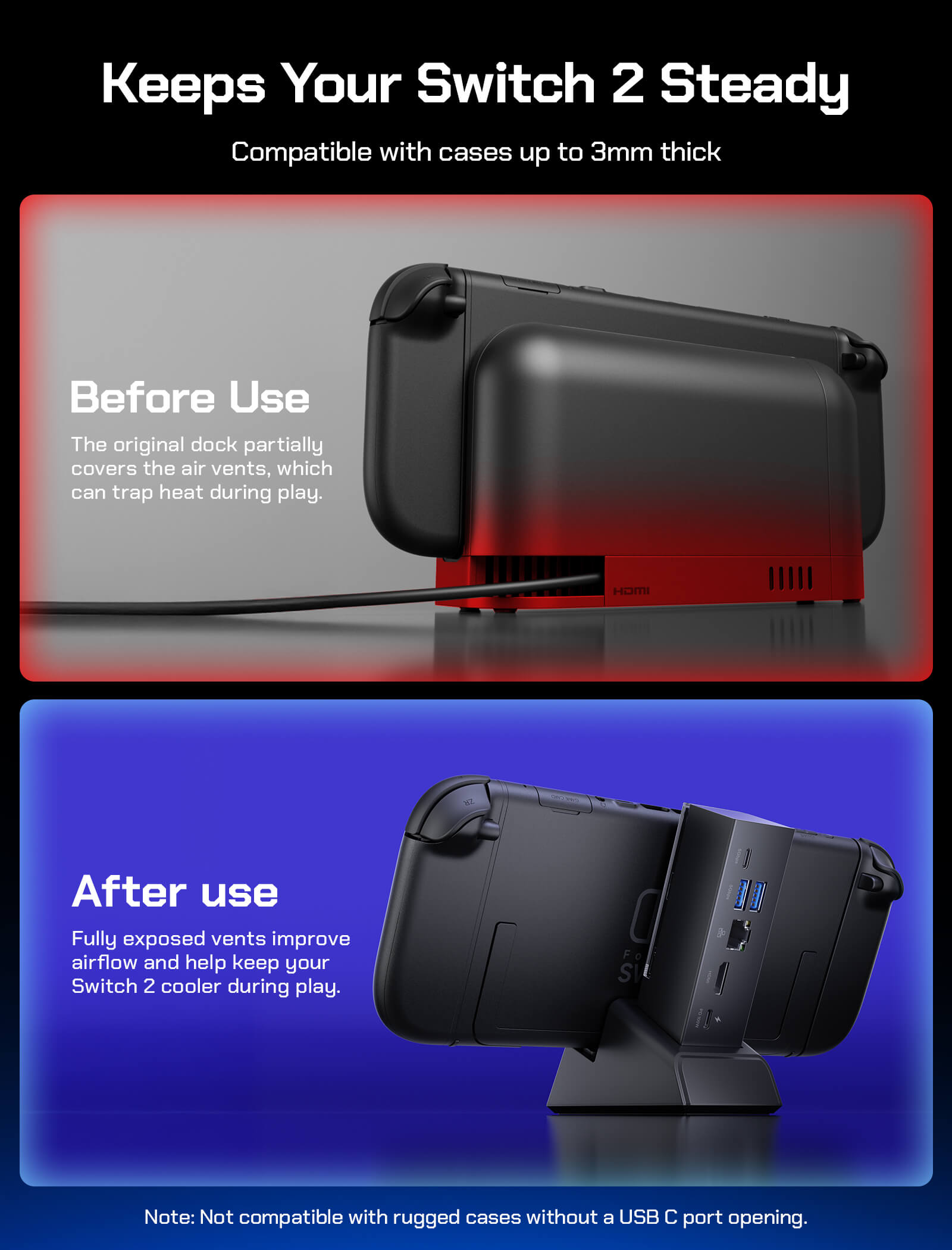
A1. Yes. The dock supports consoles with a protective case installed, as long as the case thickness does not exceed 3 mm.
Q2. Which handheld consoles are supported?
A2. Compatible with Nintendo Switch, Switch OLED, and Switch 2.
Note: Switch Lite does not support video output.
Q3. What video output does Switch 2 support?
A3.
Switch 2: Up to 4K@60Hz, 10-bit, RGB
Switch / Switch OLED: Up to 1080p@60Hz, 8-bit, RGB
Q4. Does the USB-C port support data transfer?
A4. The dock’s USB-C and USB-A ports support up to 5 Gbps data transfer.
However, due to hardware limitations of the Nintendo Switch series, the console itself operates at USB 2.0, and data transfer is not supported when connected to a Switch device.
Q5. Can the dock and base be used separately?
A5. Yes. When detached from the base, the dock can be used independently with laptops, smartphones, tablets, and other devices equipped with USB-C (USB 3.2 or higher) for functional expansion.
Q6. How does the dock work?
A6. Handheld consoles primarily rely on a single USB-C port for expansion.
By connecting the dock to the console via USB-C, additional interfaces such as HDMI, Ethernet, USB-A, and other peripherals can be connected through the dock.
When used with compatible devices (such as PCs), the dock supports video output of up to 4K@120Hz, provided the host device supports this resolution and refresh rate.
Q7. Which Switch 2 dock is best for my setup?
A7. The best Switch 2 dock depends on whether you need portability, extra ports, or controller charging. If you want a more complete home setup with HDMI, USB, and wired Ethernet, the 7-in-1 Multifunctional Docking Station for Switch 2 is a great fit. For a full comparison of different dock styles, read our guide here: Best Switch 2 Dock in 2026: 3 JSAUX Options Compared.
This product has no reviews yet.
What Customers Are Saying on JSAUX.com