


![Grey 2-pack 90 degree USB-C to USB-C right angle adapters #style_grey [2-pack]](http://jsaux.com/cdn/shop/files/90_-USB-C-to-USB-C-Right-Angle-Adapter-grey-1.png?v=1755238920&width=92)


![JSAUX anti-glare matte screen protector for ROG Ally and ROG Xbox Ally series #style_[2-pack] for all rog ally models](http://jsaux.com/cdn/shop/files/GP0113A-Anti-Glare-Screen-Protector-for-ROG-Ally-_-ROG-Xbox-Ally-Series-1_jpg.png?v=1762310072&width=92)


![JSAUX anti-glare screen protector 2-pack for Lenovo Legion Go 2 with alignment frame #model_for legion go 2 [2-pack]](http://jsaux.com/cdn/shop/files/GP0132-Anti-Glare-Screen-Protector-for-Legion-Go-2-1.png?v=1766136633&width=92)






USB 3.0 HDMI Capture Card
FEATURES
- All-in-One Capture Dock for Gaming & Streaming
- Switch / Steam Deck / ROG Ally / Legion Go Compatible
- Ultra-Smooth 4K Gaming & Streaming Experience
- 100W Power Delivery for Non-Stop Gaming
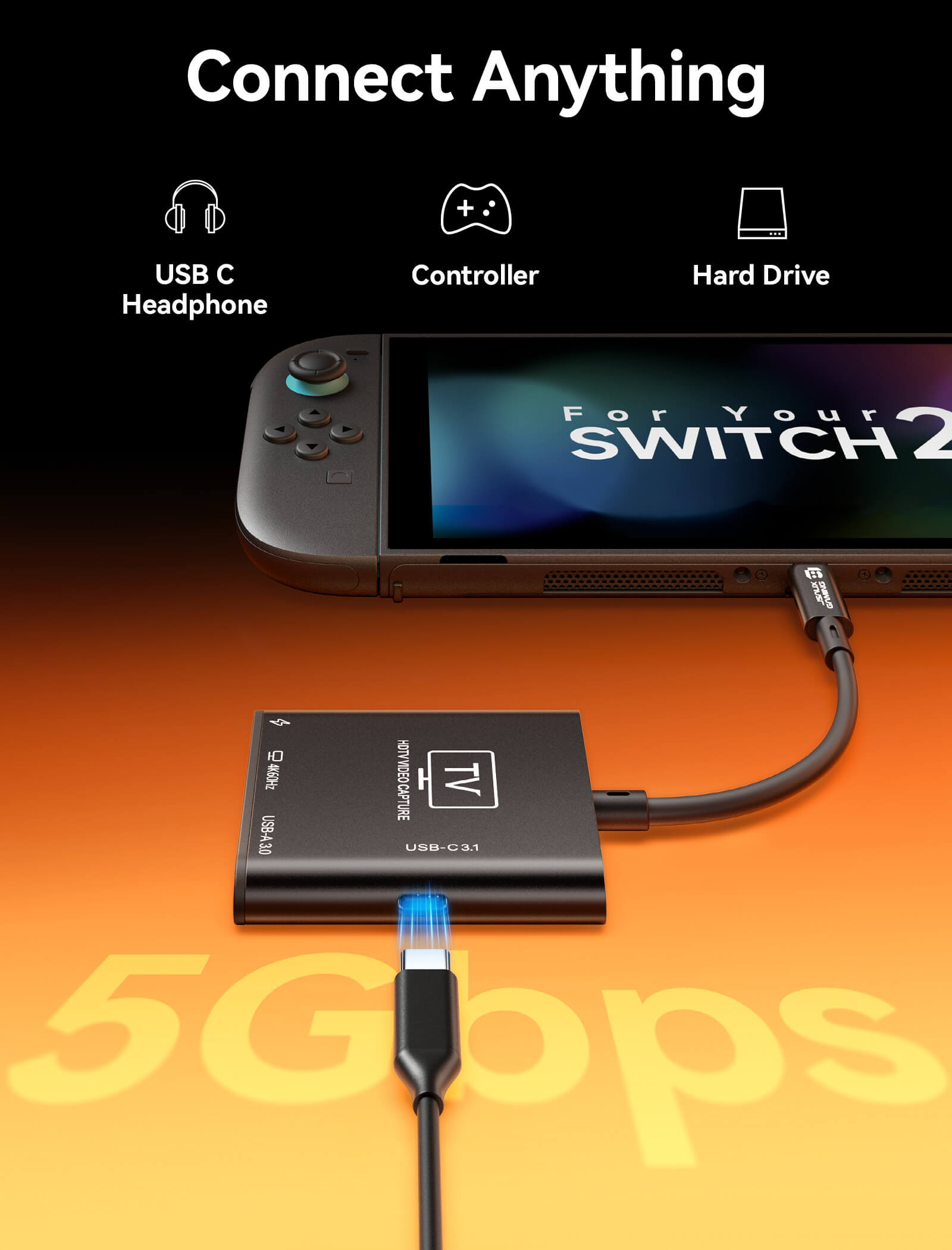
- USB Expansion Ports (5Gbps High-Speed)
- Plug & Play Compatibility Across Platforms
SHIPPING



FEATURES
Description
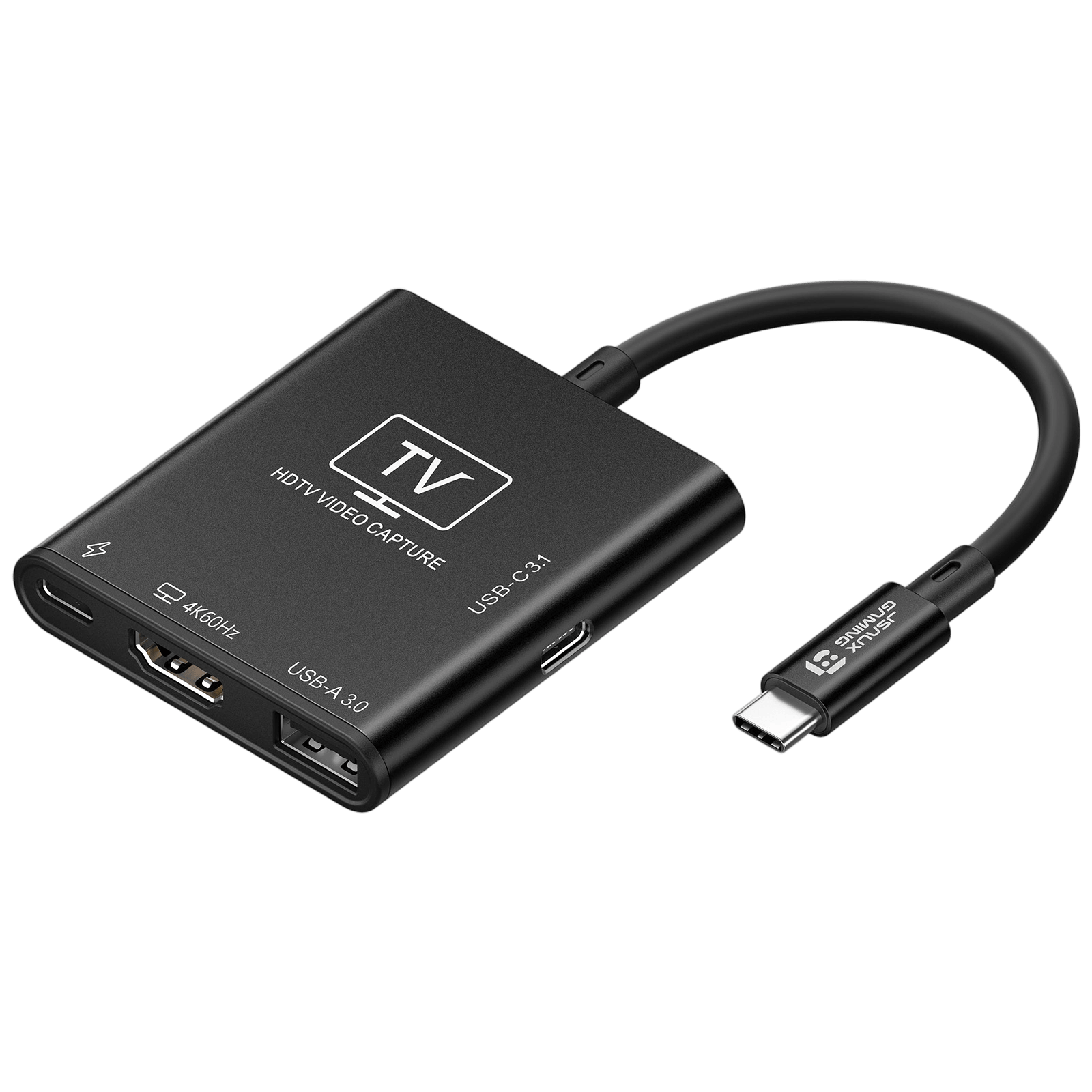
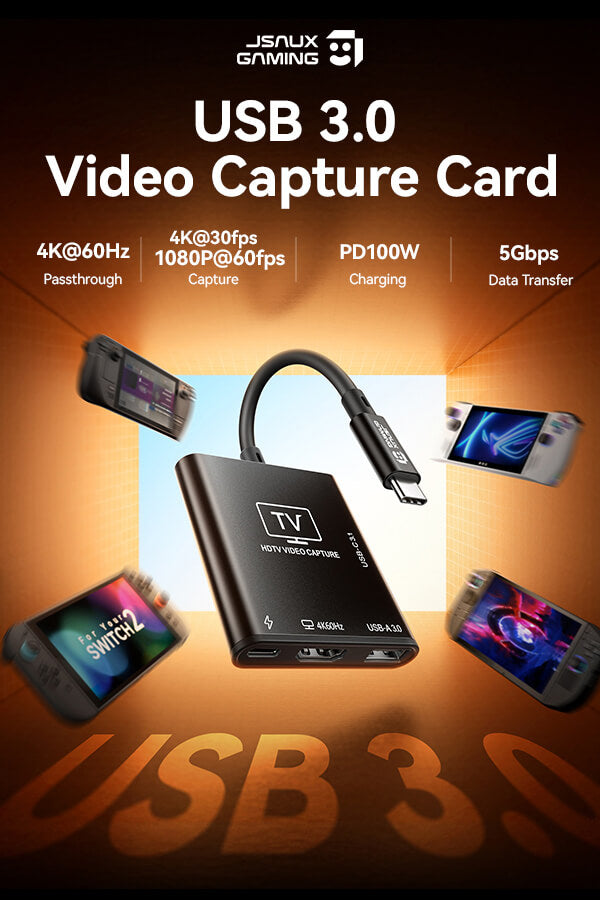
- 【2 in 1 HDMI Capture Card】This product is not only a capture card, but it also functions as a portable dock for handheld. Its compact size fits easily into backpacks, making it perfect for travel and on-the-go scenarios. Premium aluminum alloy shell for enhanced durability and heat dissipation.(Note: For Switch 2 console, please connect capture card to the bottom USB C port for video output/capture)
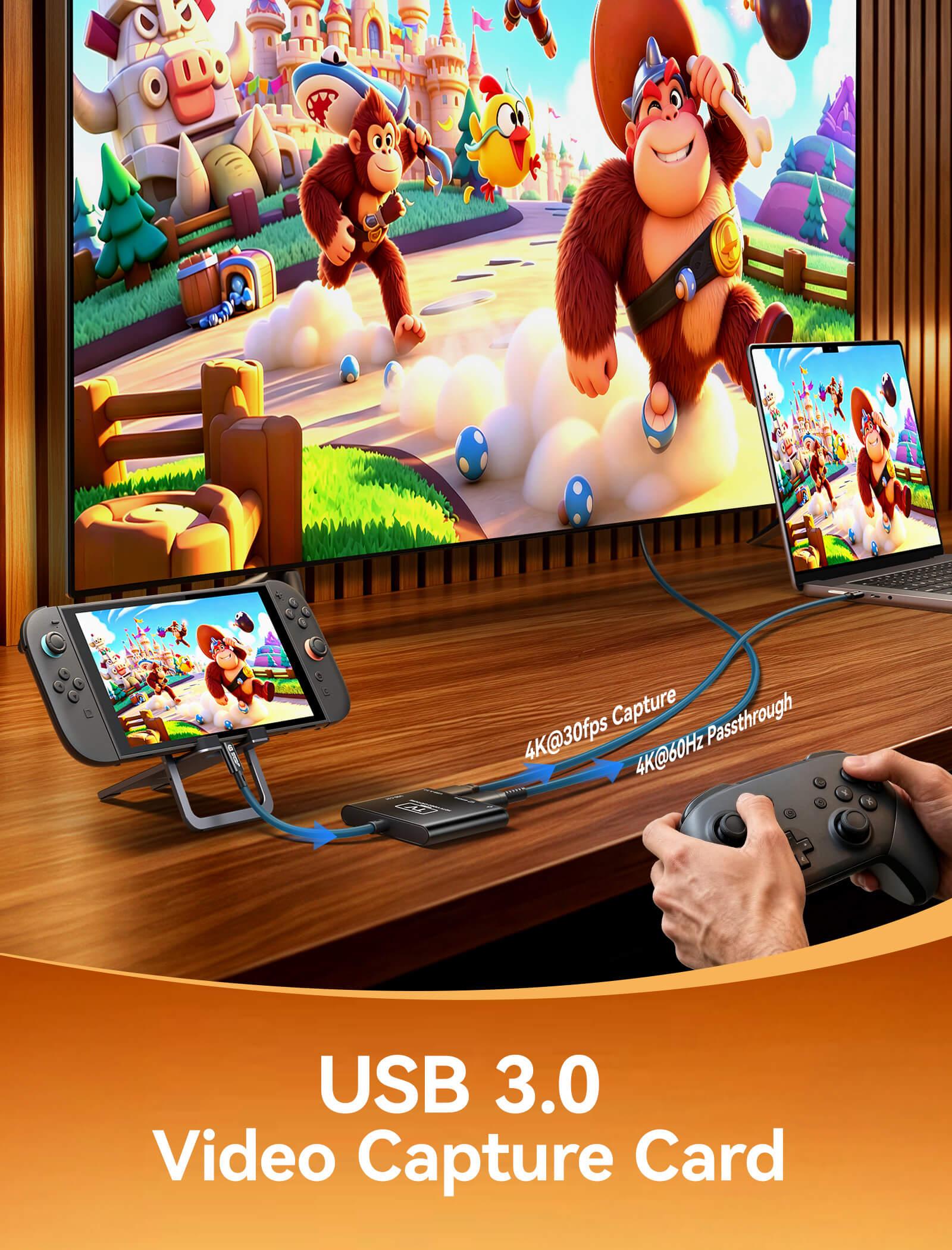
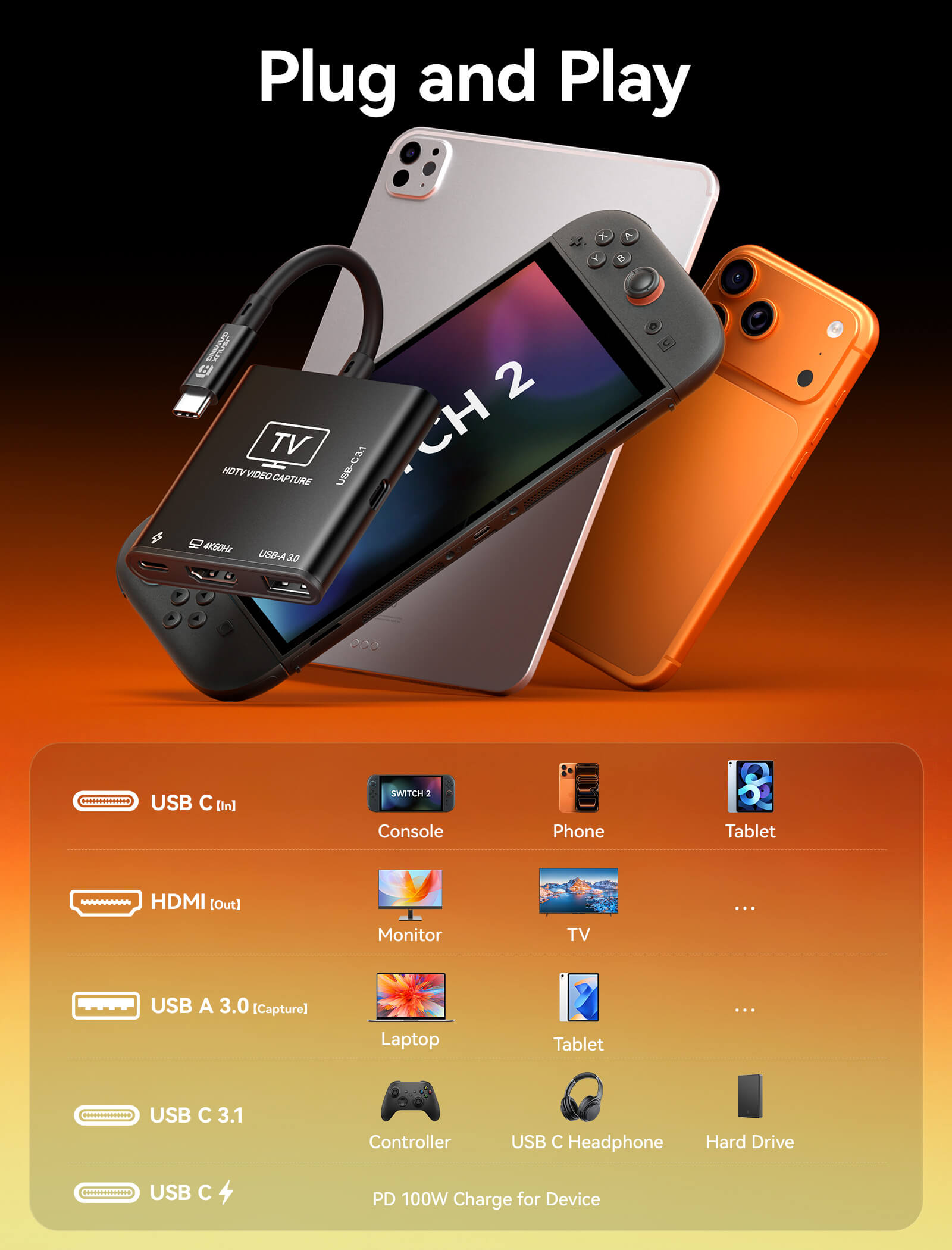
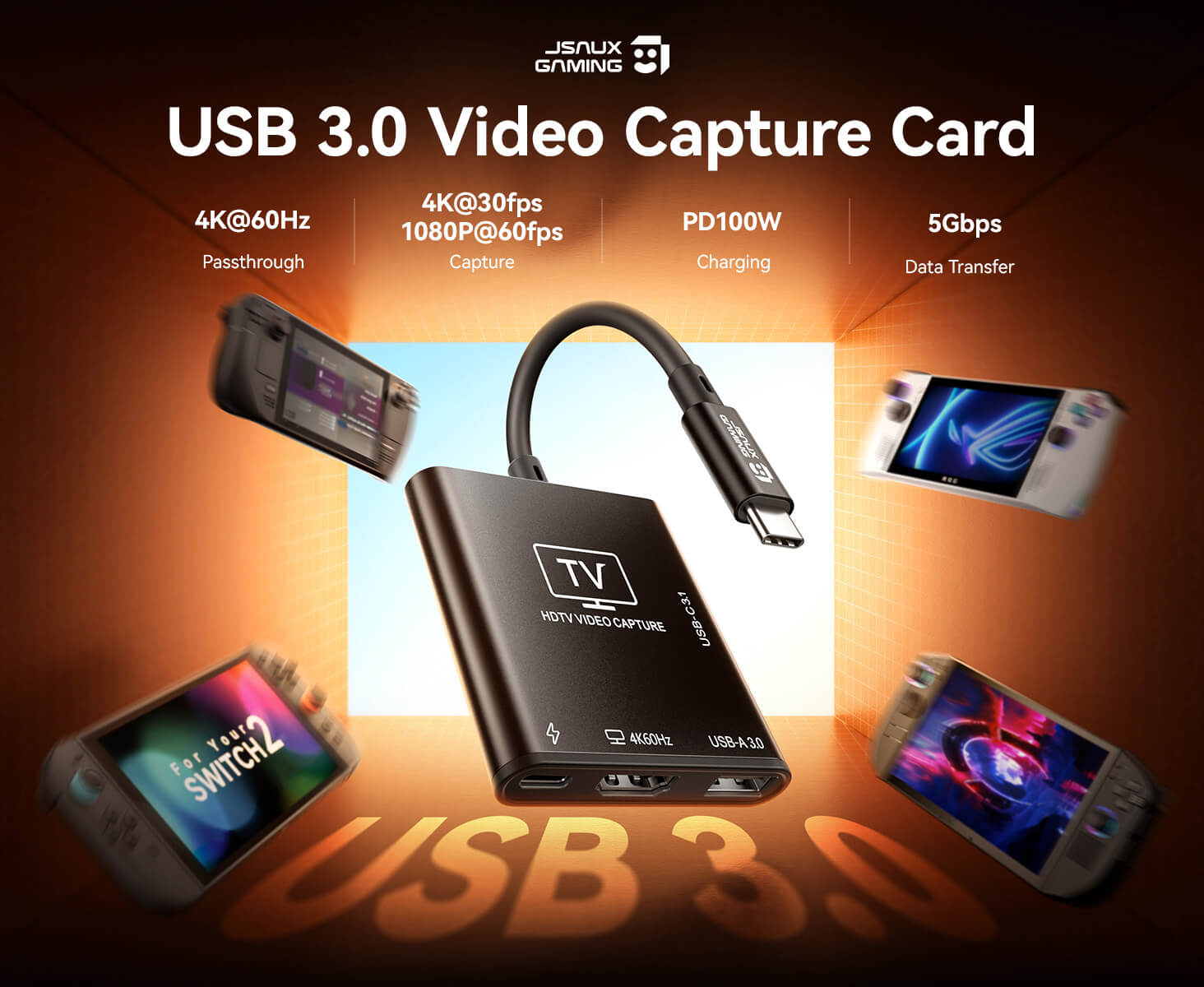
- 【4K60Hz HDMI Passthrough & USB C Input】This video capture card supports up to 4K@60Hz or 1440p@120Hz USB C source input and HDMI pass-through. Enjoy buttery-smooth gameplay and ultra-crisp visuals on your monitor or TV. Compatible with Nintendo Switch 2, Steam Deck, ROG Ally, iPads, phone, laptop, camera.(Note: The USB C port serves as the video input source)
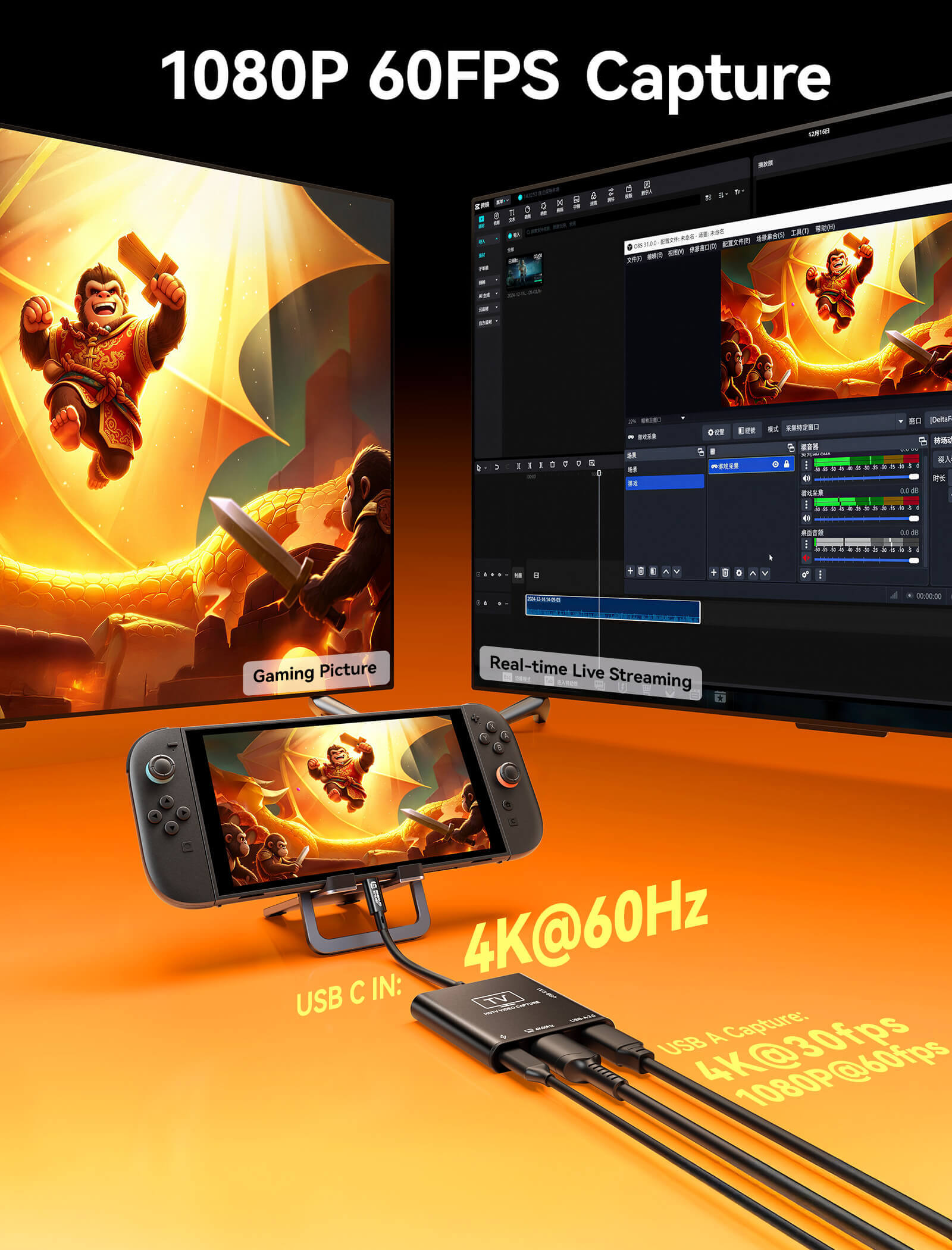
- 【4K30fps USB A Recording & Streaming】This USB capture card supports 4K30fps or 1080p60fps recording, delivering smooth and stable performance for live streaming, gameplay recording, and video capture.(Note: The USB A port serves as the video capture output)
-
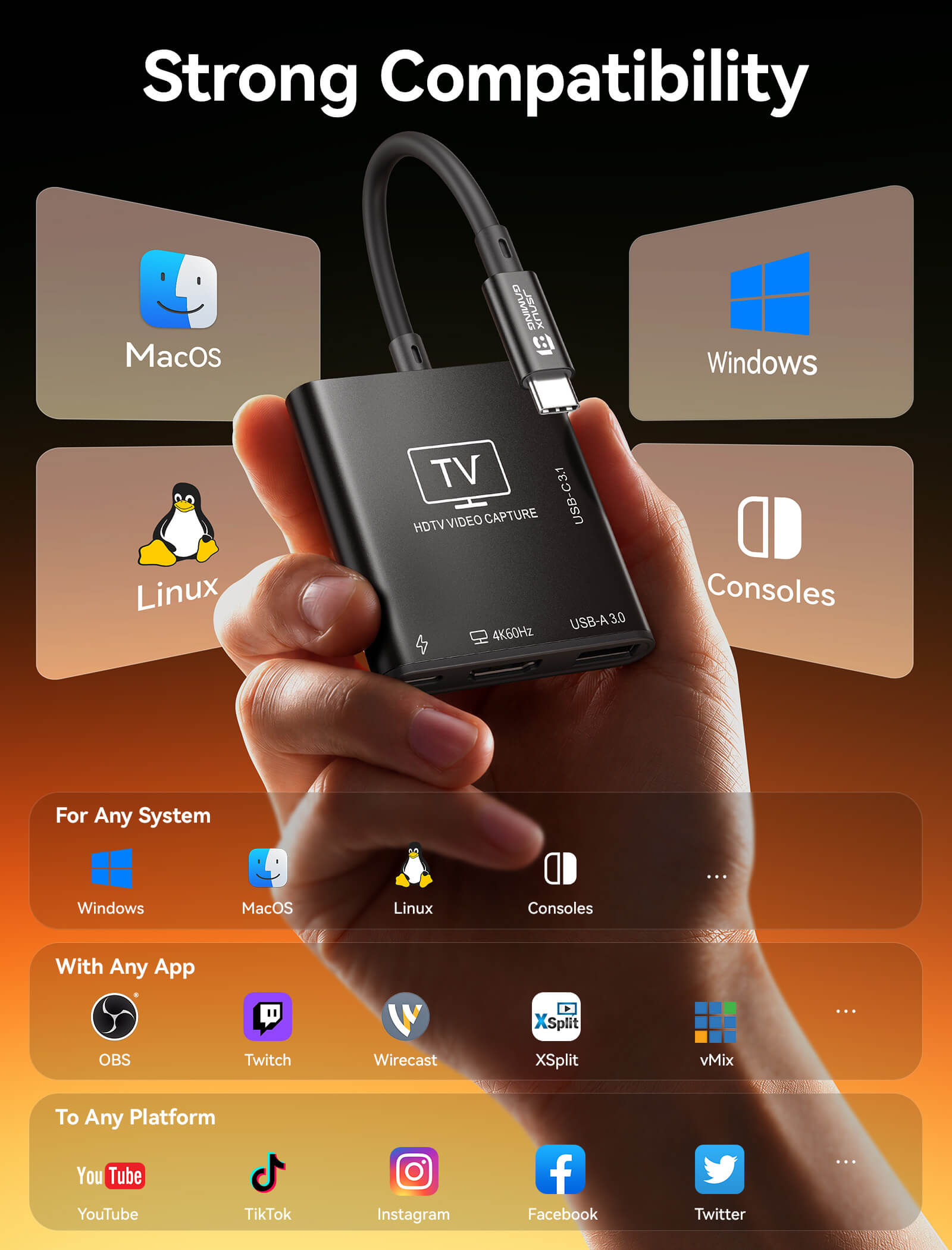
【Plug and Play】No drivers needed. Once plugged in, the device is identified automatically. Suitable for Windows, macOS, and Linux system. Fully compatible with broadcasting software including OBS Studio, Streamlabs, XSplit, vMix, and Twitch Studio. Please make sure your device has full-featured USB C port
【USB C 100W PD Charging】Our capture card has an independent USB C PD charging port that supports up to 100W fast charging. Plug in the USB C cable to charge your handheld while playing. Never let a dead battery ruin your winning streak - 【USB C3.1 Data Transfer】This captured card has a USB C3.1 port, it support 5Gbps data transfer. Whether you're transferring files via a flash drive, locking into the game with a low-latency keyboard and controller, or immersing yourself with a USB C headphone, this USB C port handles it all
SPECS
SPECS
Approx. 50g
200(L) × 58.5(W) × 11.8(H) mm
- 1* USB-C Port (Input)
USB-C male upstream port supporting USB video input, PD charging, and device expansion. Compatible with USB 3.2 and Thunderbolt 3/4/5 devices. - 1* USB-C PD Charging Port
USB-C female port supporting PD 2.0 / 3.0 / 3.1 standards with up to 100W (20V/5A max) power input. - 1* USB-A 3.0 Port (Capture)
USB 3.0 interface used for video capture with support for up to 4K input signal. - 1* HDMI Output
HDMI 2.0 output port supporting up to 4K@60Hz with 18Gbps bandwidth. Backward compatible with HDMI 2.0b / 1.4 / 1.3 / 1.2 / 1.1. - USB-C Data Port
USB 3.0 interface supporting up to 5Gbps data transfer and 5V/1A power output for external devices.
- Handheld Gaming Consoles: Switch 2, Switch, Switch OLED, Steam Deck, Steam Deck OLED, ROG BOX Ally X, ROG BOX Ally, ROG Ally X, ROG Ally, Legion Go, Legion Go S, Legion Go 2, MSI Claw A1M, MSI Claw 7 AI+, MSI Claw 8 AI+.
- Operating Systems: Windows, macOS, Linux, and Android.
- Supported Software: Compatible with OBS Studio, VLC, AMCap, and all UVC/UAC-compliant video capture, streaming, and playback software.
- HDMI capture input up to 4K@30Hz, 1080P@60Hz, and 1080P@30Hz
- HDMI pass-through (loop-out) up to 4K@60Hz, with support for 1440P@120Hz and 1080P@120Hz high refresh rates
- USB 3.0 data transfer up to 5Gbps (120–150MB/s)
Up to 10-bit Deep Color with RGB / YUV color formats (UVC compliant)
UAC-compliant digital audio transmission with LPCM support
SHIPPING
SHIPPING & RETURN
Please read our shipping tips carefully before you place your order
- All orders above $50 are free shipping.
- Orders under $49.99 will be charged $6.99 as shipping cost.
(Note: The above shipping policy does not apply to FlipGo. Please refer to the FlipGo product page for specific shipping details.)
Please Note:
- The current processing time for all orders takes 2-4 days(Orders are not processed on weekends).
- Order delivery time will be at 7-12 business days(pre-sale items excluded).
- International duties & taxes may apply and are not calculated at checkout.
- Shipping time for pre-sale products is subject to the instructions on the product page.
- For EU shipments, a $3 customs duty may apply per eligible physical product (virtual products excluded). The same product is charged only once per order, while bundles are charged based on the number of eligible products included. Learn More
Due to the requirements of logistics service providers:
- In order to get your order ready as soon as possible and avoid shipping issues, make sure to introduce an accurate postal address including your exact house number and any other info that may be necessary for the delivery company.
-
For mainland China & Taiwan China: For mainland China customers, please use Tmall to place your order. Hong Kong, Macao, please include your name, ID number and shipping address in traditional Chinese.
- For Saudi Arabia: Free shipping over $50 is not available. A shipping fee of $14.99 (VAT included) applies.
- Due to logistical reasons, we are temporarily not providing order services to the following countries and regions: Afghanistan, Albania, Algeria, Andorra, Angola, Anguilla, Argentina, Armenia, Aruba, Azerbaijan, Bahrain, Bangladesh, Barbados, Belarus, Bermuda, Bhutan, Bosnia & Herzegovina, Brazil, British Virgin Islands, Brunei, Burkina Faso, Burundi,Bolivia, Cambodia, Cameroon, Cayman Islands, Central African Republic, China, Christmas Island, Costa Rica, Côte d'Ivoire, Djibouti, Congo - Brazzaville, Congo - Kinshasa, Egypt, El Salvador, Ecuador,Falkland Islands, Faroe Islands,French Polynesia, Gabon, Gambia, Georgia, Ghana, Gibraltar, Greenland, Guadeloupe, Guatemala, Guernsey, Guinea, Honduras,Iceland, Indonesia, Jamaica, Jordan,Jersey, Kazakhstan, Kenya, Kiribati, Kyrgyzstan, Lebanon, Lesotho, Liberia, Liechtenstein, Maldives, Mauritius, Martinique, Moldova, Monaco,Mongolia, Montenegro, Myanmar (Burma), Namibia, Nauru, New Caledonia, Nicaragua, Niger, Nigeria, Norfolk Island, North Macedonia, Norway,Oman, Pakistan, Paraguay, Rwanda, San Marino, Senegal, Serbia, Seychelles, Solomon Islands, South Sudan, Sri Lanka, Sudan, Tajikistan, Togo, Tonga, Tunisia, Turkmenistan, Türkiye, Tuvalu, Uganda, Ukraine, Uruguay, India, Uzbekistan, Vanuatu, Vatican City, Some regions in the United States (including Alaska, Hawaii, Puerto Rico, Guam, U.S. Virgin Islands, Northern Mariana Islands, American Samoa, and military addresses such as APO (AA), FPO (AE), and DPO (AP)).
15-Days RETURN:
Our return & exchange policy will be active for 15 days from the very same day you receive your product(s) at home. For more information, please visit our Shipping Policy section.
FAQ
Q. Why does 4K@30Hz playback show frame drops or noticeable stuttering?
4K video capture requires high decoding performance from the receiving computer.
Hardware recommendation:
If you are using integrated graphics or a GPU below an RTX 3060, it is recommended to lower the resolution to 1080P@60Hz for smoother performance.
High-performance support:
Only systems equipped with an RTX 3060 or higher GPU are generally capable of handling the high decoding load required for stable 4K@30Hz capture.
Q. Why is the capture card not recognized or showing “No Signal” after being plugged into the USB port?
Please troubleshoot using the following steps:
- USB port requirement: Ensure the device is connected to a USB 3.0 (blue port) or higher-speed port on your computer.
- Input source check: Make sure the signal source (e.g., console, camera) is powered on and the HDMI cable is securely connected.
- Permission settings: Check your system settings and ensure that capture applications (such as OBS or recording software) are allowed to access the camera/device permissions.
Q. Why does the captured video look dull or have abnormal colors?
This is usually related to color space settings. Please adjust your capture software (e.g., OBS) as follows:
- Set Color Space to Rec.709
- Set Color Range to Partial / Limited
(Note: Setting it to “Full” on some displays may cause crushed blacks or incorrect color output.)
Q. Why are audio and video out of sync during capture (audio delay)?
High processing load may cause encoding delay.
- Software setting: In your capture software audio properties, enable “Use custom audio device timestamps”
- Sync adjustment: If slight delay persists, use “Sync Offset” in Advanced Audio Properties and fine-tune within 50ms–200ms depending on your setup.
Q. Is it normal for the capture card to get hot during long use? Will it affect performance?
Video capture is a high-power processing task, and heat generation is normal during operation. The metal housing helps dissipate heat effectively.
- Normal condition: As long as there is no screen glitching or disconnection, the device is operating within normal temperature range.
- Usage recommendation: Keep the device in a well-ventilated area and avoid placing it near heat vents or covering it with objects.
Q. How can I use the capture card if my computer does not have a USB-A port?
Use a USB-C to USB-A adapter (simplest solution).
- How to use: Connect the capture card’s USB-A plug into a USB-A to USB-C adapter, then plug it into your computer’s Type-C port.
- Important note: The adapter must support USB 3.0 (5Gbps) or higher.
If a USB 2.0 adapter (often used for phone charging) is used instead, even if the capture card supports 4K, bandwidth limitation may cause severe lag or force lower resolution output.
This product is rated 4.0 of 5.0 stars.
It has received 2 reviews.
What Customers Are Saying on JSAUX.com